

Create Entity Activity
Pre-Requisites
Before configuring a form as an activity, ensure the entity is already used in your forms. Only forms containing the entity datatype can be configured as activities. For example, if you have an entity named Dealers, ensure there is a form with the entity datatype configured for Dealers. Such forms will be available to configure as activities for the Dealers entity.
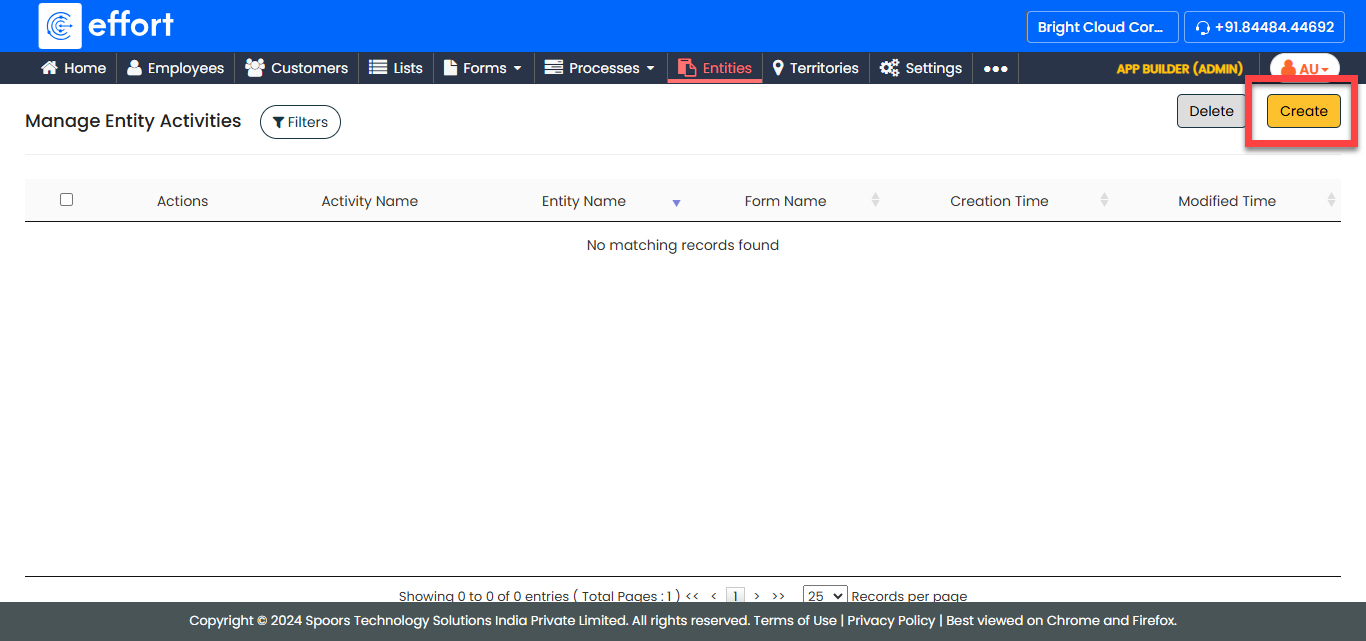
To configure a form as entity activity, follow the steps below:
-
Go to .
-
In the Configure Entity Activity page, configure the following
fields.
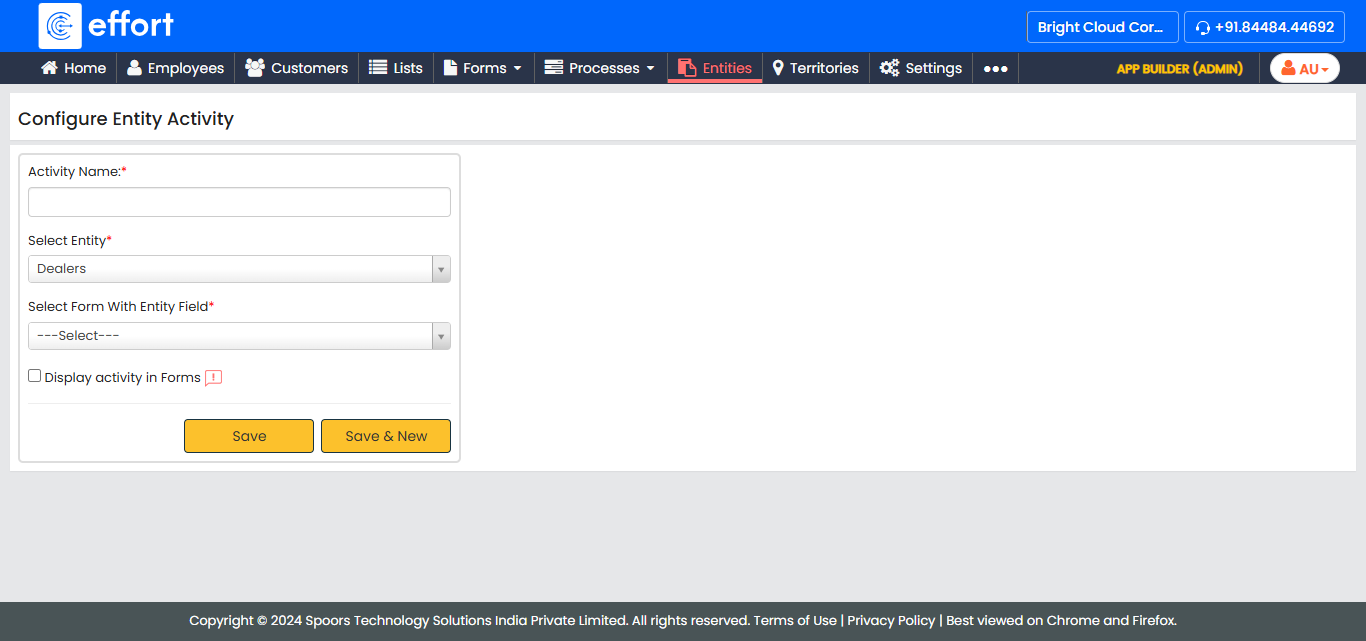
Field Name Description Activity Name
Provide a name for the activity to help identify the task associated with the entity.
Select Entity
Select the entity you want to link the activity to.
Select Form With Entity Field
Select a form that includes the entity datatype field. This form will be associated with the selected entity as activity. Display activity in Forms
Select this checkbox to make the activity form available to users in the Forms module of the mobile app. - After configuring all the fields, click Save.