

Create Data Delivery Templates for Form Submissions
-
On the welcome screen, click the Analytics Connector
card.
The Analytics Connector page appears.
-
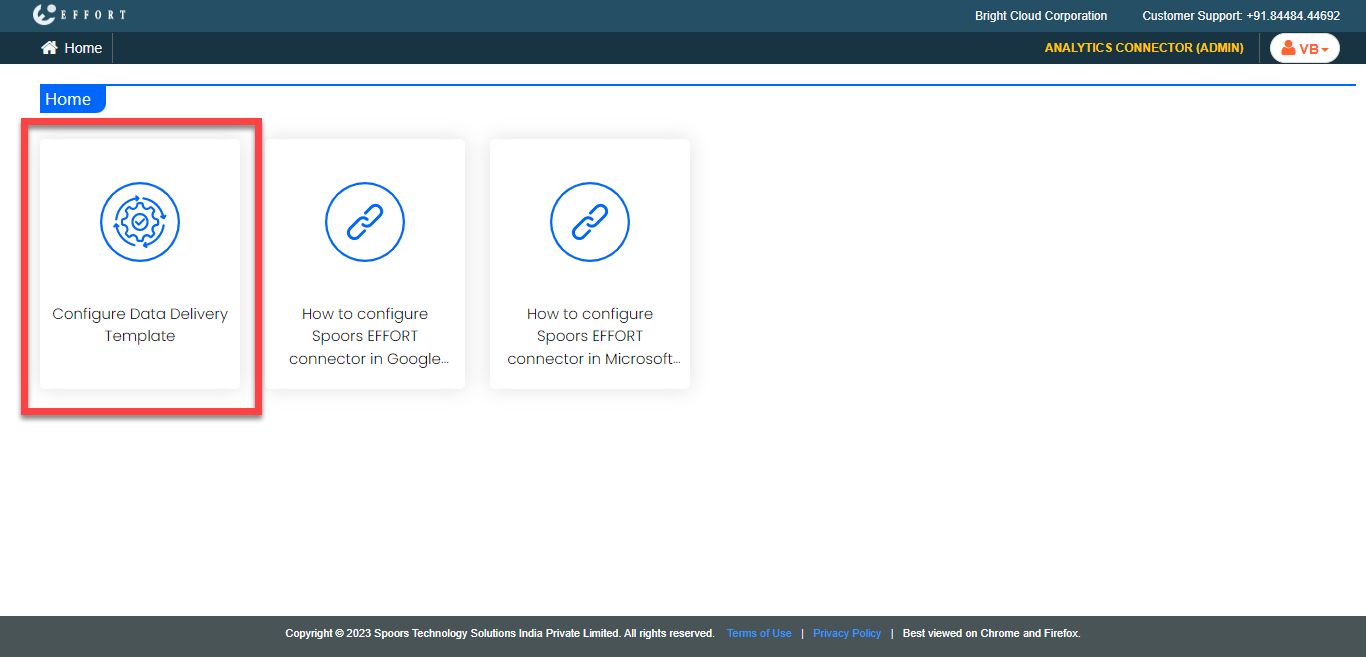
Click the Configure Data Delivery Template card.
-
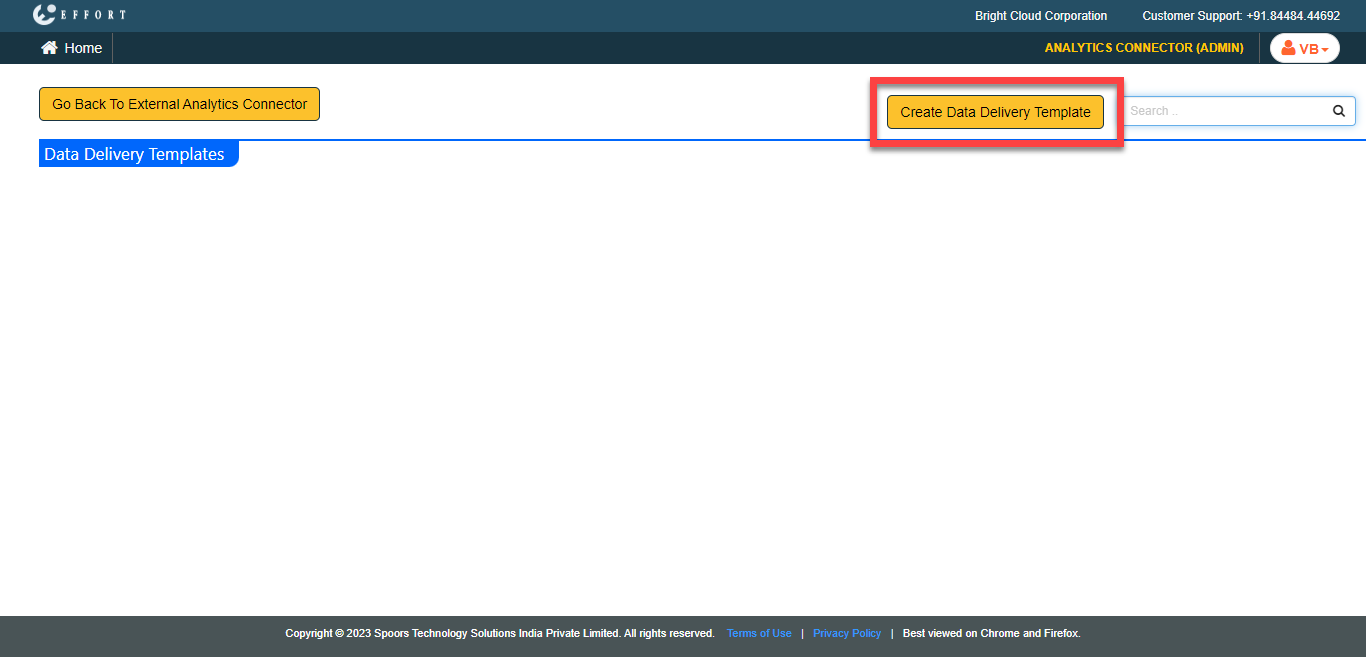
Click the Create Data Delivery Template button located
on the top right corner.
-
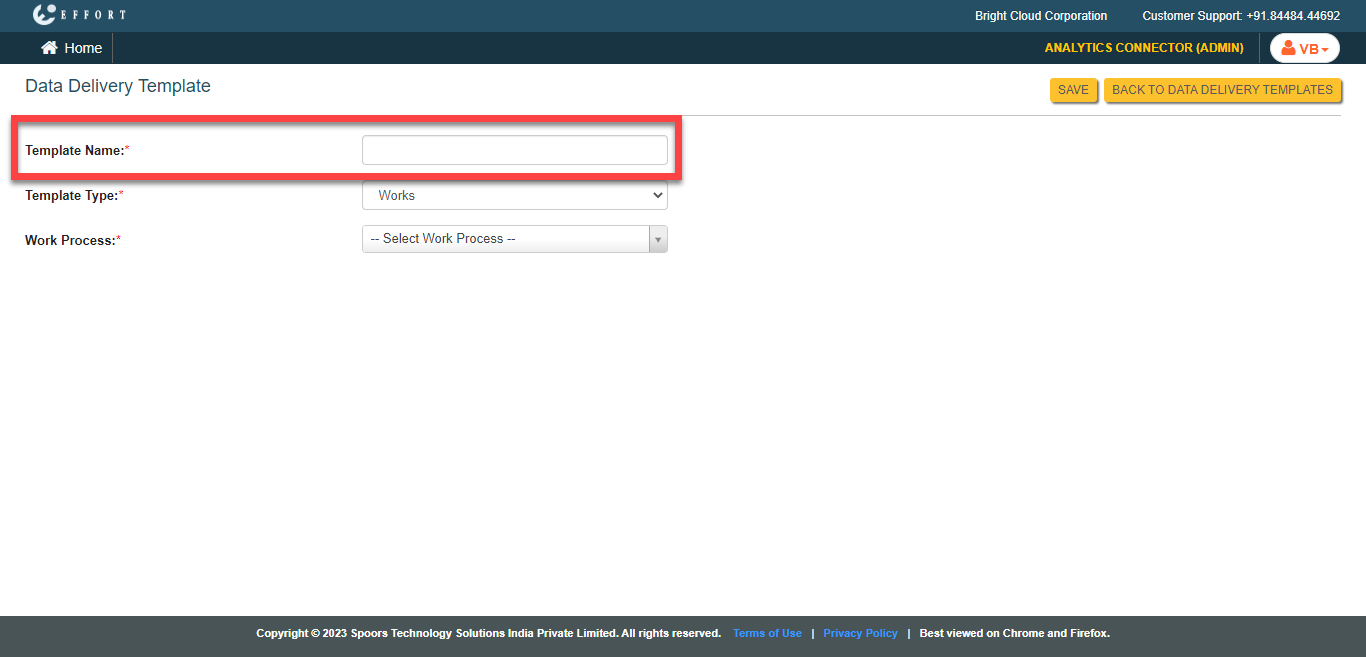
Enter a title for the template in the Template Name
textbox.
-
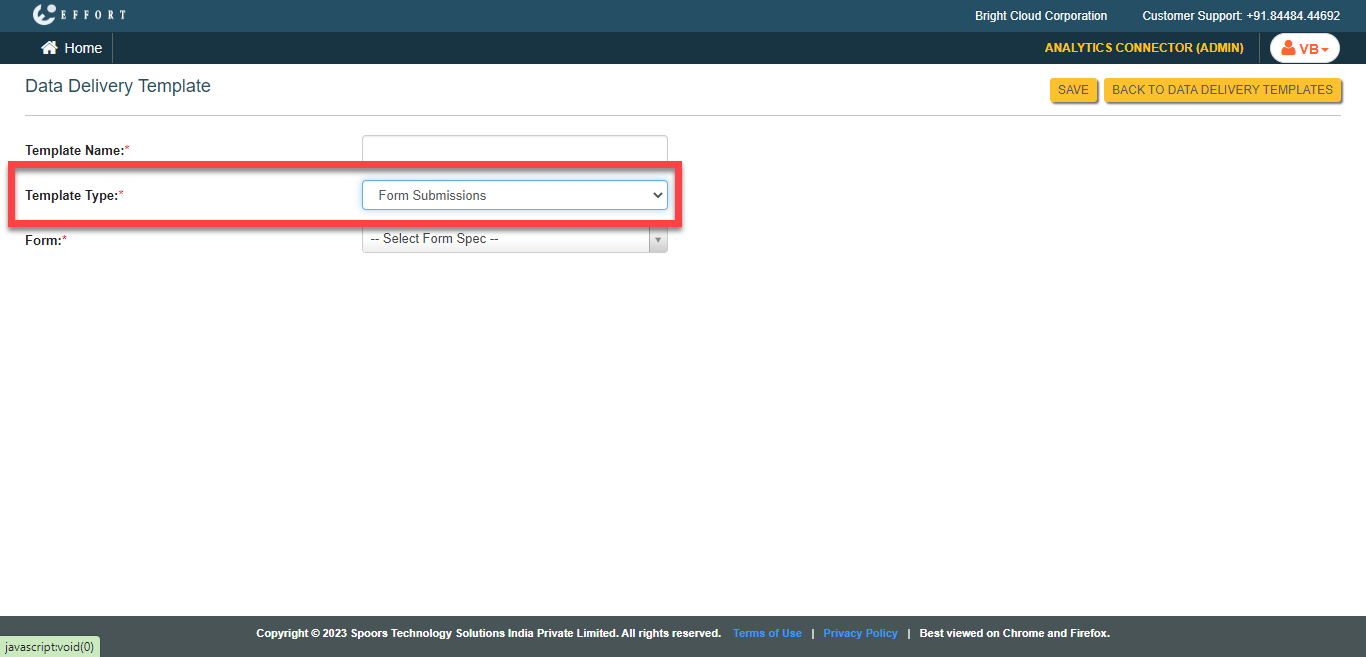
Select Form Submissions from the Template
Type dropdown.
-
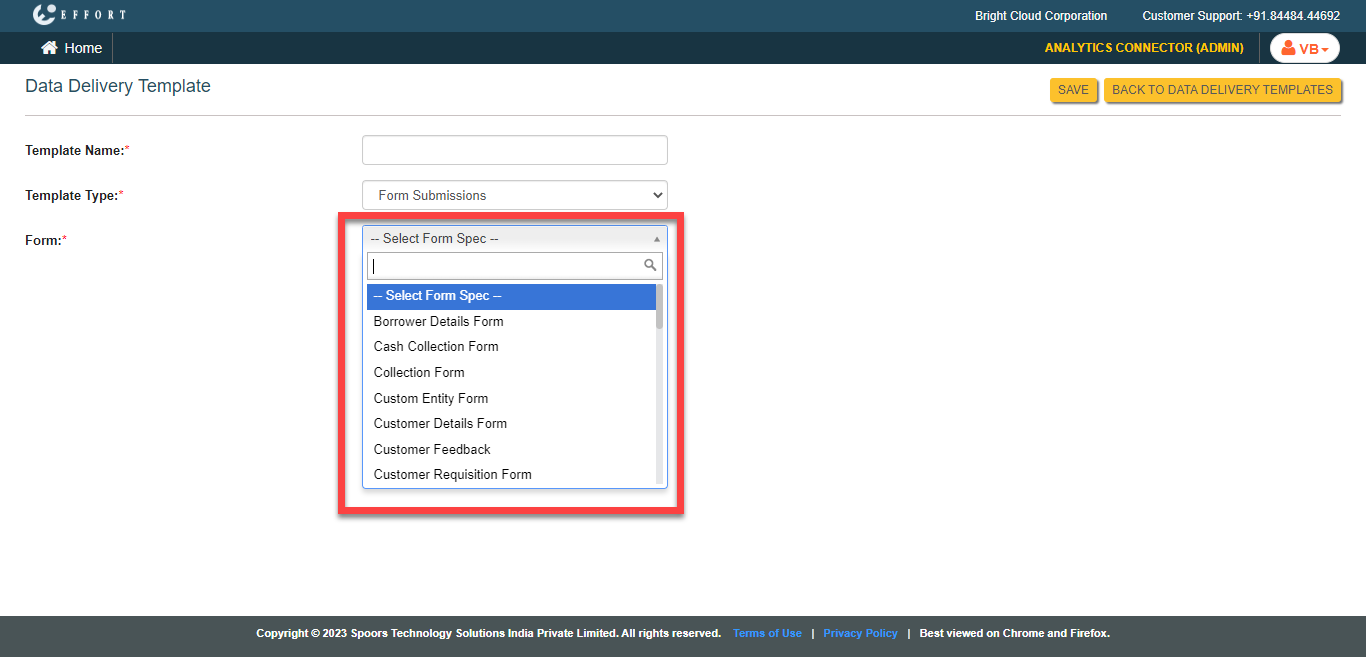
Select a form spec from the Form dropdown.
-
Click the Add Column button to add fields from which
data is required.
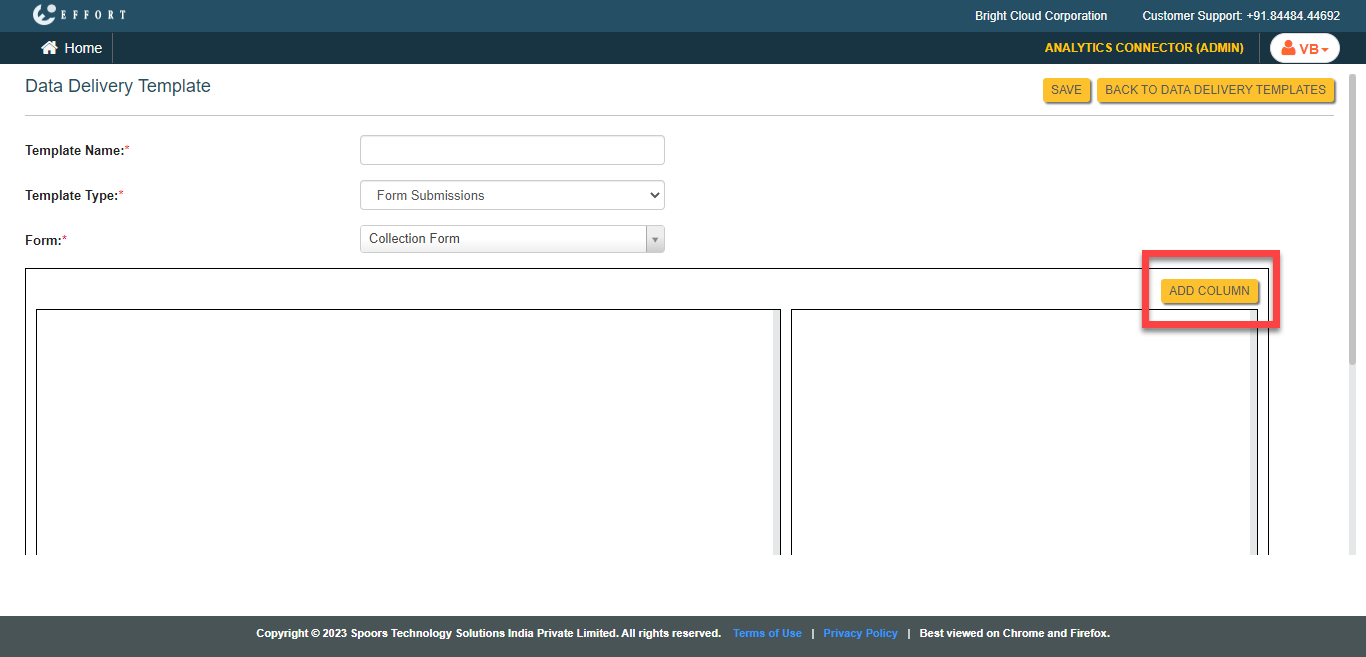
You can add more fields as per your requirement. -
Click on the field and set the below configuration fields.
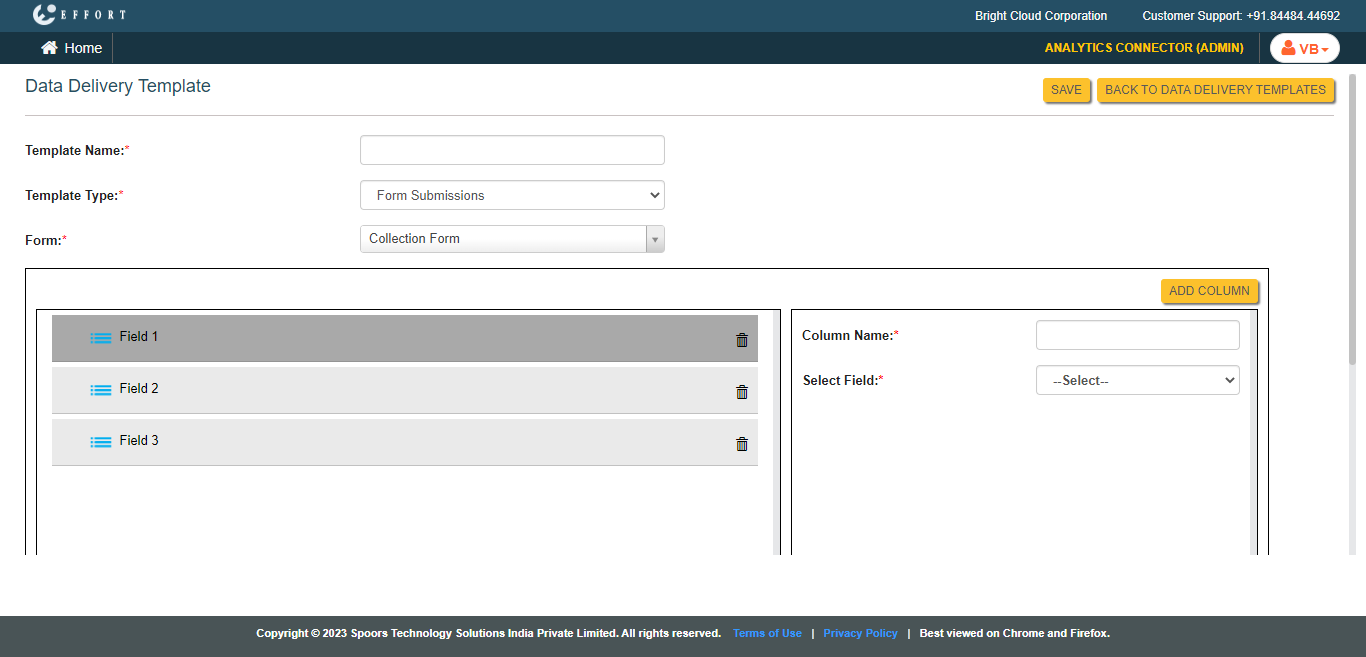
- Column Name: Enter a title for the field.Note: Do not include spaces or any special characters in the Column Name. It will generate a system error when you create a report in the Google Data Studio.
- Select Field: Select a form field that is associated with the selected form spec.
- Column Name: Enter a title for the field.
- Click Save.