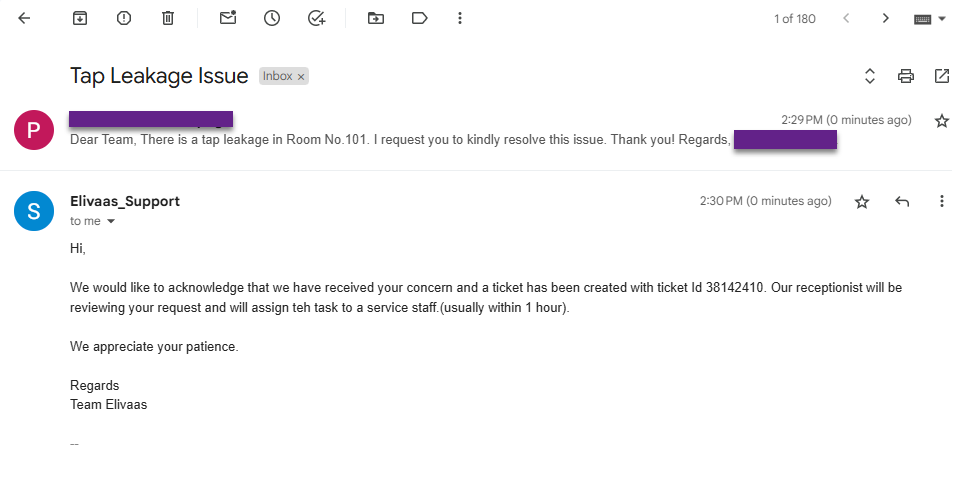
Submit a Service Request
Guests in your hotel can submit service requests quickly and conveniently using one of the following methods:
Using QR Code
To submit a service request using a QR Code, follow the steps below:
- Open the QR scanner on your mobile device and scan the QR code available in your room.
- A service request form will appear. Fill in the required details, such as:
- Room No
- Type of Request
- Description of the problem
- Preferred Visit Time
- Guest Name
- Guest Email
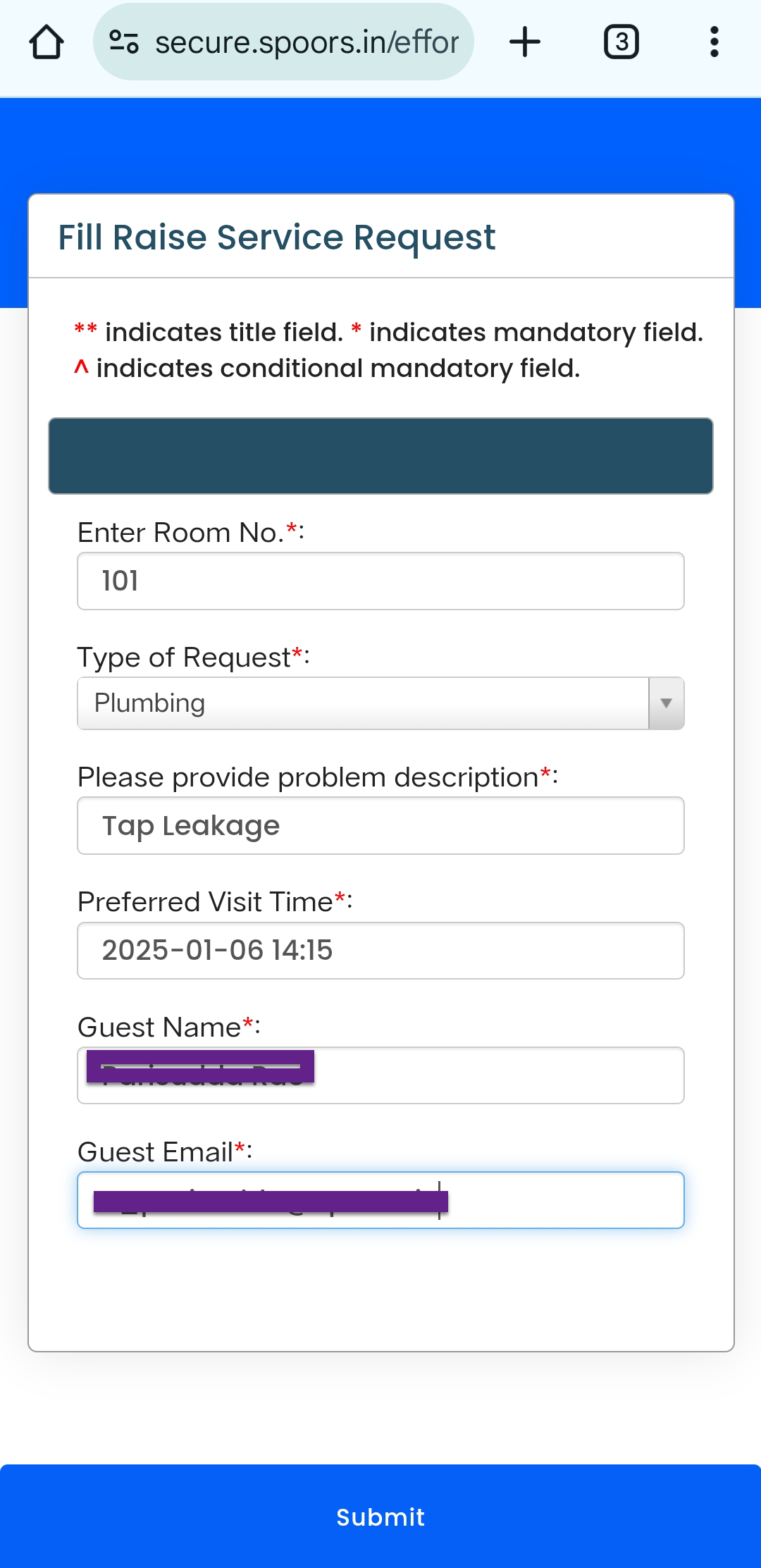
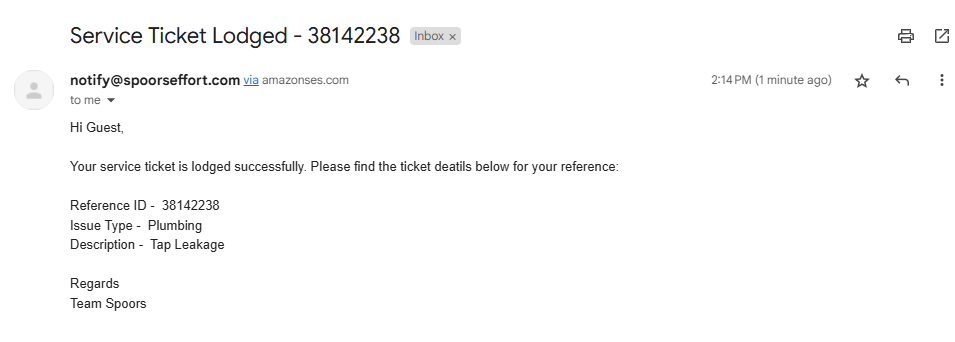
- Tap Submit to send the request.Note: Once you submit the form, the service request is created instantly and assigned to the service staff who are currently signed in. The guest will receive an acknowledgment email at the provided email address.
Using Email
To raise a service request via email, guests can follow these steps:
-
Send an email to the hotel’s support email address.
-
Include the necessary details, such as:
- Room number
- Request type
- Any specific requirements or preferences
Note: Find a sample here.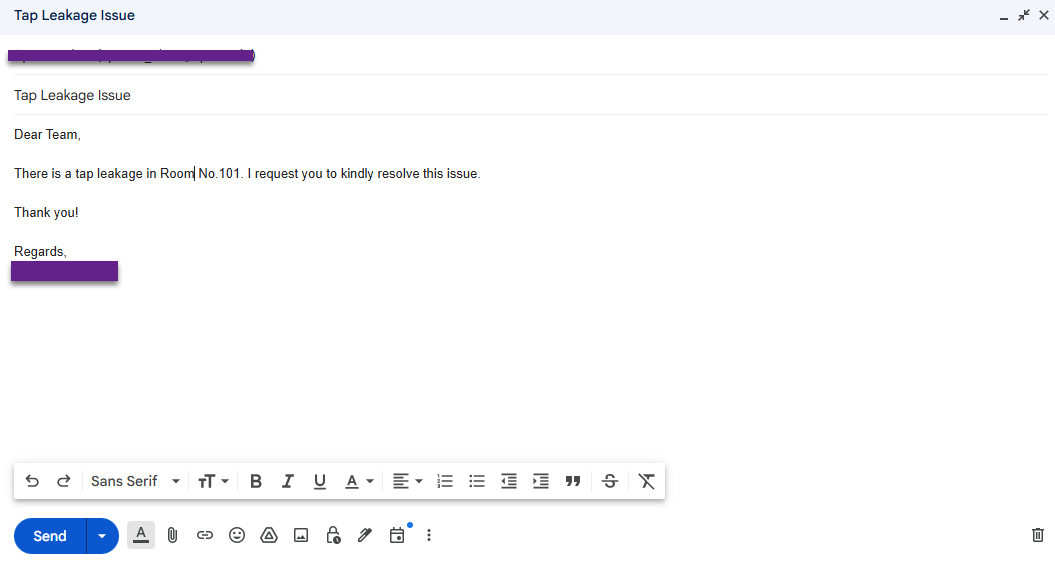
-
Once the email is sent:
- A service request ticket is created.
- A hotel supervisor will verify the details and assign the request to the appropriate service staff.
- The guest will receive an acknowledgment email confirming the request
creation, as shown below: