

Delete a Target
To delete a target, follow these steps:
-
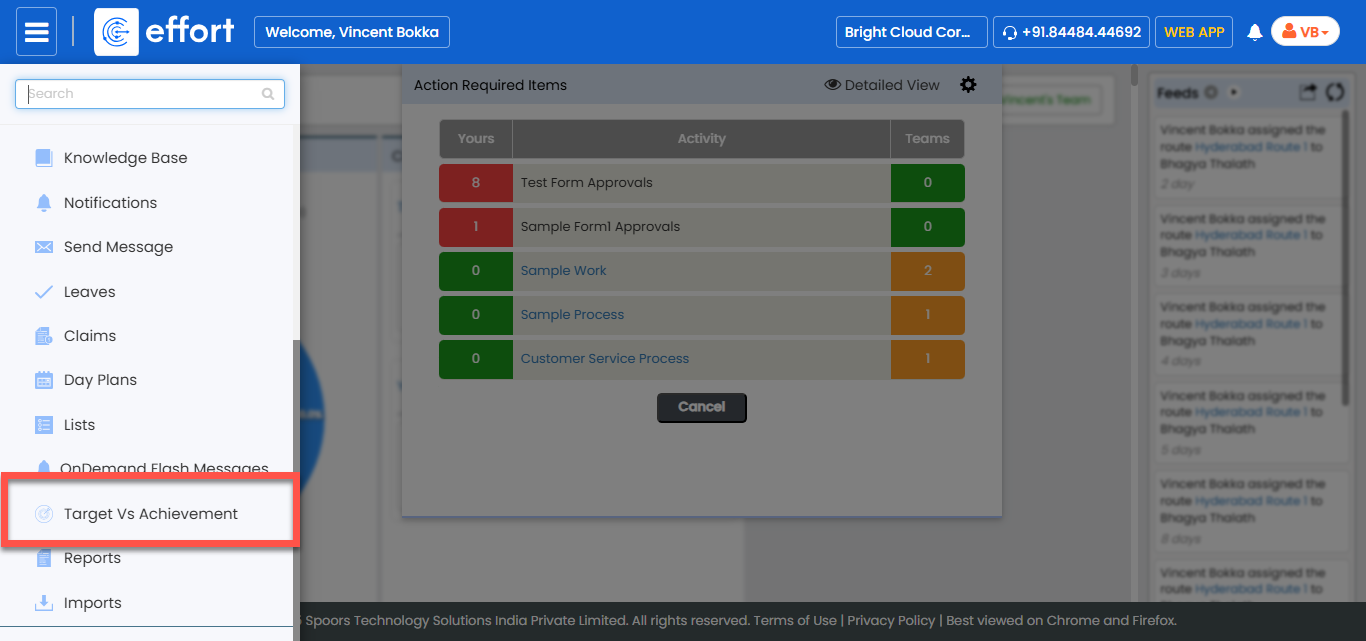
Go to .
-
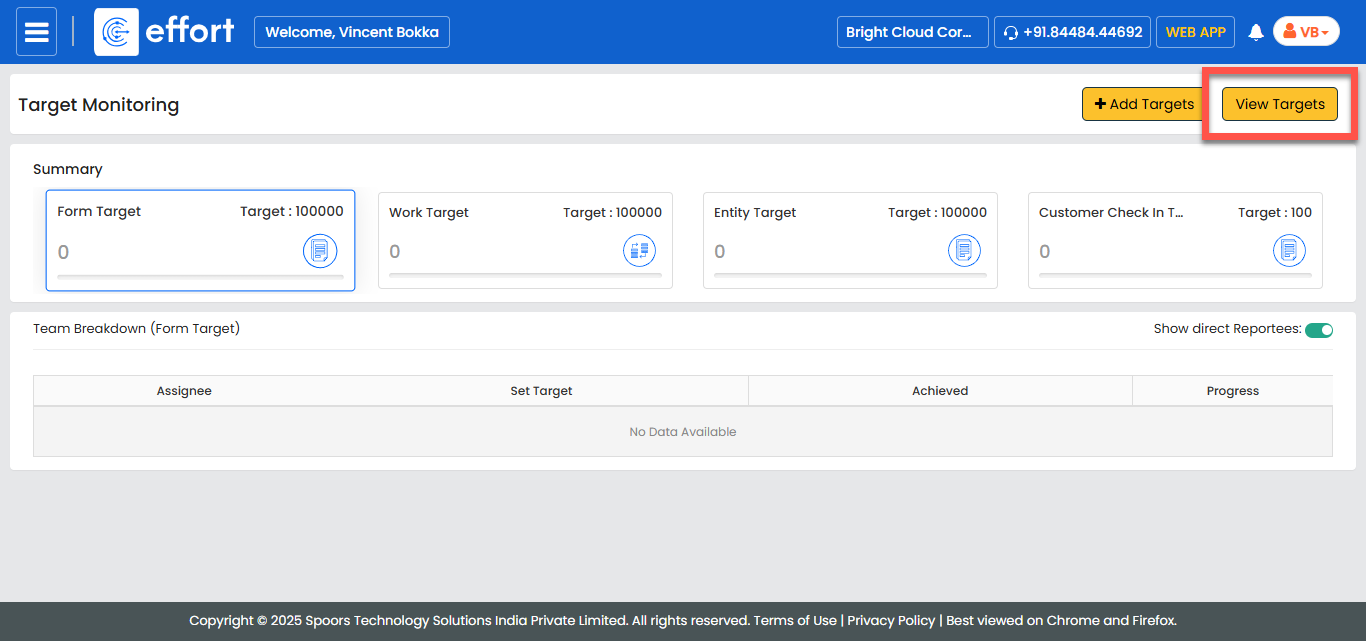
In the Target Monitoring page, click View
Targets.
-
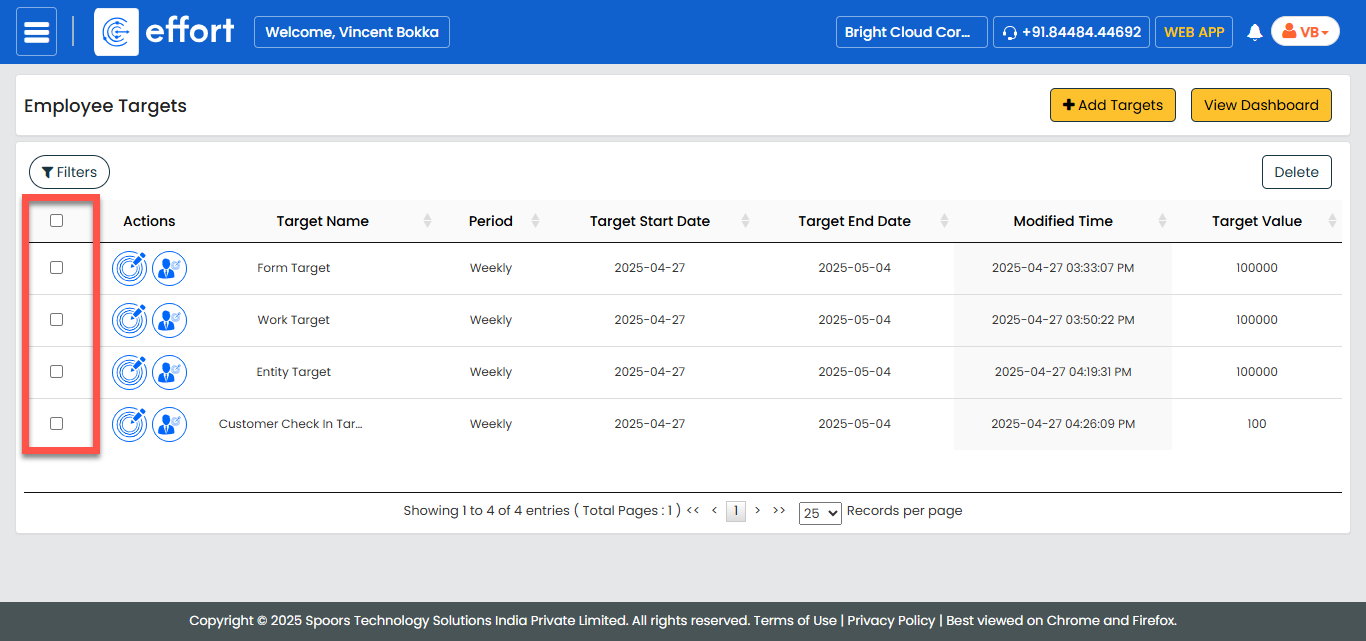
Select the checkbox located before the target you want to delete.
-
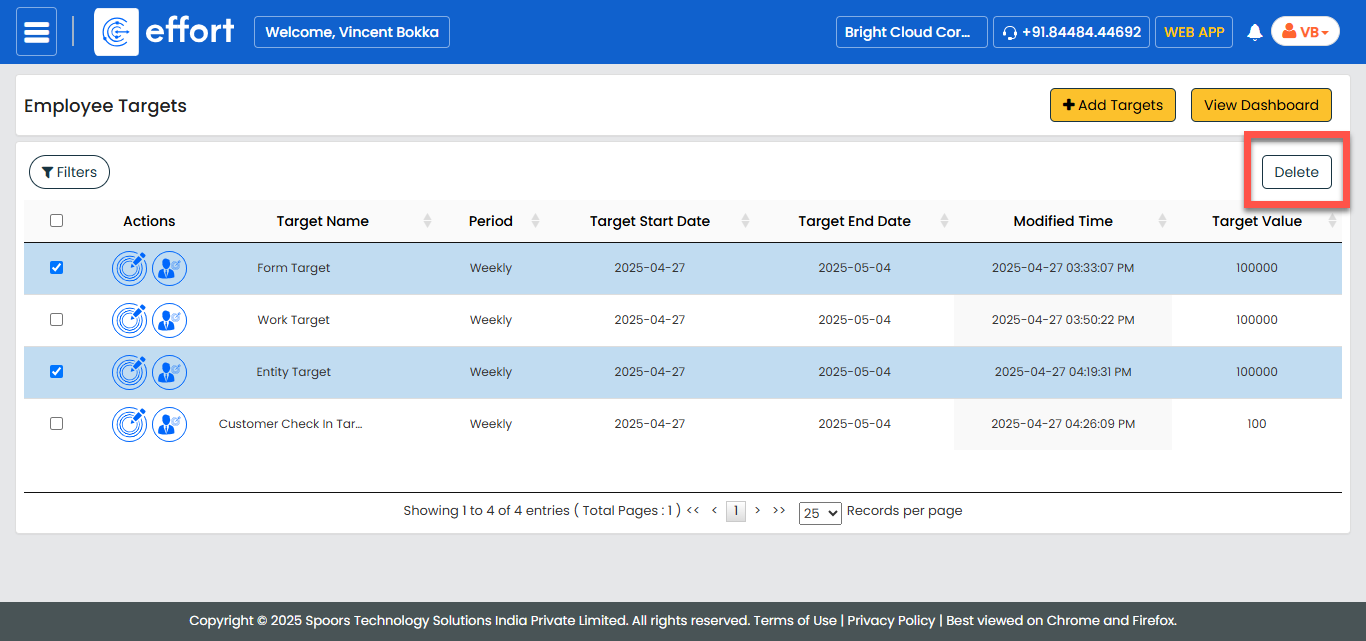
Click Delete to initiate the deletion process.
- In the confirmation prompt, click OK to confirm the deletion.