

Edit Target Definition
To edit an existing target definition, follow these steps:
-
Go to .
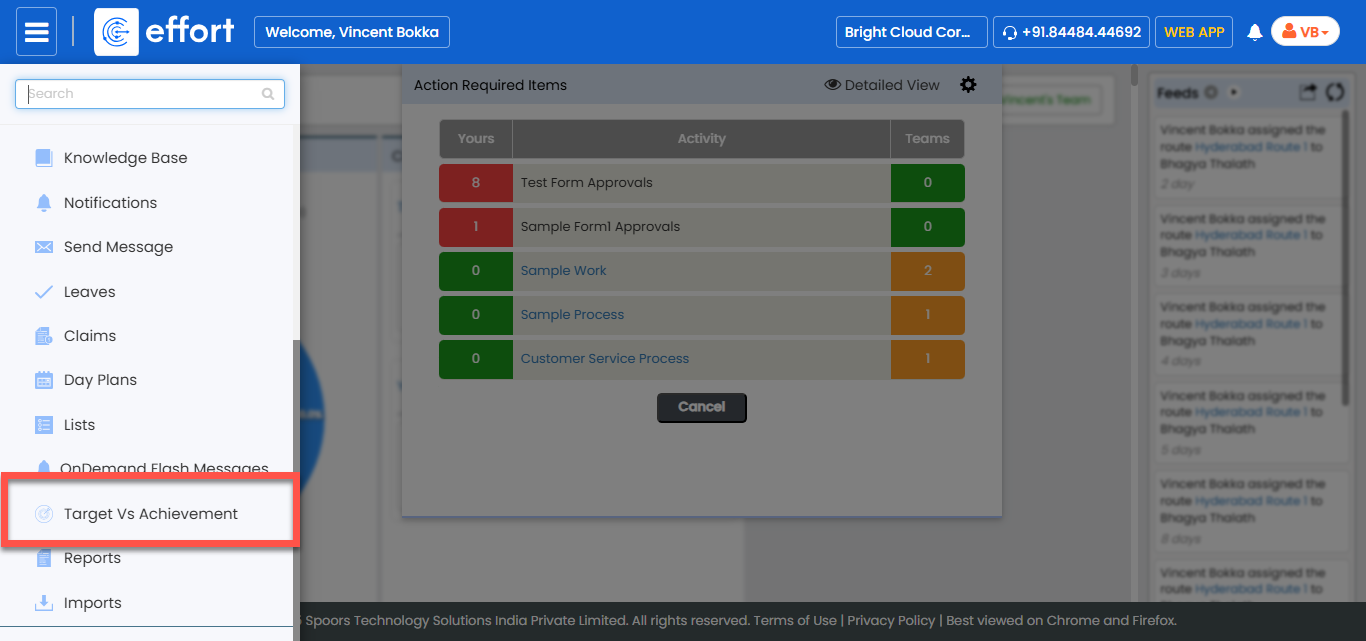
-
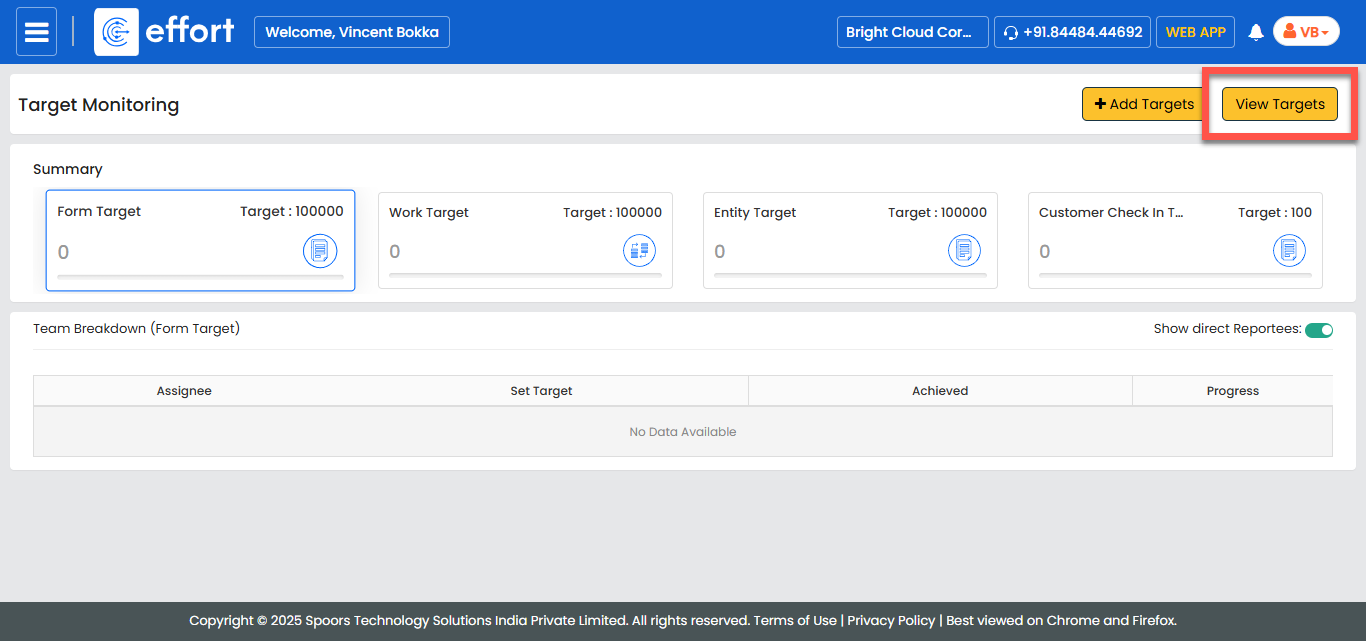
In the Target Monitoring page, click View
Targets.
-
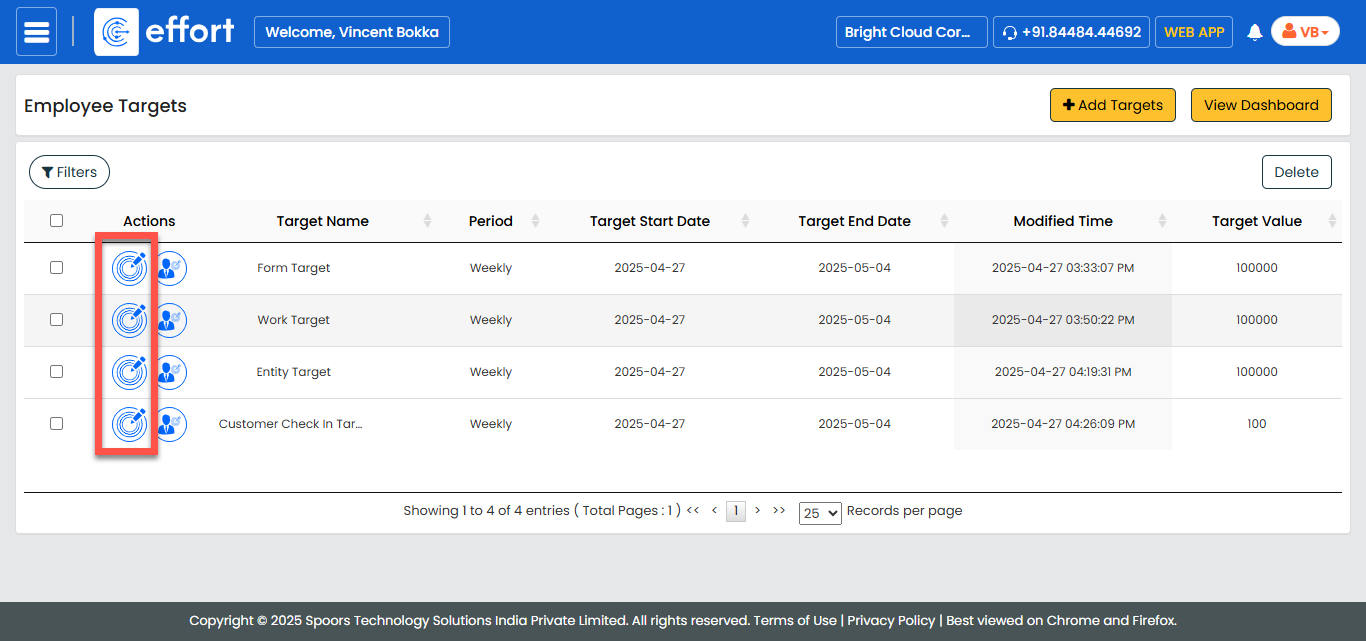
Under the Actions column, click the Edit Target
icon corresponding to the target you want to edit.
-
In the Target Definition page, update the required fields as per your
changes.
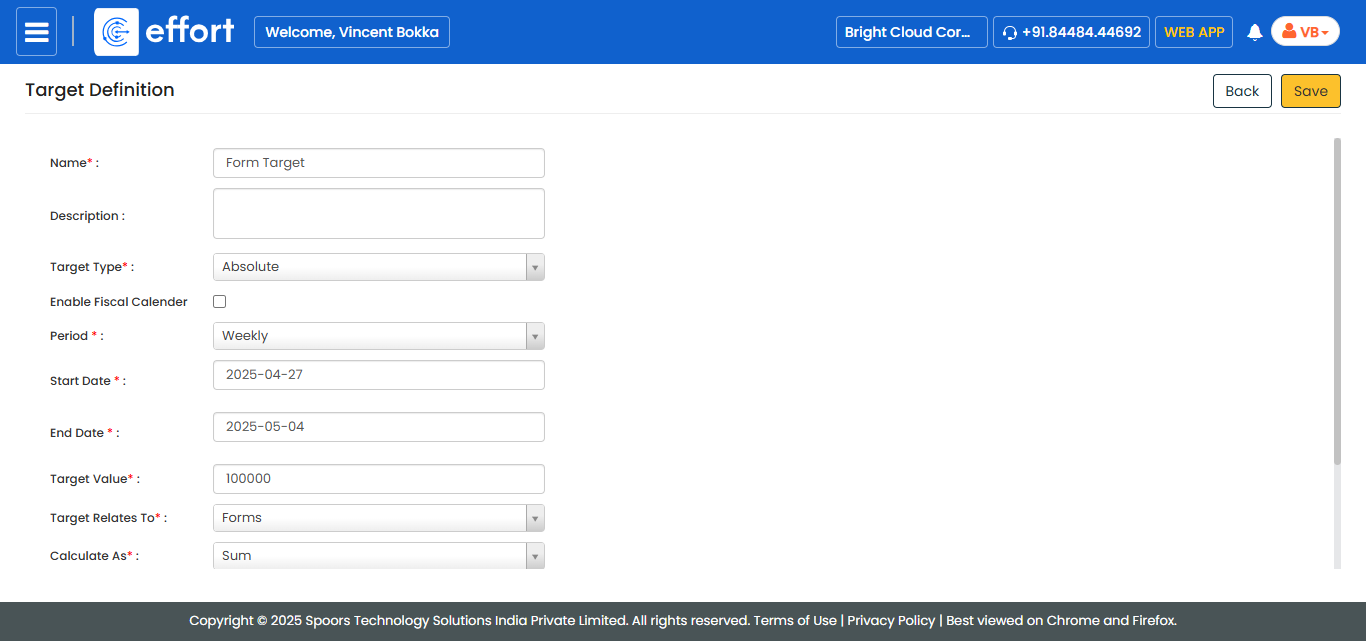
- After making the necessary updates, click Save to apply your changes.