

Edit Target Assignment
To edit an existing target assignment, follow these steps:
-
Go to .
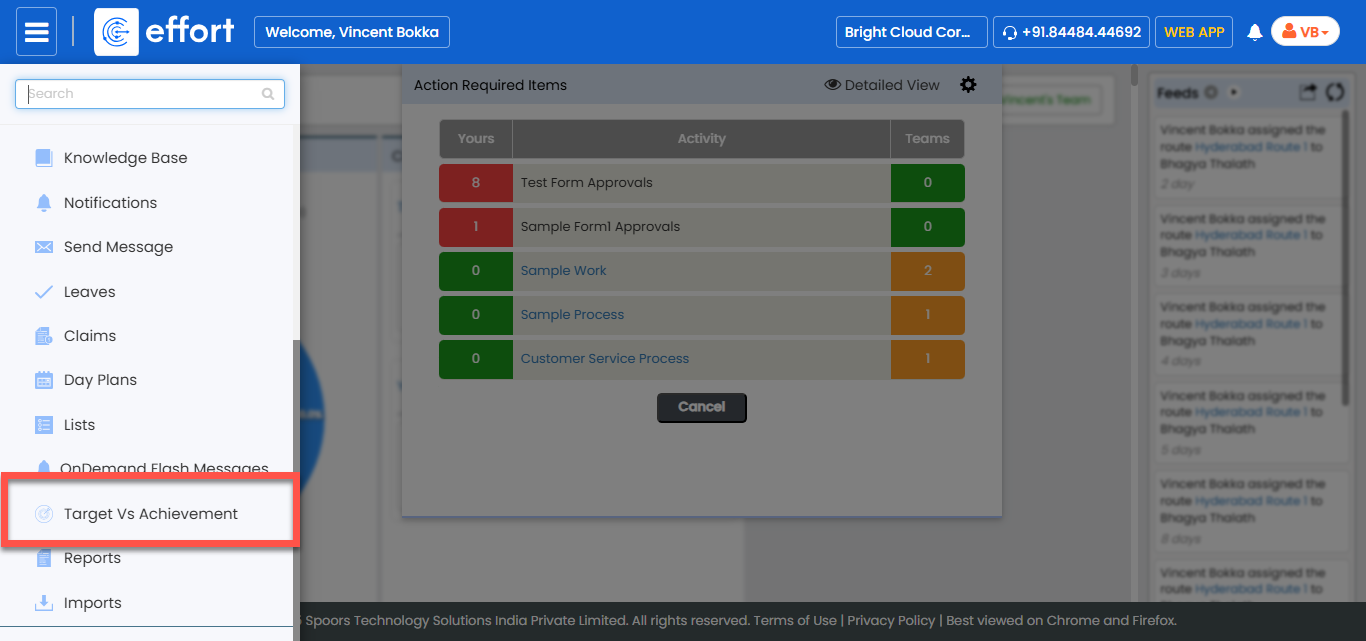
-
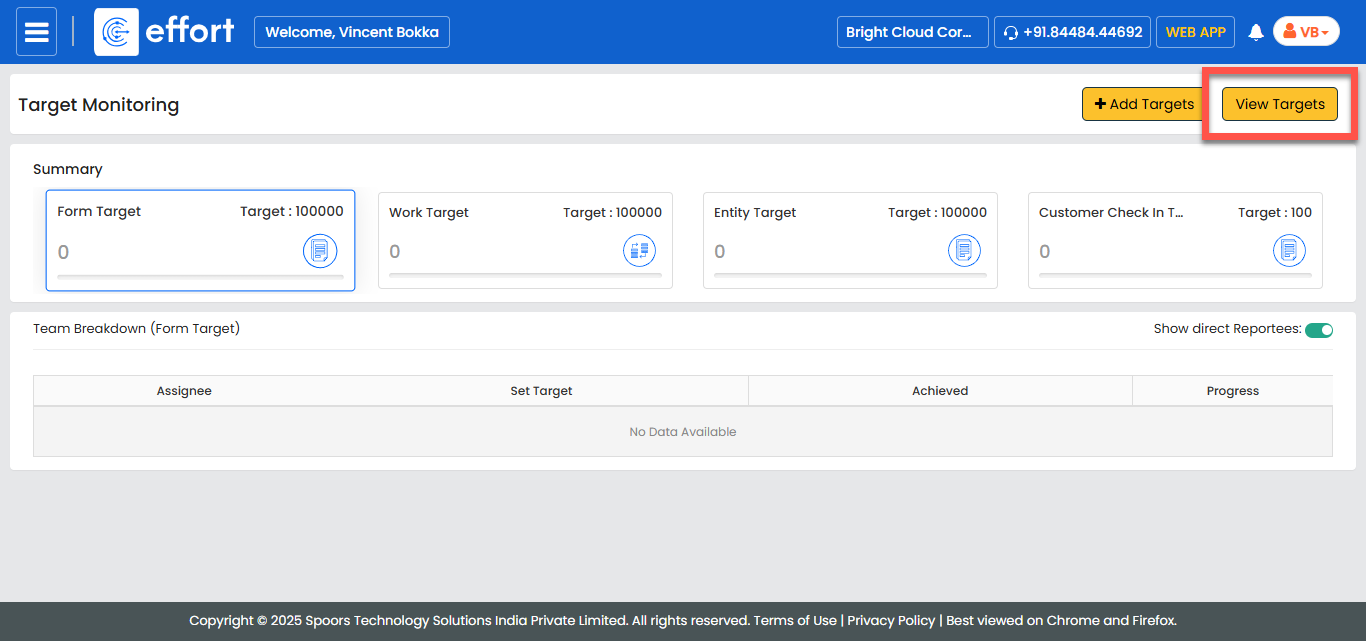
In the Target Monitoring page, click View
Targets.
-
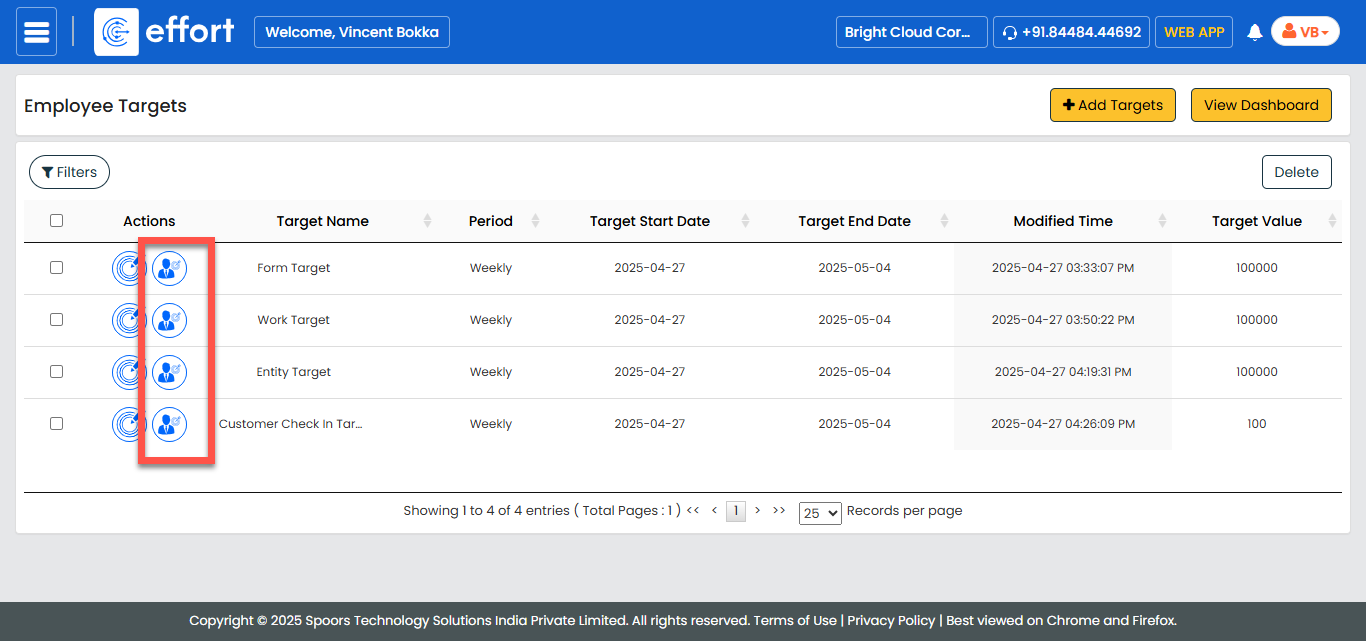
Under the Actions column, click the Assign Target
icon for the target you want to edit.
-
In the Target Assignment page, make changes as needed.
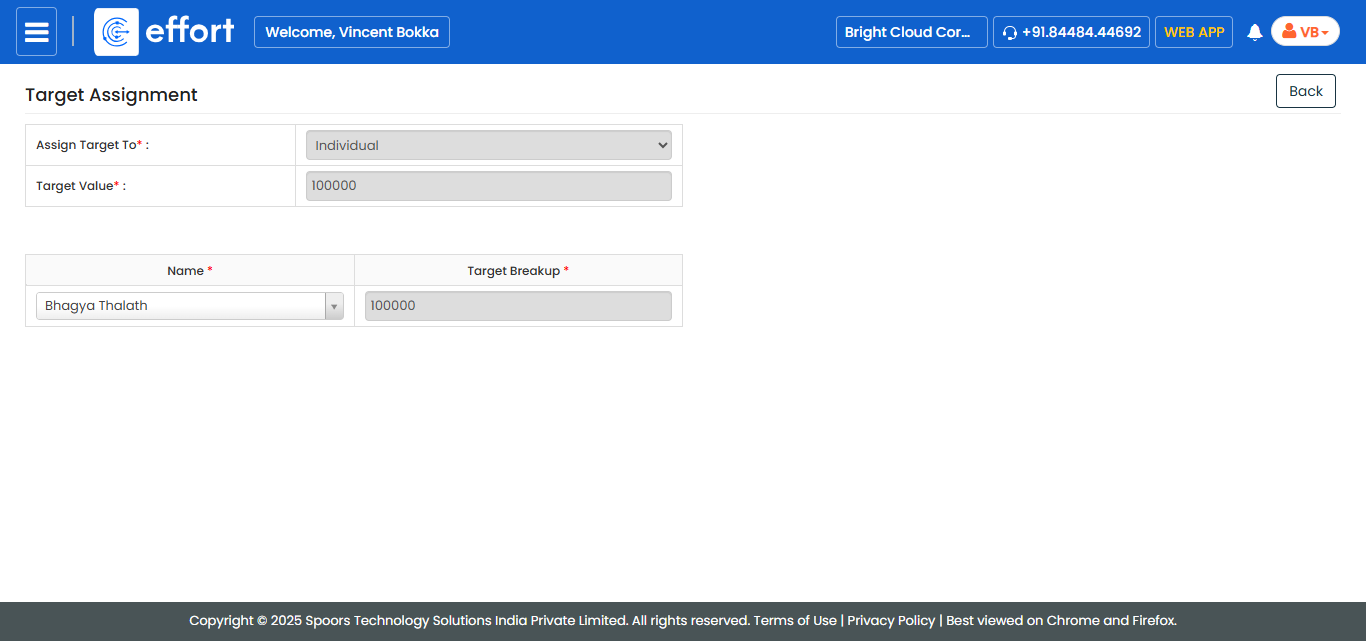
- After updating the target assignment, click Save to apply the changes.