Reset Web Login Password
Follow the below steps to reset the web login password from the Web App.
- Go to .
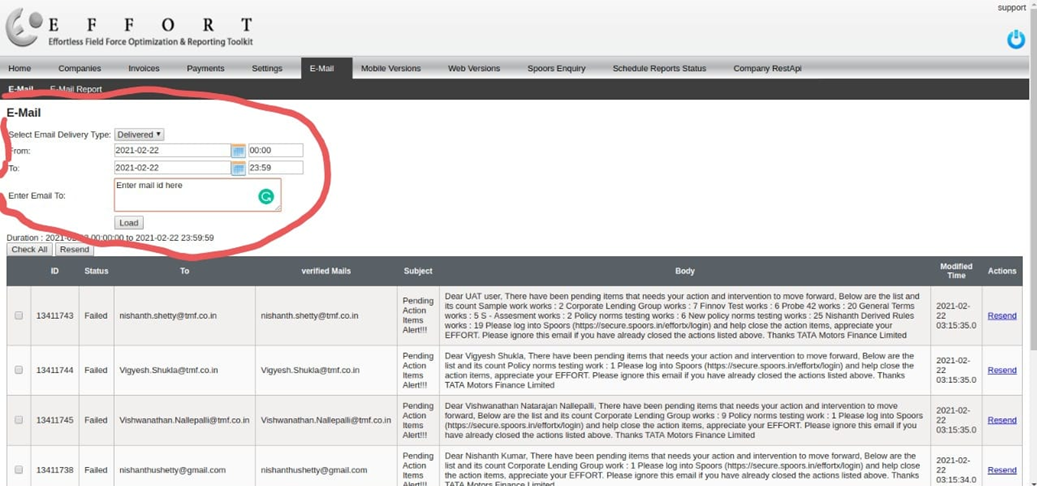
- Search for the required employee.
- Click on three dots given under the Actions column.
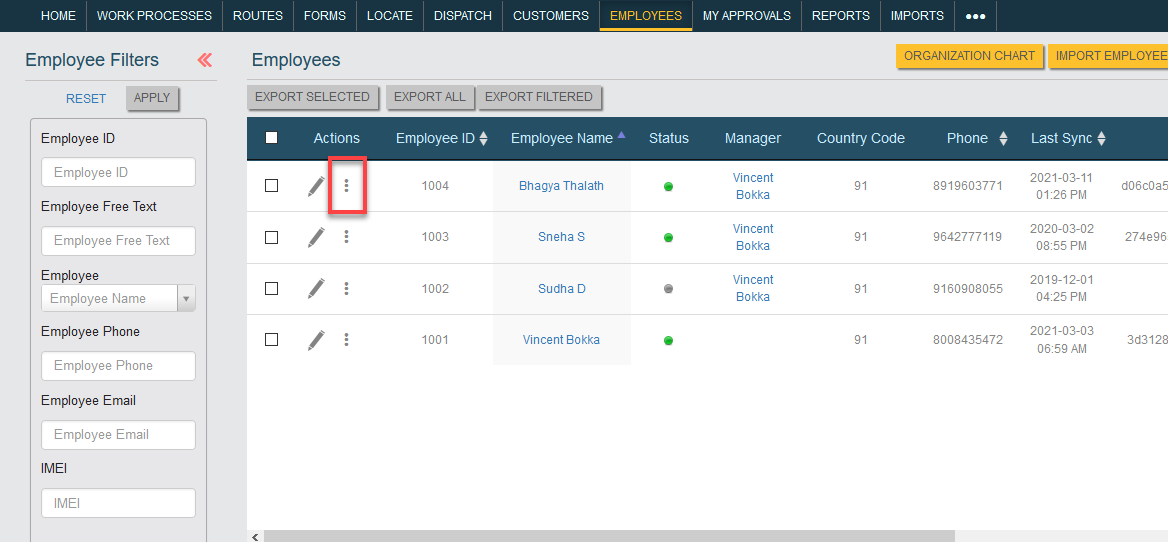
- Click on the Reset Web Login Password option.
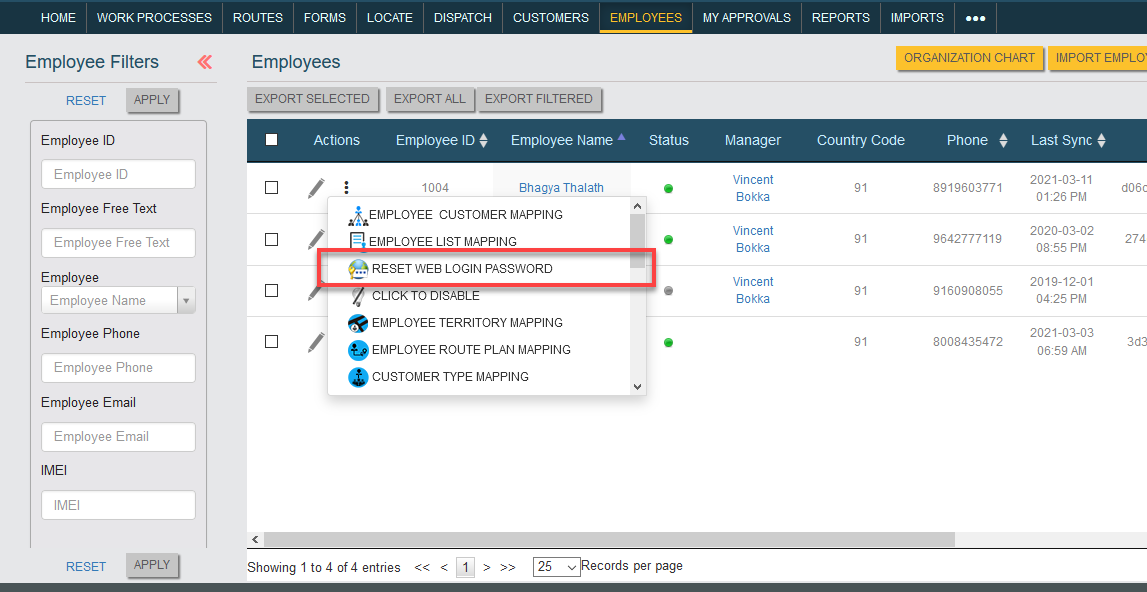
- Click OK in the confirmation pop-up.
Note: For support team only.
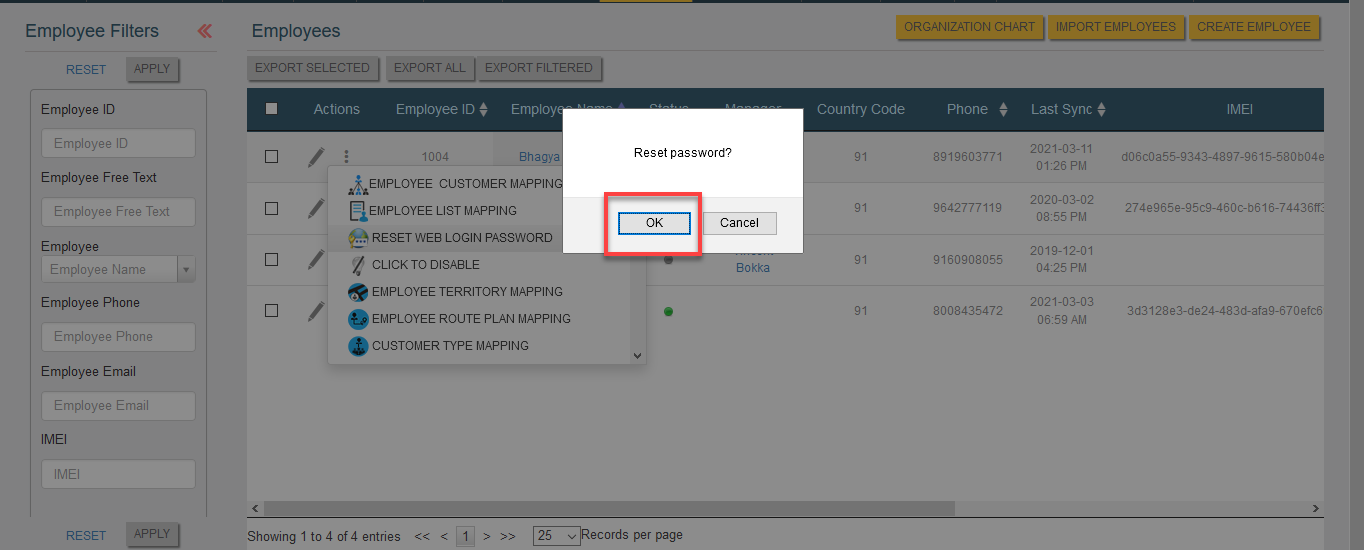
Follow the below steps to get password from the backend.- Go to .
- Select Email Delivery Type as Delivered or failed.
- Select the date range.
- Enter Email id
- Click LOAD.Refer to the below screenshot for your reference.