

Add Entity Records
To add records to an entity, follow the steps below:
-
Go to .
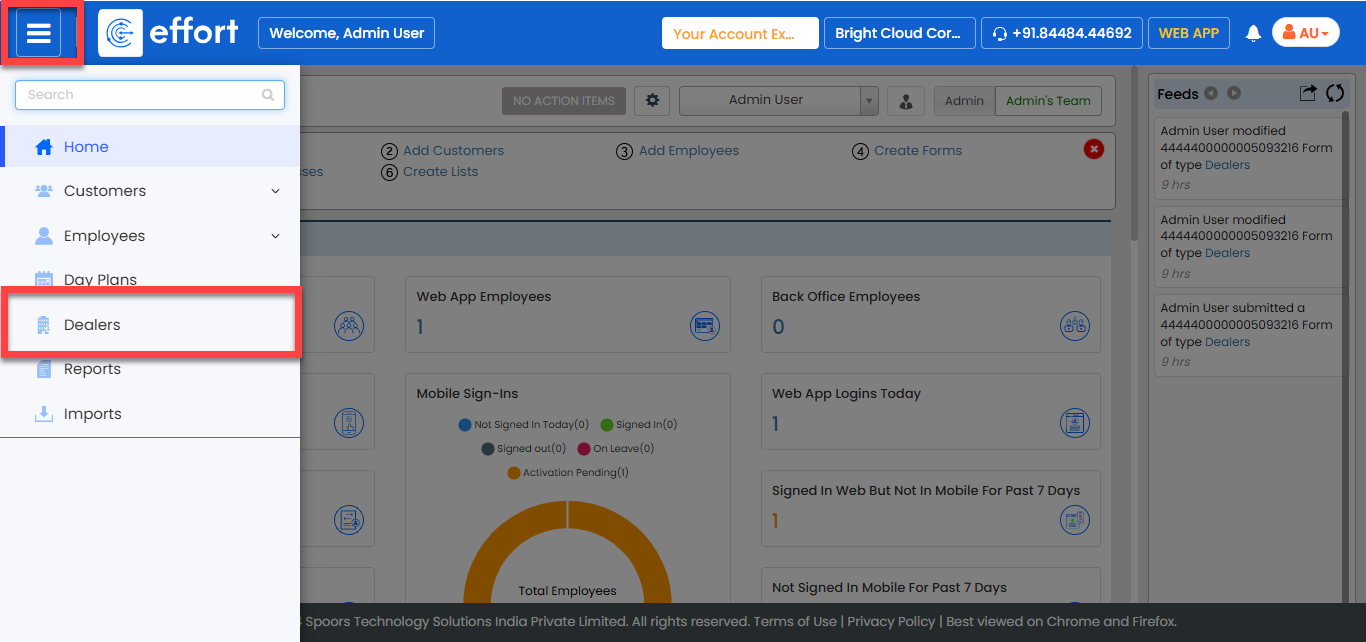
-
In the Entity Name page, click Add Entity
Name.
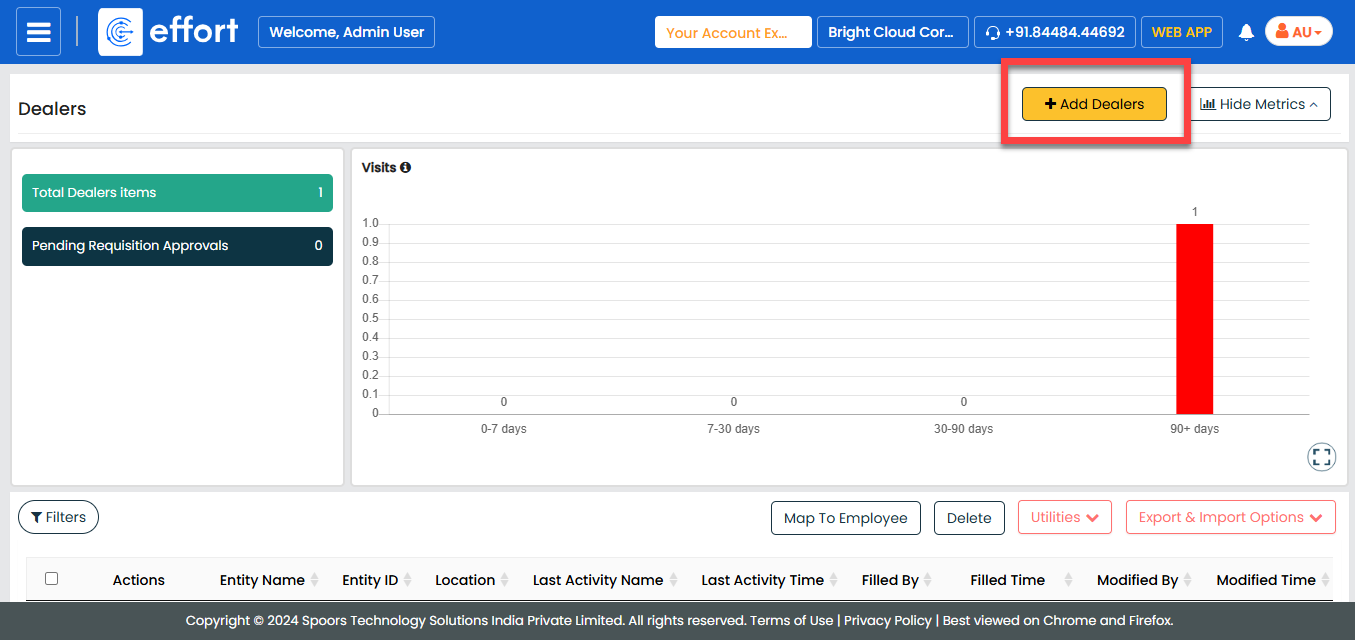
-
Fill in the entity details.
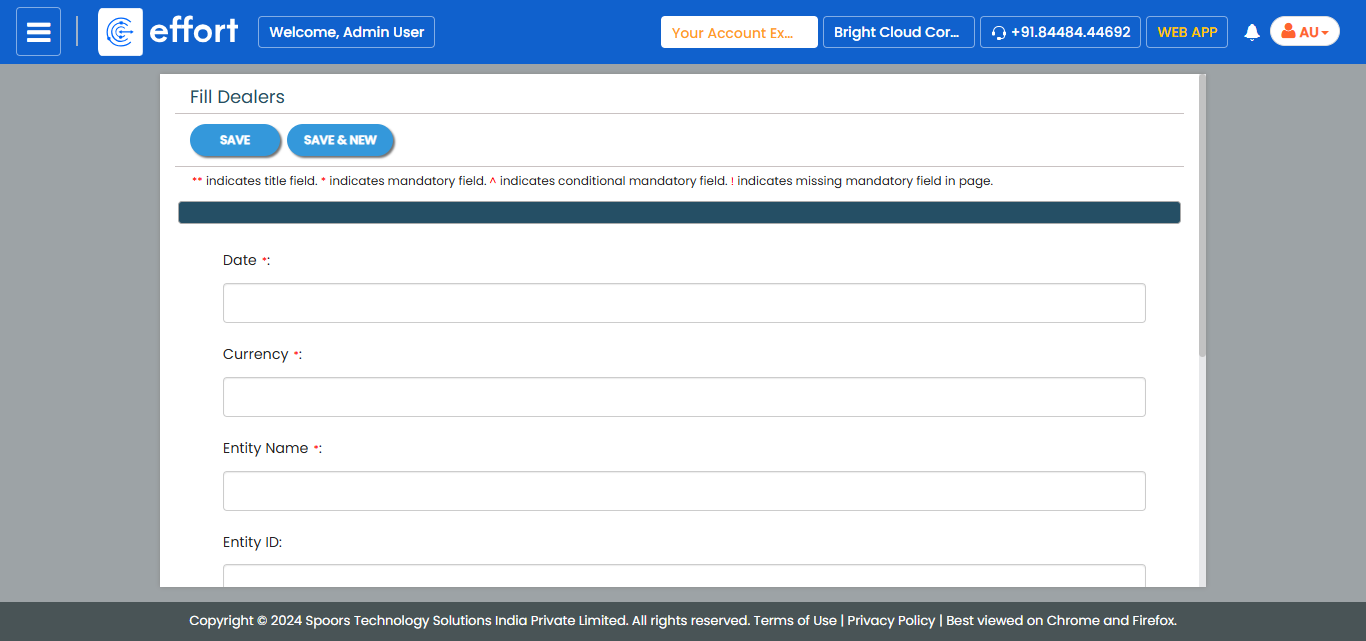
- Click Save or Save & New to save the current record and immediately start creating another one.