Import Entity Records
The Import feature allows you to add multiple records to an entity in bulk by uploading a preformatted Excel sheet.
To import entity records, follow the steps below:
-
Go to .
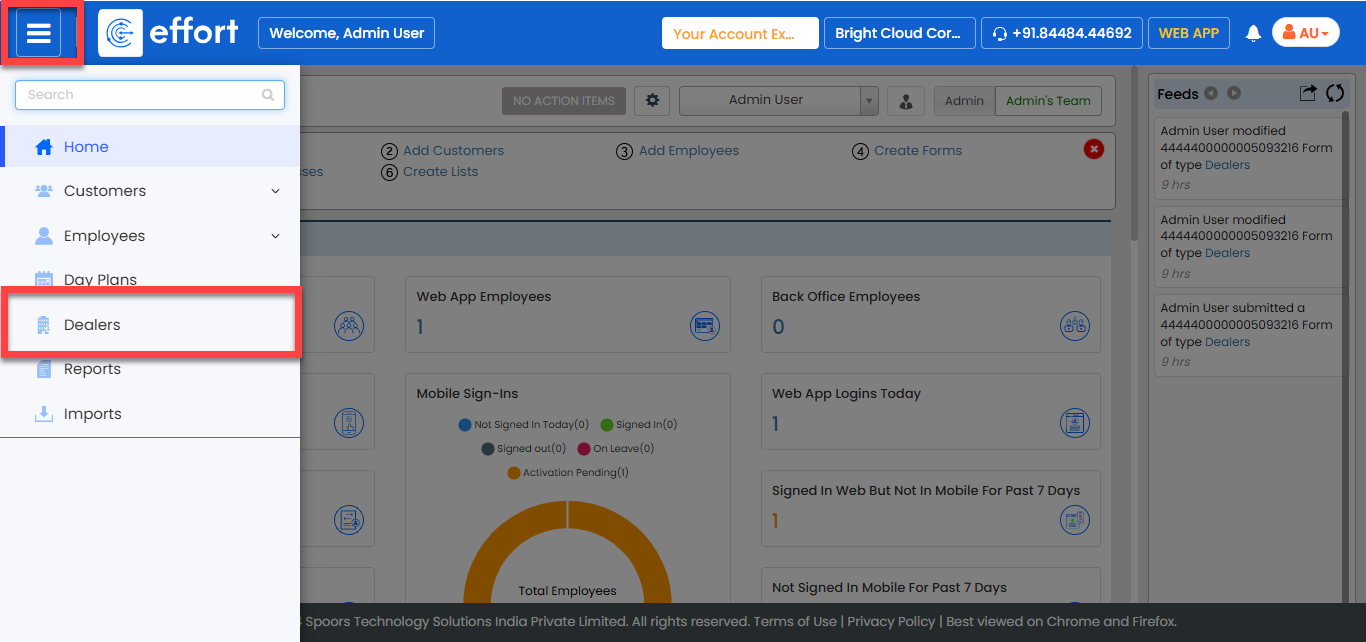
-
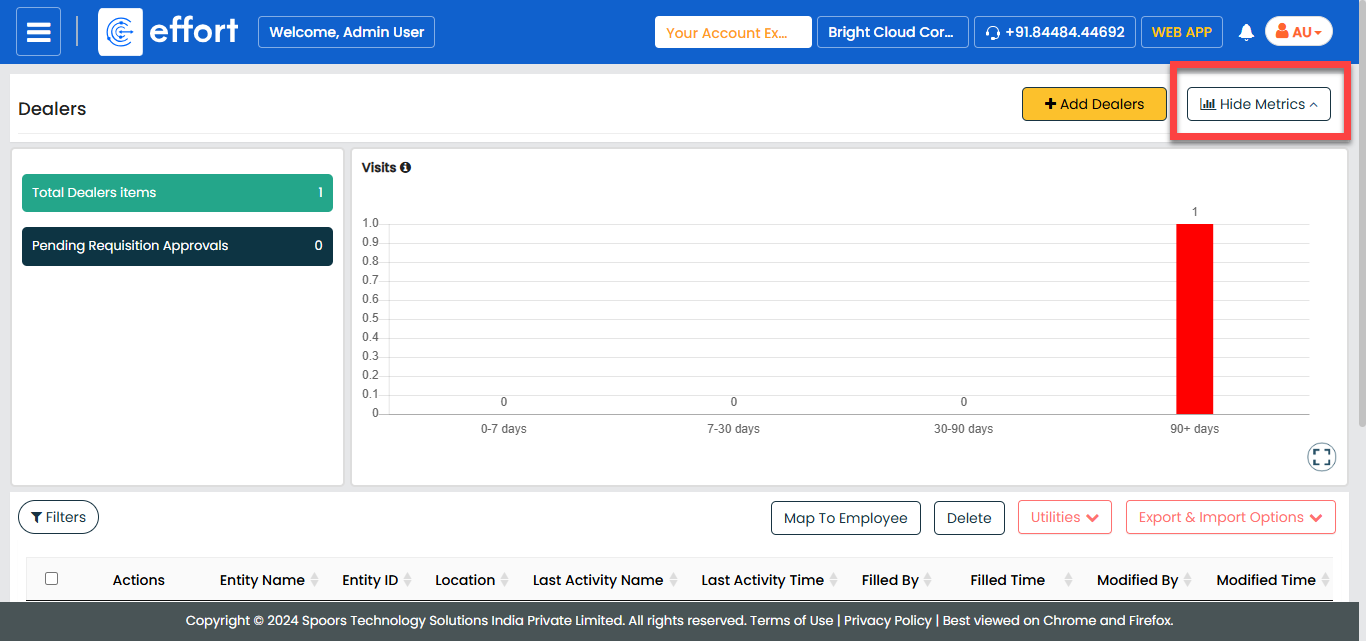
Scroll down to the bottom of the page or click Hide
Metrics to view the entity records.
-
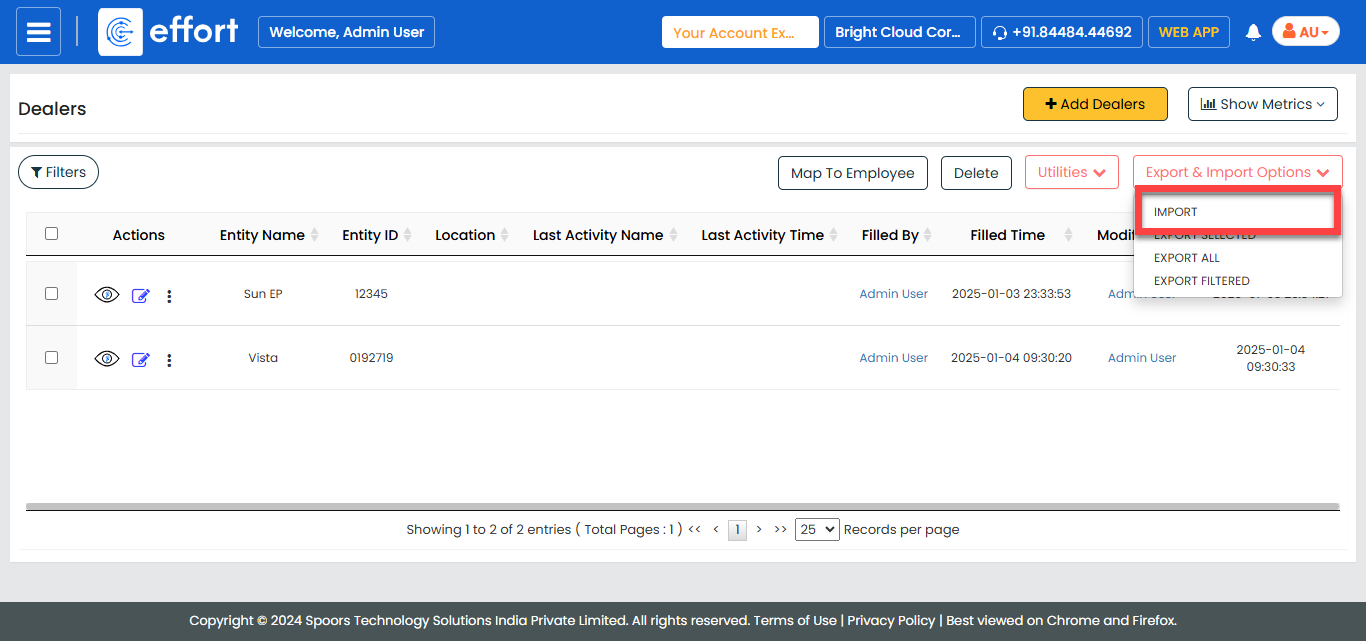
Click the Export & Import Options menu, and then
select Import.
-
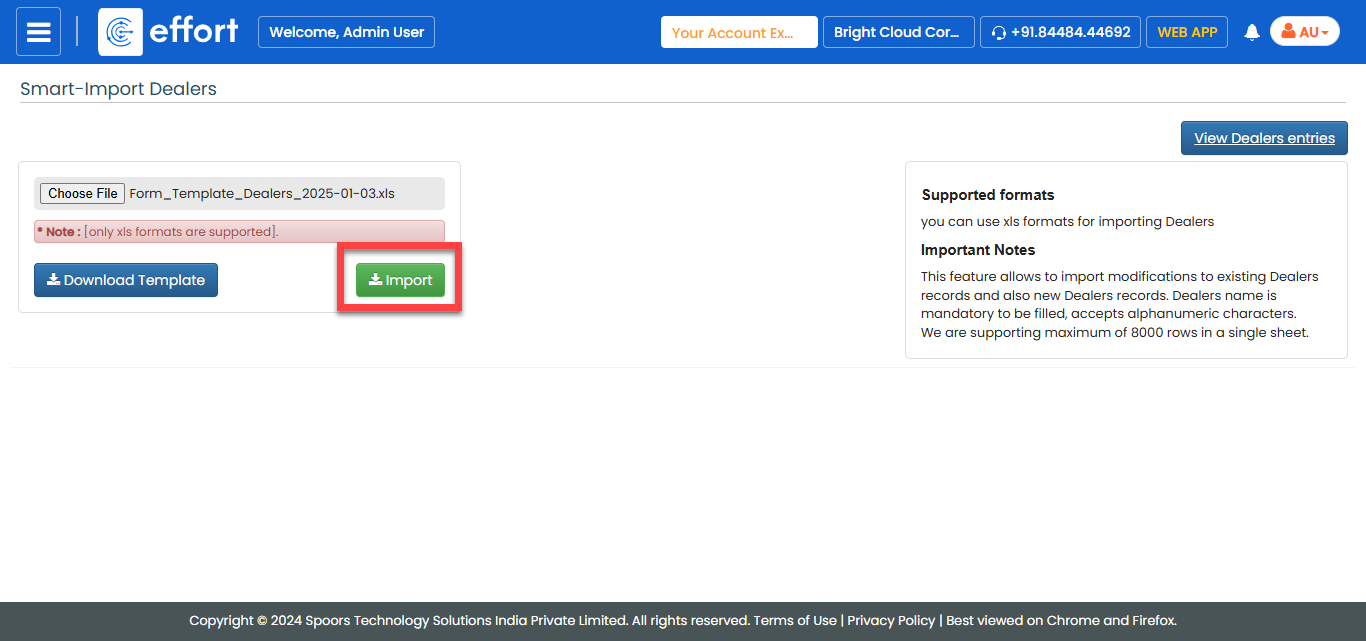
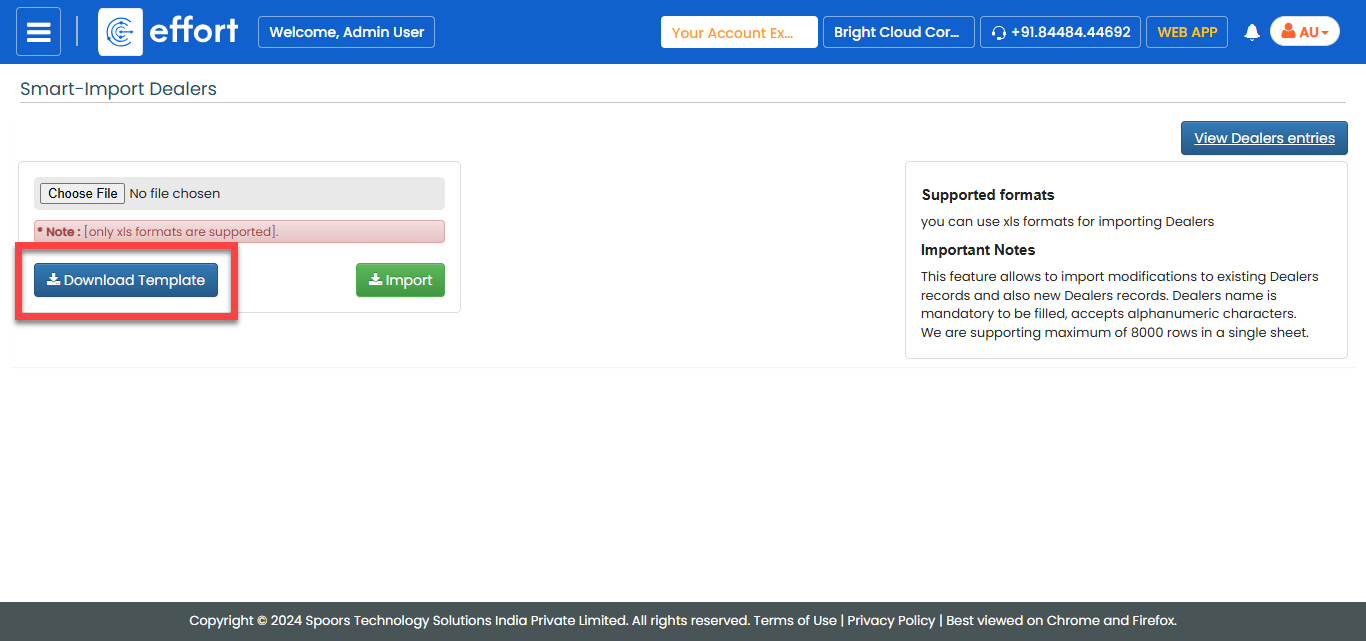
In the Smart-Import Entity Name page, click
Download Template.
-
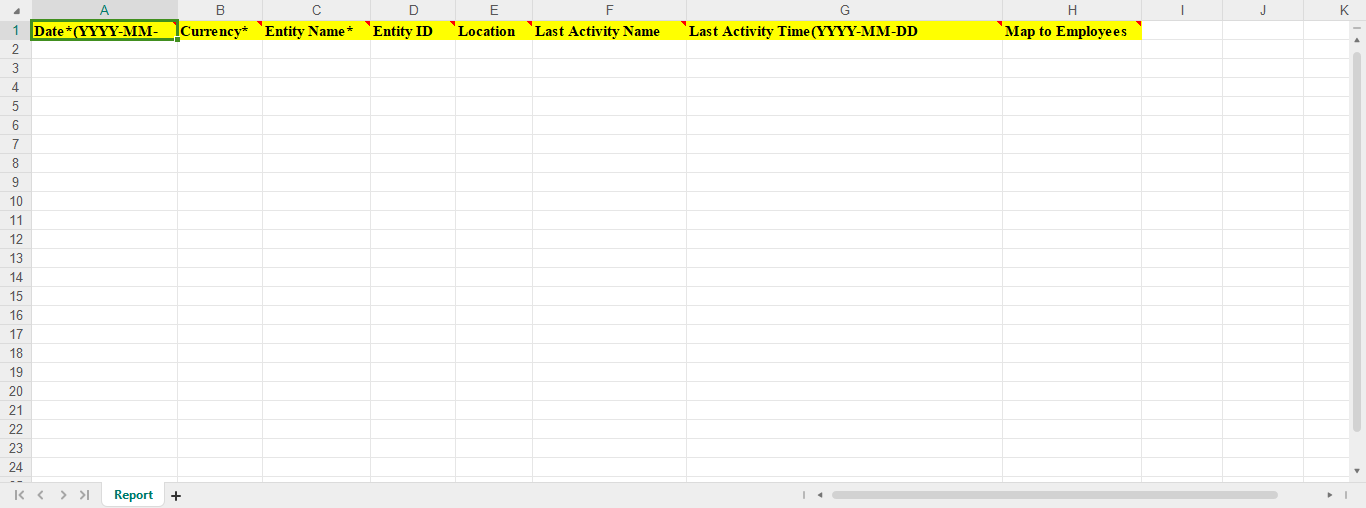
Open the downloaded Excel sheet, fill in the required details, and save the
file.
-
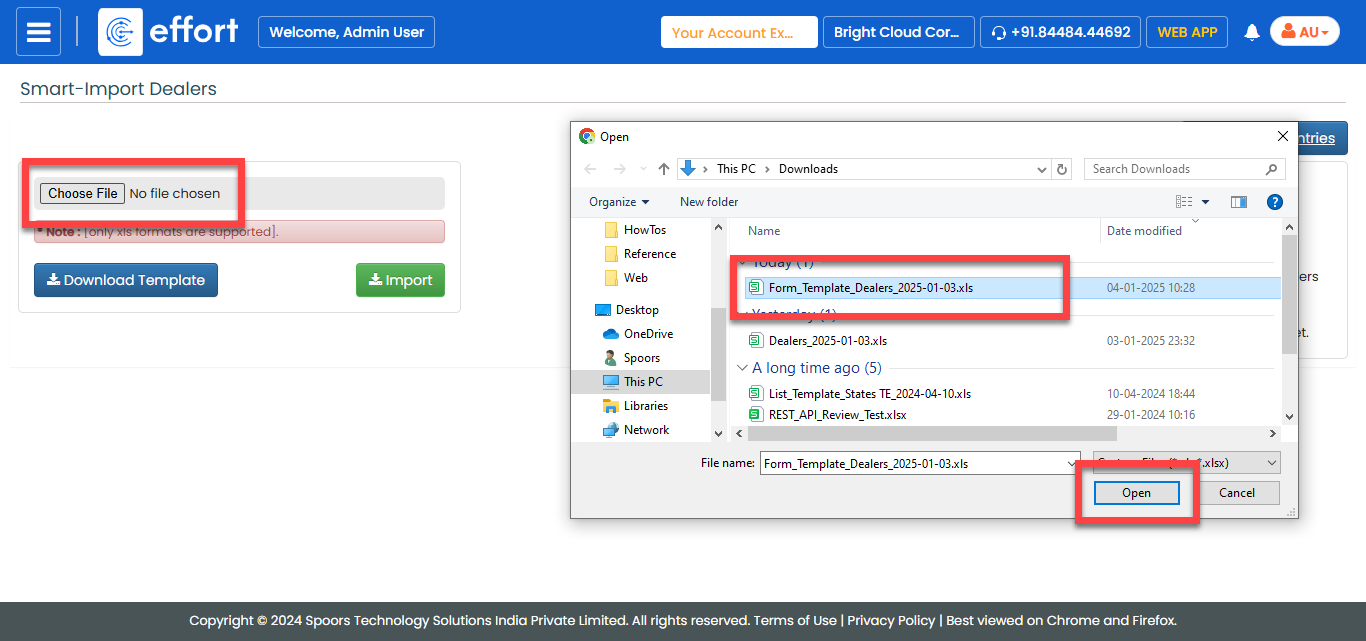
Return to the Smart-Import Entity Name page, click
Choose File, and upload the updated Excel
sheet.
-
Click Import to upload the records into the
entity.