

Edit Fields
The Edit Fields functionality within the Entities module allows you to modify the fields associated with an entity, such as changing field labels, data types, or other properties.
To edit entity fields, follow the steps below:
-
Go to .
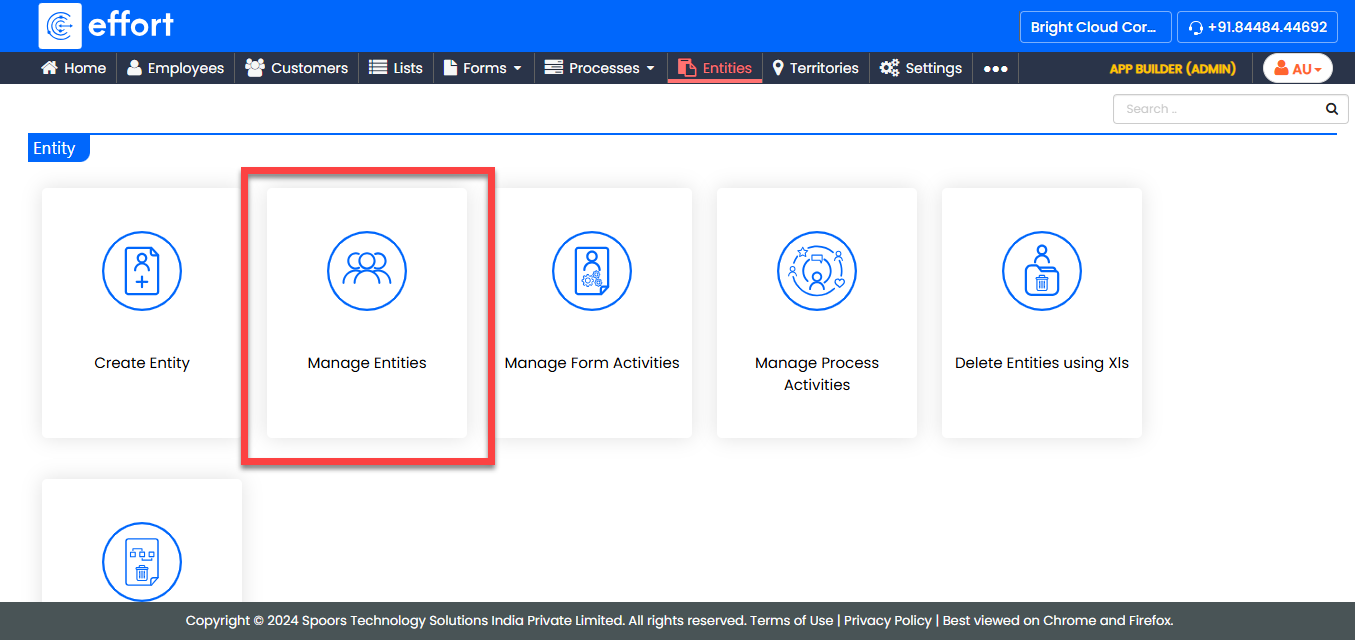
-
Under the Active Entities section, click the entity in
which you want to edit the fields.
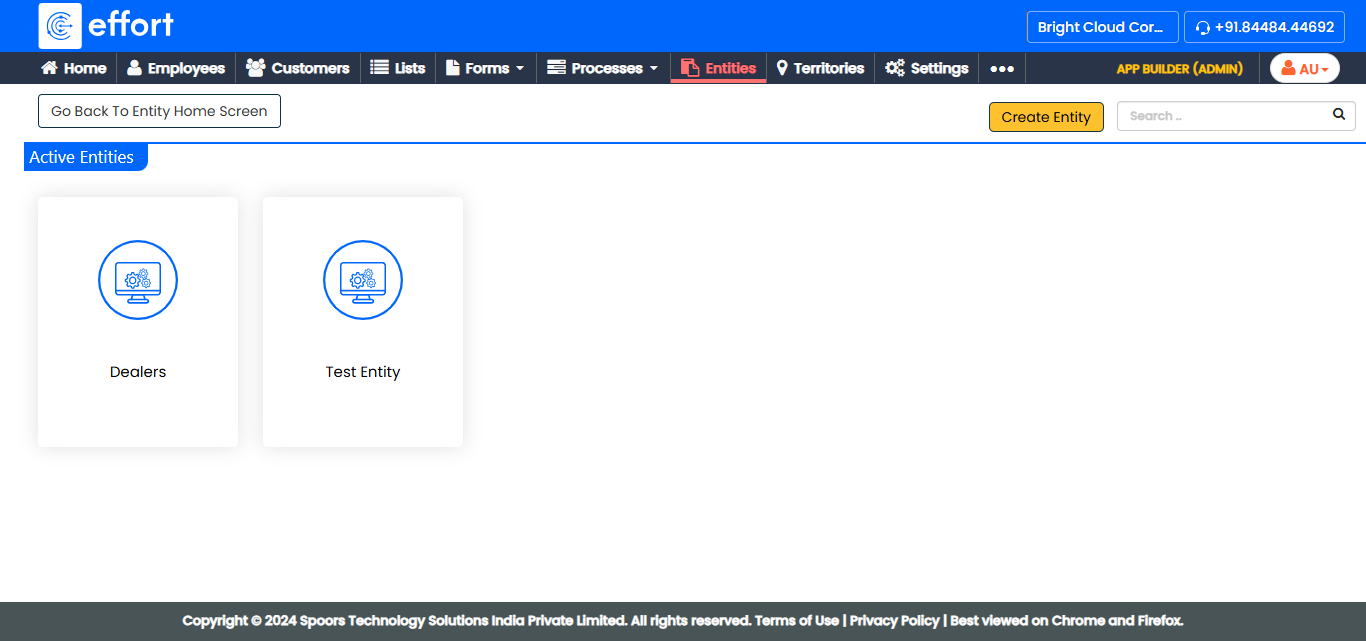
-
Under the Entity Actions section, click Edit
Fields.
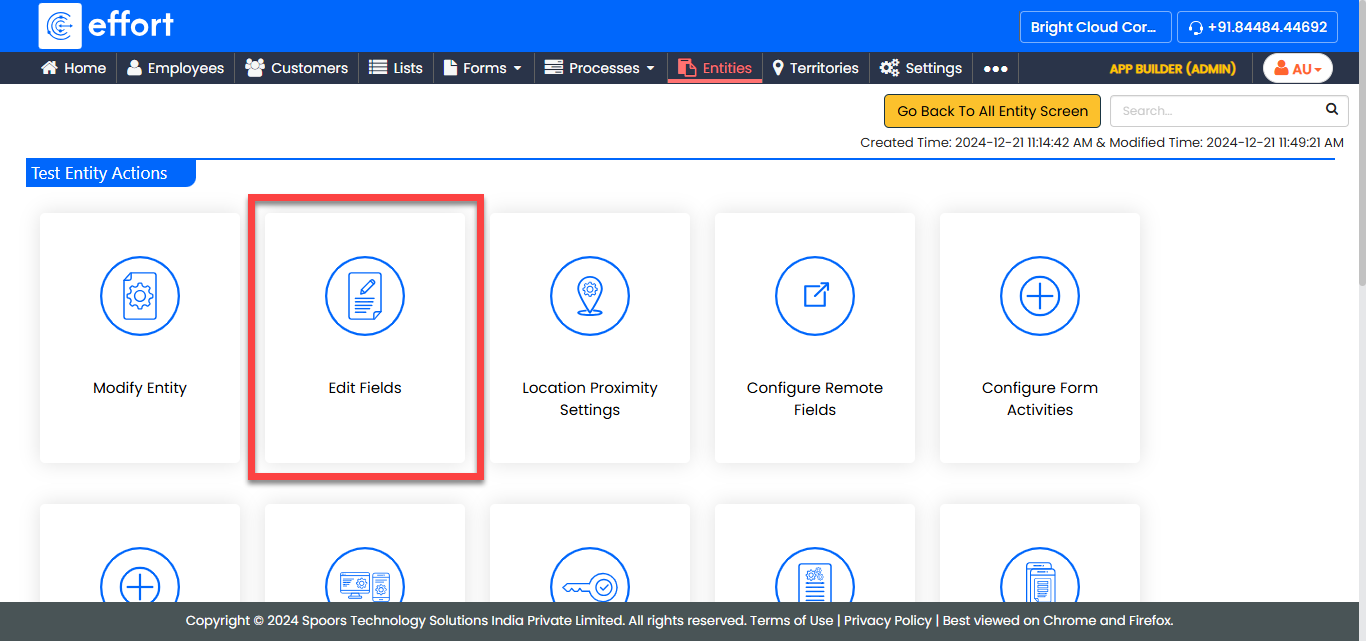
-
In the Modify Entity page, edit the fields according to your
requirements.
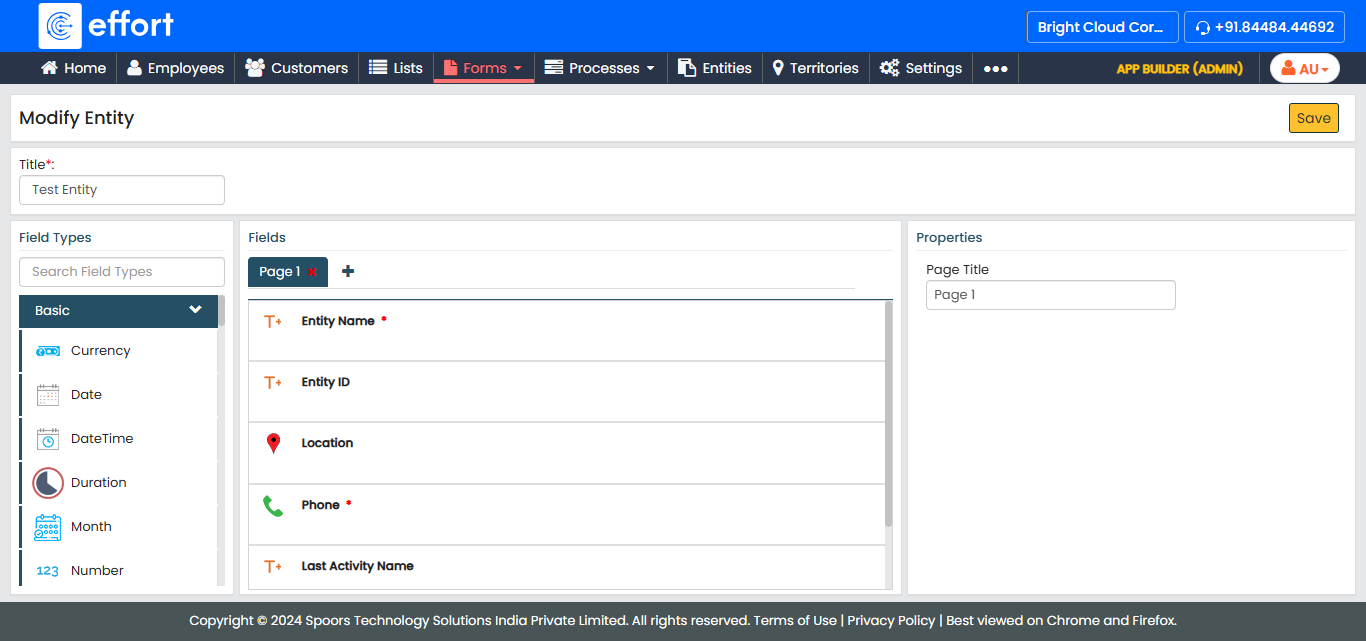
- After editing the required fields, click Save.