

Generate Entity JSON
The Generate Entity JSON feature enables you to retrieve and manage the JSON configuration for an entity. This functionality is essential to integrate the entity data with external systems or applications. It provides various components, including the request URL, different user authentication types, request body, and response configurations.
You can generate the JSON based on the entity's configuration. The key aspects
provided in this feature include:
- Request URL: The endpoint for making requests for the entity.
- JWT User: Configuration for users with JWT authentication (cannot be tested using Postman).
- Not JWT User: Configuration for non-JWT users (can be tested using Postman for easier debugging and validation).
- Request Body: The structure of the data to be sent in the request.
- Success Response: The expected outcome when the request is successful.
- Failure Response: The expected outcome in case of a failure.
To generate the entity JSON, follow the steps below:
-
Go to .
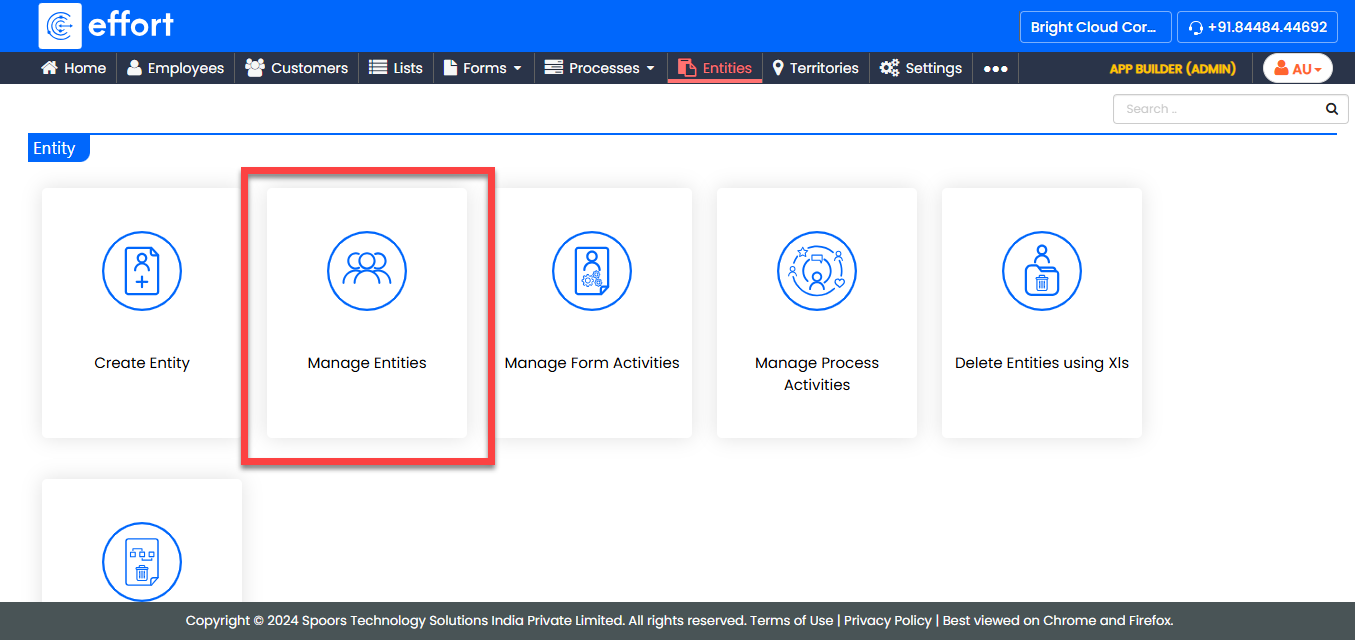
-
Under the Active Entities section, click the entity for
which you want to generate the JSON.
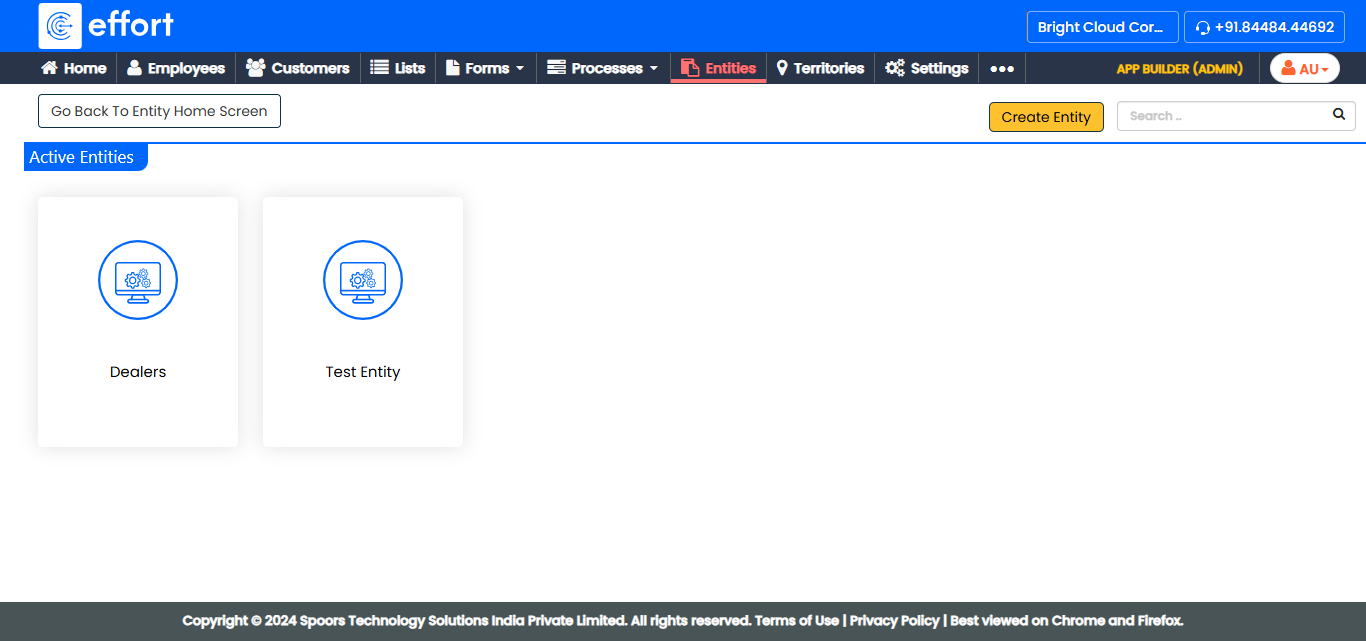
-
Under the Entity Actions section, click
Generate Entity JSON.
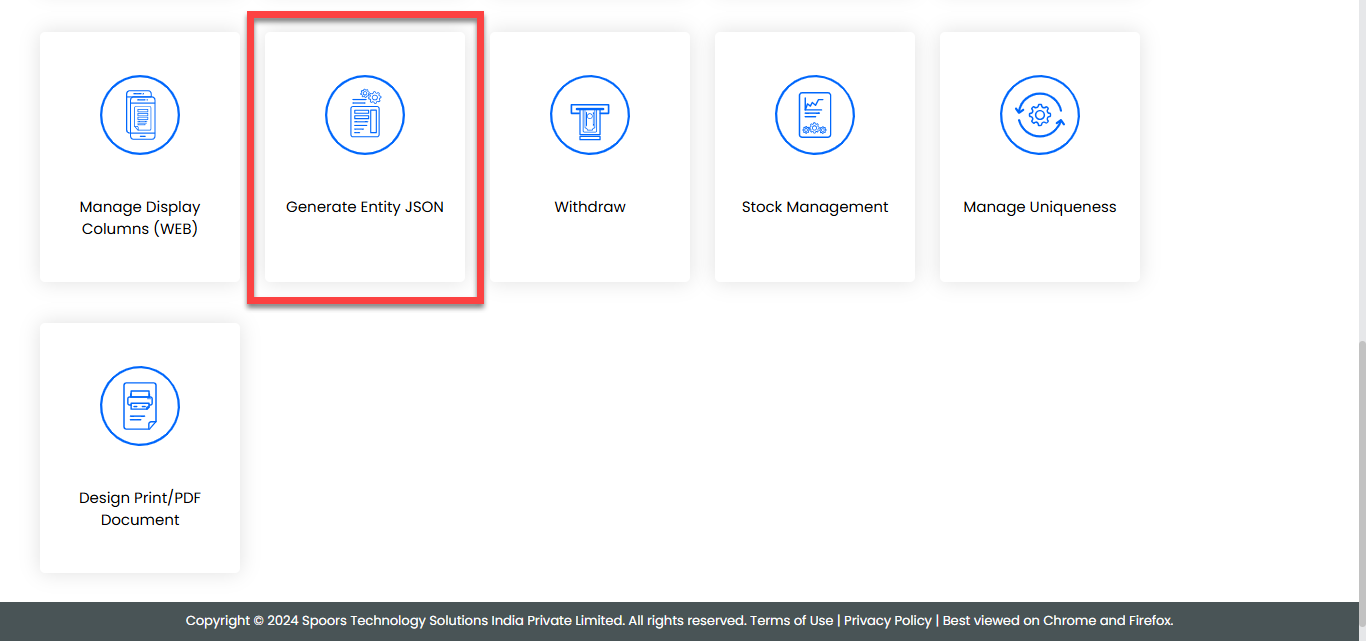
-
On the Generate Entity JSON page, you will see the following
components:
- Request URL: The URL you will use to make requests for the entity.
- JWT User: Authentication settings for JWT-based users (cannot be tested using Postman).
- Not JWT User: Authentication settings for non-JWT users (can be tested using Postman).
- Request Body: The data structure to be sent in the request.
- Success Response: The expected response when the request is successful.
- Failure Response: The expected response in case of failure.
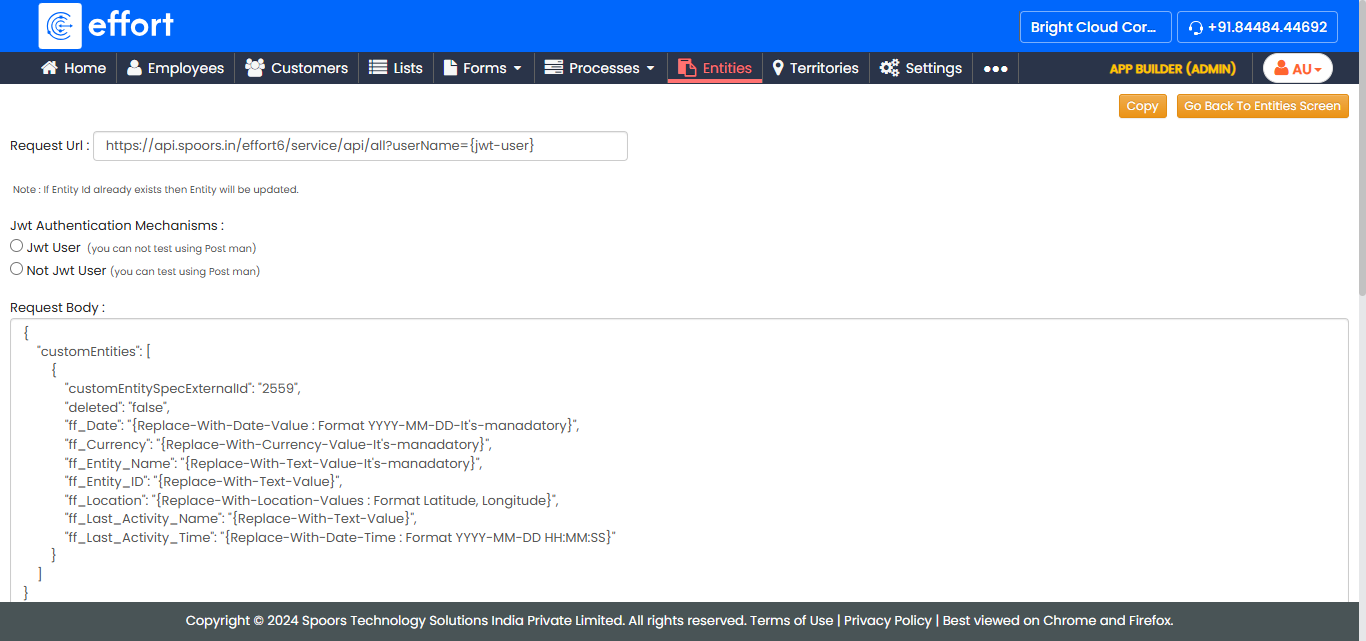
- You can use the Not JWT User configuration to test the request in Postman, simulate different scenarios, and evaluate the responses.