

Unable to Create Customers in the Mobile App
If the users are unable to create a customer in the mobile app, then check whether they have permission to add a customer or not. Follow the below instructions to check.
- Log in to the EFFORT account as admin.
- Navigate to .
- Search for the employee and click the edit icon.
-
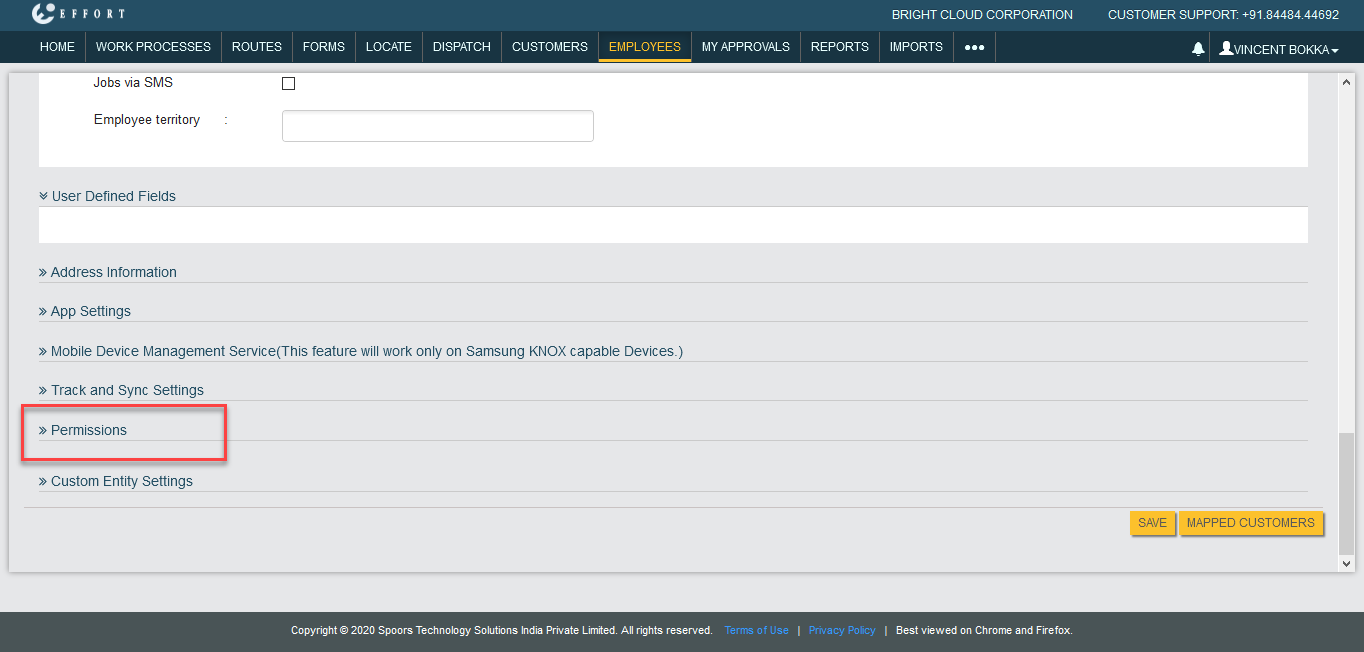
Scroll down to the bottom of the page, click on Permissions.
-
Now check the checkbox under the Add column against the Customers
whether it is enabled or not. If it is disabled, it indicates that the user does
not have permission to add customers.
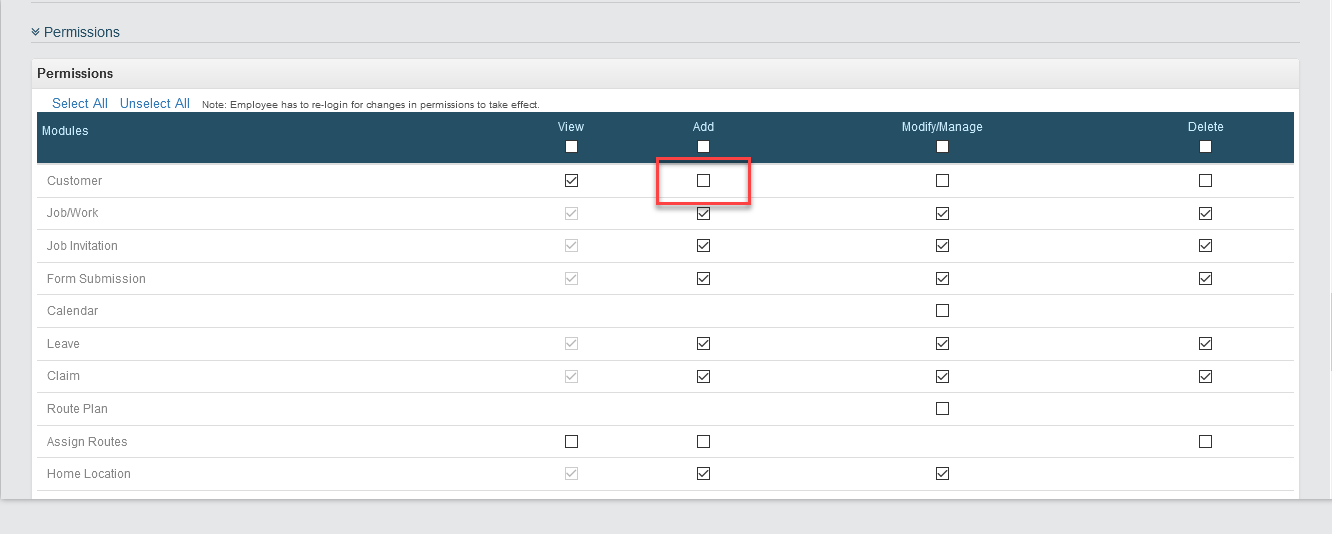
If it is the case, contact the reporting manager for the add customer permission. The Spoors team doesn't have the right to give any permissions.