

Configure a Setting Such That the User Cannot Checkout Without Spending Minimum Time at Customer
This article helps you to configure a setting such that a user cannot check-out the customer without spending minimum time. Follow the below steps to set the configuration.
- Log in to the respective EFFORT account.
- Navigate to .
-
Enable the Warn if time not spent at Customer checkbox.
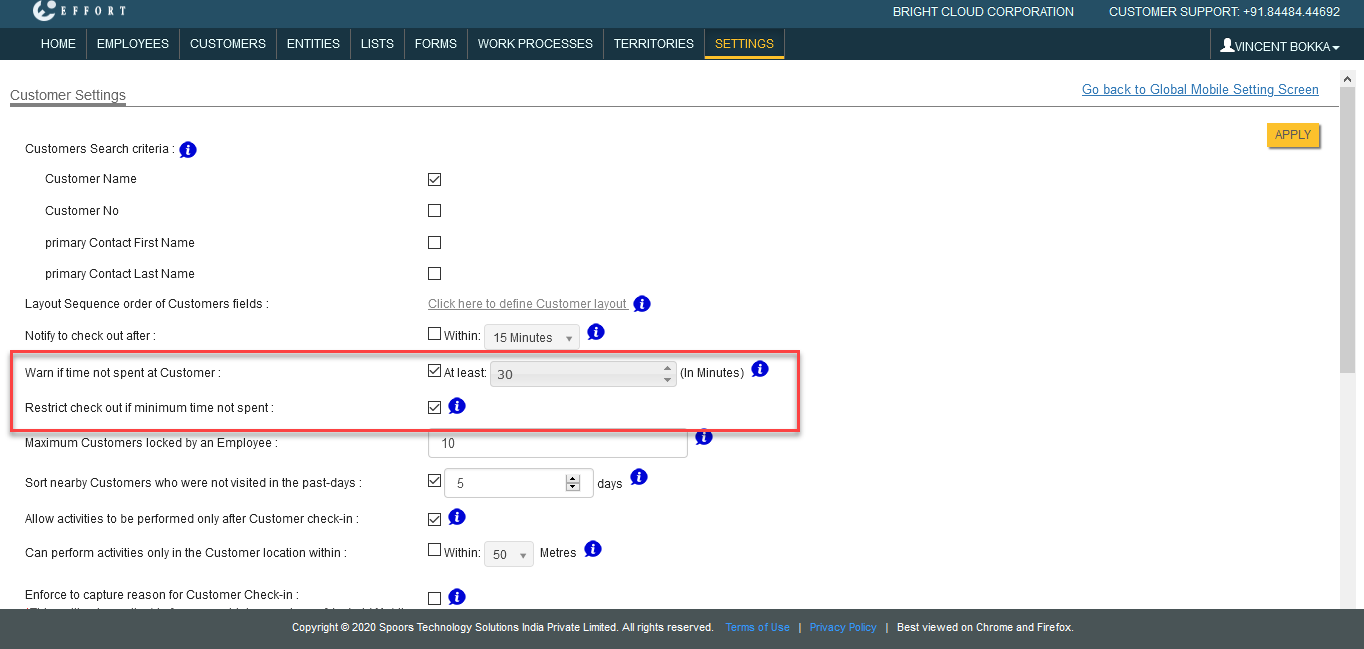
- Enter the minimum time to be spent at a customer in the field provided beside the check box.
- After enabling the above checkbox, you would see the Restrict check out if minimum time not spent option. Enable this checkbox.
- Click Save.