Approve Form Submission in Web App
To approve a form submission in the web app, follow the steps below.
-
Go to .
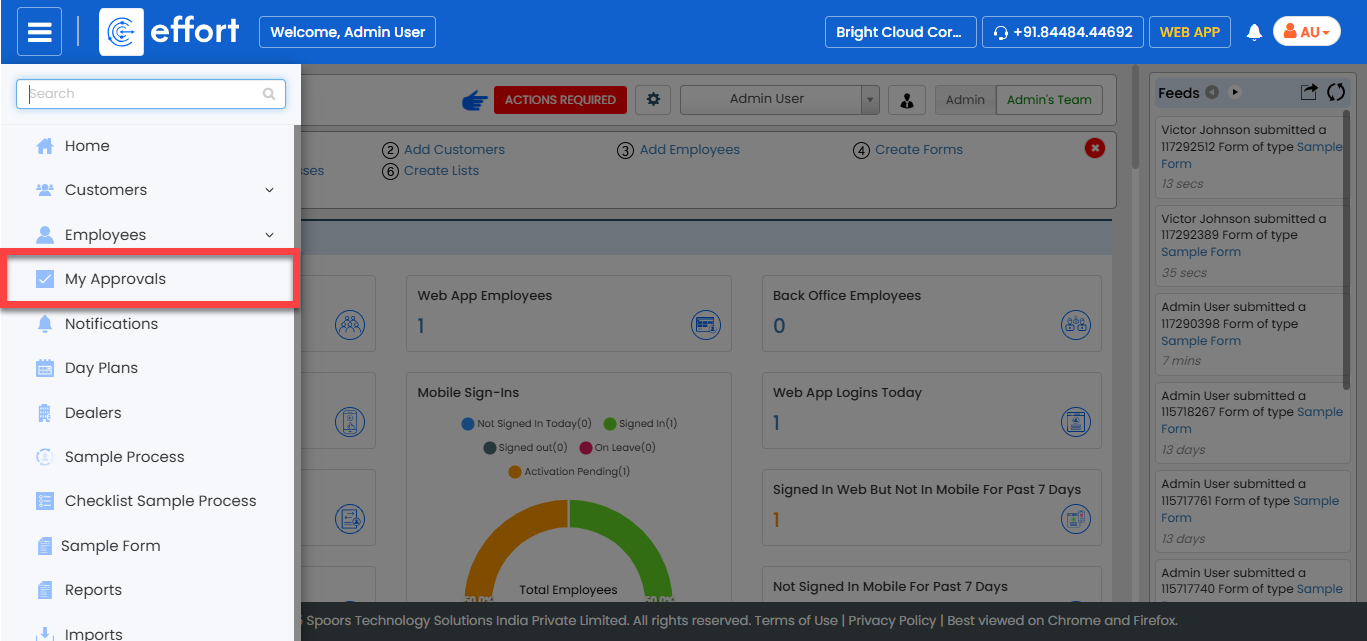
The My Approvals/Submissions page appears.
-
Click the Approve/Reject icon under the
Actions column.
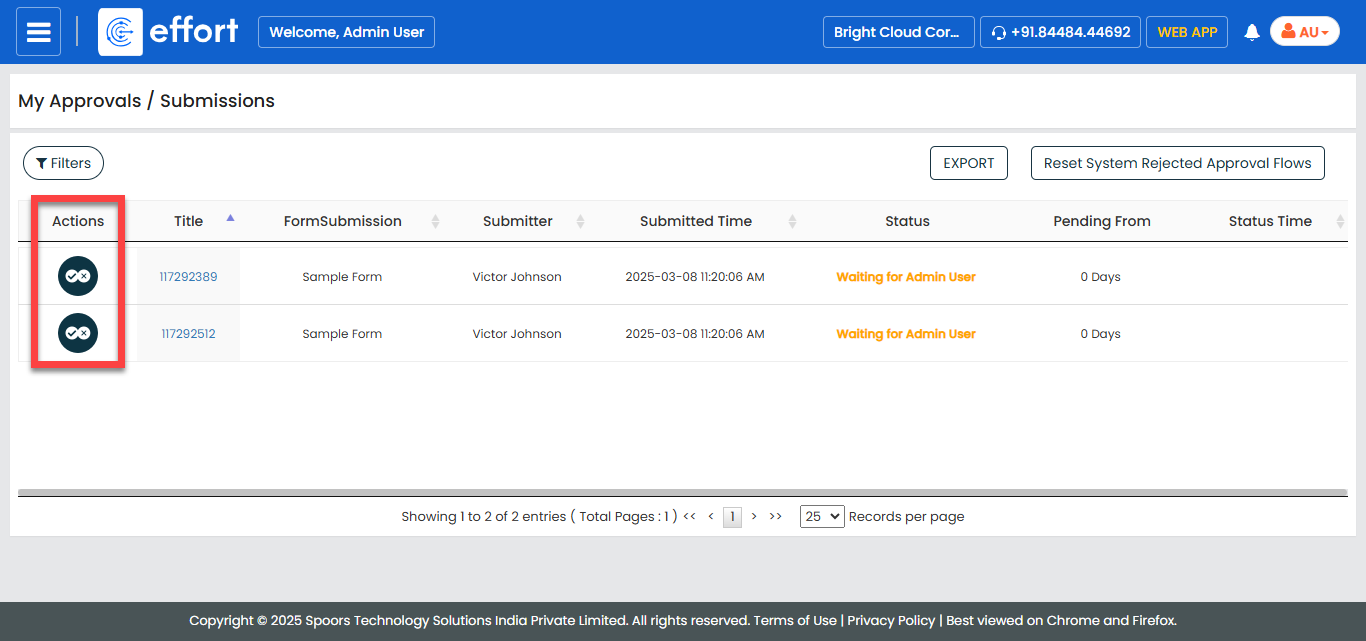
The Form page appears with the form data and form submission information along with the form-filled location details.
-
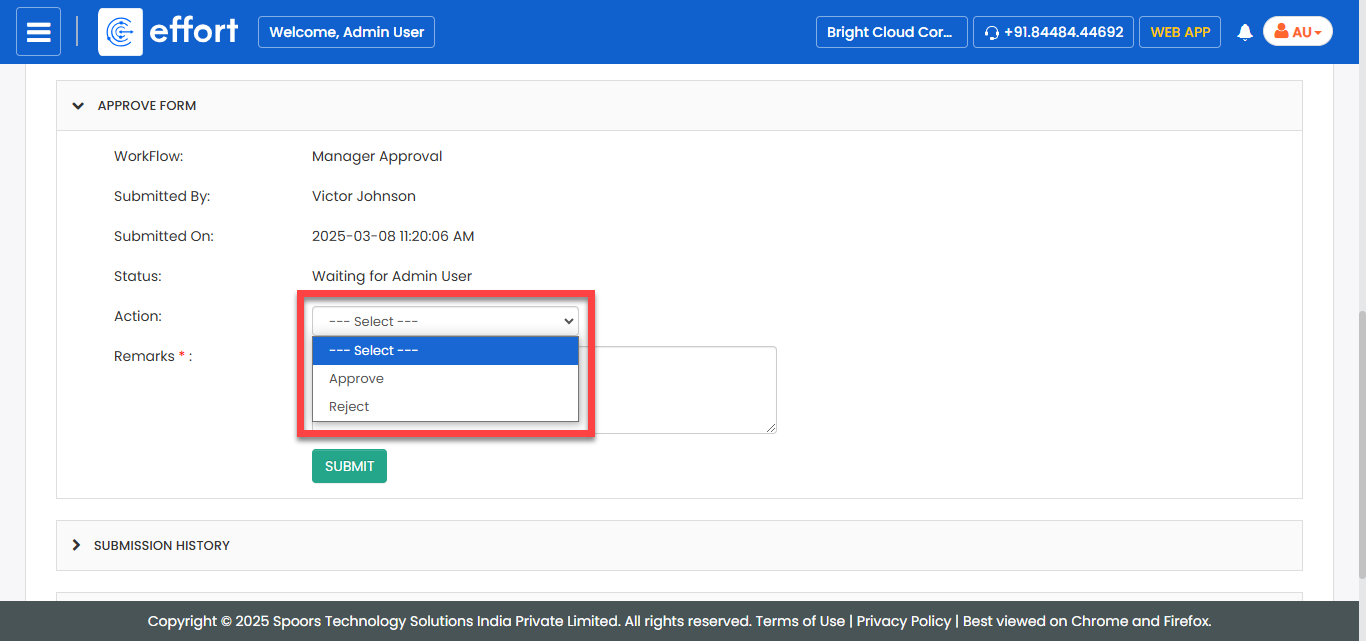
In the Approve Form section, select the
Approve option from the Action
dropdown.
-
Enter your comments in the Remarks textbox.
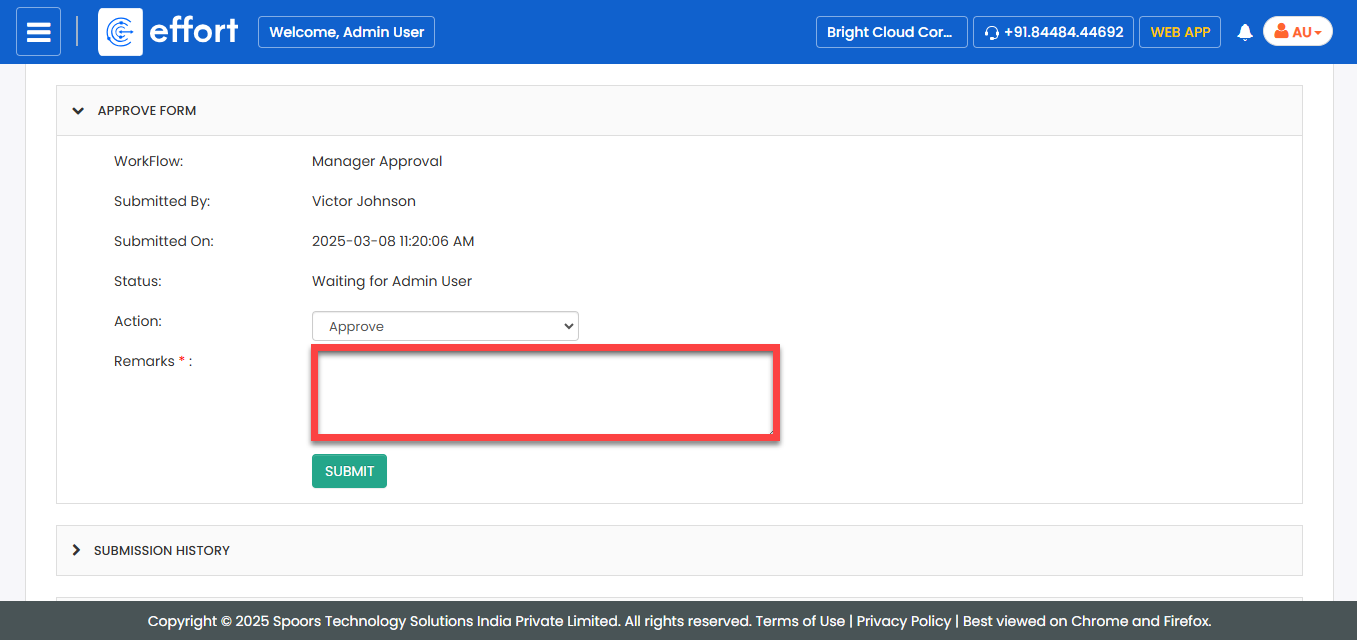
- Click Submit.
-
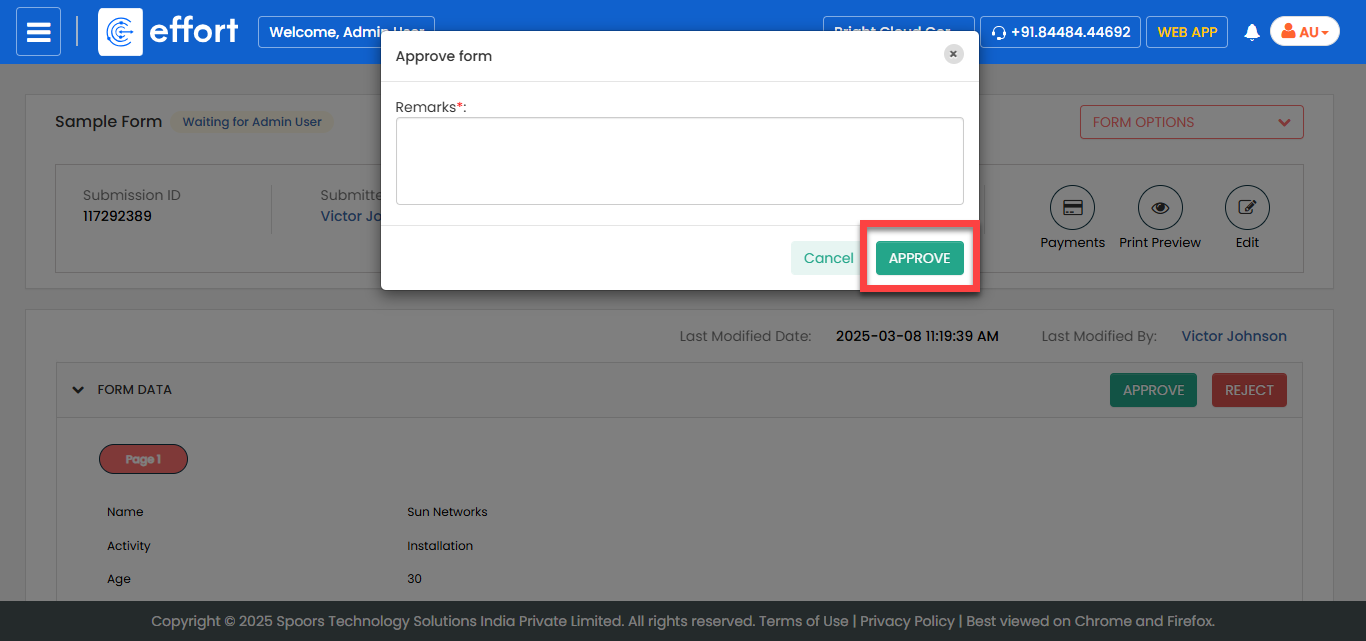
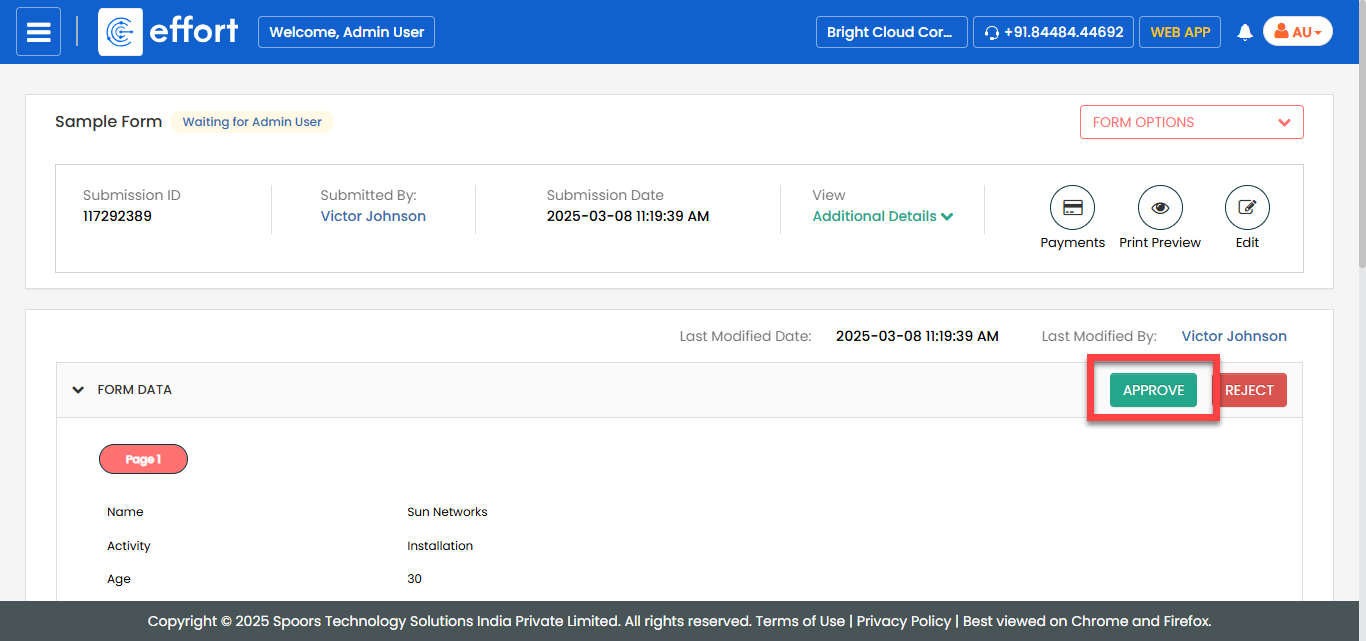
Alternatively, you can also click the Approve button in
the form data section.
-
In the Approve Form pop-up, enter your comments in the
Remarks field, and then click
Approve.