Reject Leave in Web App
To reject leave in web app, follow the steps below.
-
Go to .
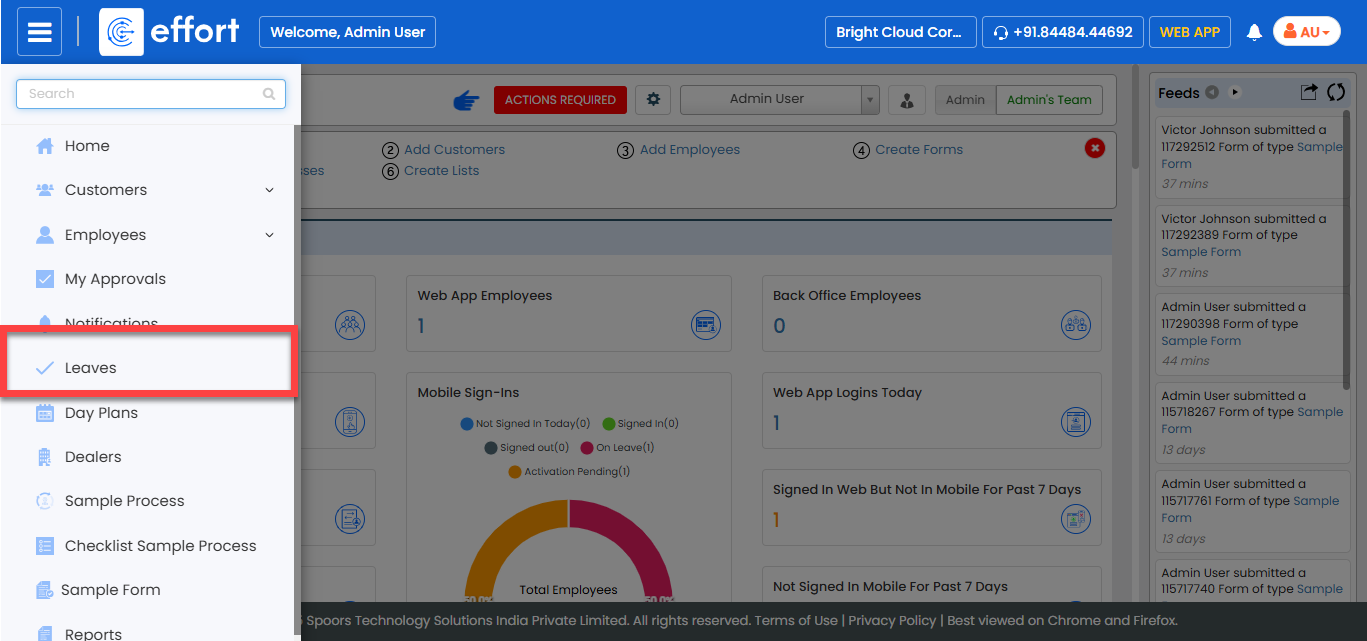
Note: If the Leaves module is missing from the navigation menu, it may not be enabled for the web app. Contact your administrator for assistance. -
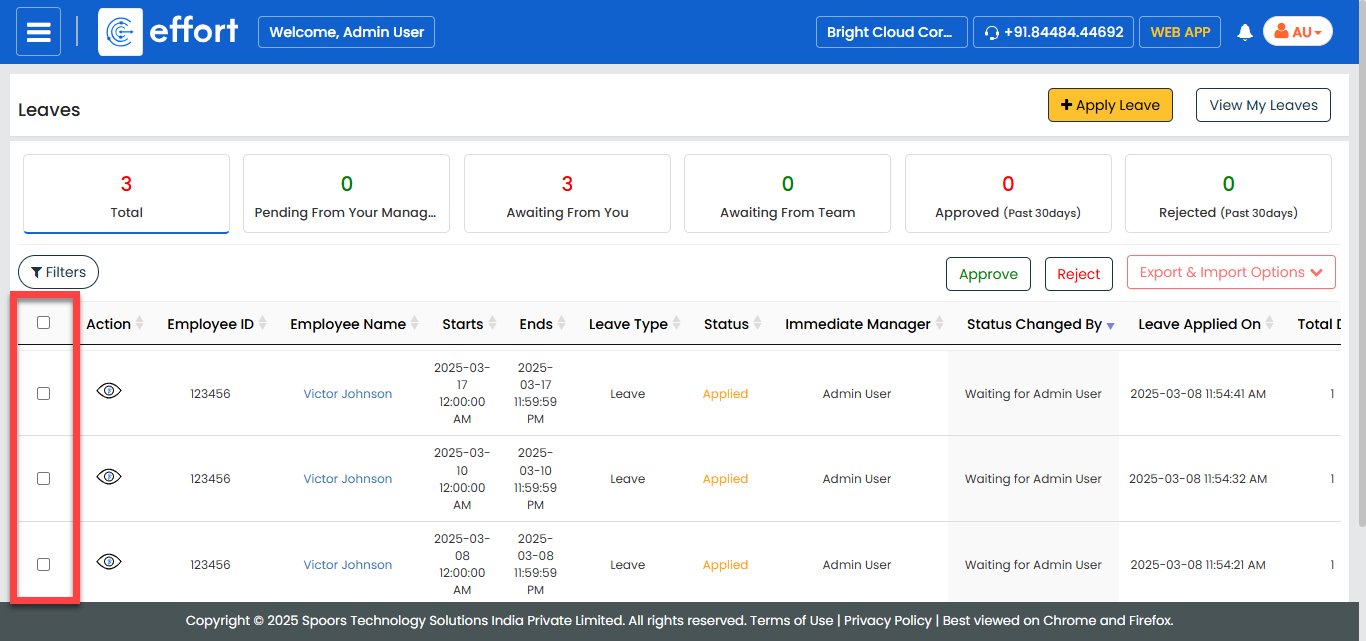
Click the checkboxes to select the leaves.
-
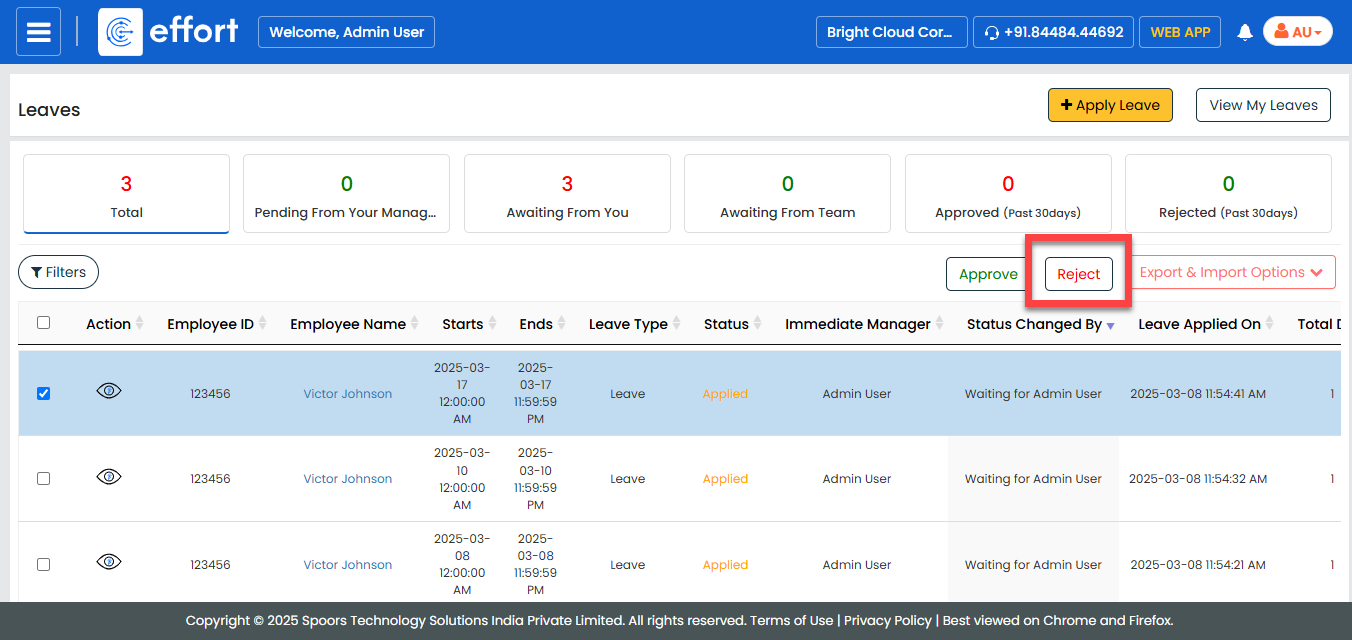
Click the Reject button to reject the leave.
-
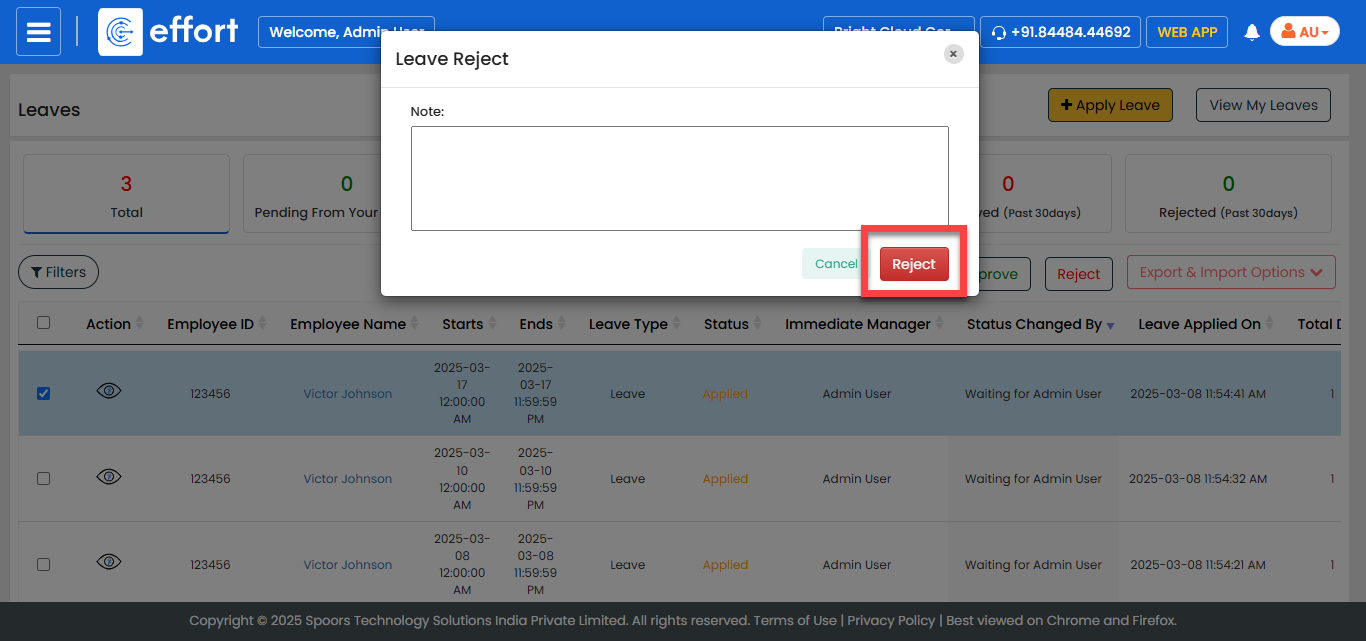
In the Leave Reject pop-up, enter your comments in the
Notes field, and then click
Reject.