Generate a Form Submissions Audit Report
To generate a form report, follow the steps below.
- Go to .
-
Click the user menu located on the top right corner, and select the
Tools and Audit option.
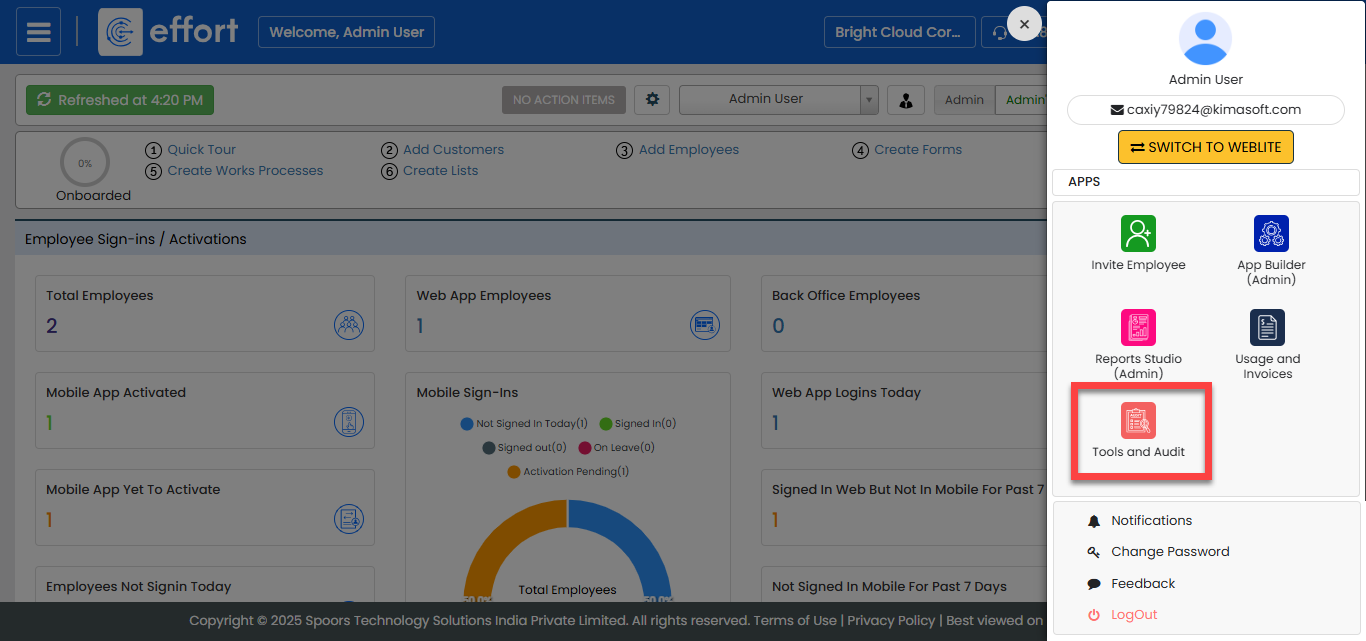
The Tools and Audit page appears.
-
Under the Tools and Audit section, click the
Form Submissions Audit link or icon.
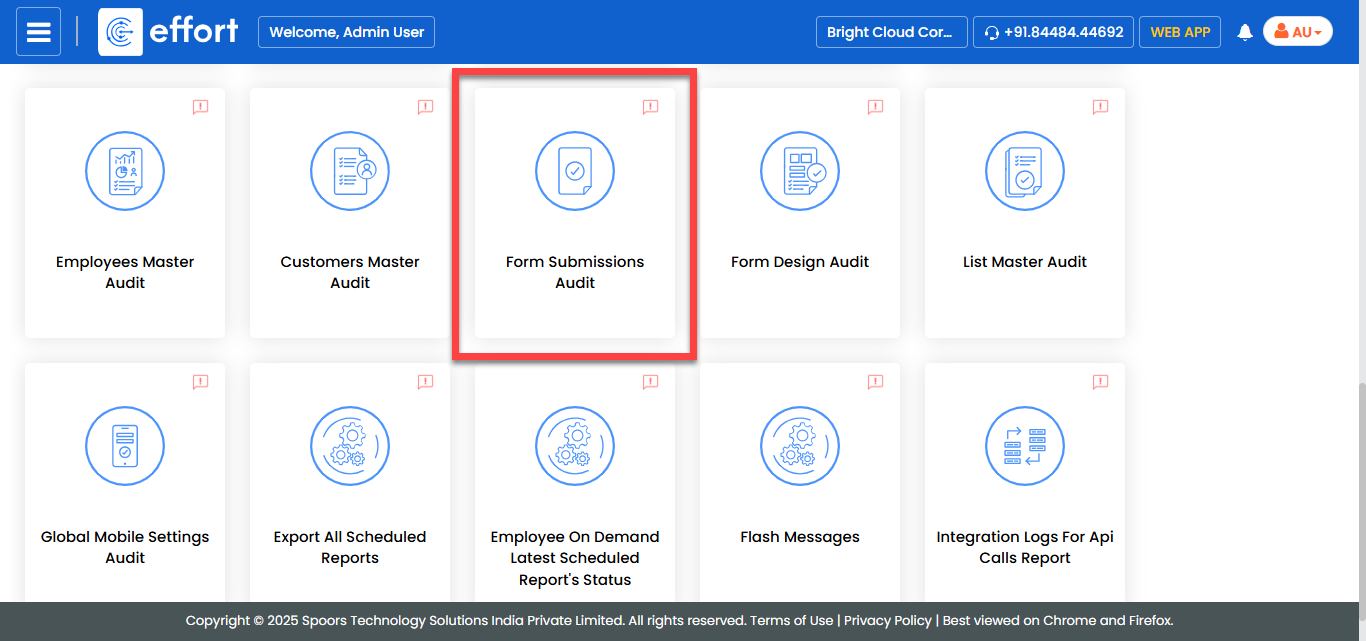
The Form Submissions Audit page appears.
- Optional:
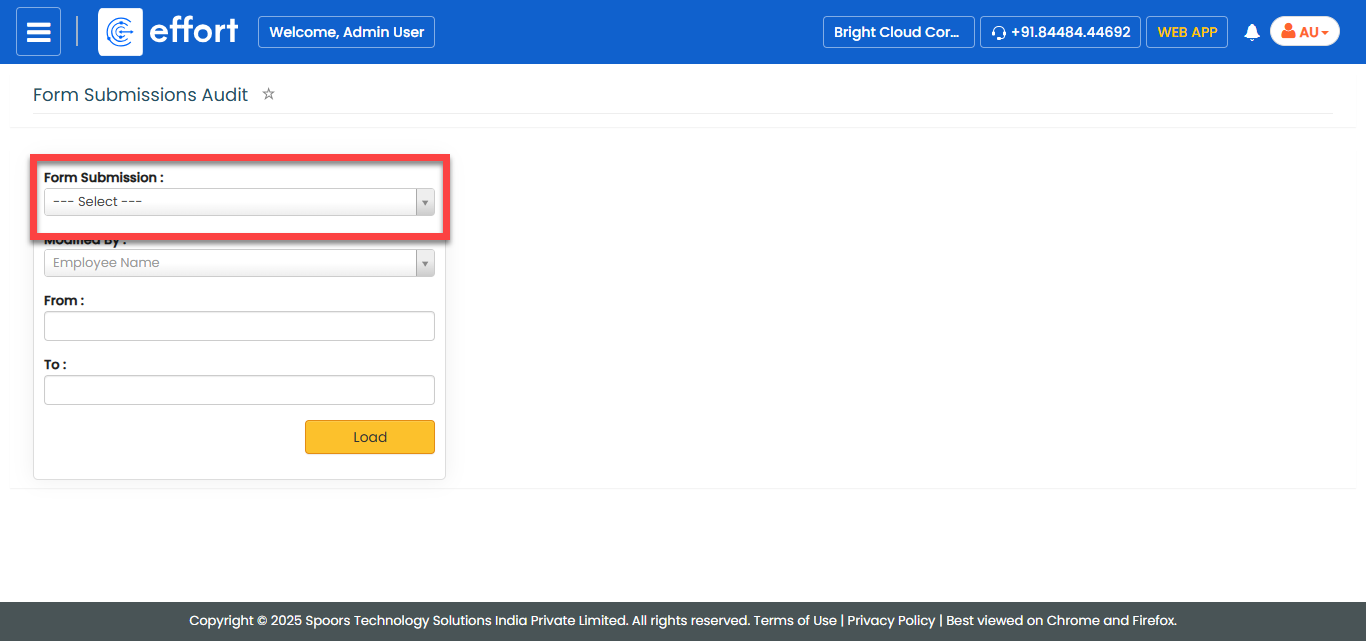
Select a form spec from the Form Submission dropdown if
you want to generate report of a specific form spec.
- Optional:
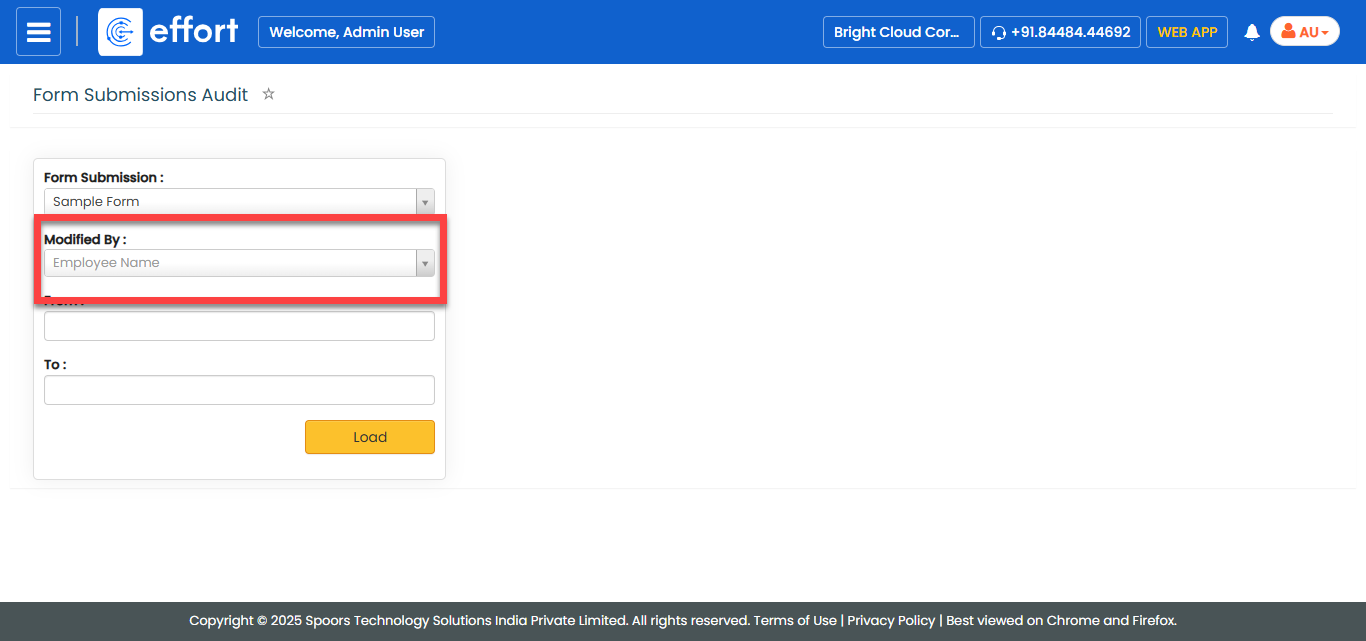
Select an employee from the Modified By dropdown if you
want to generate report of modifications done by a specific employee.
- Optional:
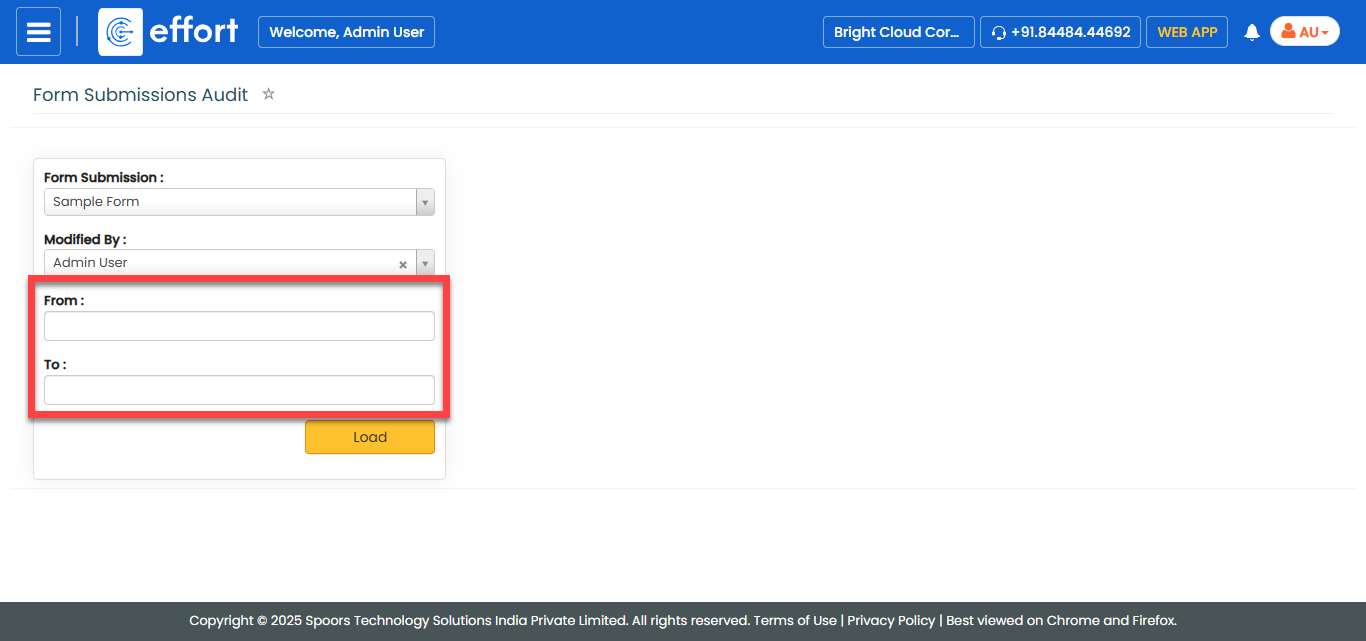
Select From and To dates if you
want to generate report of modifications done within the defined duration.
-
Click Load.
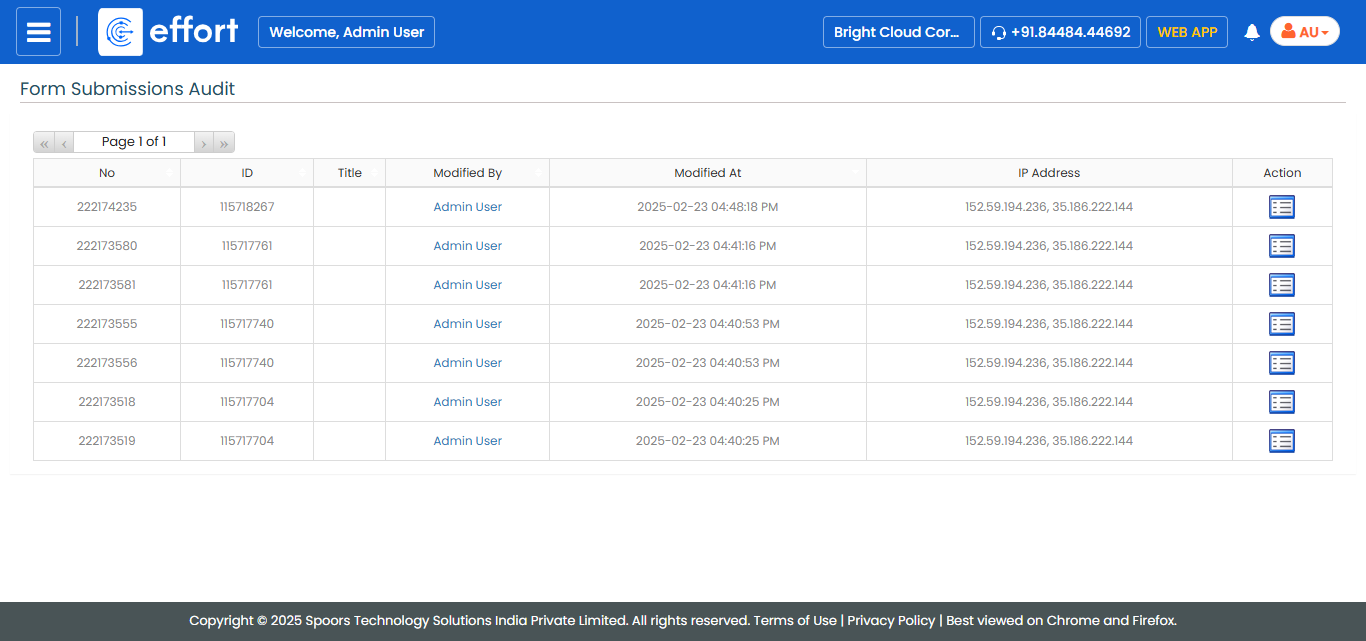
The Form Submissions Audit Report is displayed in a new tab.
-
Click view
 icon
under the Action column.
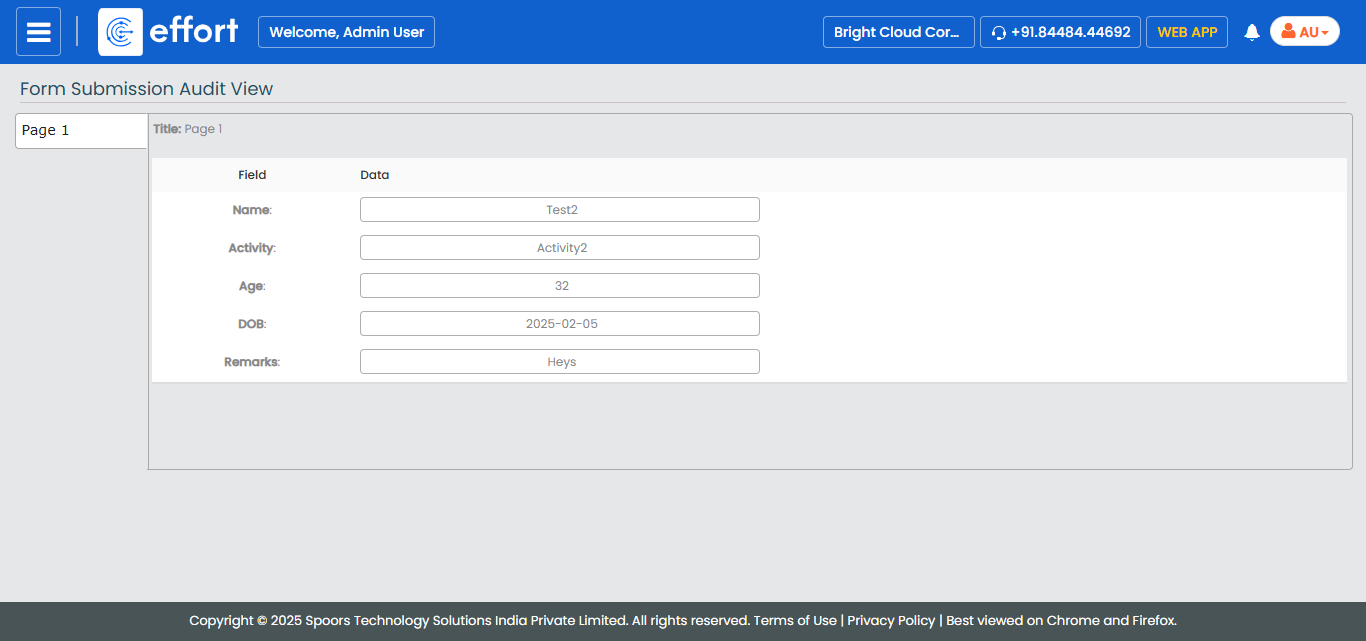
The Form Submission Audit View page appears with the details filled in the form fields.
icon
under the Action column.
The Form Submission Audit View page appears with the details filled in the form fields.