

Import Form Submissions
Follow the below step to import form submissions in the Web App. It allows you to submit more than one form in one go.
-
Go to .
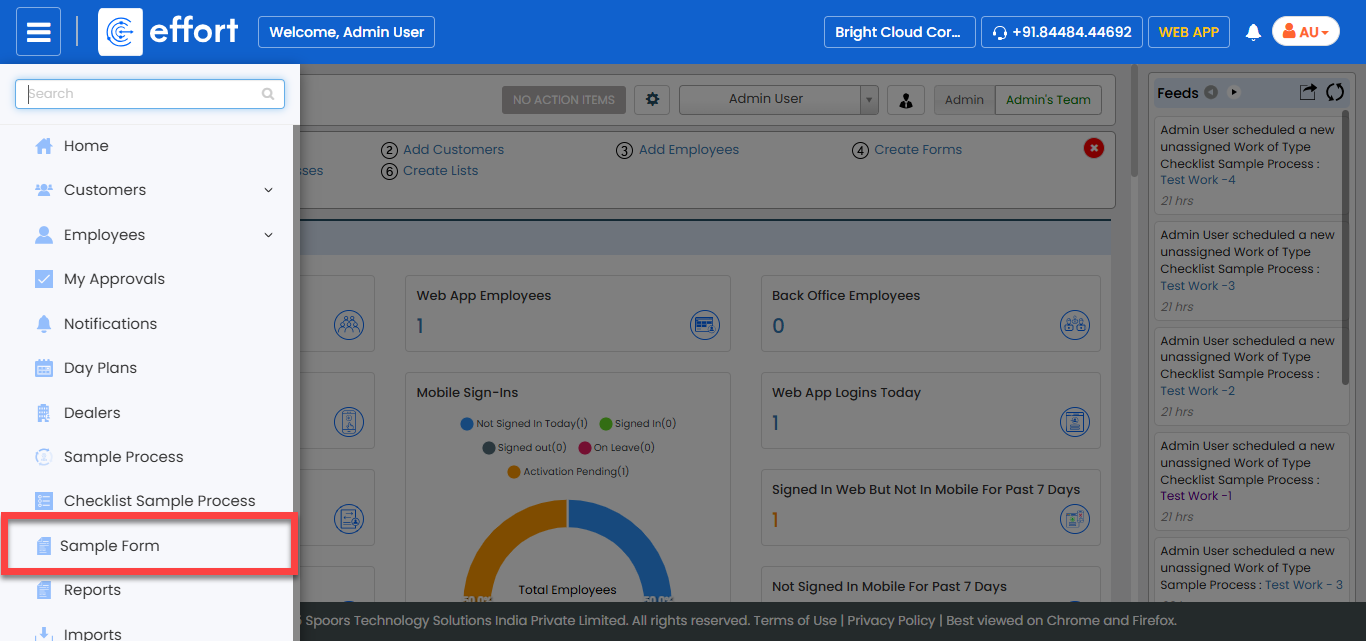
Note:The form shown in the screenshot is a sample. Click on the required form to proceed. If you don’t see any forms, contact your administrator.
-
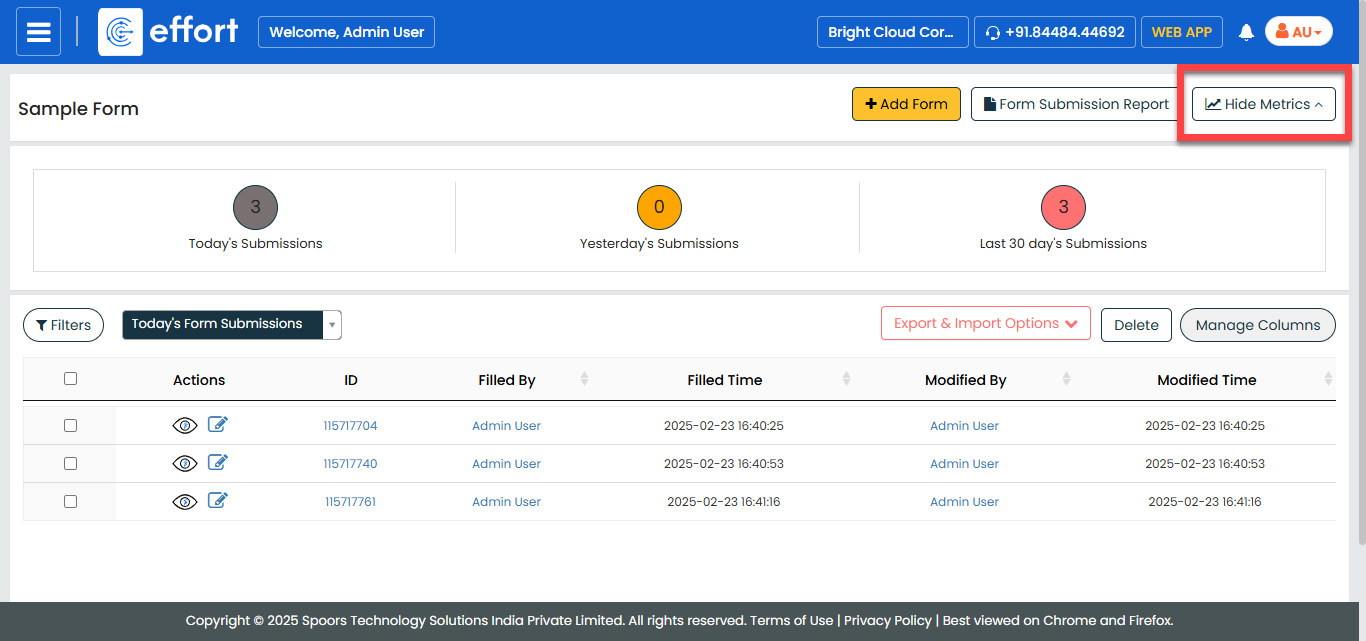
Click the Hide Metrics button.
-
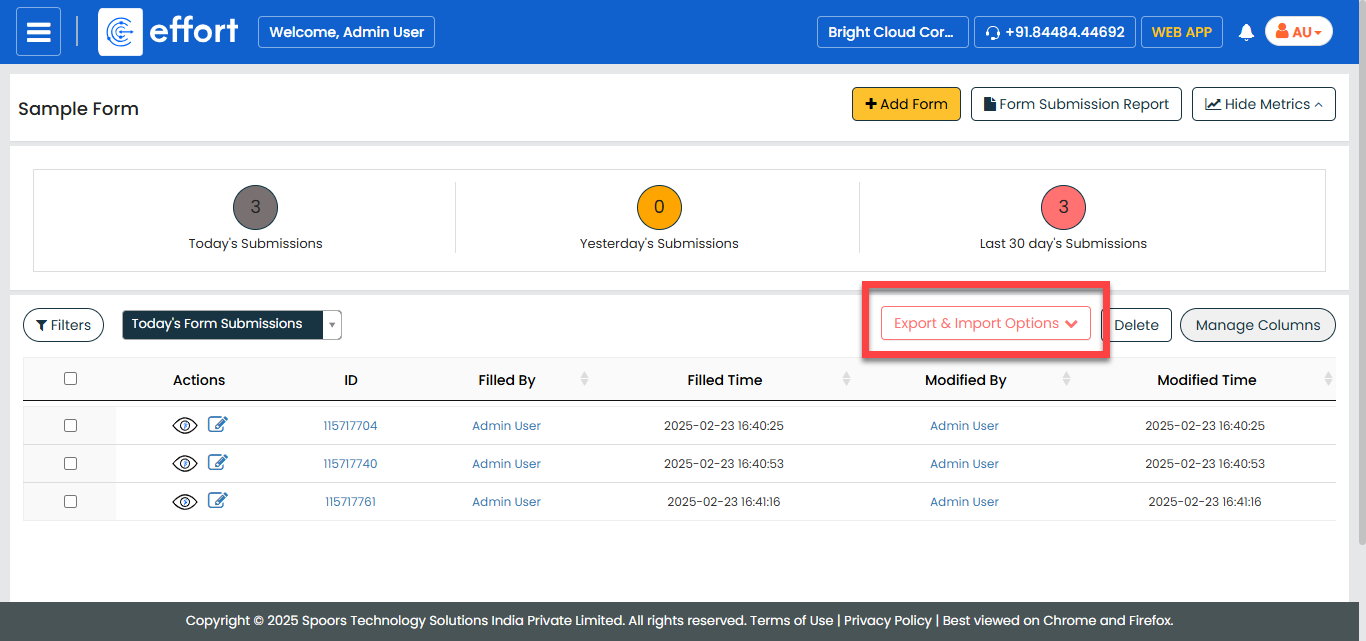
Click the Export & Import Options dropdown.
-
Click the Import option from the dropdown.
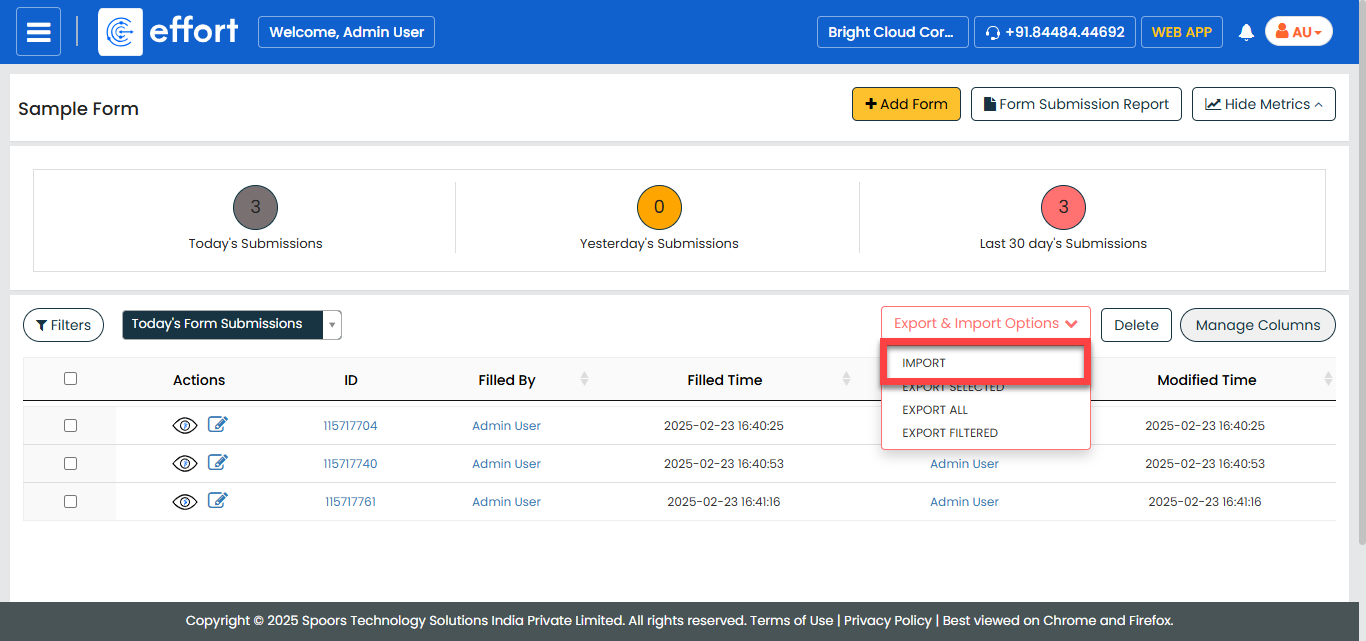
The Import Form Submissions page appears.
-
Click the Template button.
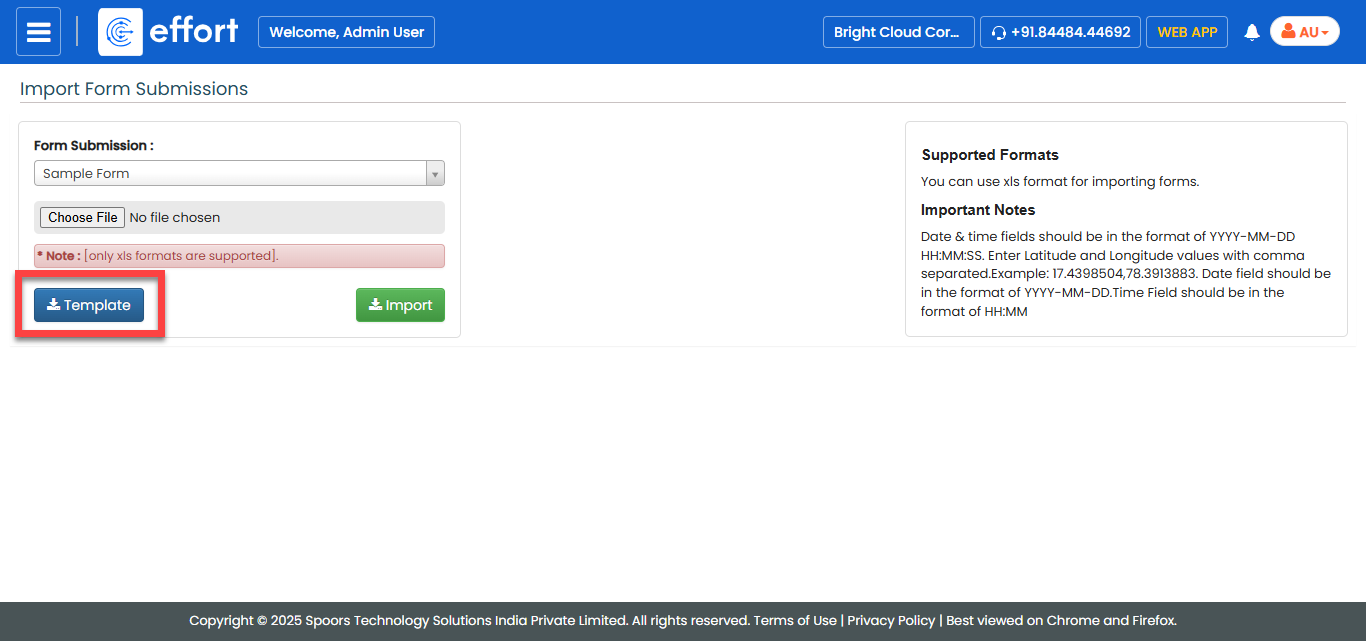
A blank Excel sheet is downloaded.
-
Fill the excel sheet as per the instructions listed in the Supported
Formats to upload the data.

-
Navigate back to the Import Form Submissions page, click
the Choose File and select the filled excel sheet.
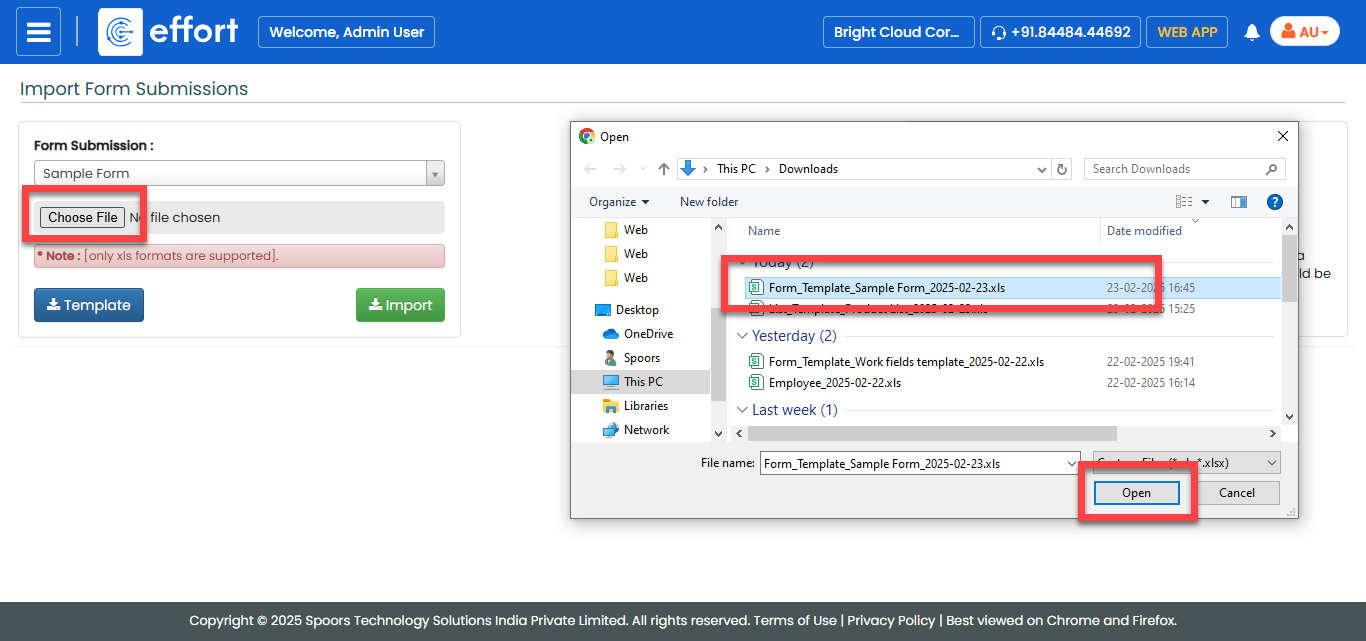
- Click Import.