

Delete Work Process
To delete work process, follow the steps below.
-
Go to .
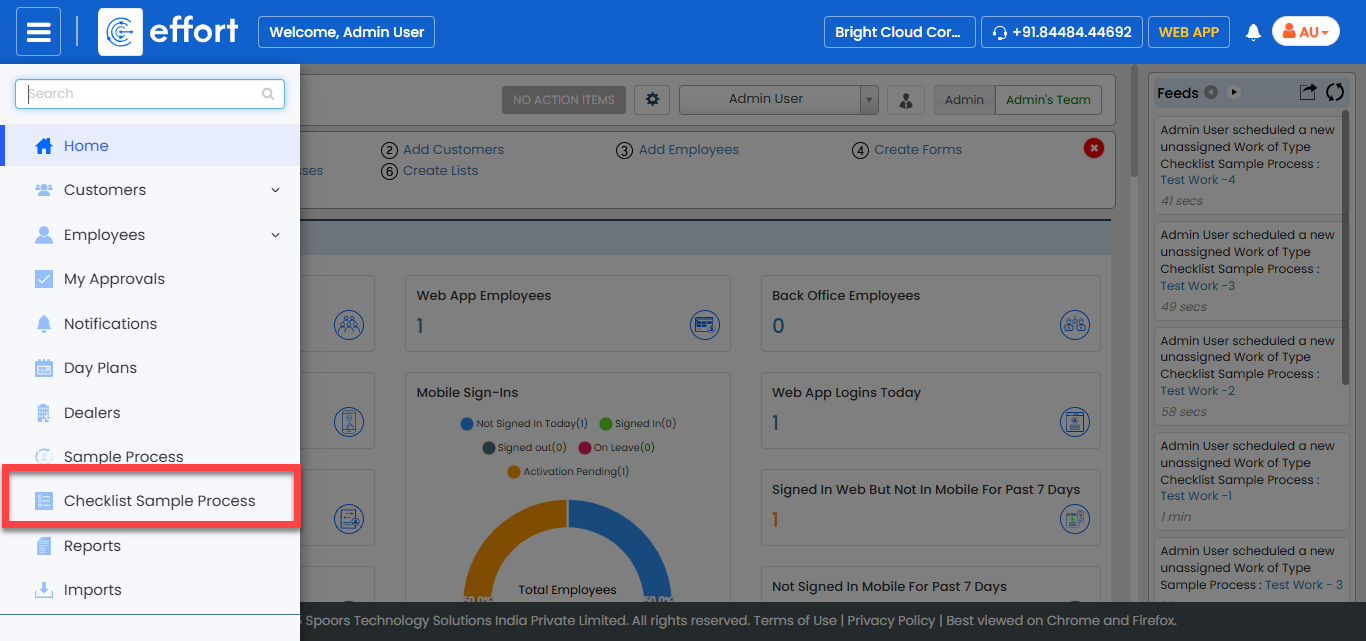
Note:The sample process shown in the screenshot is a test process created for documentation purposes. In your system, you will see your own processes instead. Click on the desired process to proceed.
-
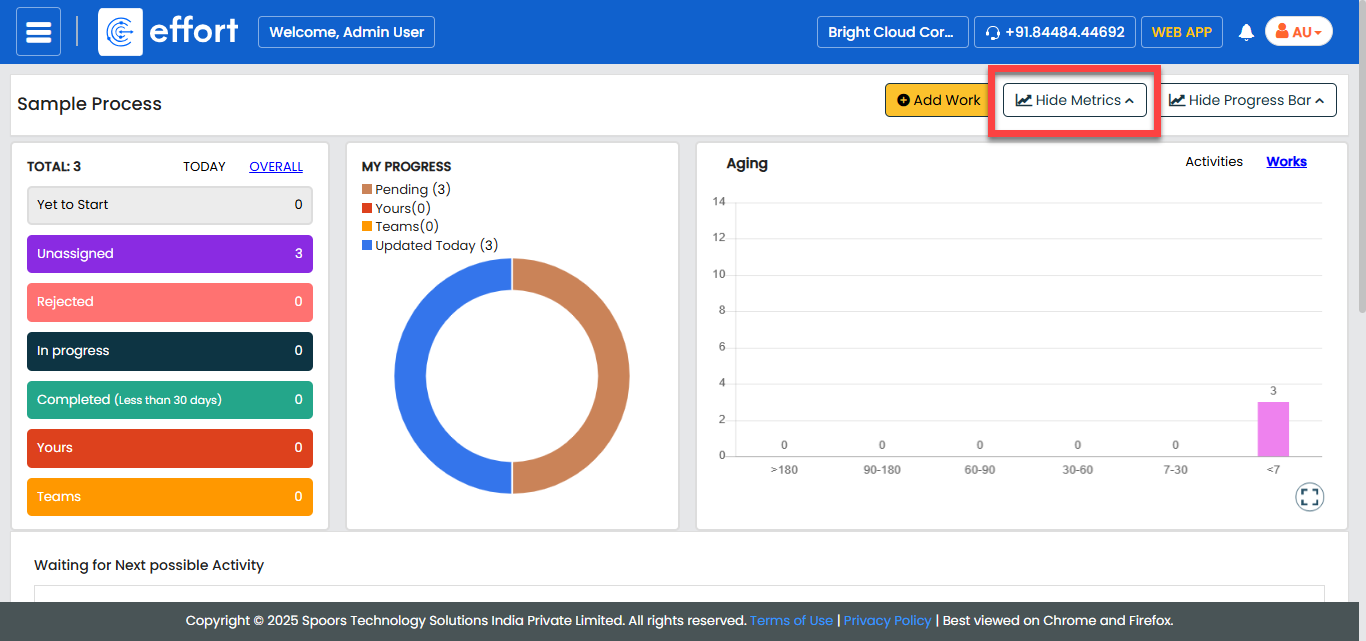
Click the Hide Metrics button.
-
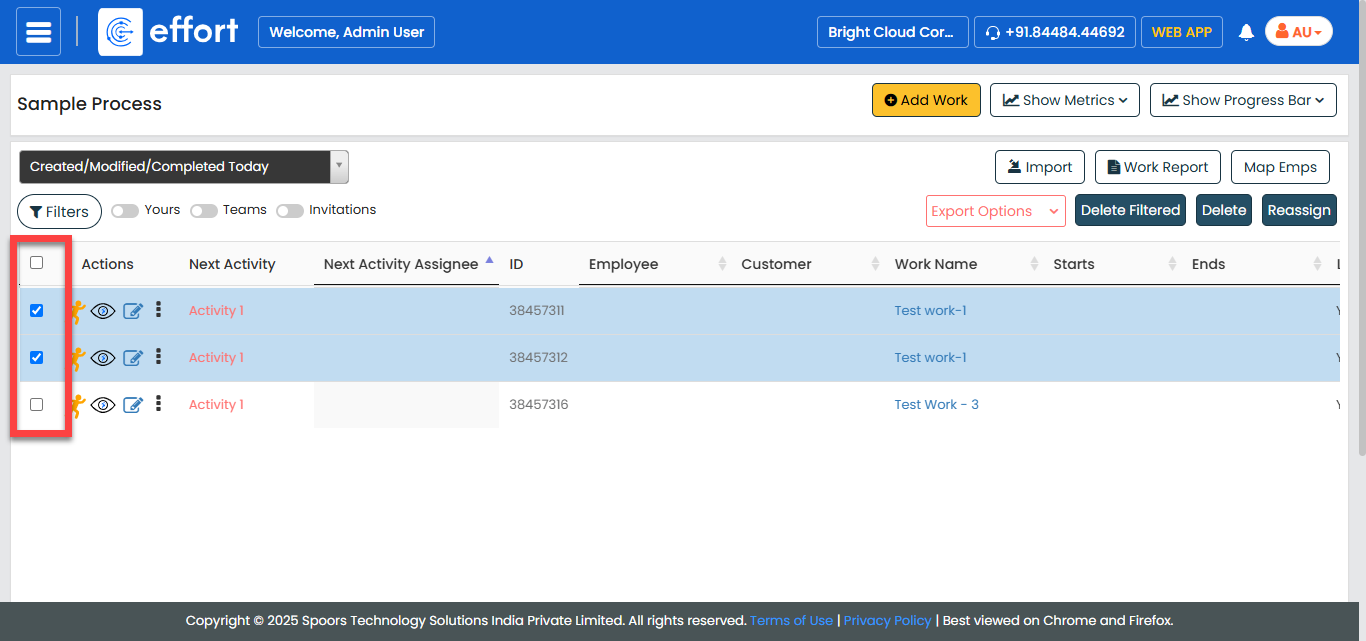
Select the works that you want to delete.
-
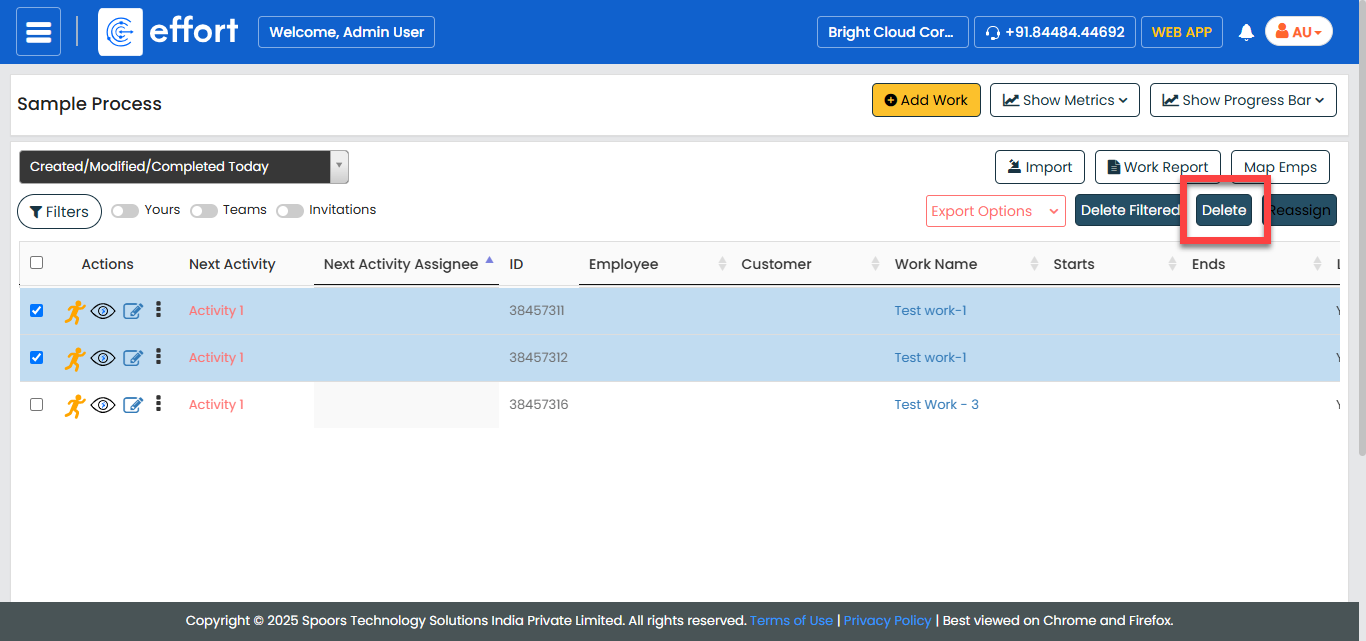
Click the Delete button.
-
Click the confirnation checkbox and then click the
Delete button.
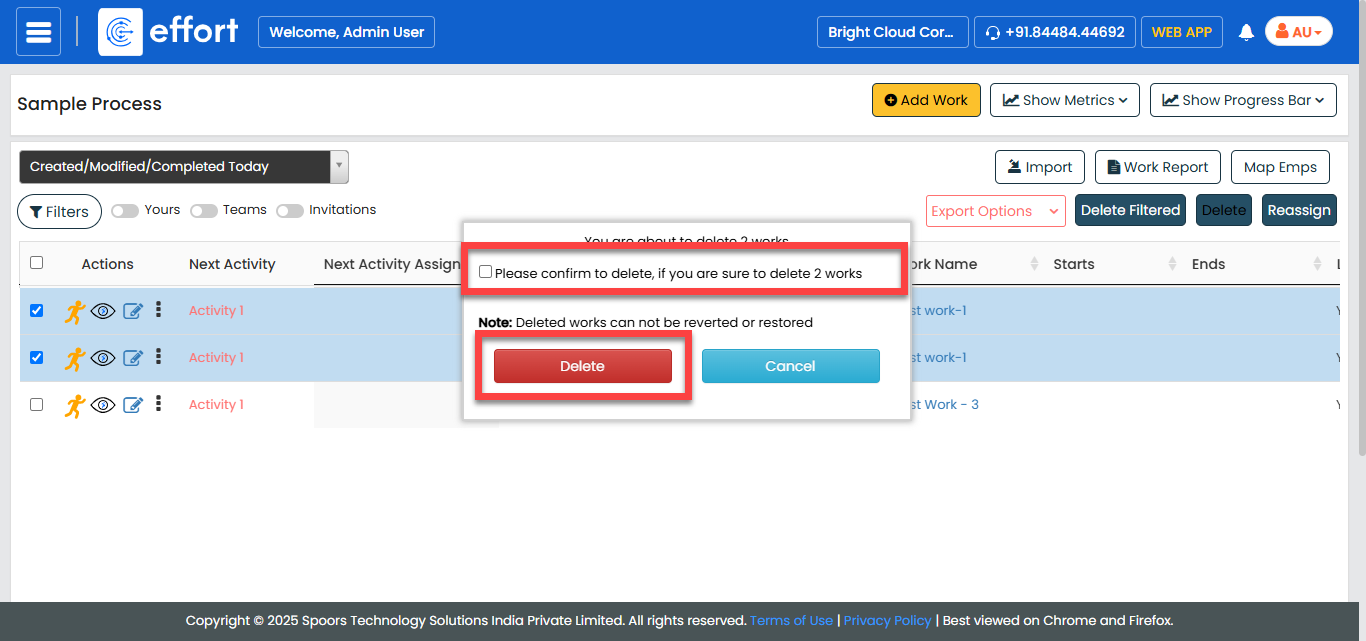
You cannot retrieve the deleted records after deleting them from the application.