

Import Work Process
To import work processes, follow the steps below.
-
Go to .
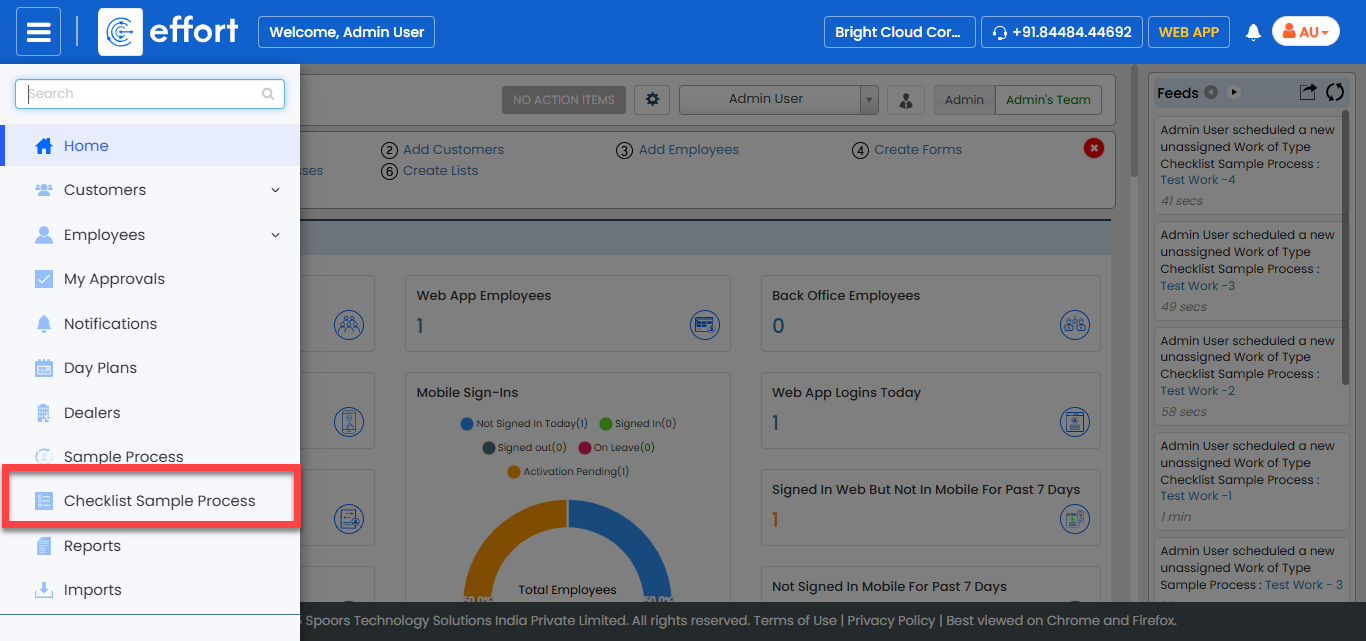
Note:The sample process shown in the screenshot is a test process created for documentation purposes. In your system, you will see your own processes instead. Click on the desired process to proceed.
-
Click the Hide Metrics button.
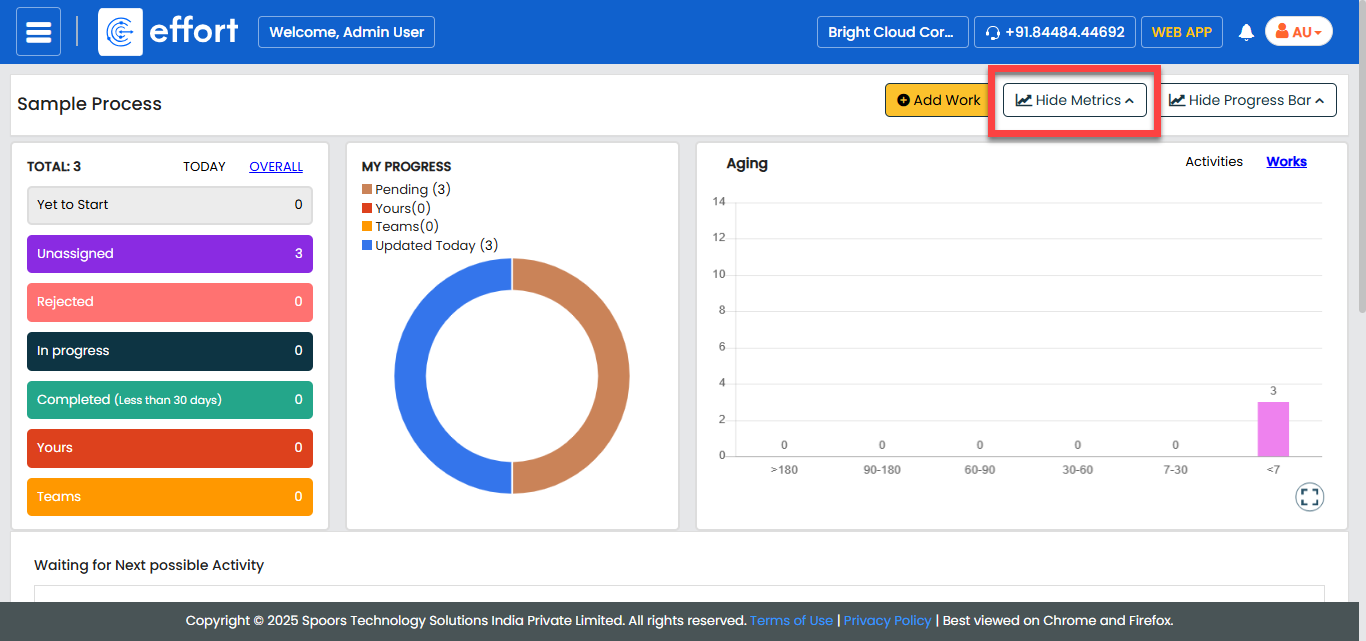
-
Click the Import button.
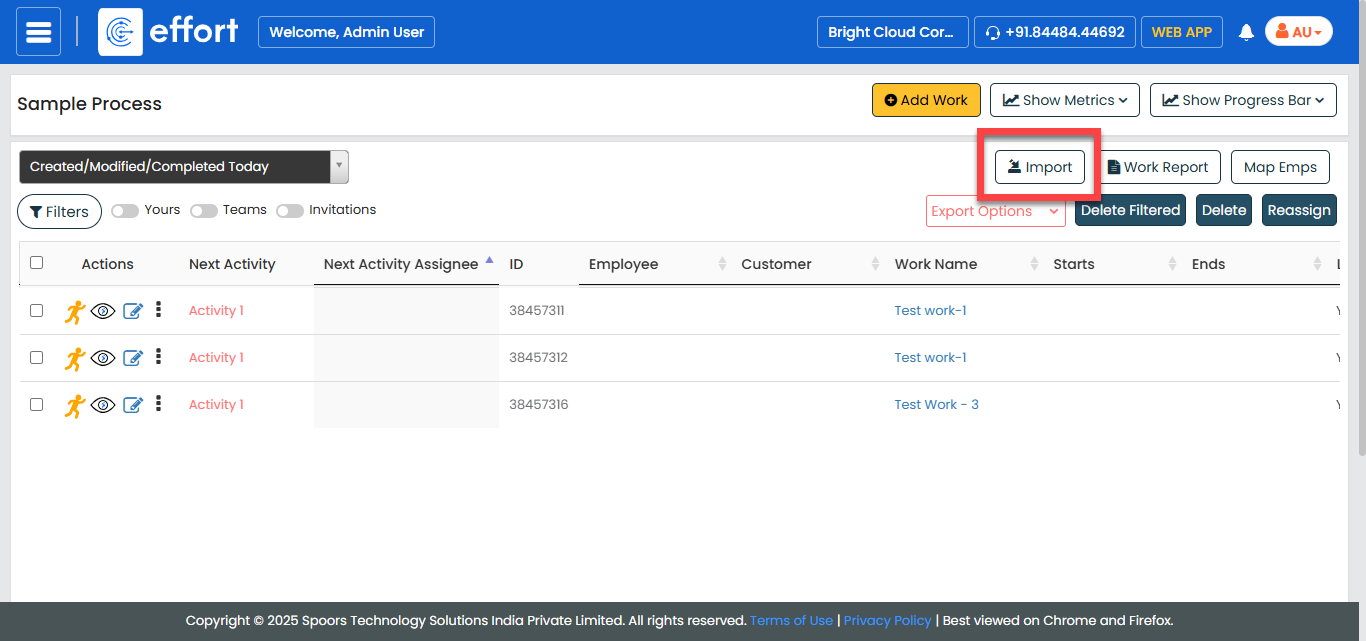
The Import <work process> page appears.
-
Click the Template button to download the
template.
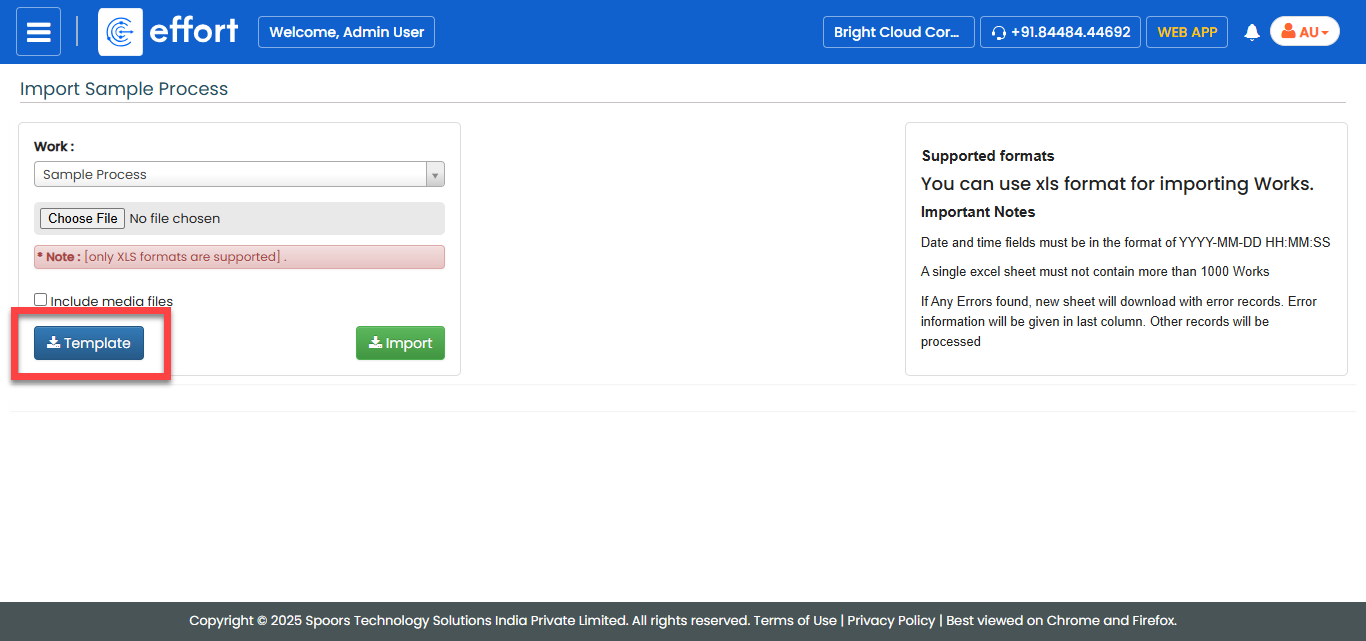
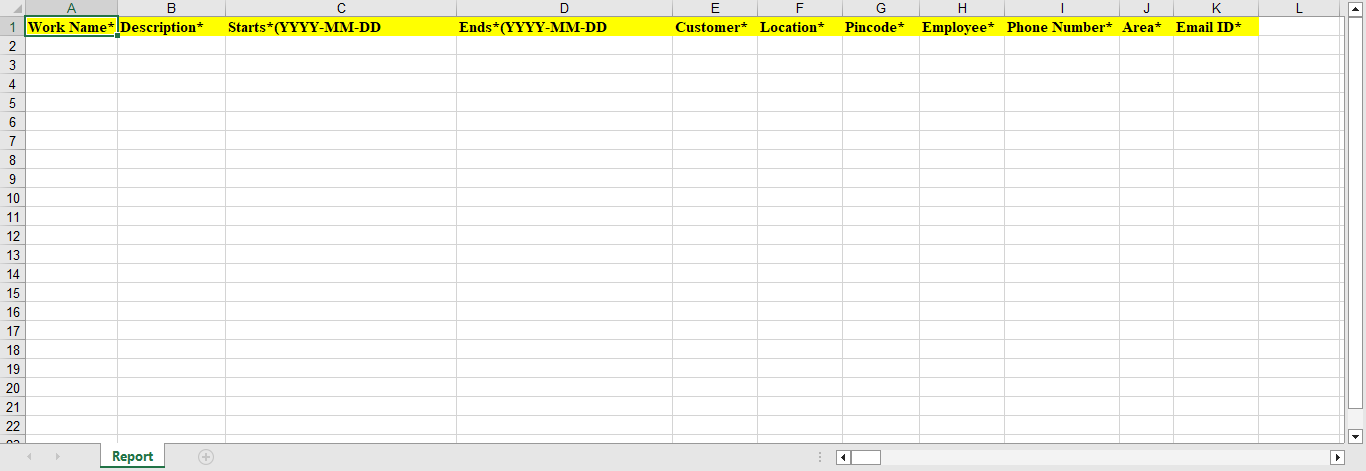
A blank excel sheet gets downloaded. Refer the instructions listed in the Supported Formats to upload the data.
-
Update the entries in the excel file.
-
Click Choose File and select the filled excel
sheet.
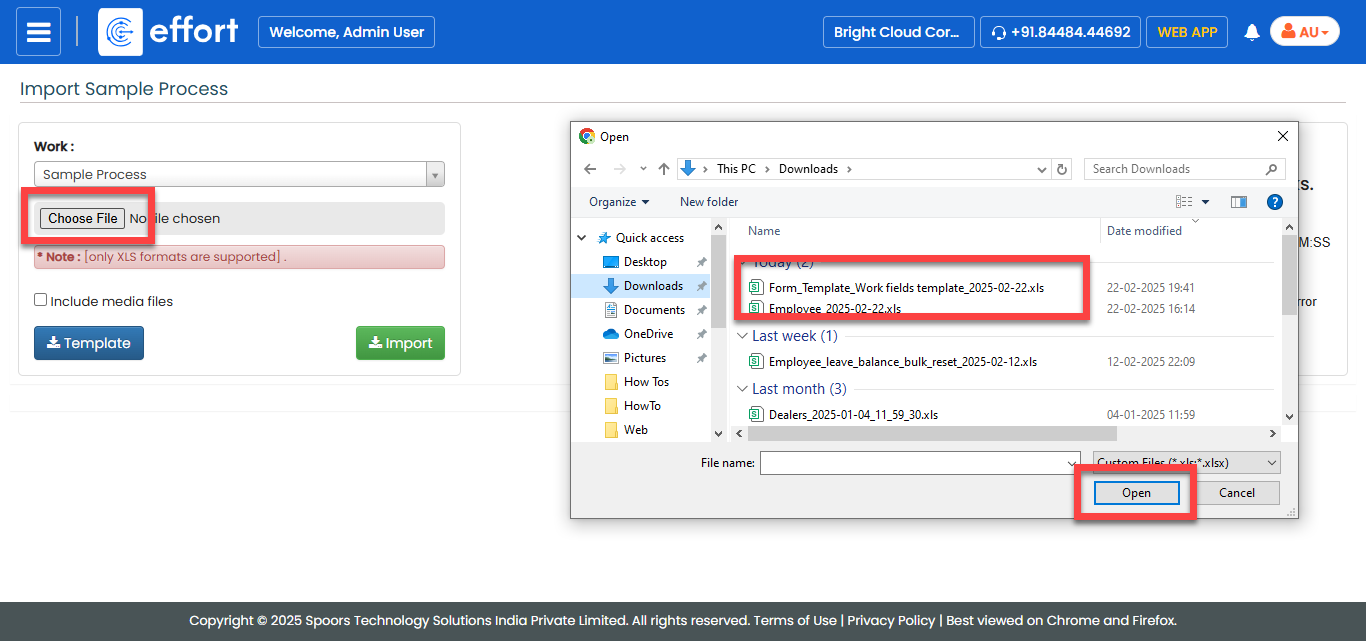
- Click Import.