

Create a Day Plan
Creating a day plan allows you to schedule customer visits for a specific day. You can add one or more customers to an employee’s plan so they can track and manage their visits effectively.
-
Go to .
Based on how the menu is configured by the App Builder, you may find DAY PLANS under more
 sub-menu.
 -
Navigate to a date using Previous
 , Next
  , and the calendar
  buttons.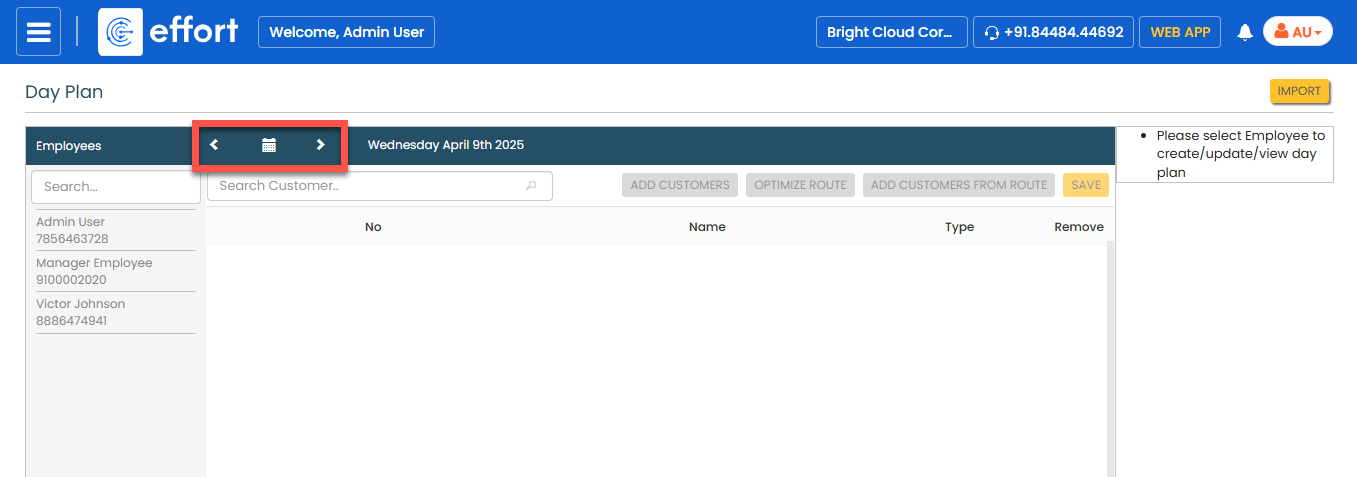
-
In the left side, select an employee.
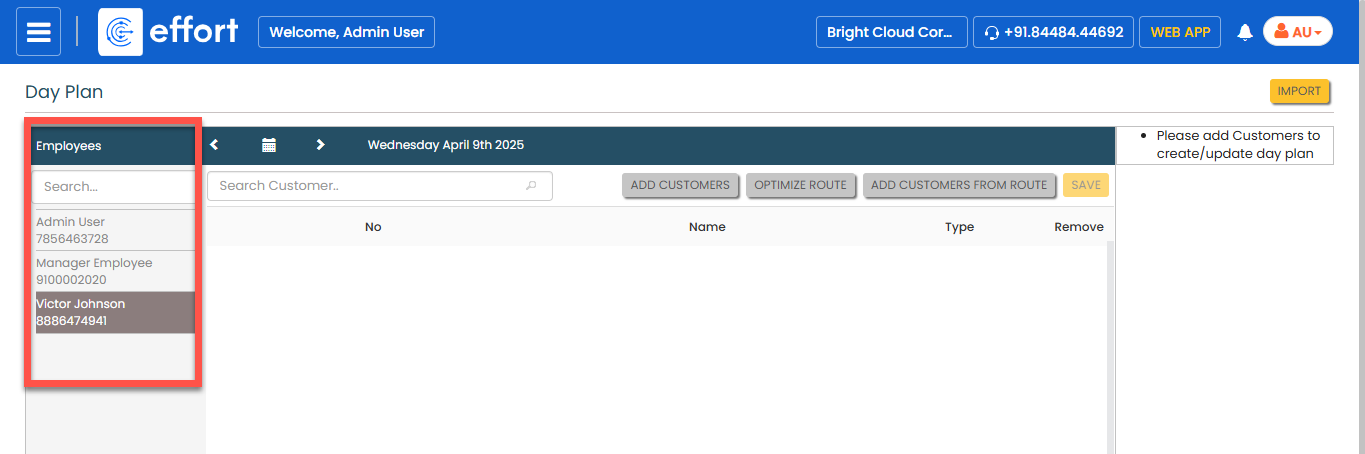
-
Click the Add Customers button.
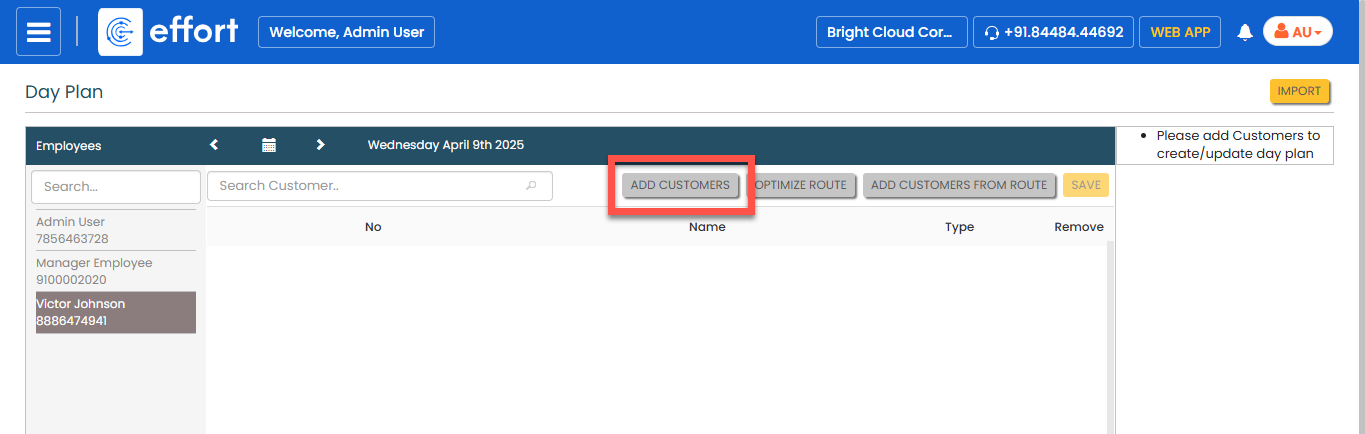
-
In the pop-up, select the customers you want to add to the day plan, and then
click OK.
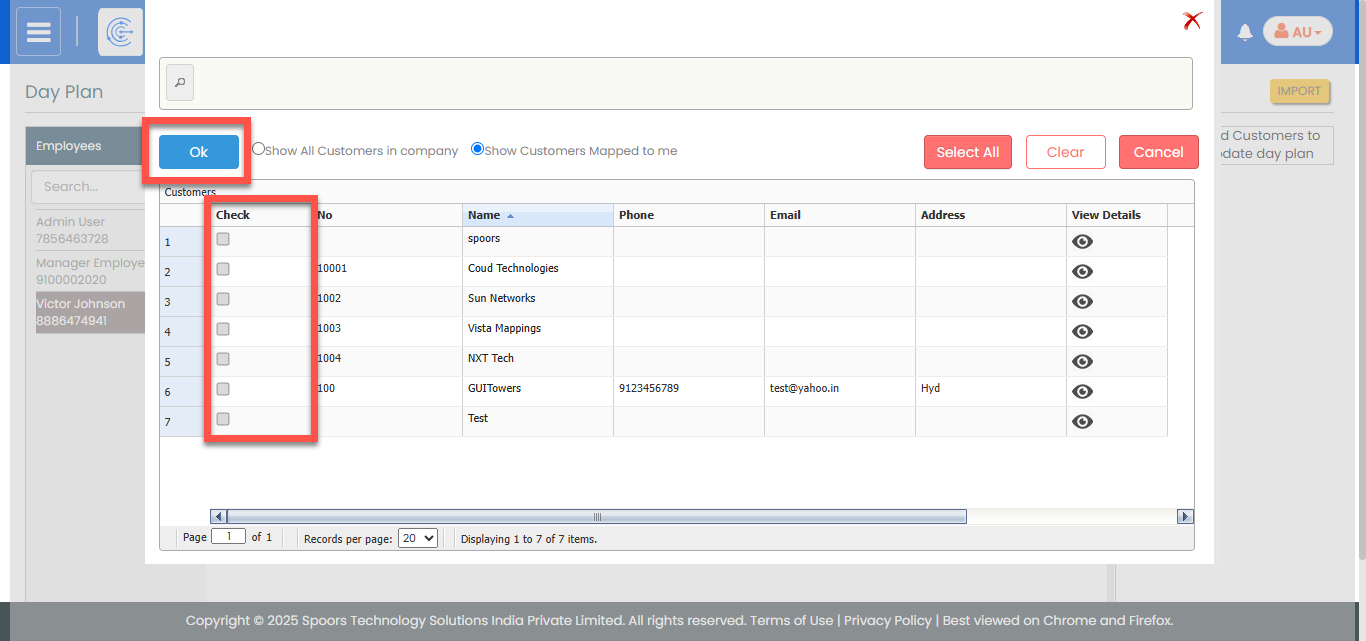
- Click Save.