

Bulk Assign Route Plans
To bulk-assign route plans, follow the steps below:
-
Go to .
The Assigned Route Plans page appears.
-
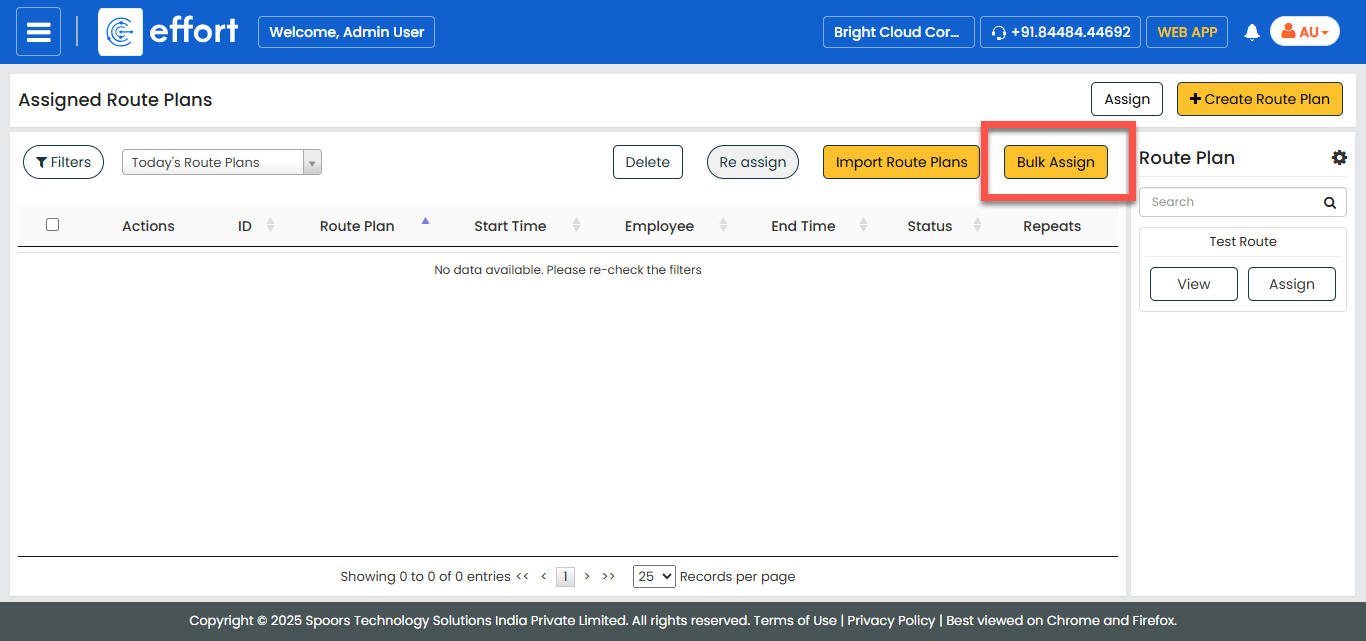
Click the Bulk Assign button.
-
Click the Download Template button.
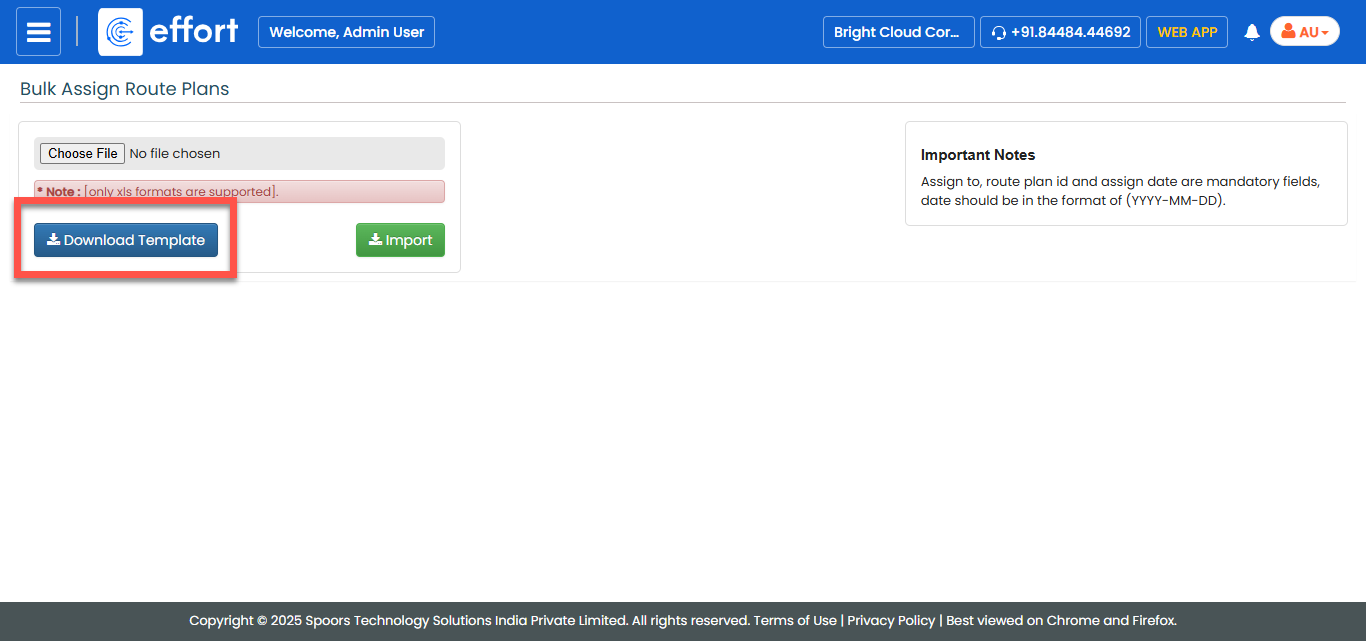
An Excel sheet is downloaded.
-
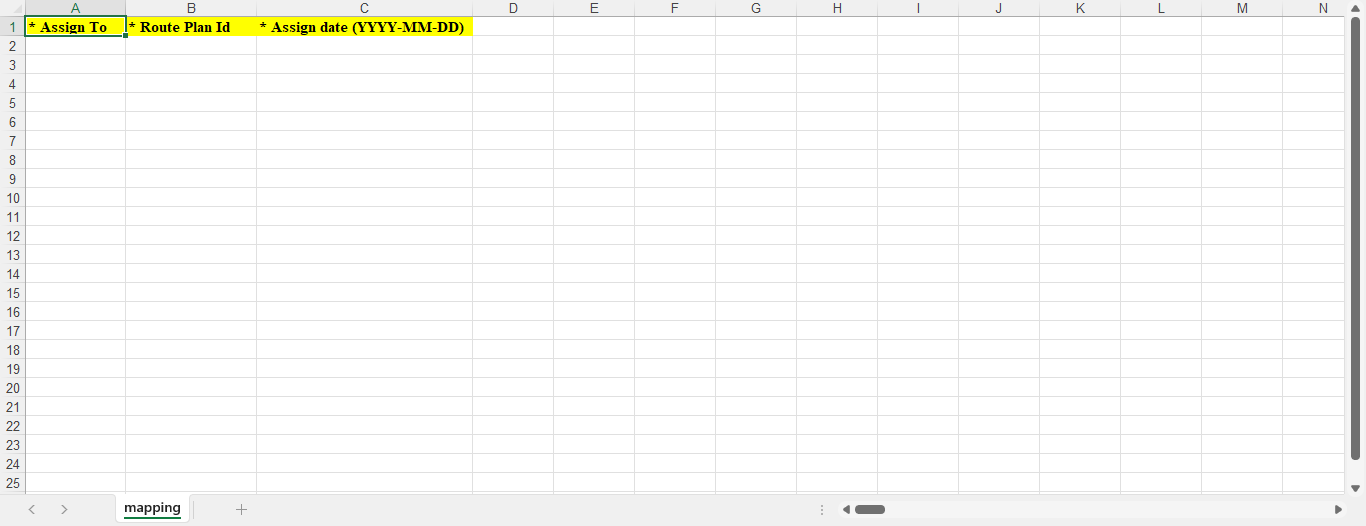
Fill in the Excel sheet.
-
On the Bulk Assign Route Plans page, click
Choose File and select the filled Excel sheet.
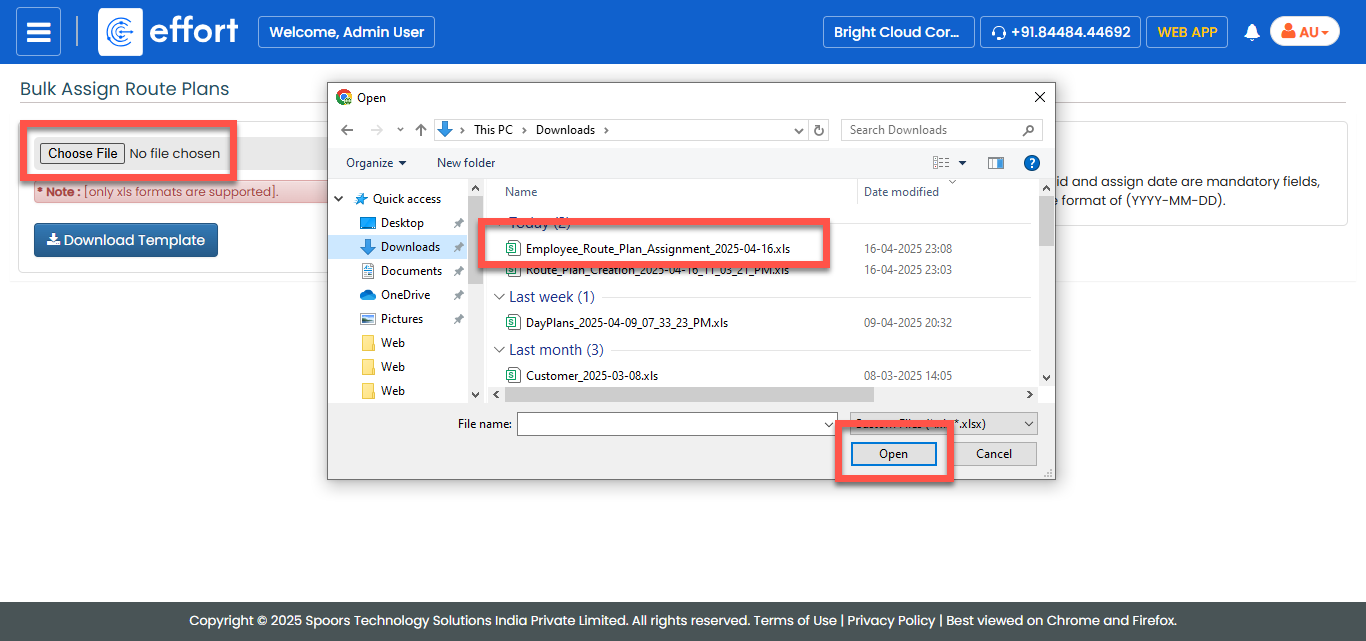
- Click Import.