

Modify a Route Plan
Add customers to or remove customers from a route plan, re-order them, optimize the route, or change other route plan properties.
-
Go to .
The Assigned Route Plan page appears.
-
Click the
 icon in the Route Plan section.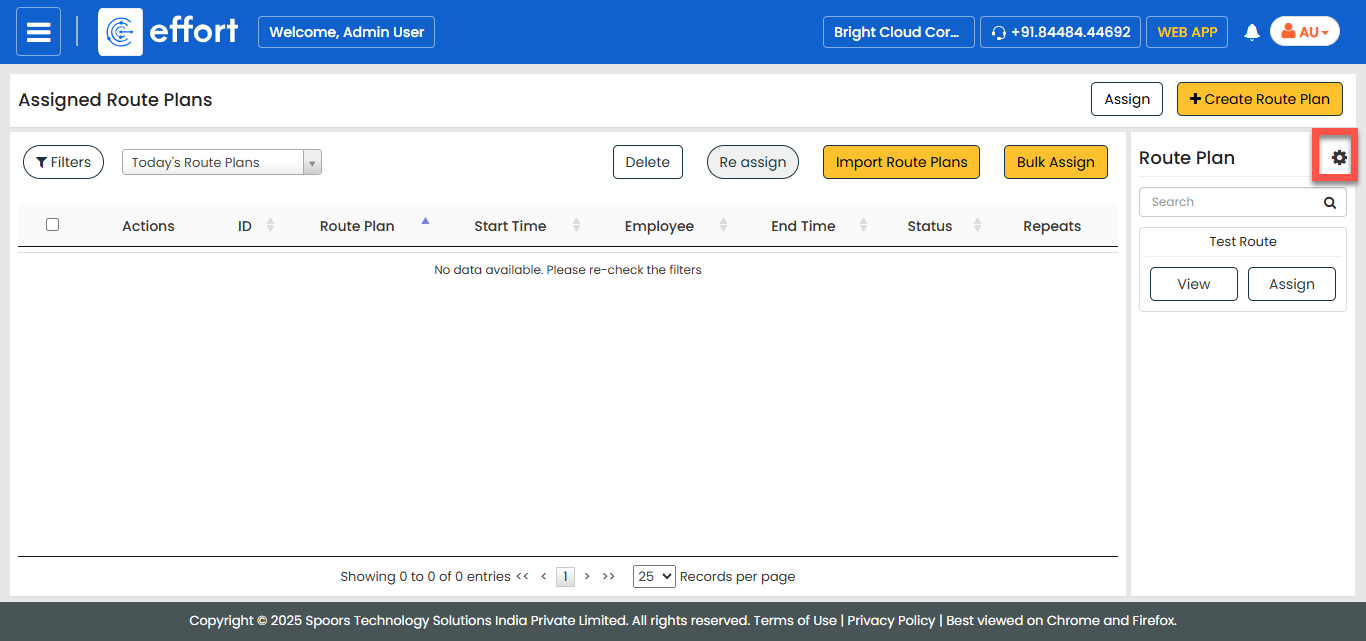
-
Under the Actions column, click the edit
 icon corresponding to the route plan you want to modify.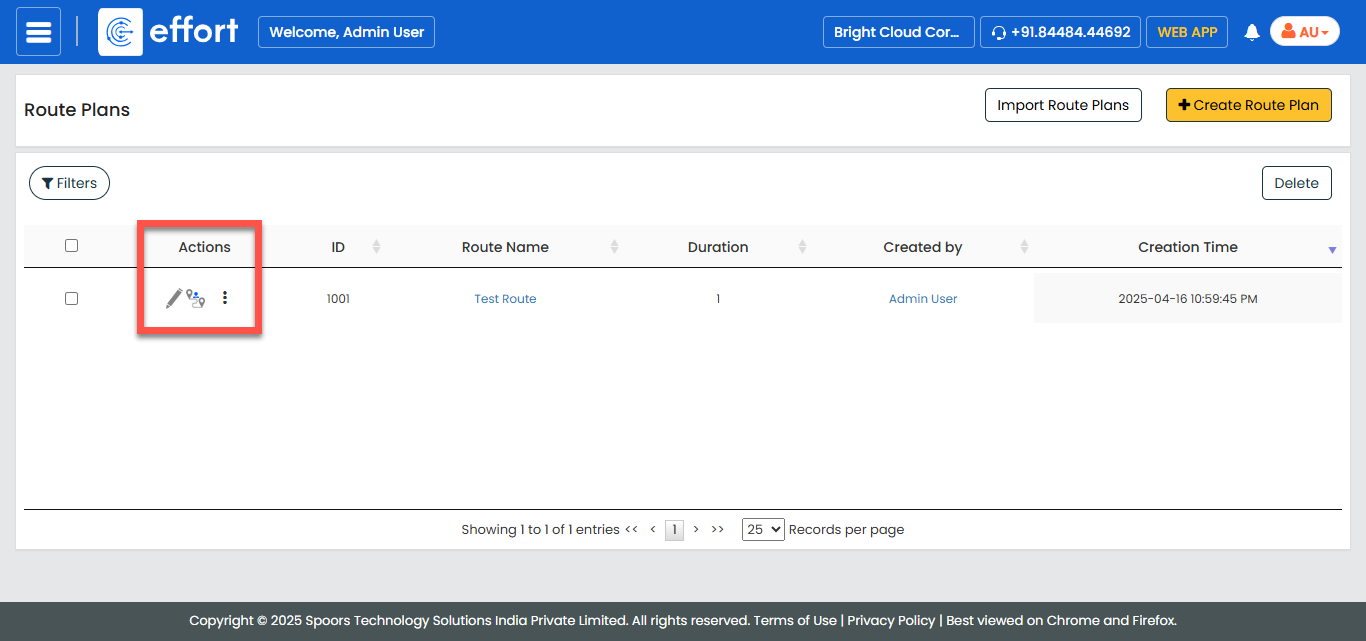
- Optional:
Add or remove customers, re-order the customers, optimize the route, or modify
any route plan properties.
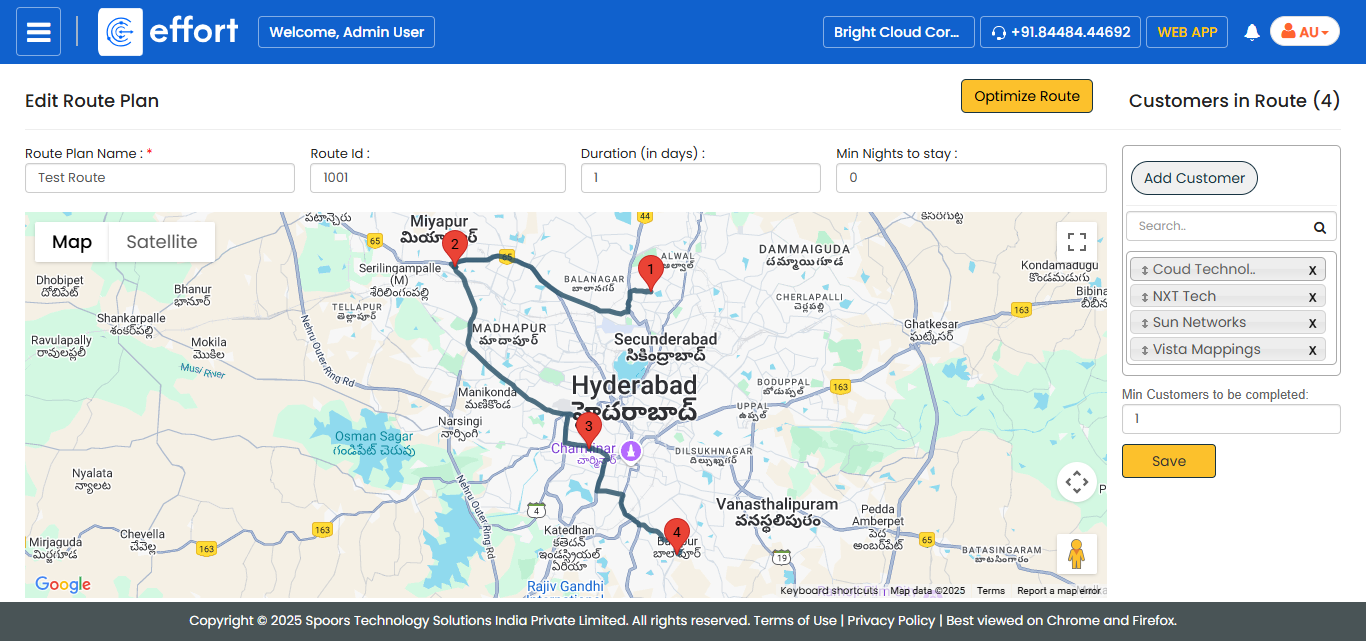
- Click Save.
-
Select Apply changes to new route assignments or
Apply changes to existing routes.
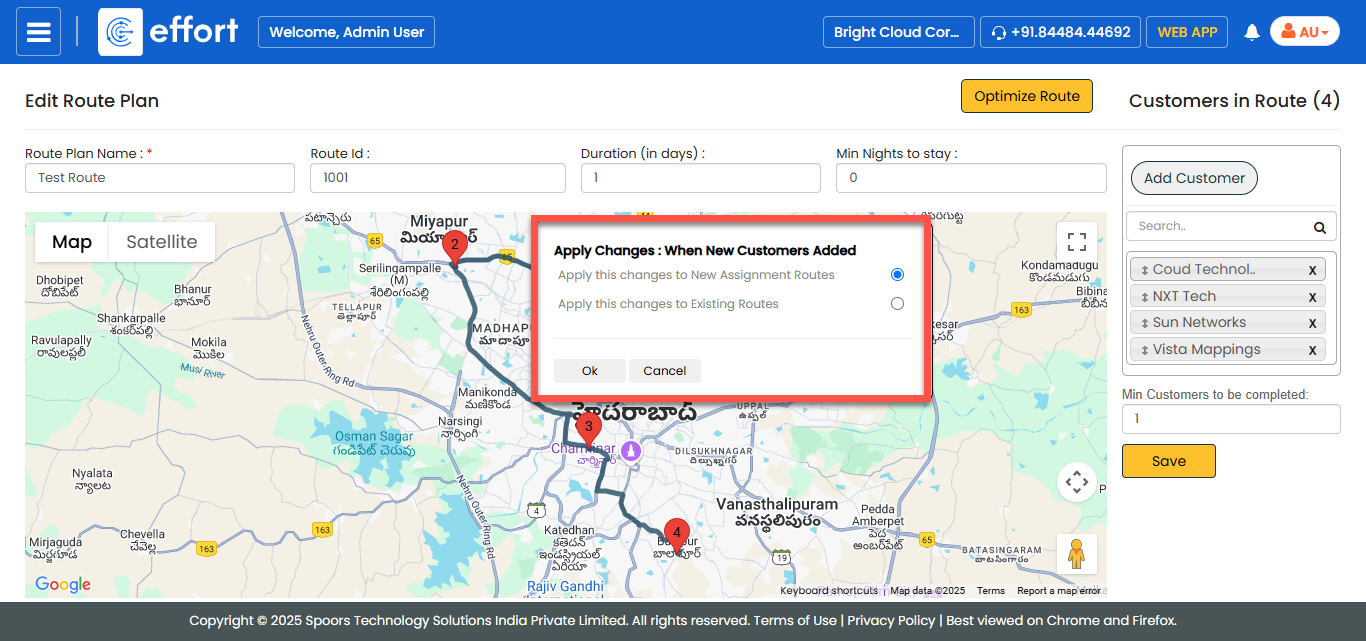
- Click OK to save the route plan and apply changes.