

Reassign Routes
To reassign routes, follow the steps below:
-
Go to .
The Assigned Route Plans page appears.
-
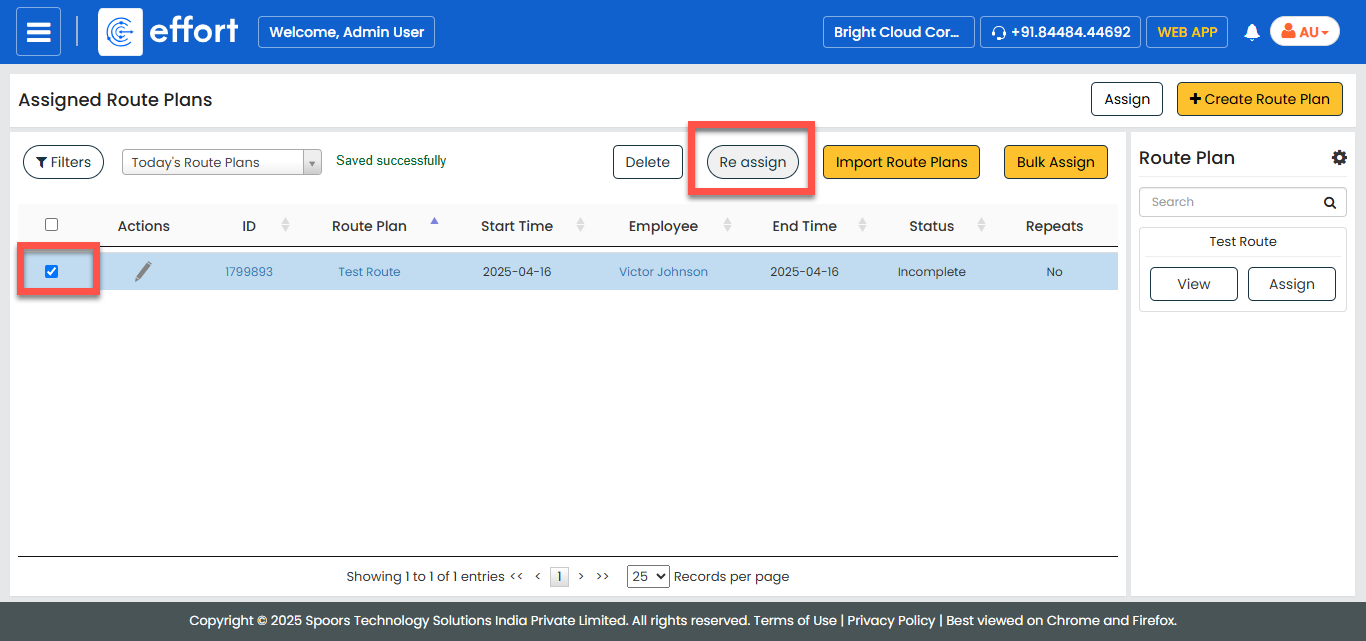
Select a route plan you want to reassign, and then click Re
assign.
-
From the dropdown, select an employee.
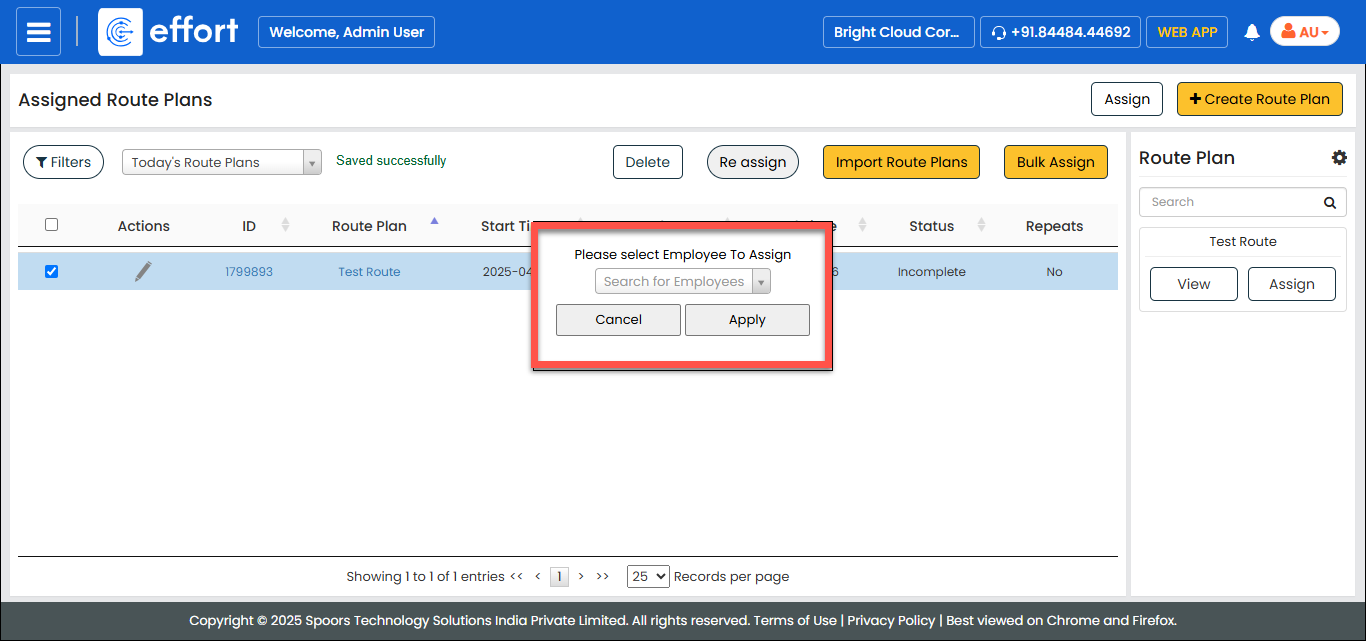
- Click Apply.