

Import Route Optimization
-
Go to
The Imports page appears.
- Scroll down to the Routes section.
-
Click the Import Route Optimization link or icon.
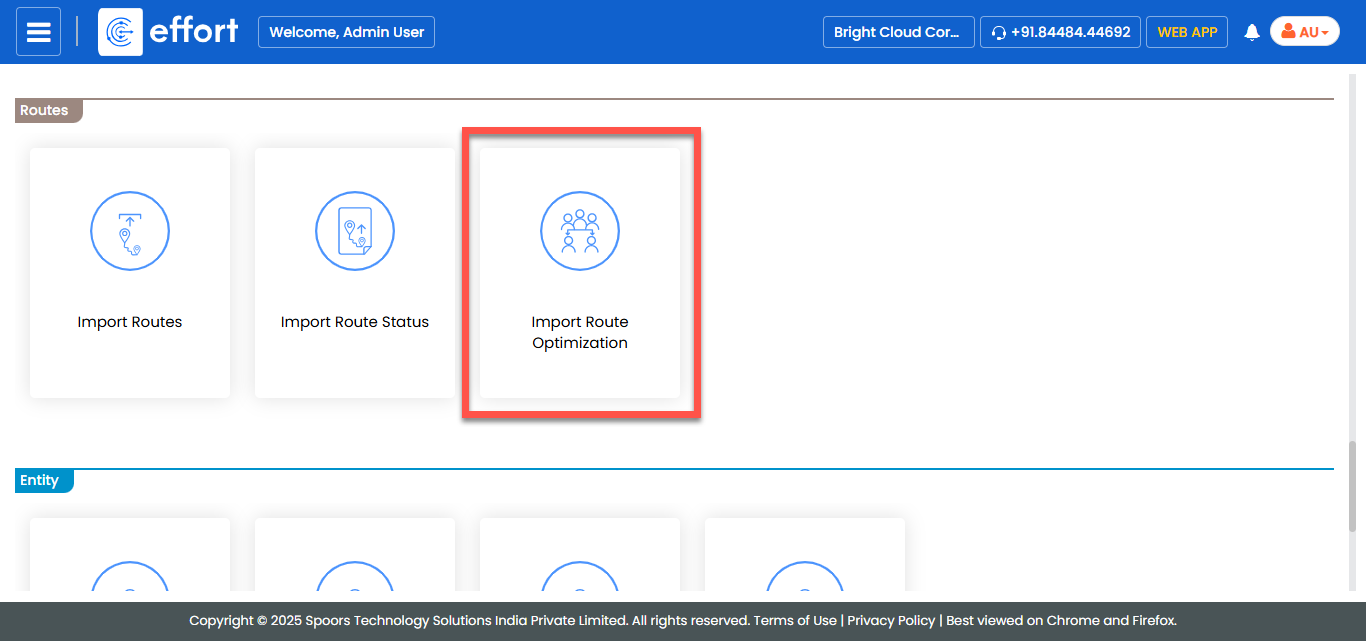
The Import Route Optimization page appears.
-
Click the Download Template link to download the
template.
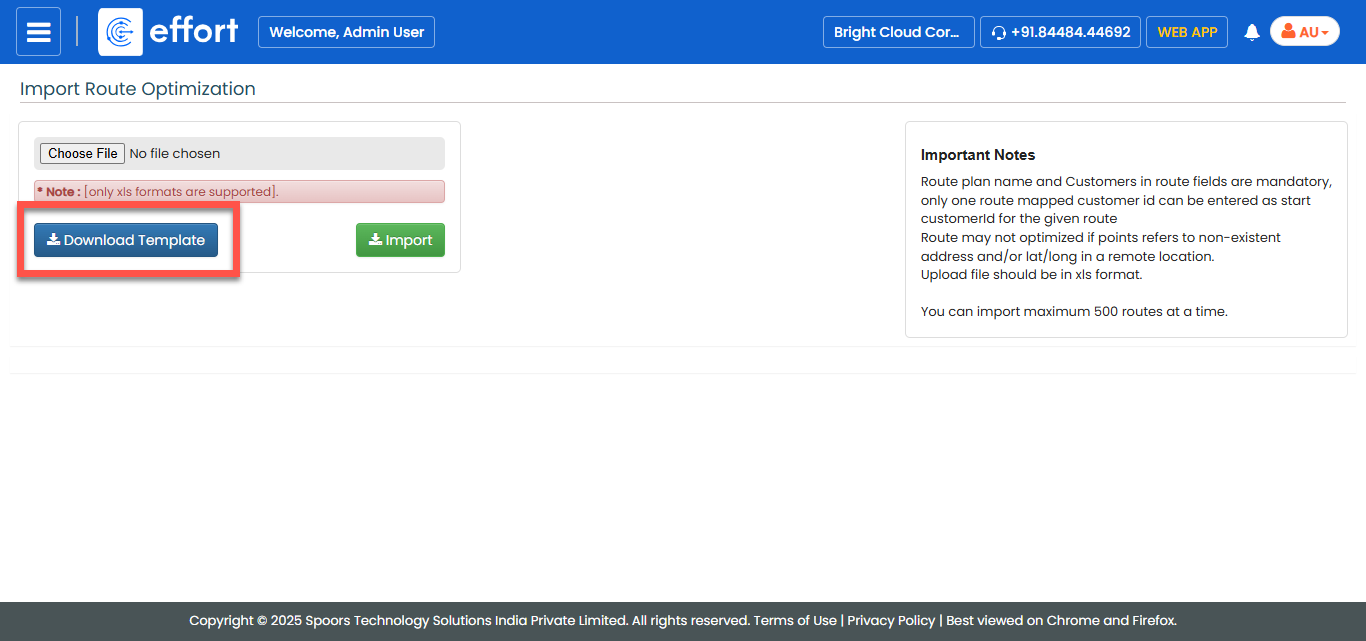
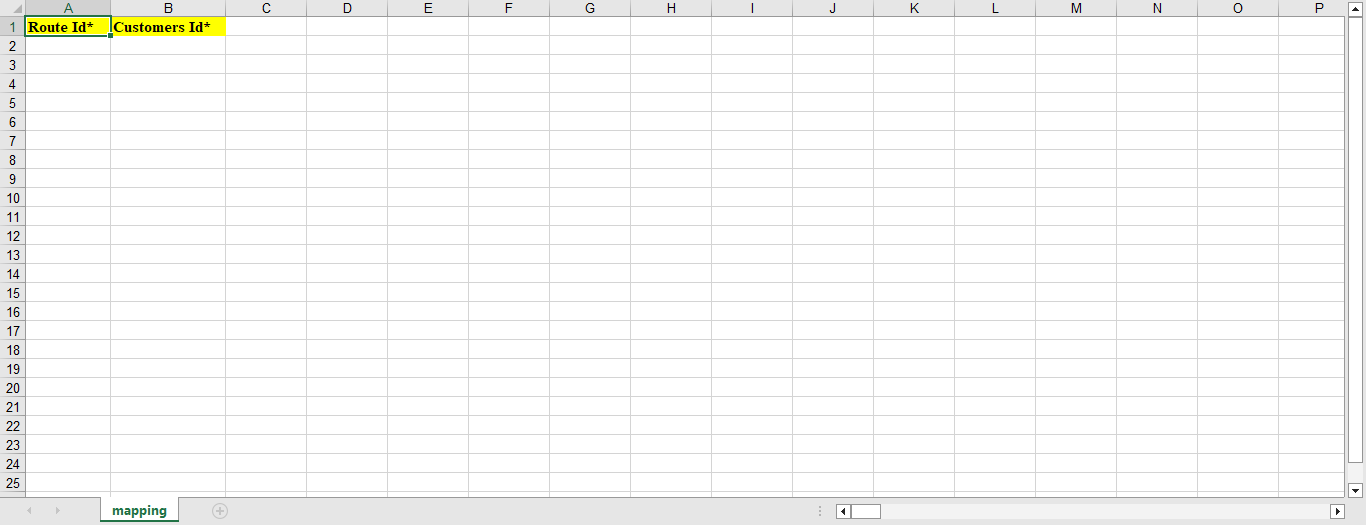
A blank Excel sheet is downloaded.
-
Fill in the excel sheet as per the instructions listed in the Supported Formats
to upload the data.
-
Click Browse and select the filled excel sheet.
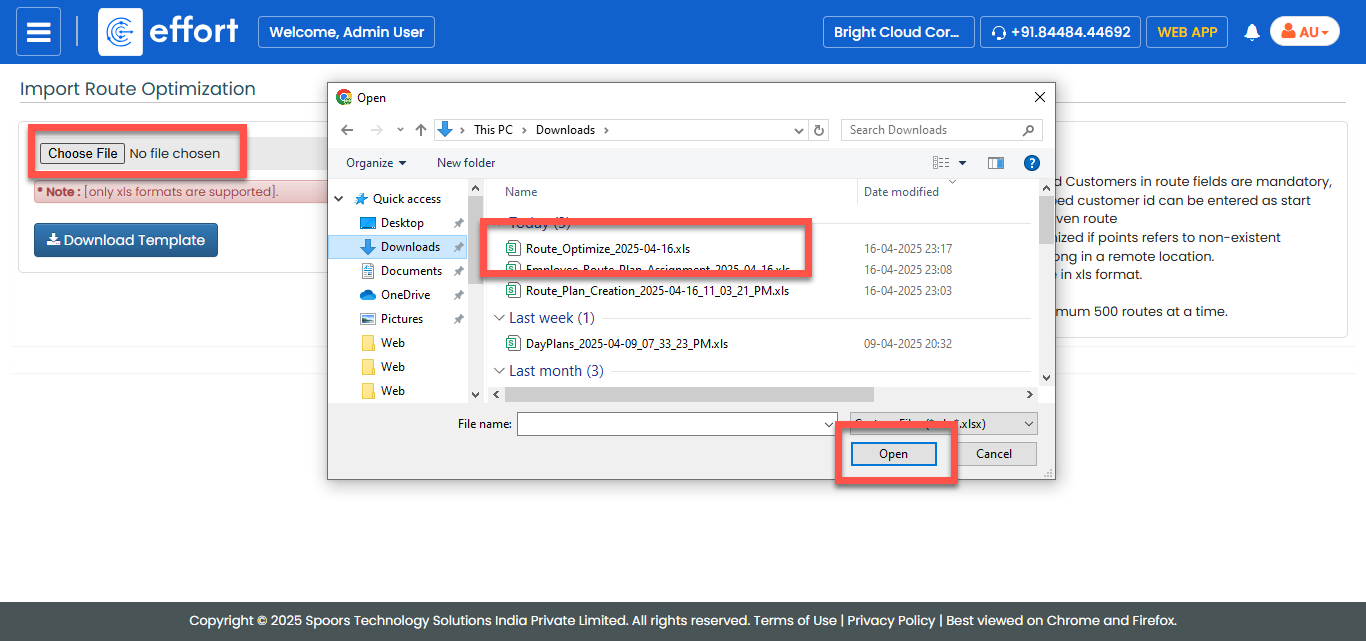
- Click Import.