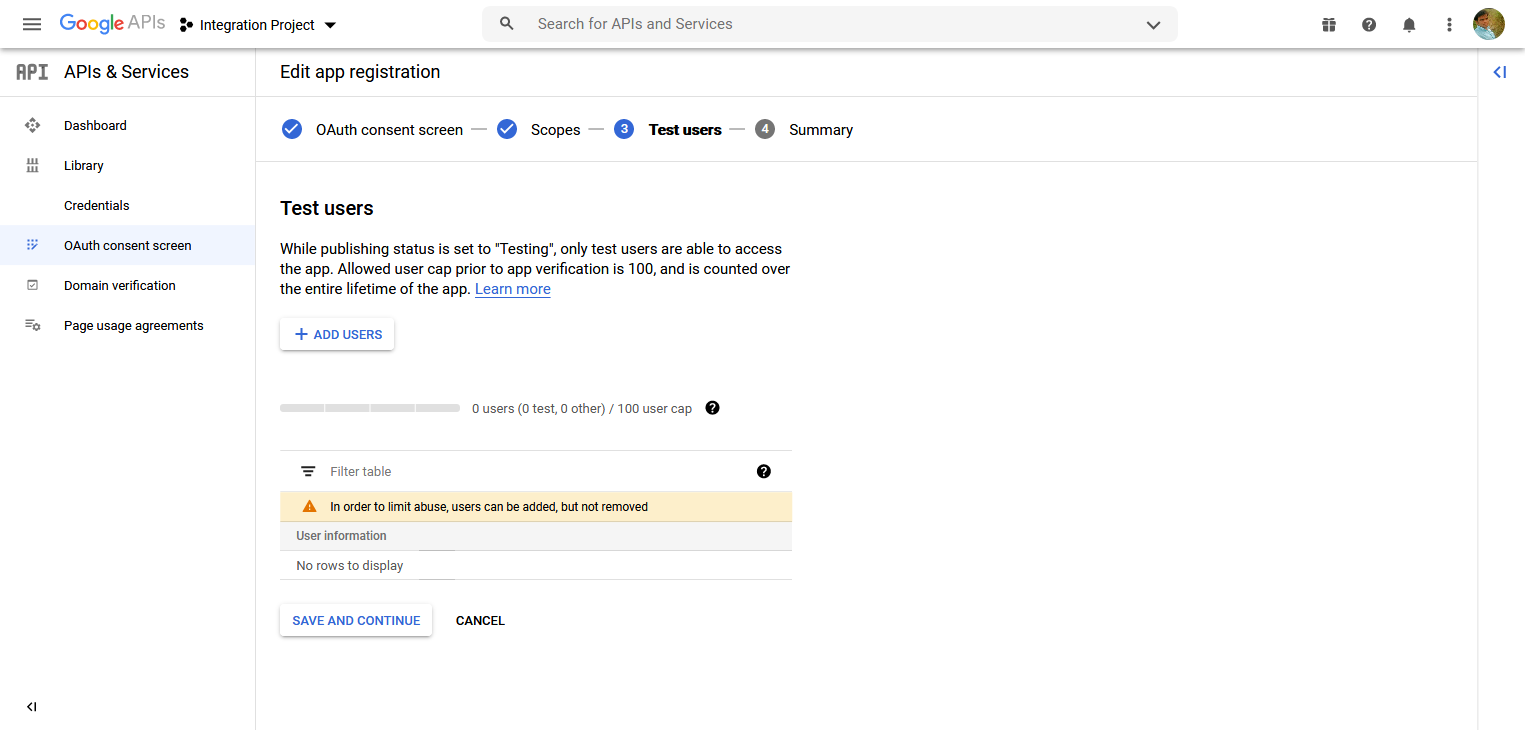
Create Application in Google Developer Console
- Make sure you have already created a project to enable APIs. To create, refer Create a Project in Google Developer Console.
- Make sure you have already enabled the Google Drive API to create application. To enable, refer Enable Google Drive API.
- Log in to Google Developer Console with below URL.
-
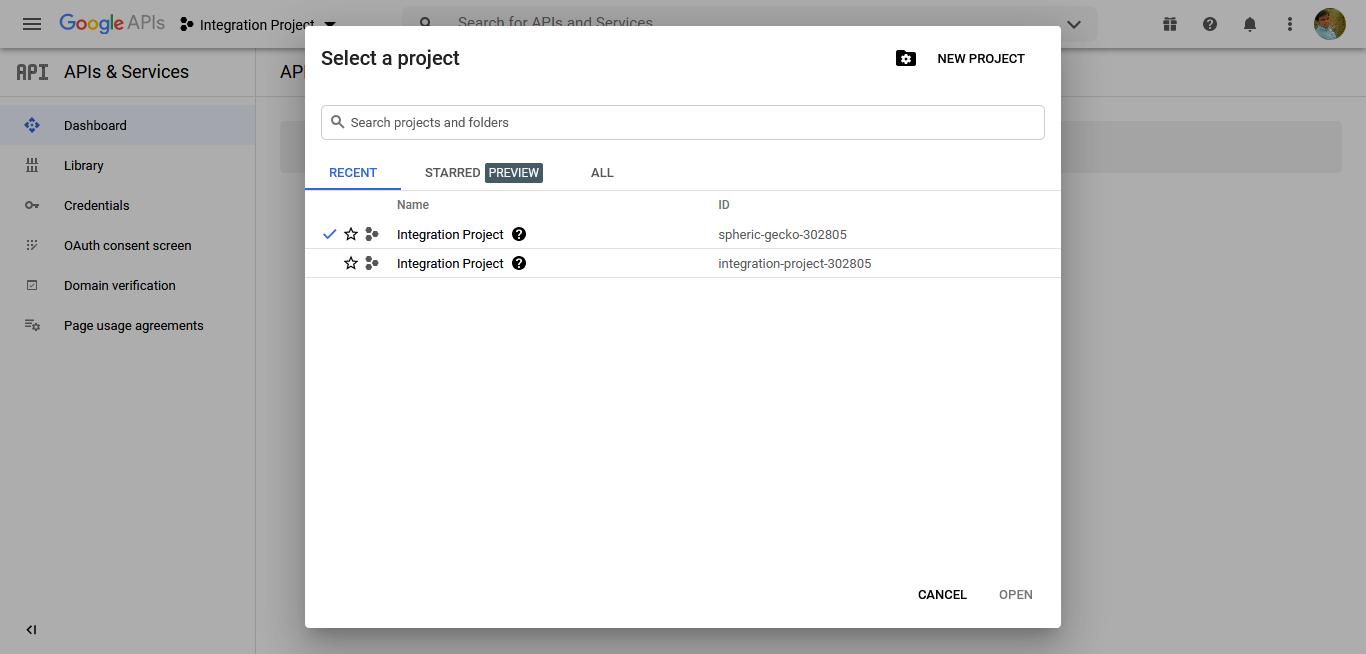
Select a newly created project from the projects dropdown located on top of the
page.
-
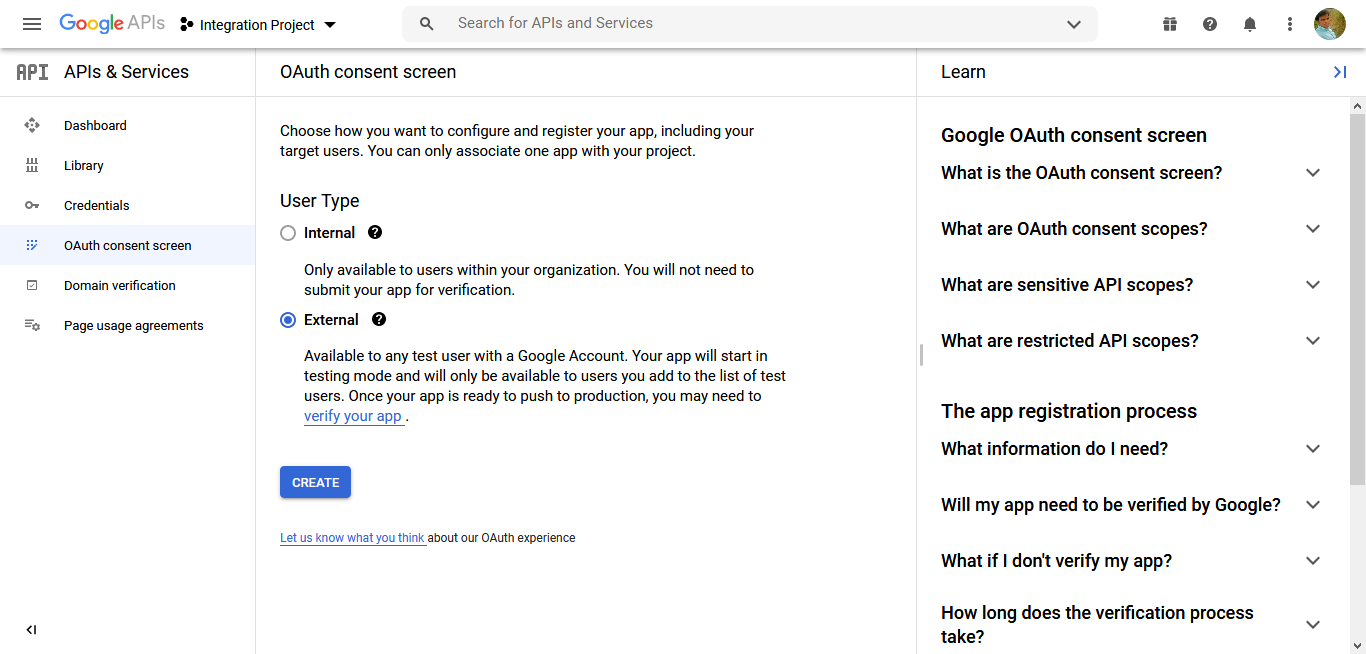
Click OAuth consent screen located on the left.
The OAuth consent screen page appears.
-
Select External and click Create
button.
-
Enter the below mandatory details and click Save and
Continue button.
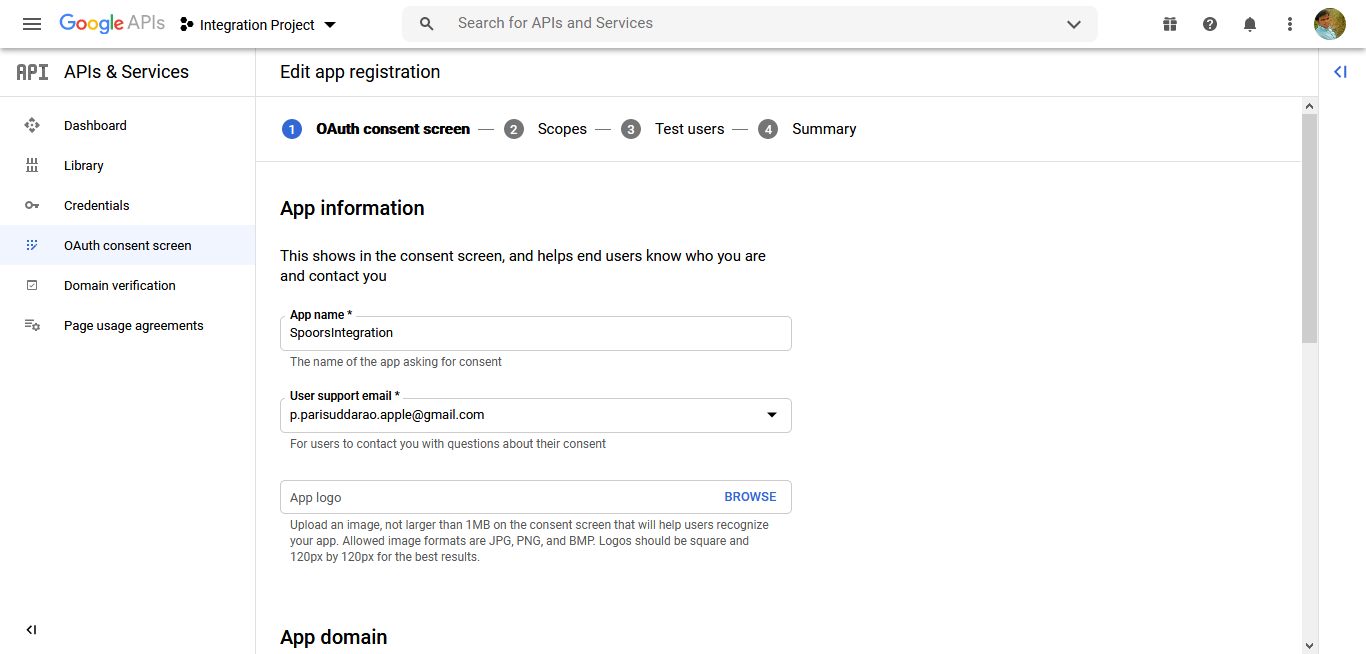
- App name
- User support email
- Email addresses under Developer contact information
-
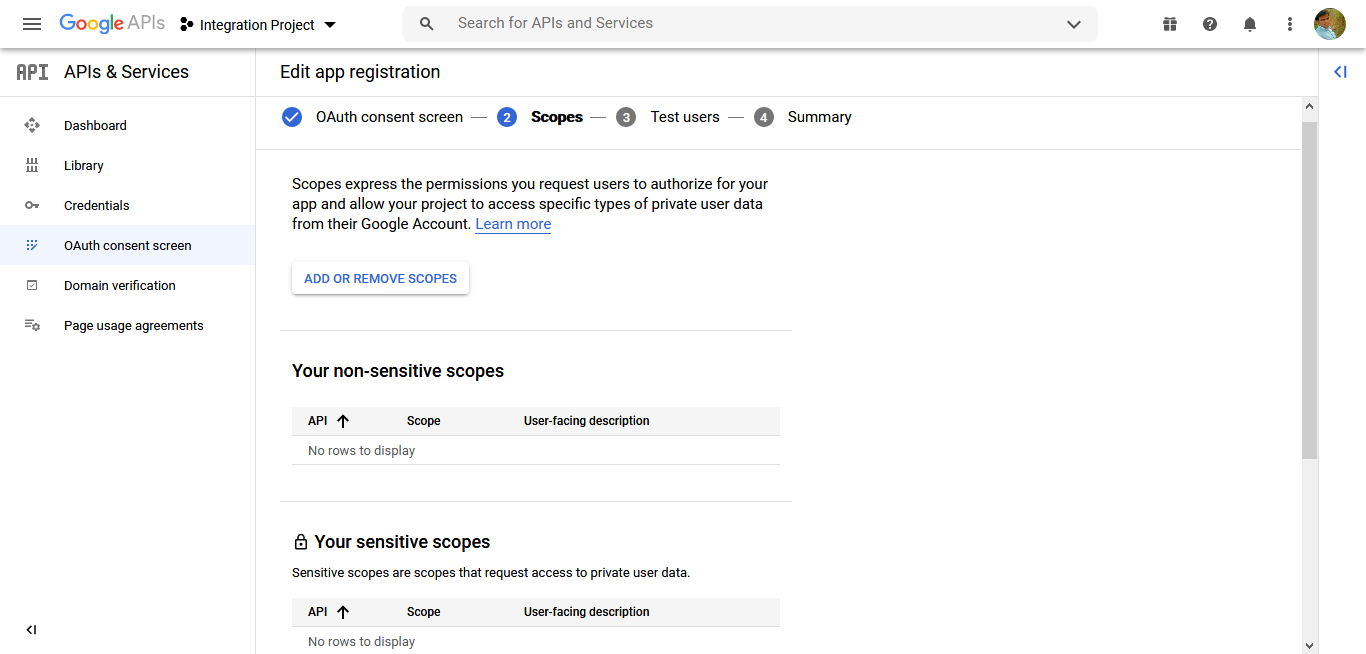
In the Scopes section, click Add or Remove
Scopes.
-
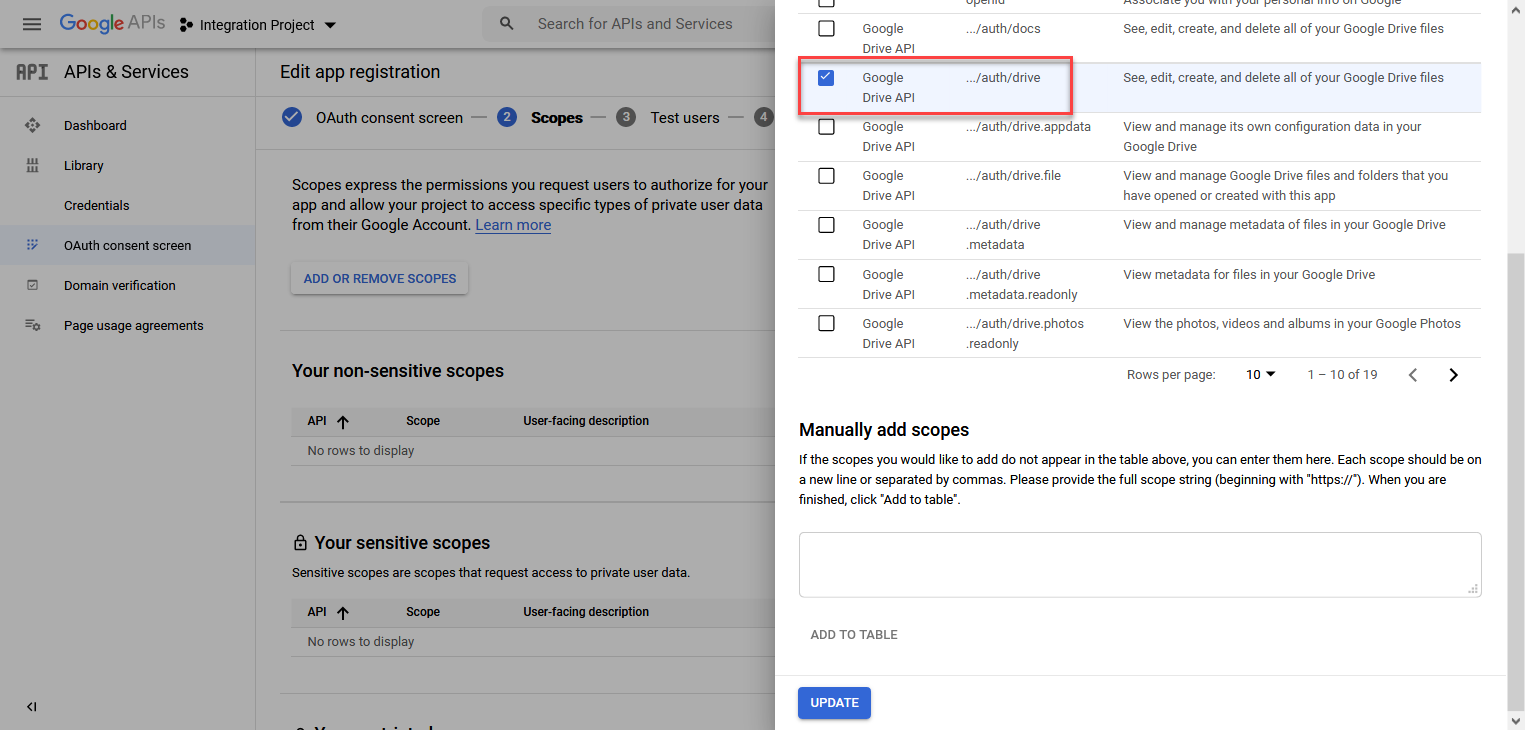
Select Google Drive API checkbox and click
Update button.
- Click Save and Continue button.
-
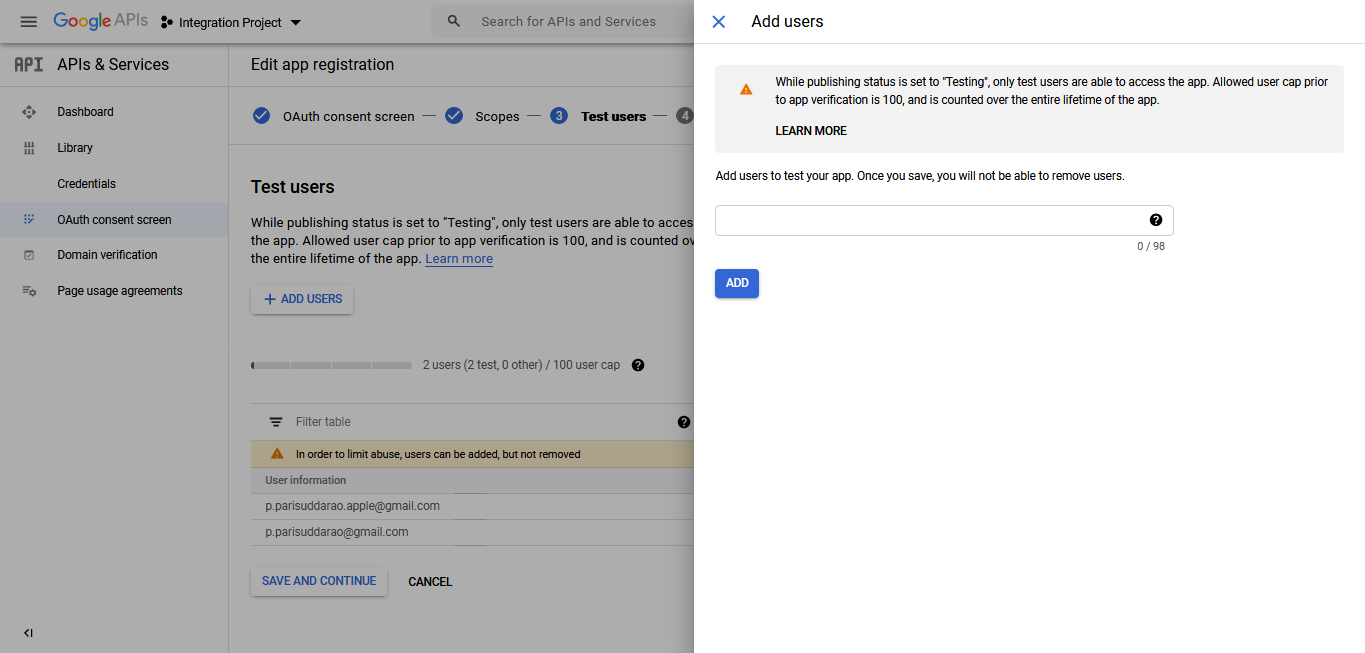
In the Test Users section, click Add
Users button and enter user's email IDs to give access to the
use the application.
-
Click Save and Continue button.