

Configure Invoice Recipients
To configure invoice recipients, follow the steps below:
-
Go to .
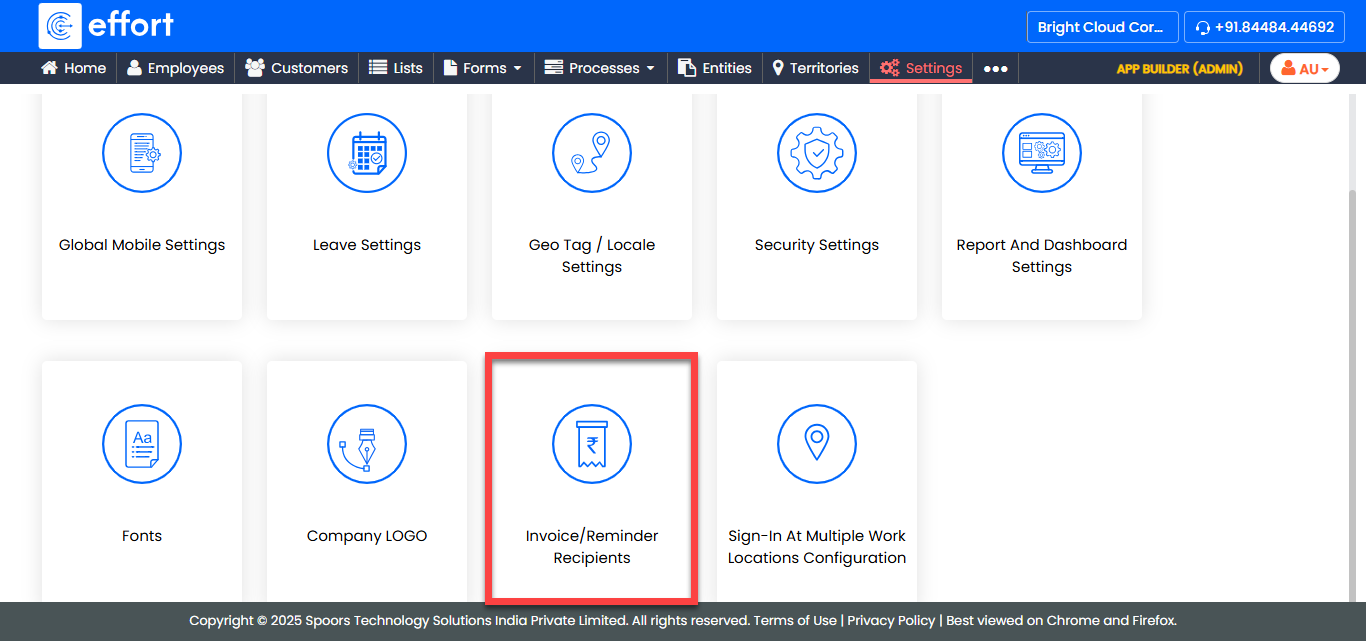
The Invoice/Reminder Recipients page appears.
-
Enter the email ID(s) in the Send Invoices and Reminders
to: textbox.
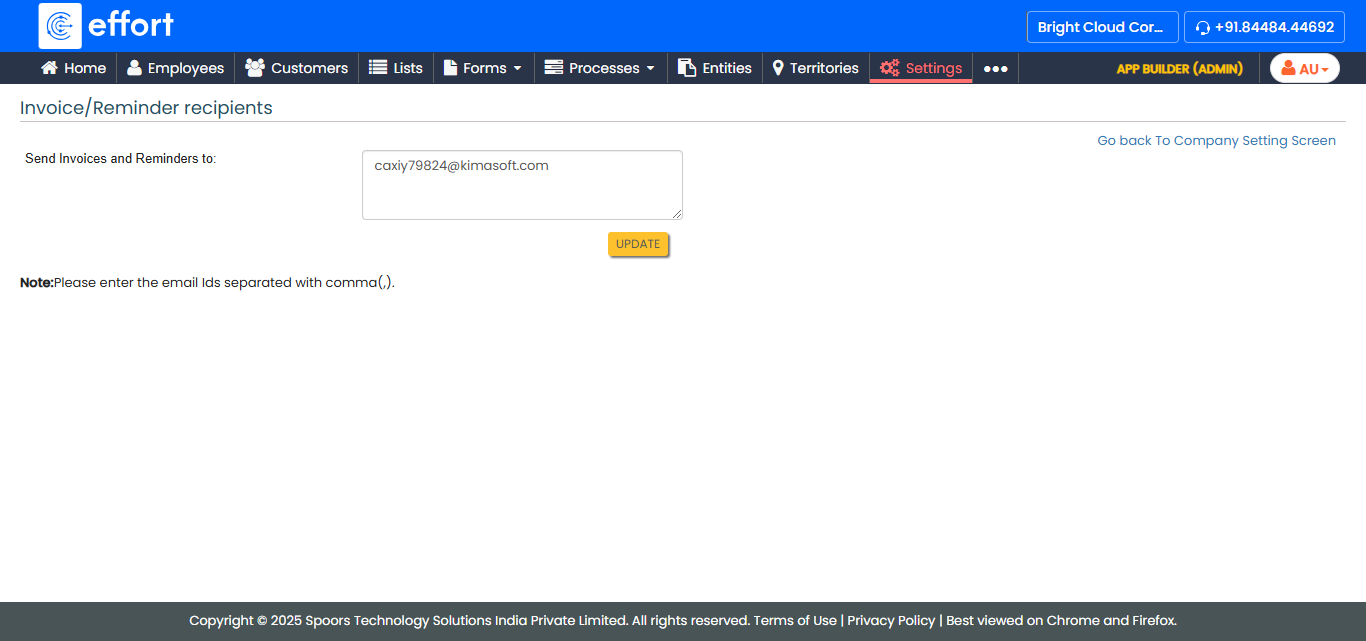
- Click Update.