

Enable Offline Usage
To enable offline usage of list items, follow the steps below.
-
Go to .
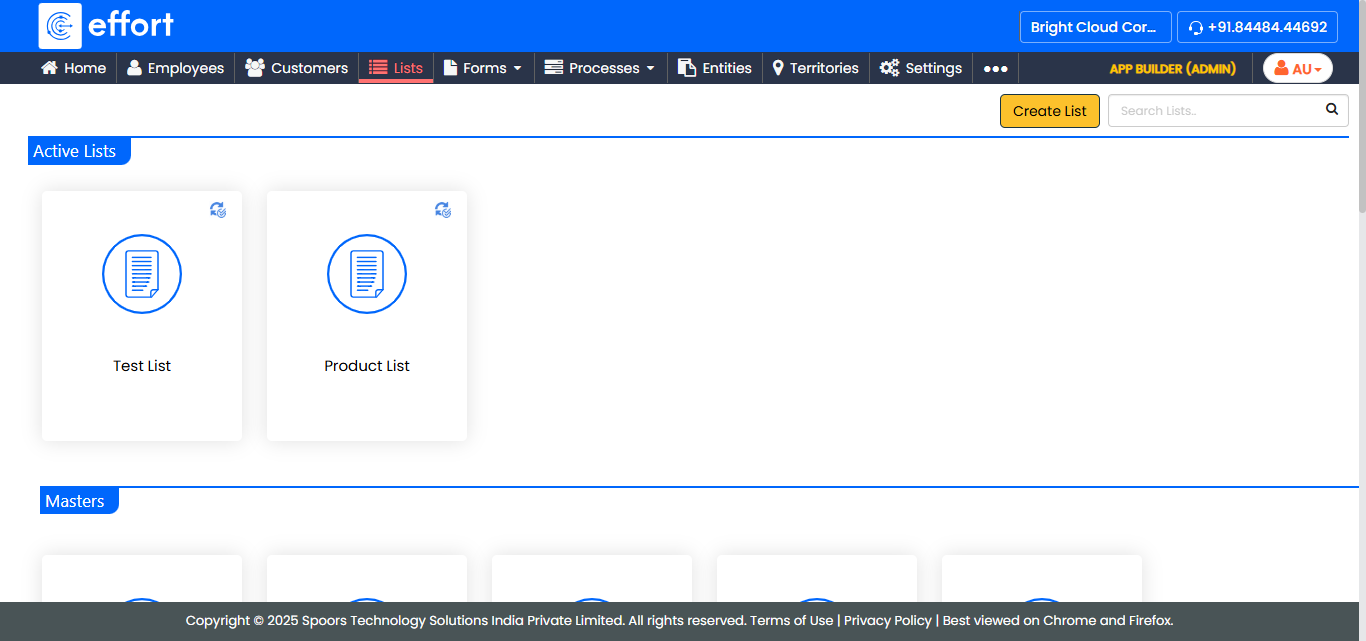
The Lists page appears.
-
Click the List card in which you want to enable offline
usage of list items.
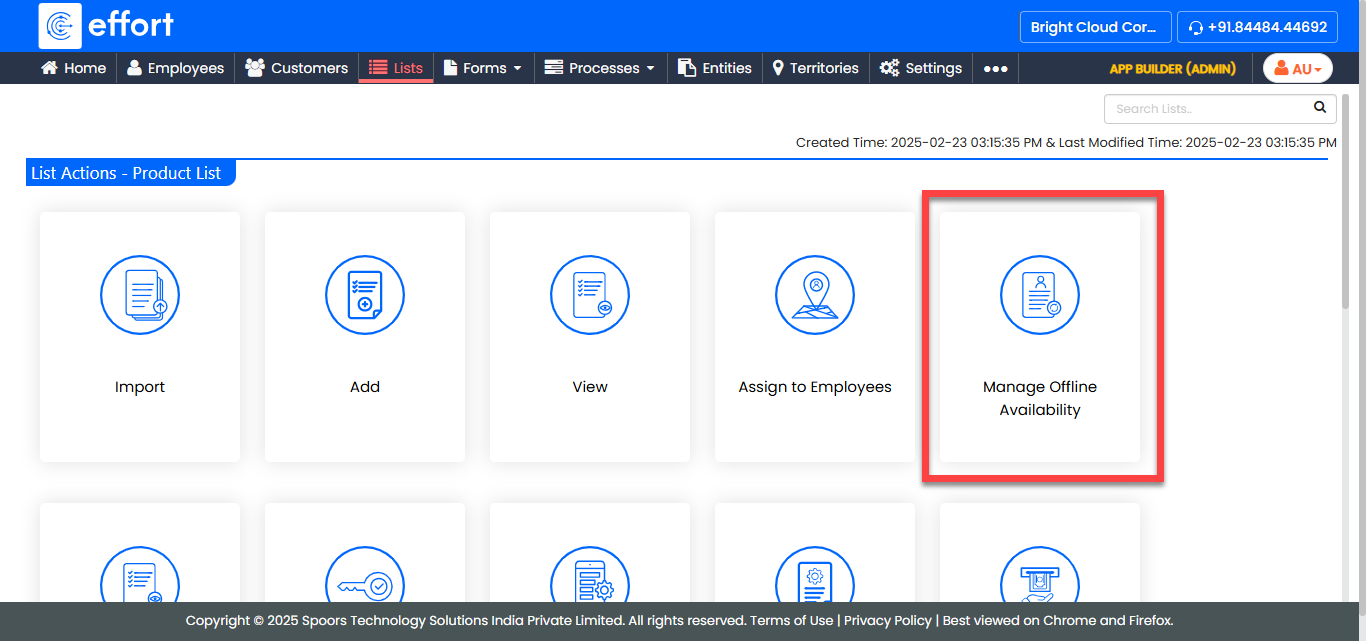
The List Actions page appears.
-
Click the Manage Offline Availability card.
A Sync for offline use pop-up window appears that allows you to choose one of the options.
-
Choose one of the sync modes:
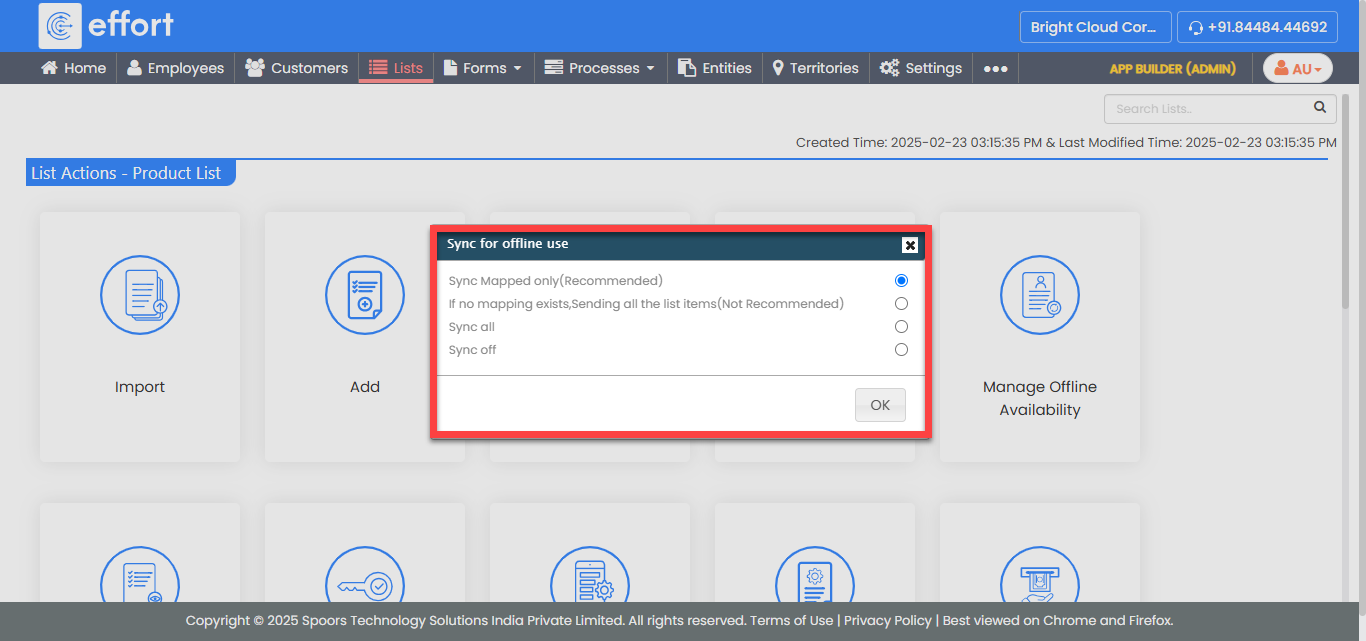
- Sync mapped items only (recommended)
- Sync all items
- Sync off
- Hybrid Sync (Not Recommended)
-
Click OK.
The List Templates page appears with a confirmation - ‘Updated Successfully’.