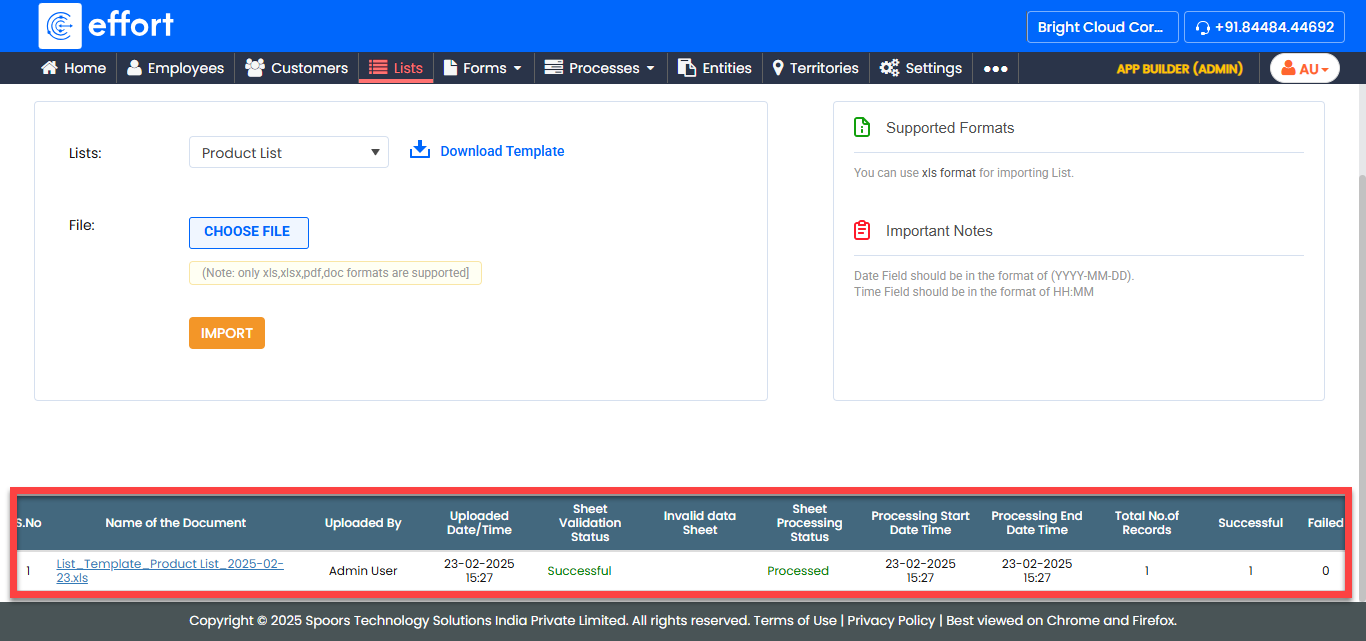
Import List Items
To import list items, follow the steps below.
-
Go to App Builder
Lists.
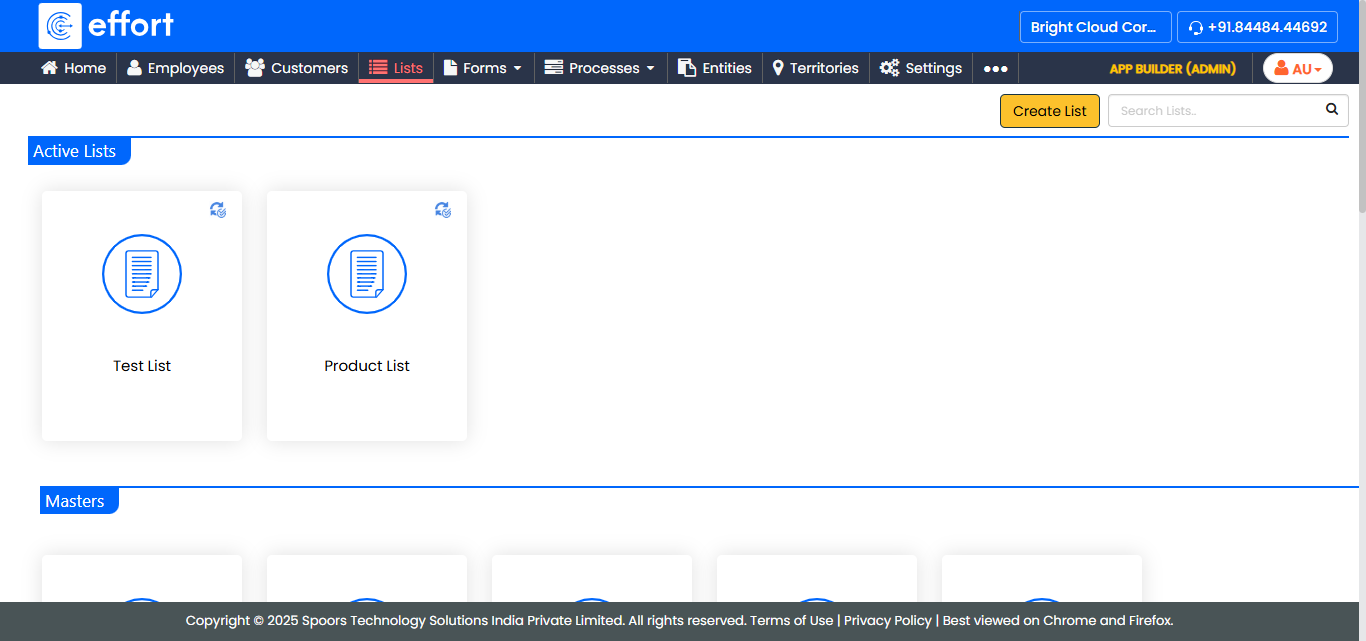
The Lists page appears.
-
Click the List card in which you want to import list
items.
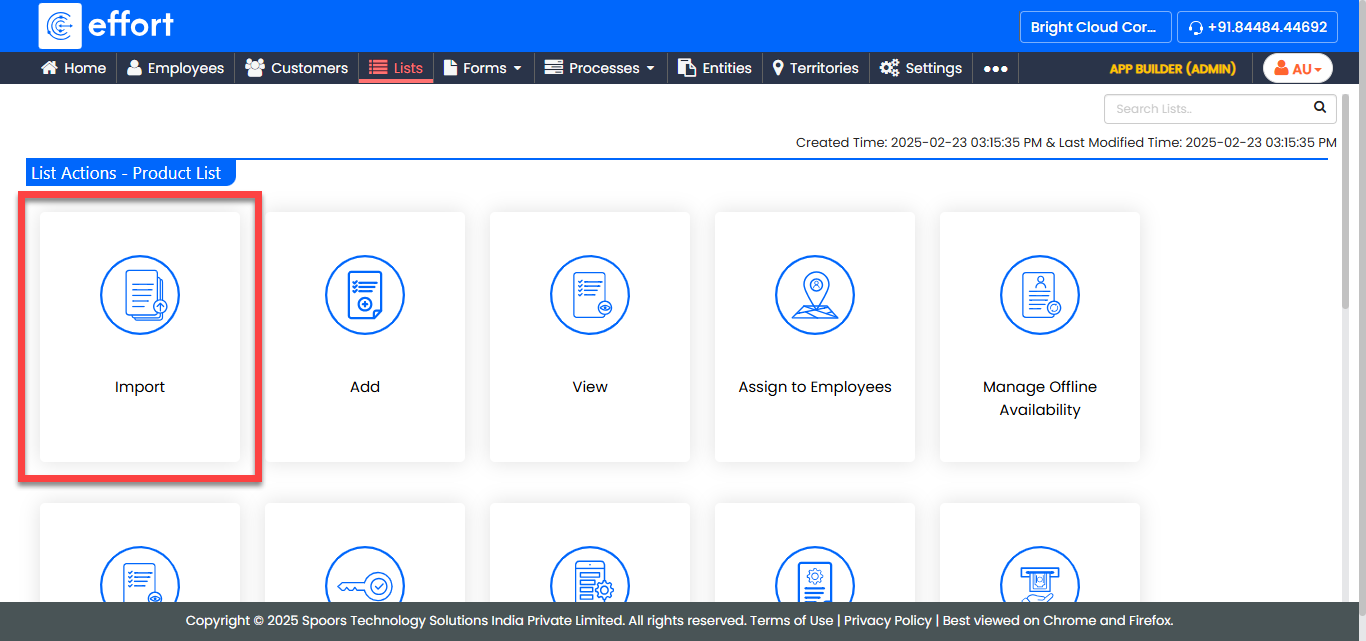
The List Actions page appears.
-
Click the Import Items card.
The Import Lists page appears.
-
Click the Download Template link.
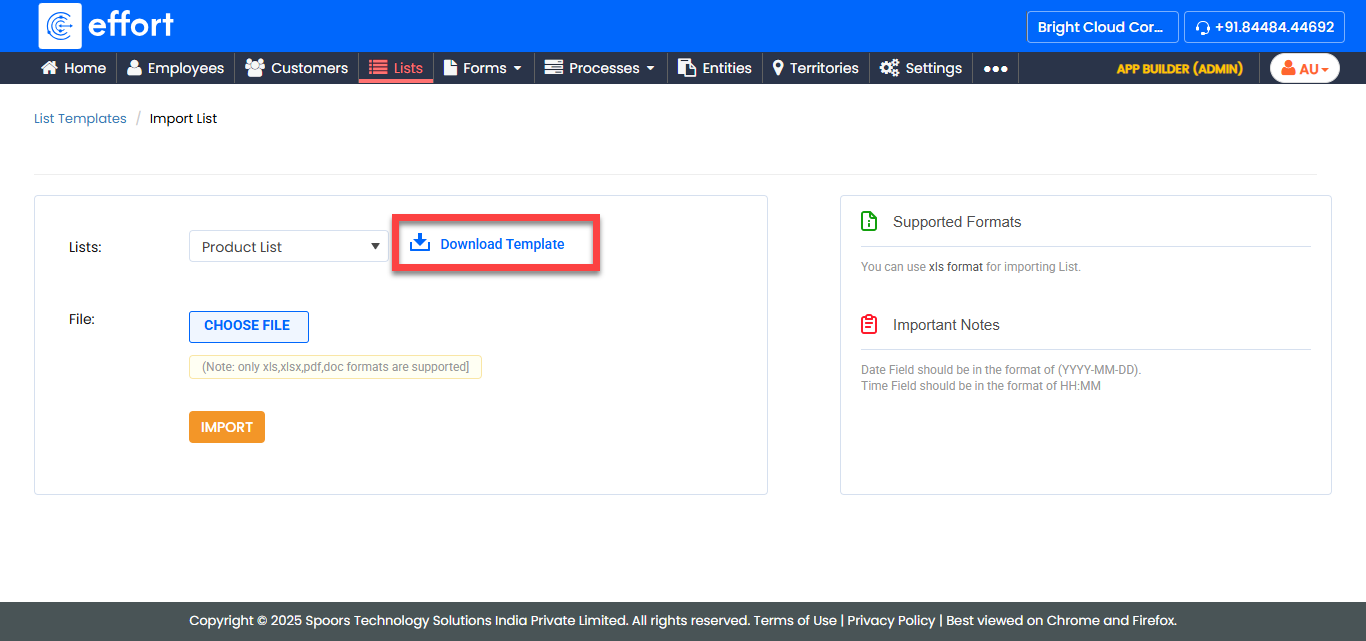
Note: Once an Excel sheet is downloaded, it can be re-used multiple times. You don’t have to download it every time you want to import. -
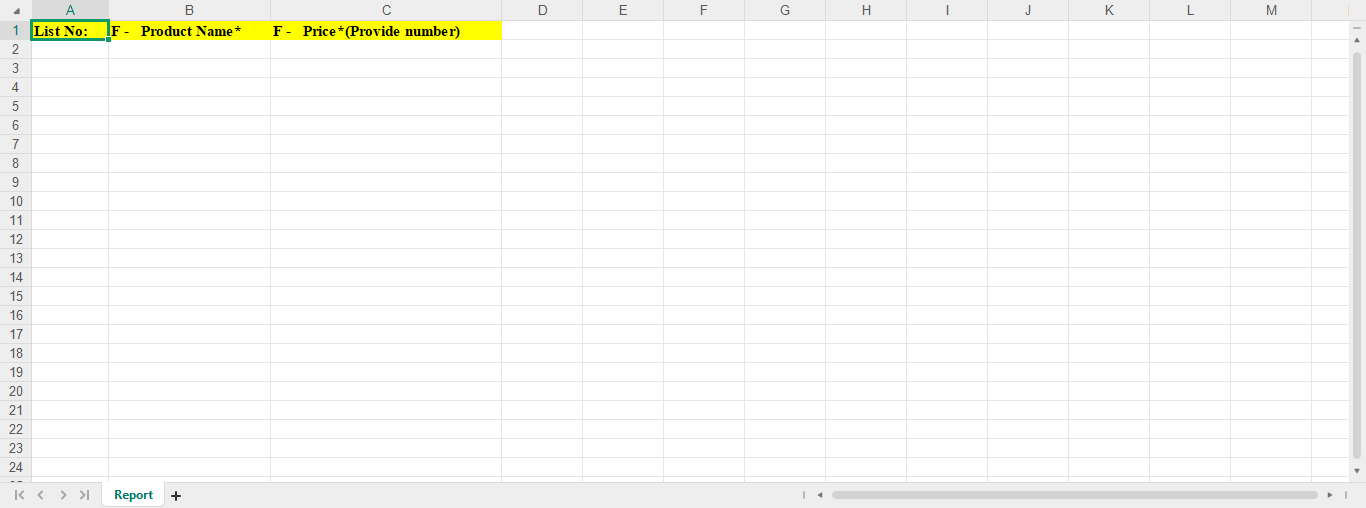
Fill in the excel sheet.
-
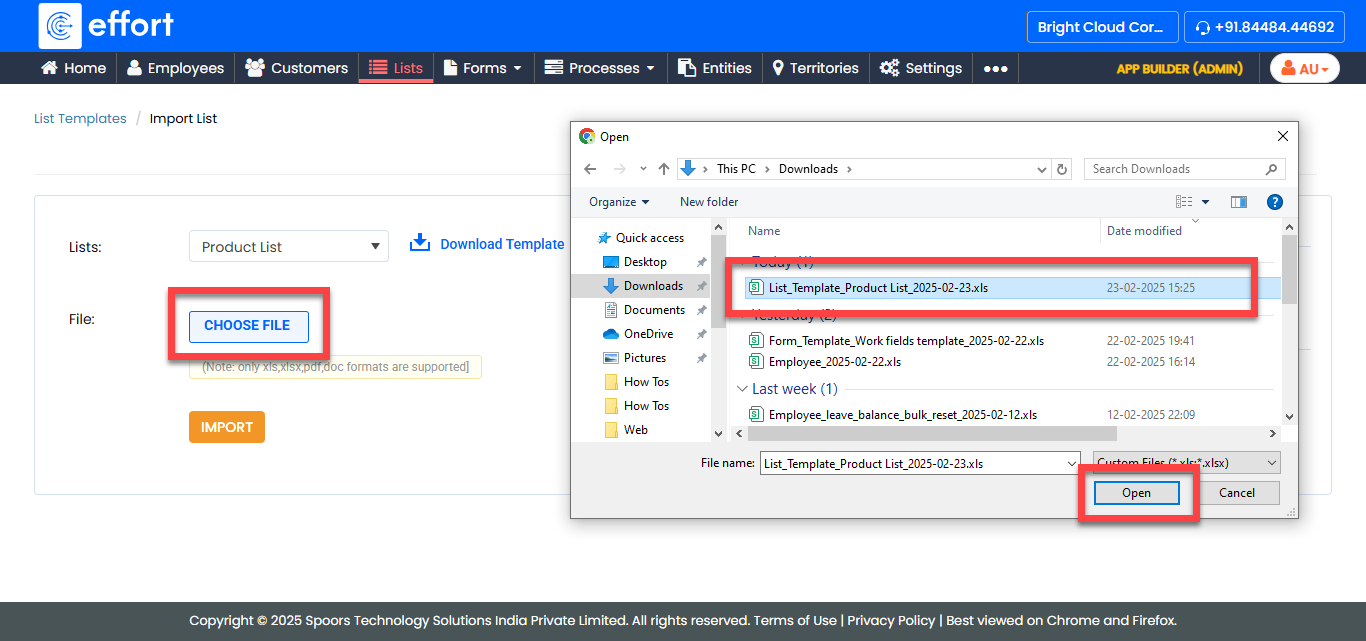
Click Choose File and select the filled excel
sheet.
-
Click Import.
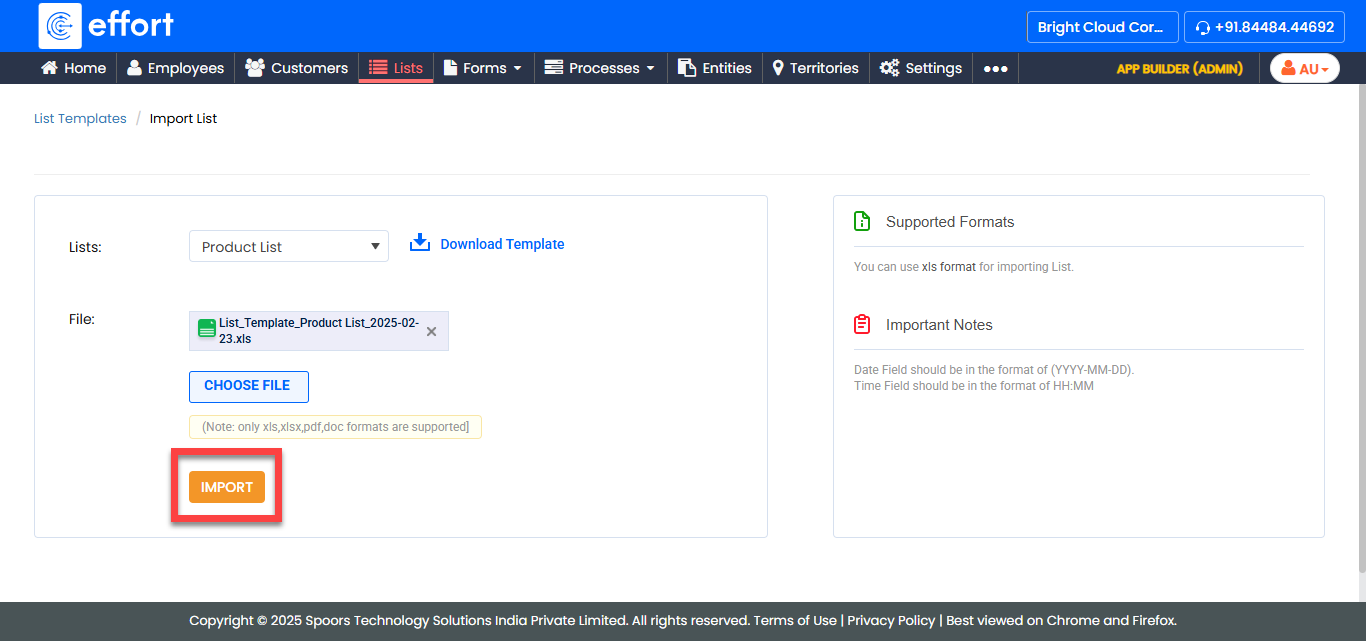
If there are no errors in the sheet, the data would be imported and available the list in few minutes.