

Design Work Report
To design a work report, follow the steps below.
-
Go to .
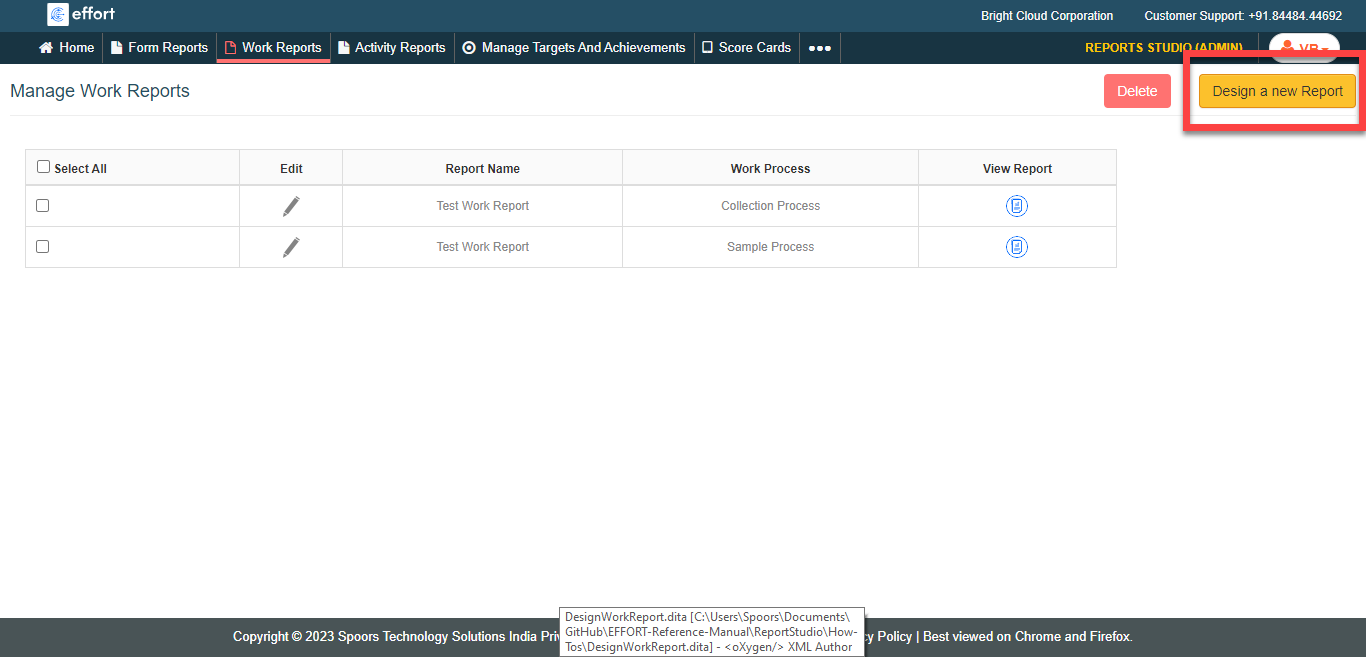
The Manage Work Reports page appears.
-
Click the Design A New Report button located on the top
right corner.
-
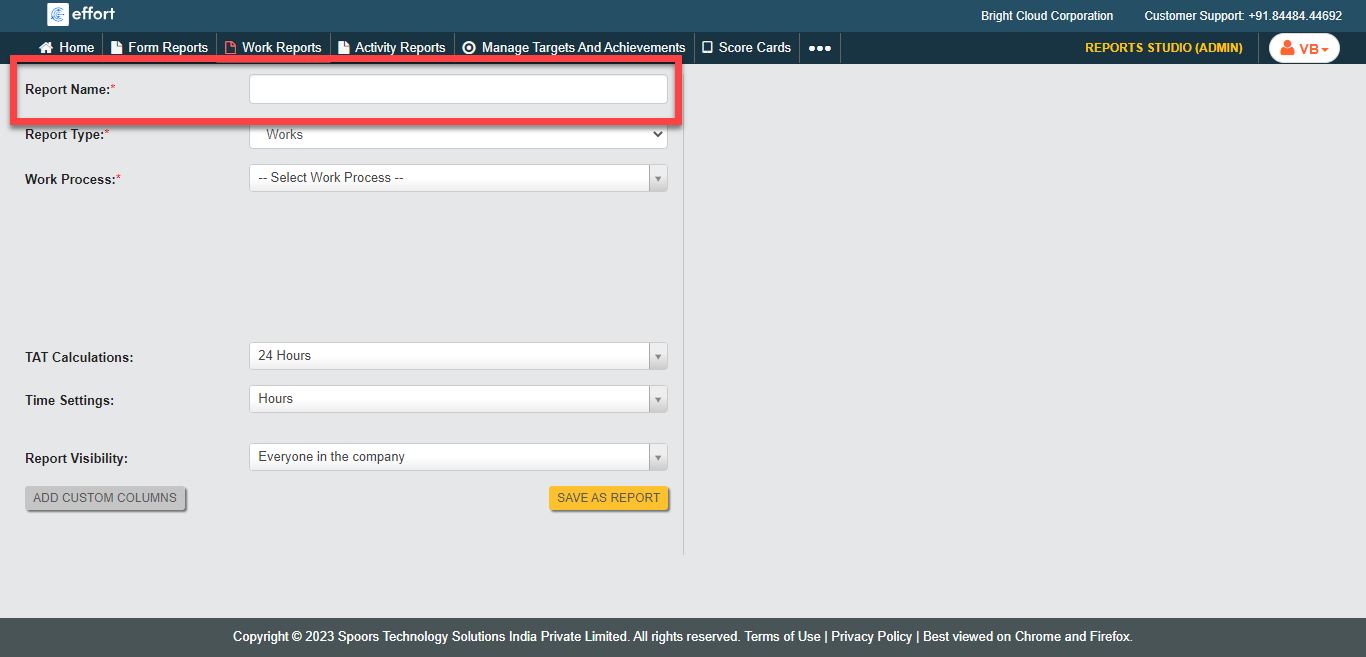
Enter a title for the report in the Report Name
field.
-
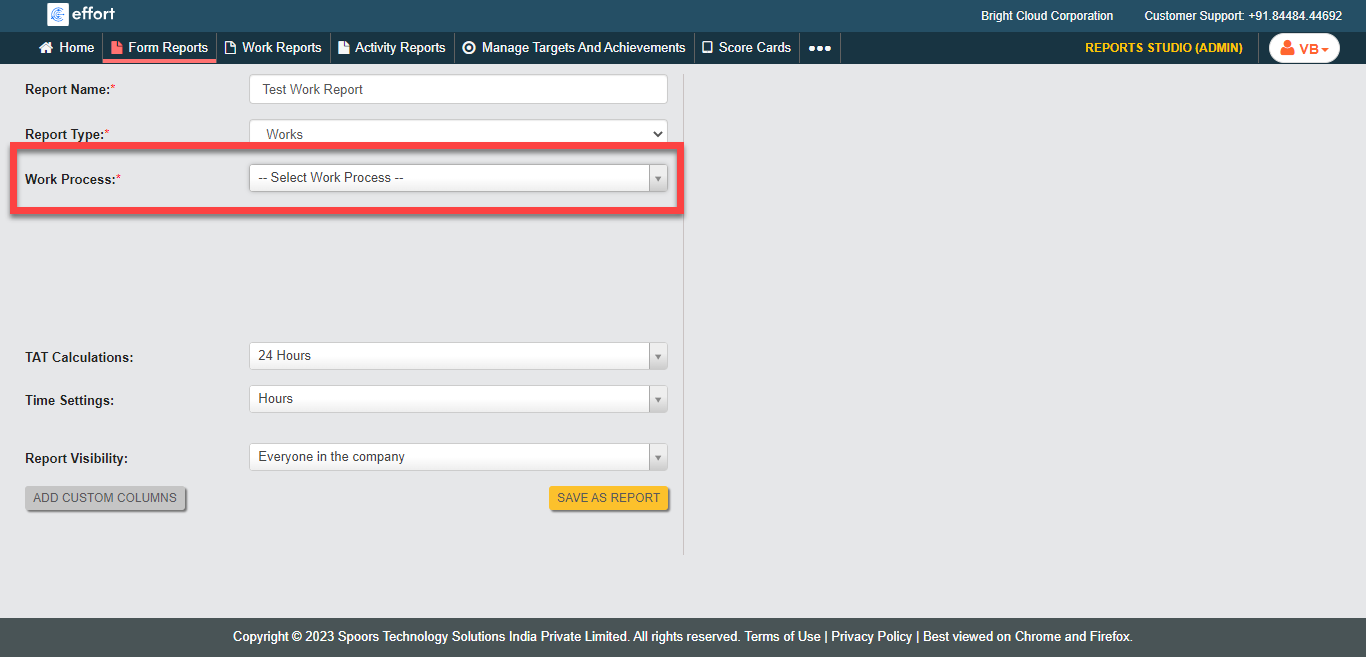
From the Work Process dropdown, select the work
processes for which you want to design a report.
-
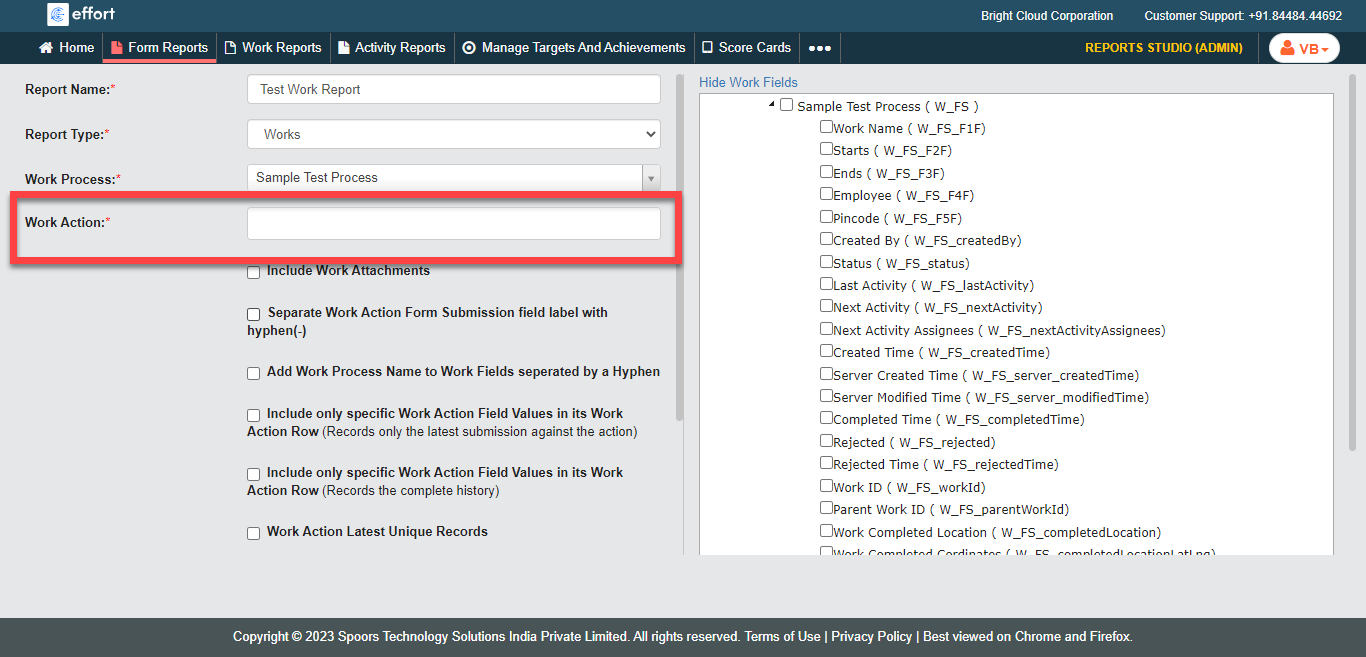
Select actions from the Work Action field.
-
Select the required fields from the Work Fields and
Work Action Fields in the right side section.
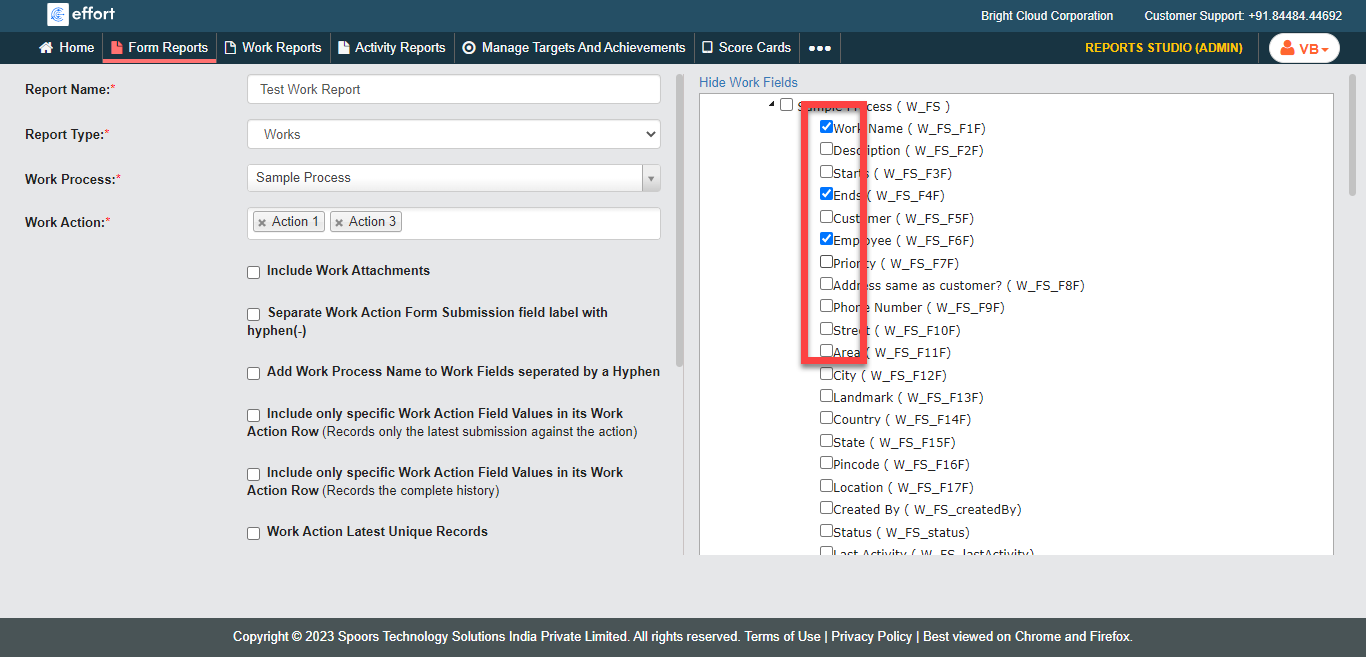
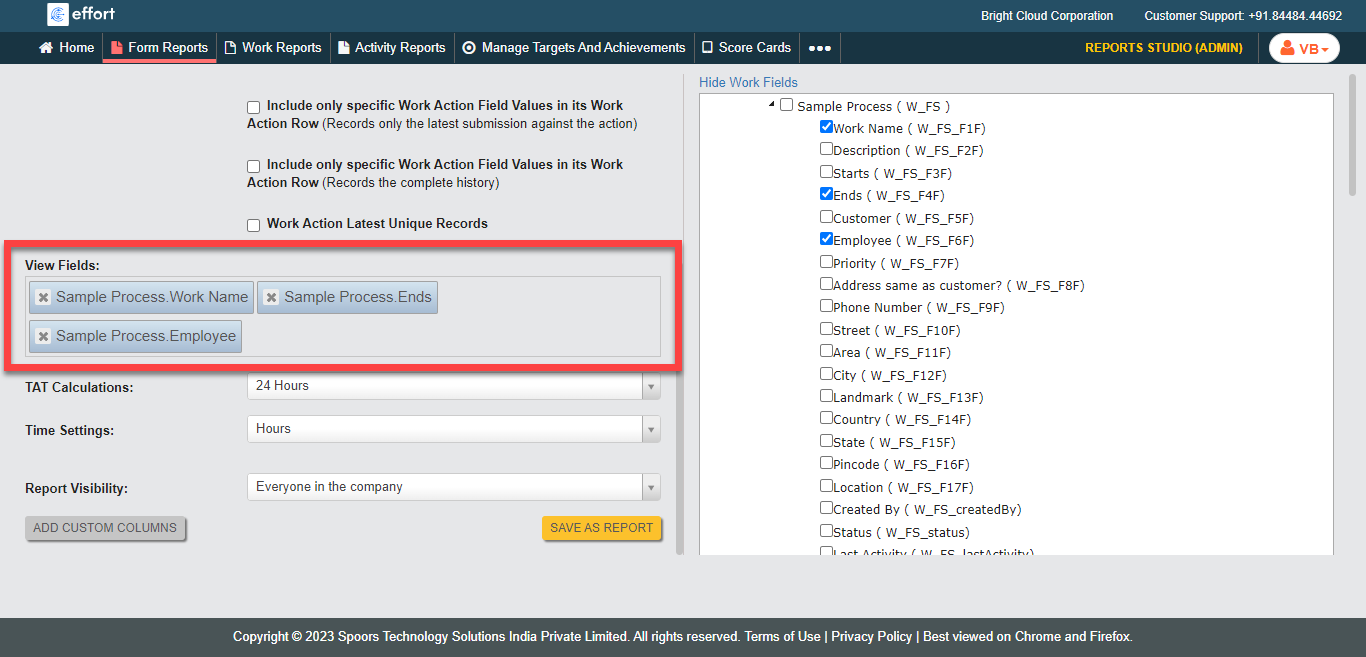
You can customize the order of the selected fields in the View Fields section. - Optional:
Under the View Fields section, rearrange the order of
the fields as per your requirement.
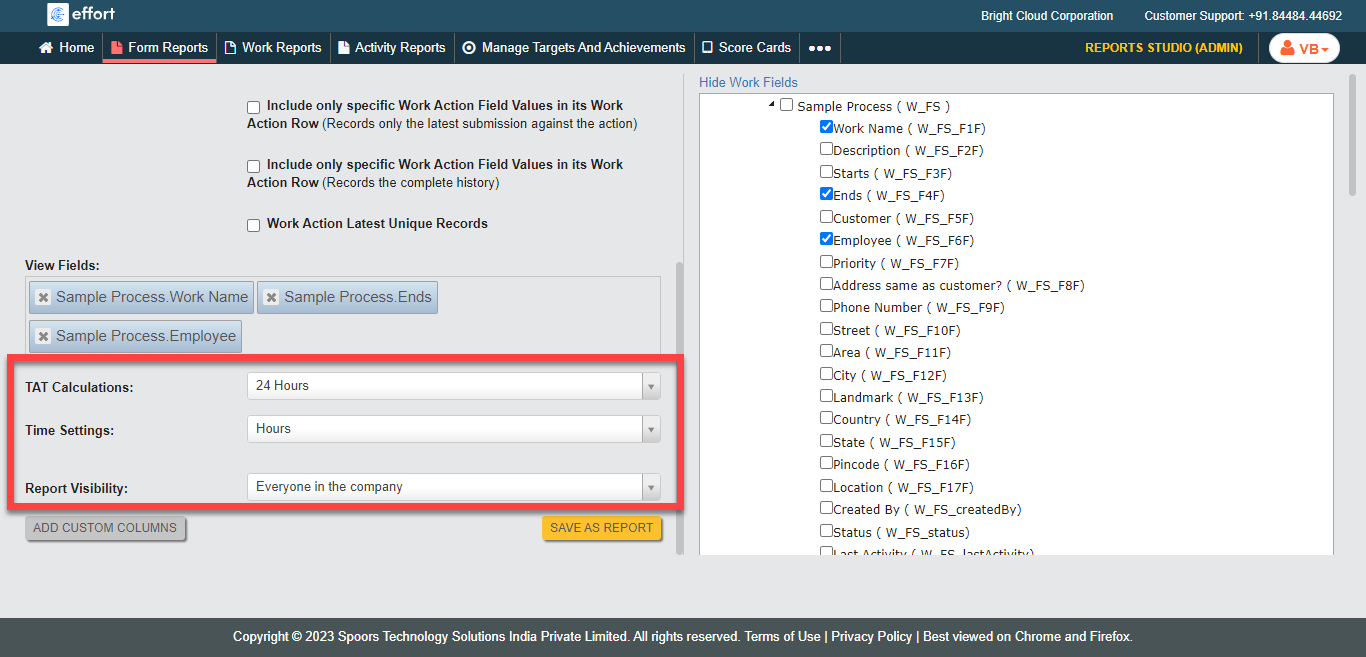
-
Select appropriate options for the TAT Calculations,
Time Settings, and Report
Visibility.
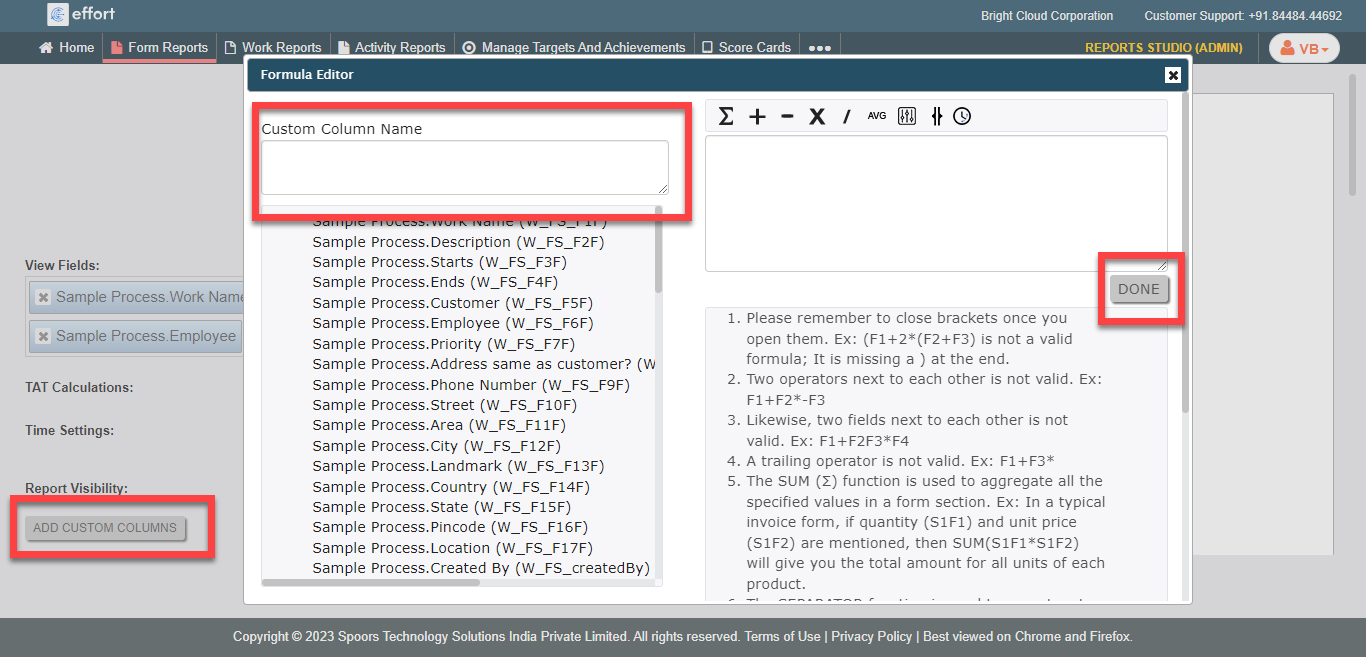
- Optional:
Click the Add Custom Columns button to add additional
custom columns in the report.
- Click Save as Report.