

Create Targets to Score Card
To create targets to score card, follow the steps below.
-
Go to .
The Score Cards page appears.
-
Click the menu
 icon of a required score card under the
Actions column.
icon of a required score card under the
Actions column.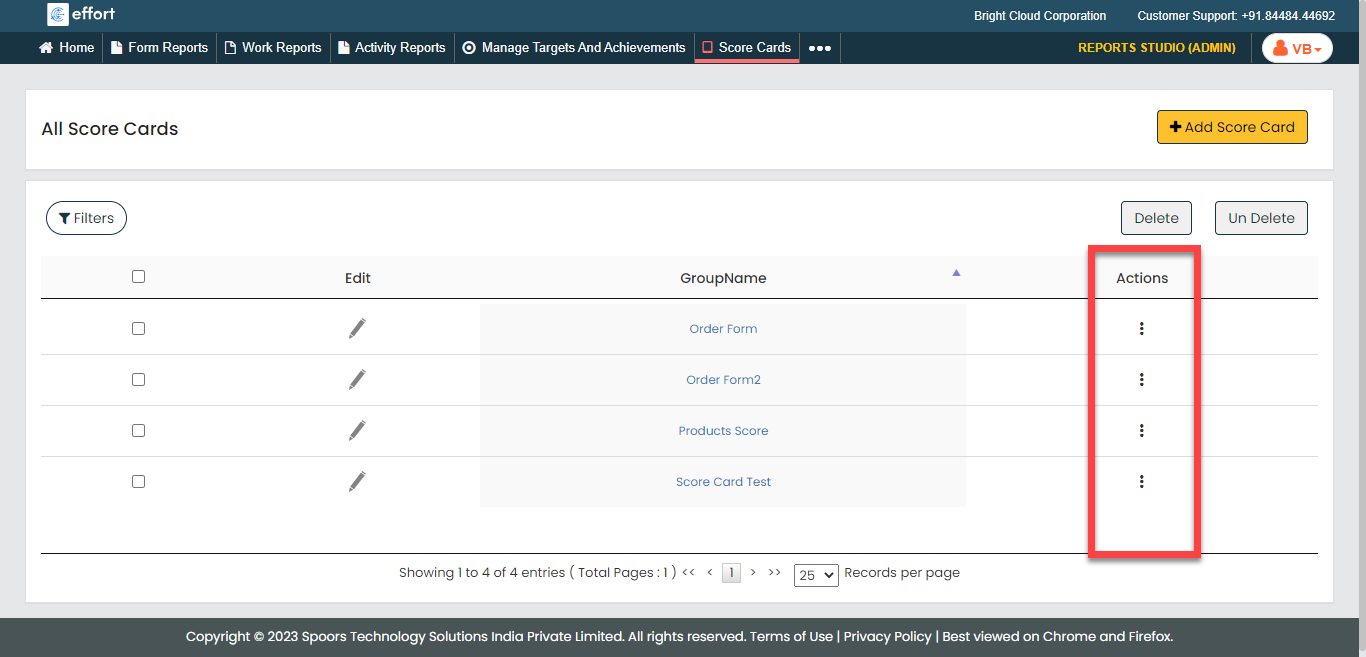
-
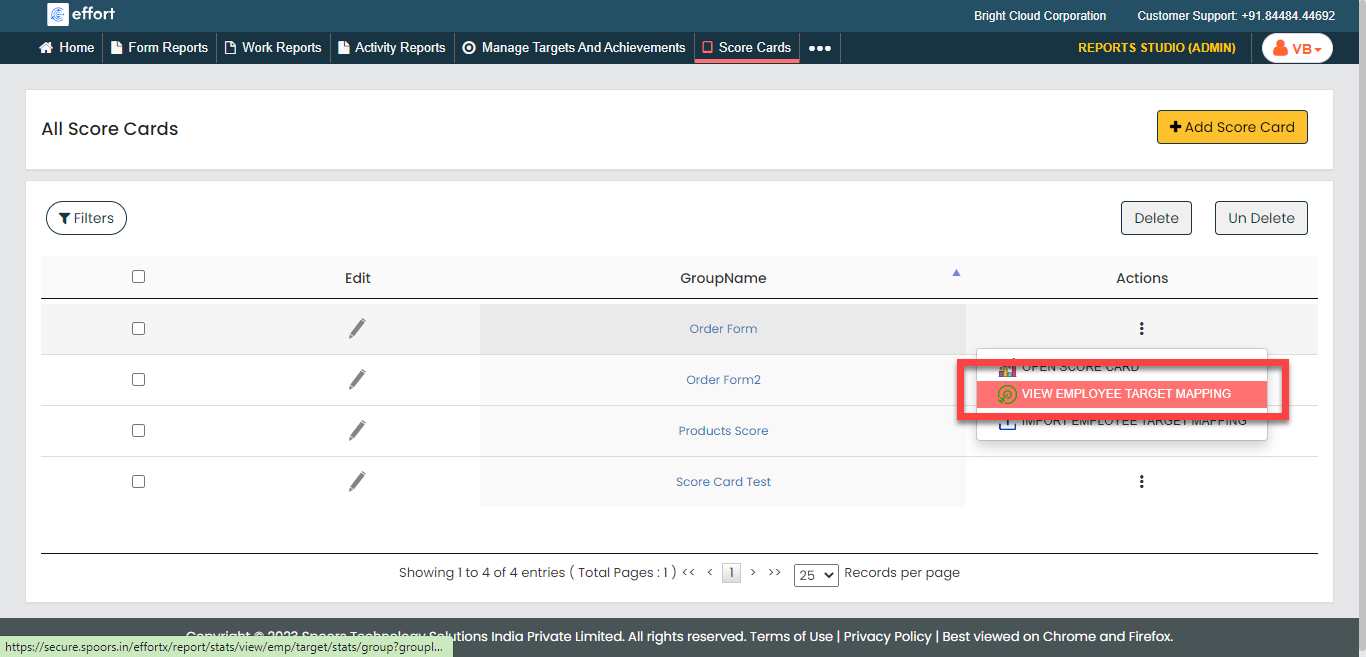
Click the View Employee Target Mapping option.
-
Click the Add Target button.
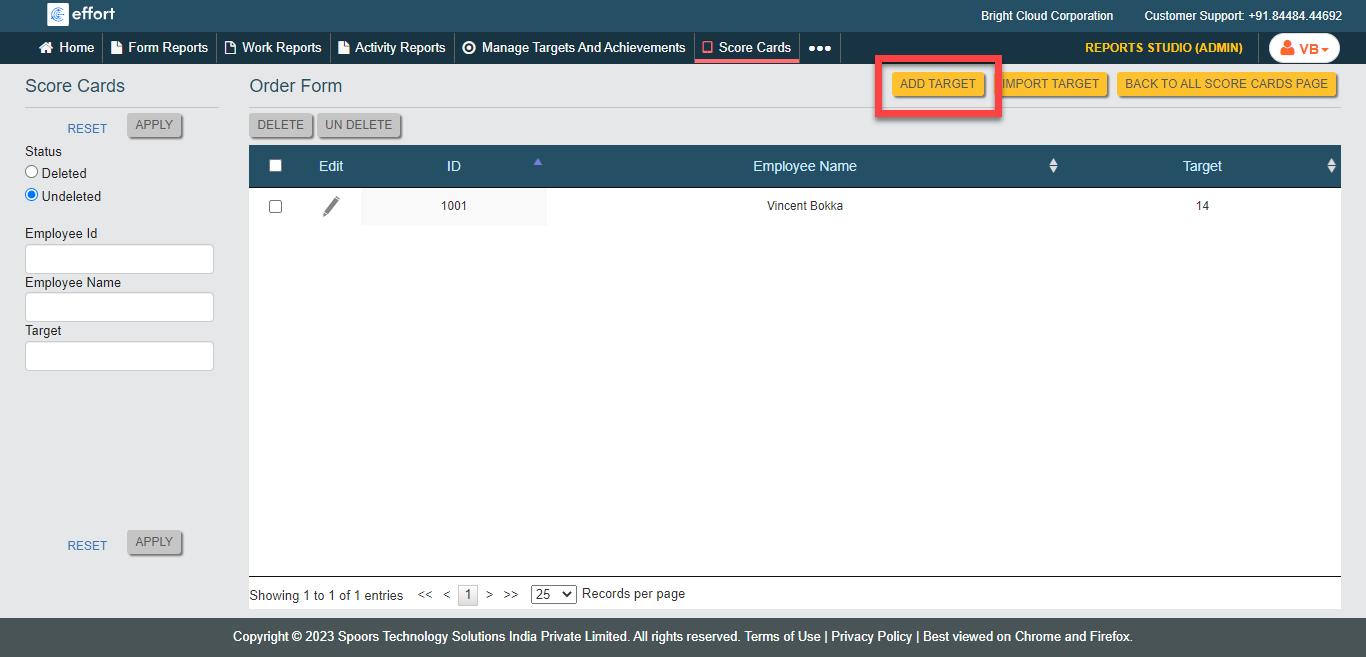
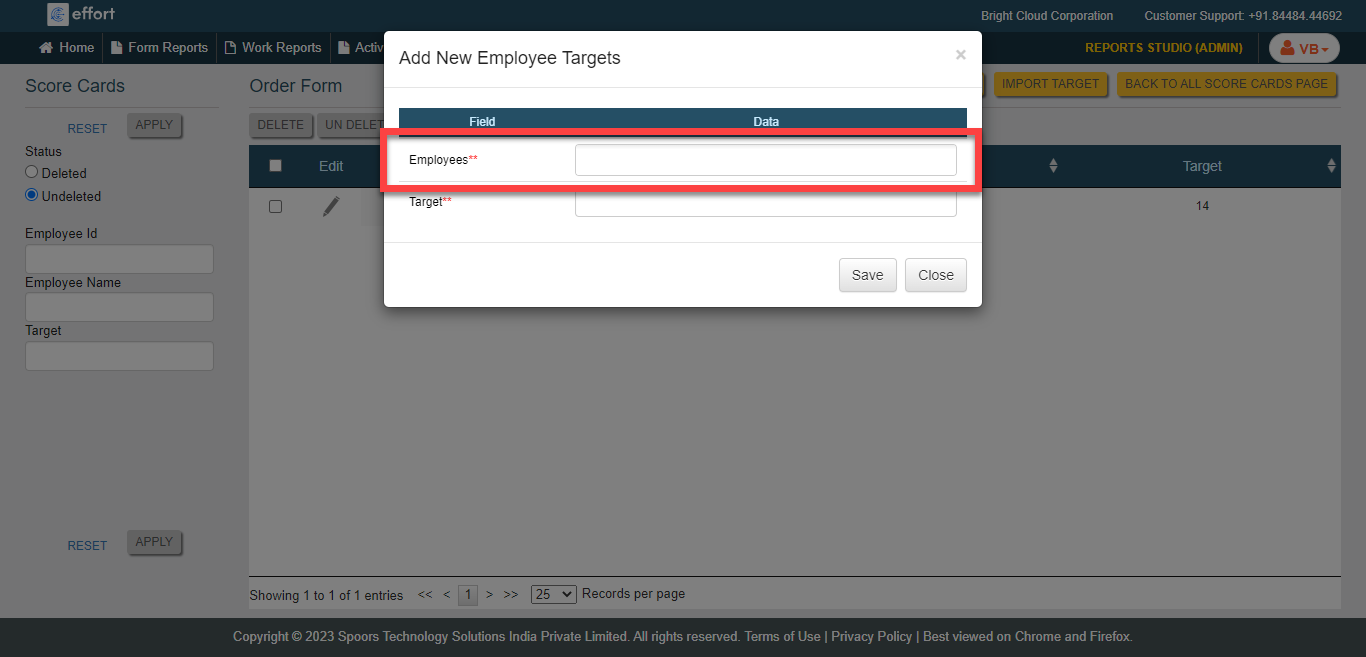
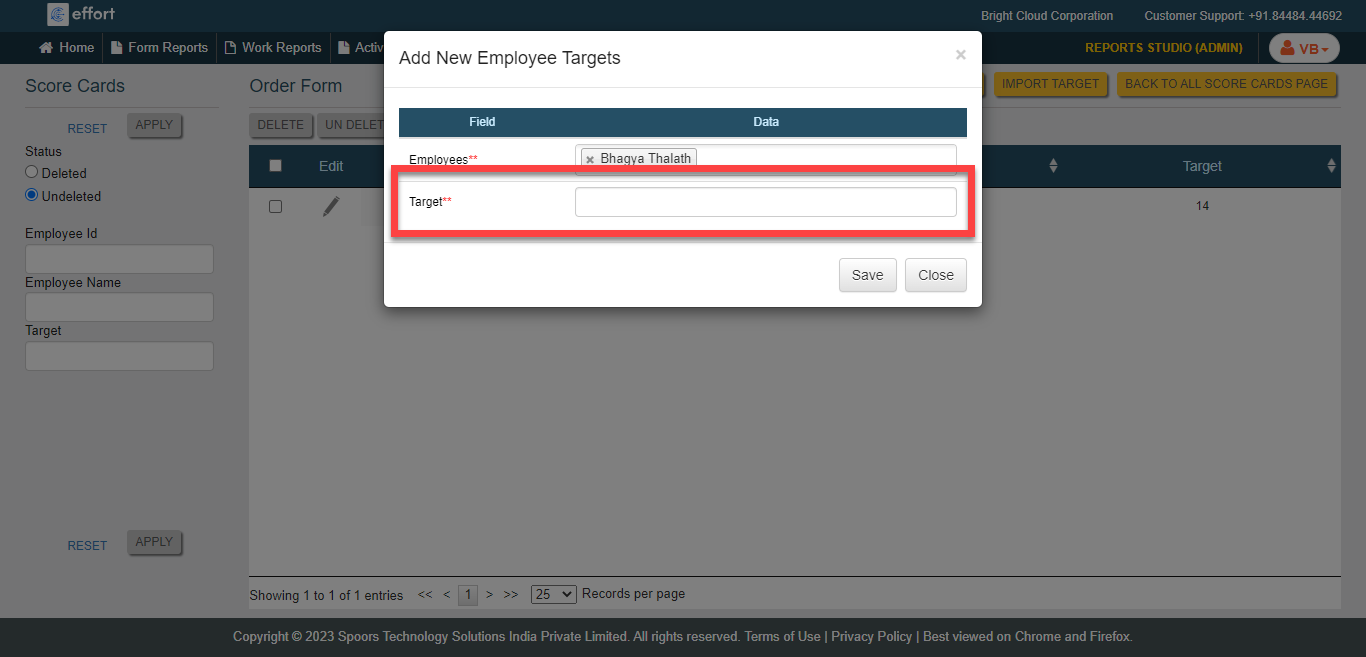
The Add New Employee Targets page appears.
-
Click the Employees field to select employees.
-
Enter the target amount for the employees in the Target
field.
- Click Save.