

Configure Mobile Reports
To configure mobile reports, follow the steps below.
-
Go to .
The Manage Reports page appears.
-
Click the Customise Mobile Reports card.
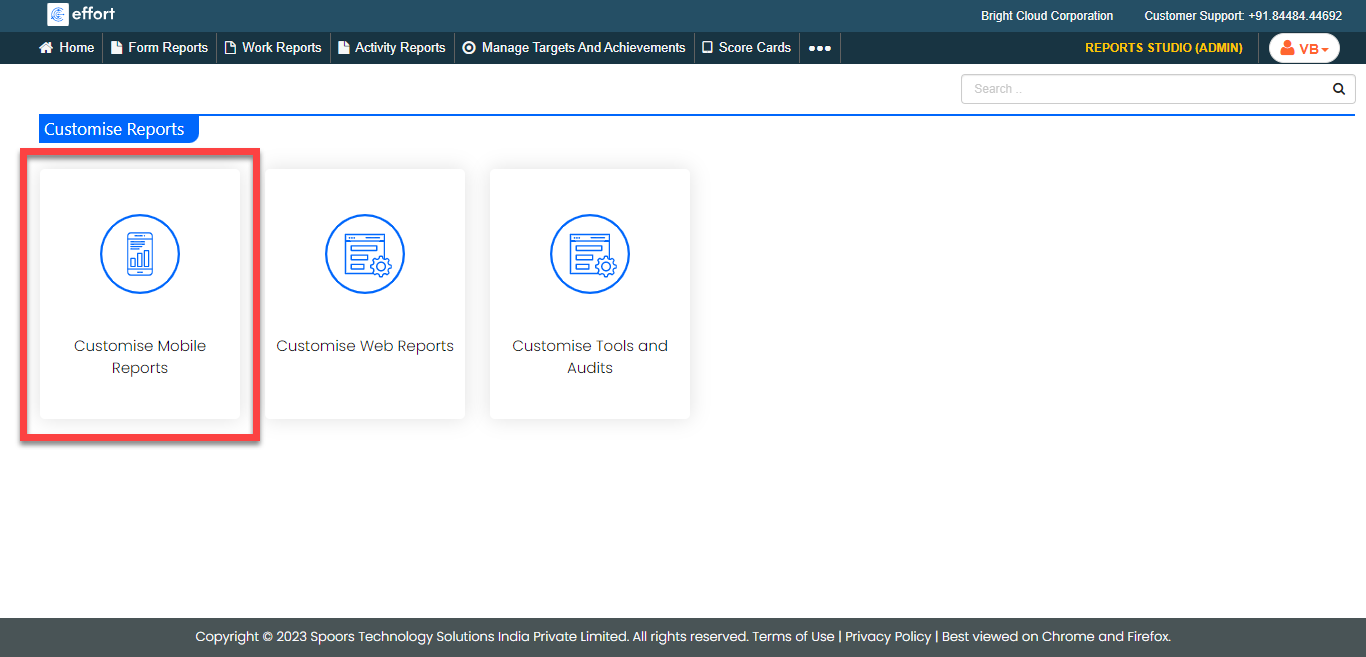
The Manage Mobile Reports page appears.
-
Click the checkboxes of the required reports to enable in the mobile app.
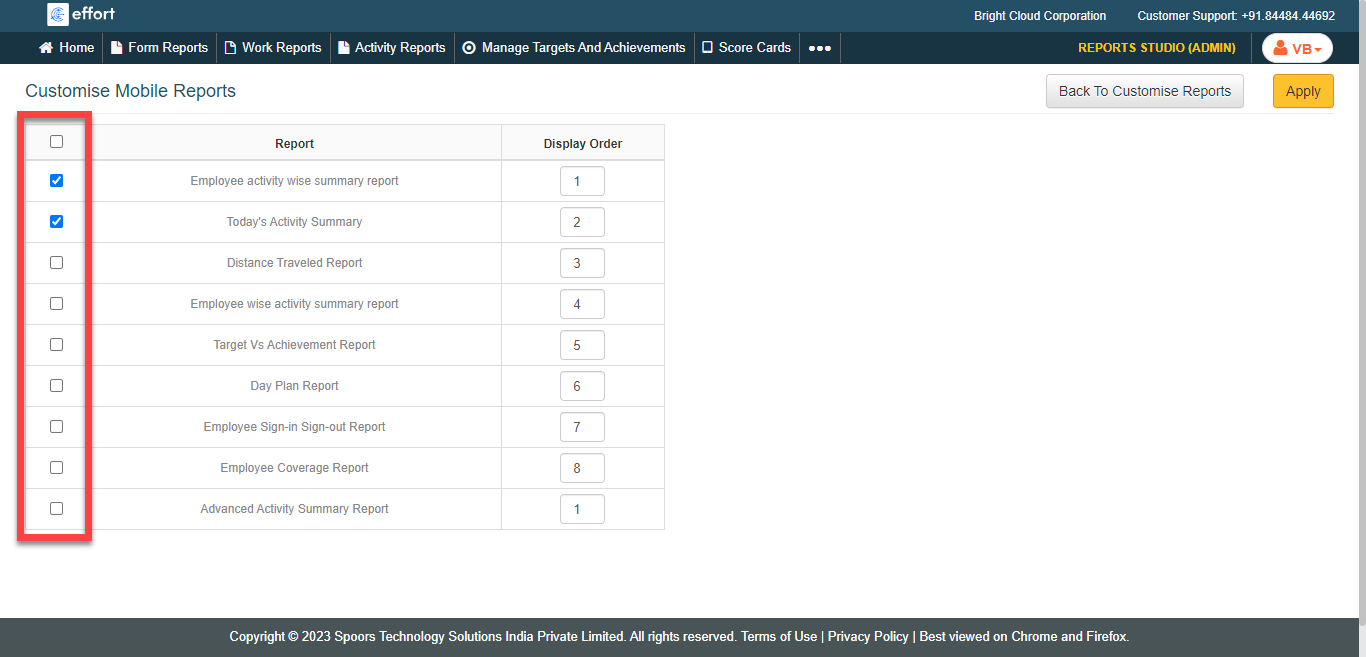
-
Enter the sequence of the reports in the text box under the Display
Order columns.
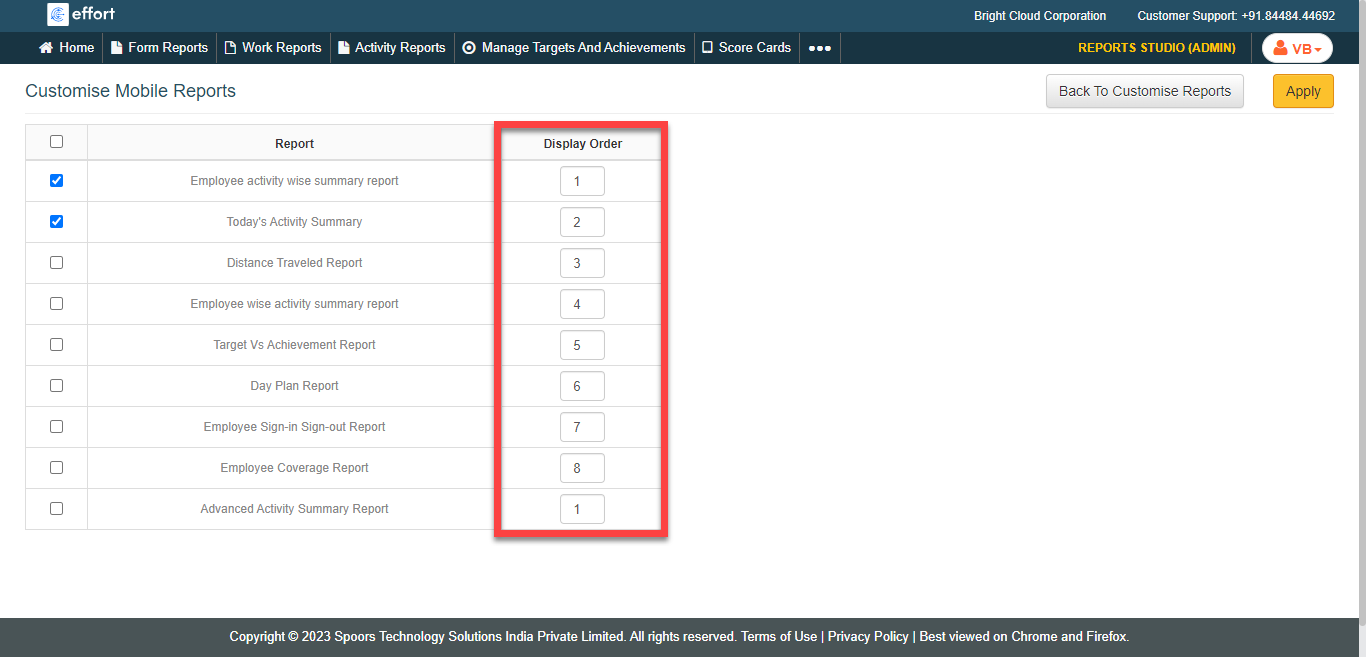
- Click Apply.