

Configure Auto Fill Sub Task
- This configuration is applicable only to the work pocesses that are created in the Activity Process.
- Make sure the work process contains a subtask to use this feature.
-
Go to
The Process page appears.
-
Click the Activity Process card.
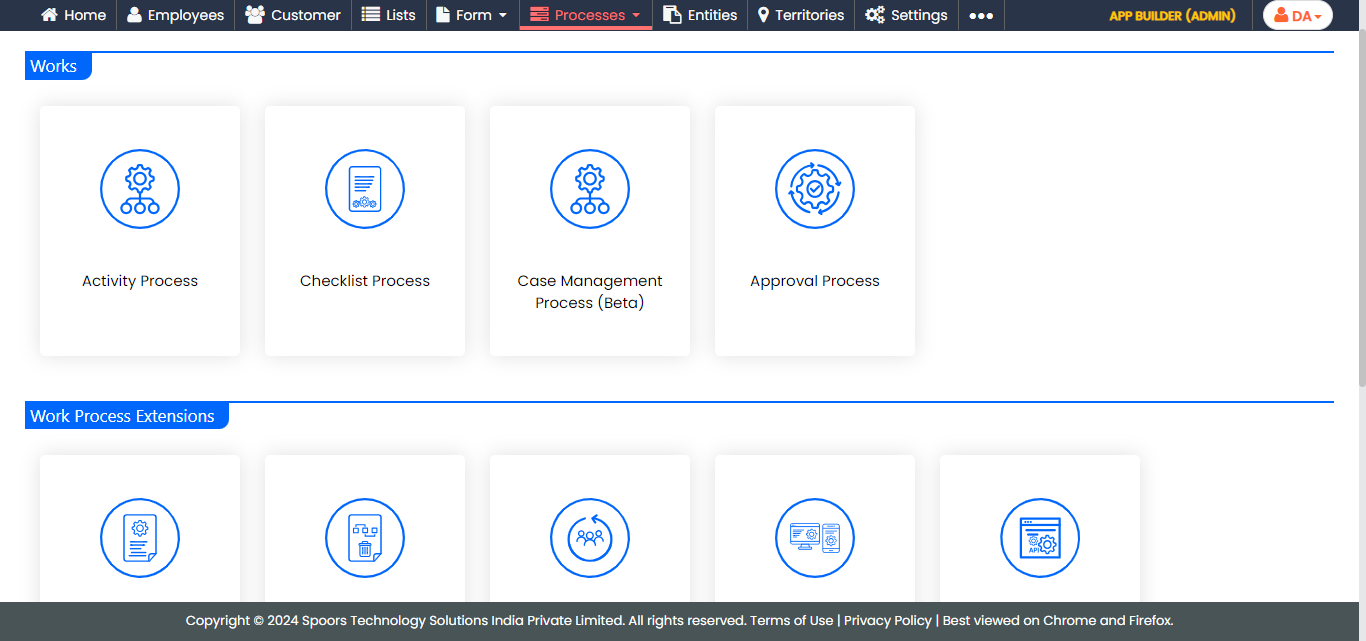
The Activity Process page appears.
-
Click the required process card.
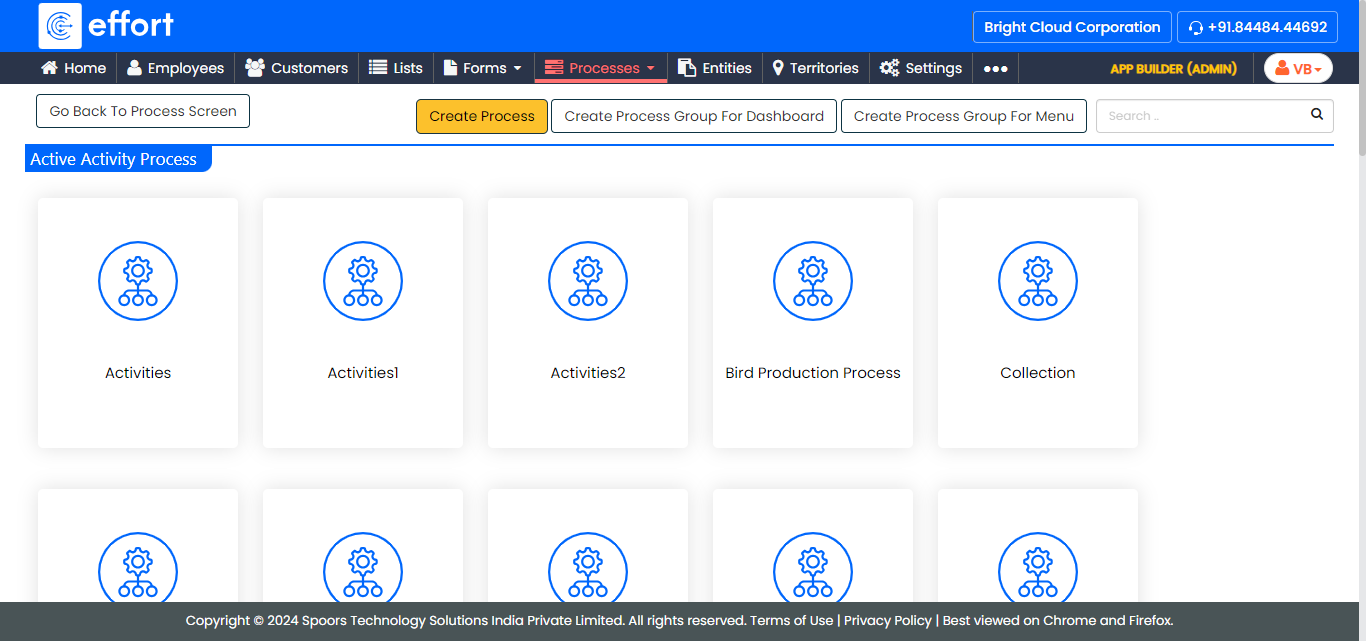
The <process name> Activities page appears.
- Scroll down to the Auto Fill section.
-
Click the Auto Fill Sub Task card.
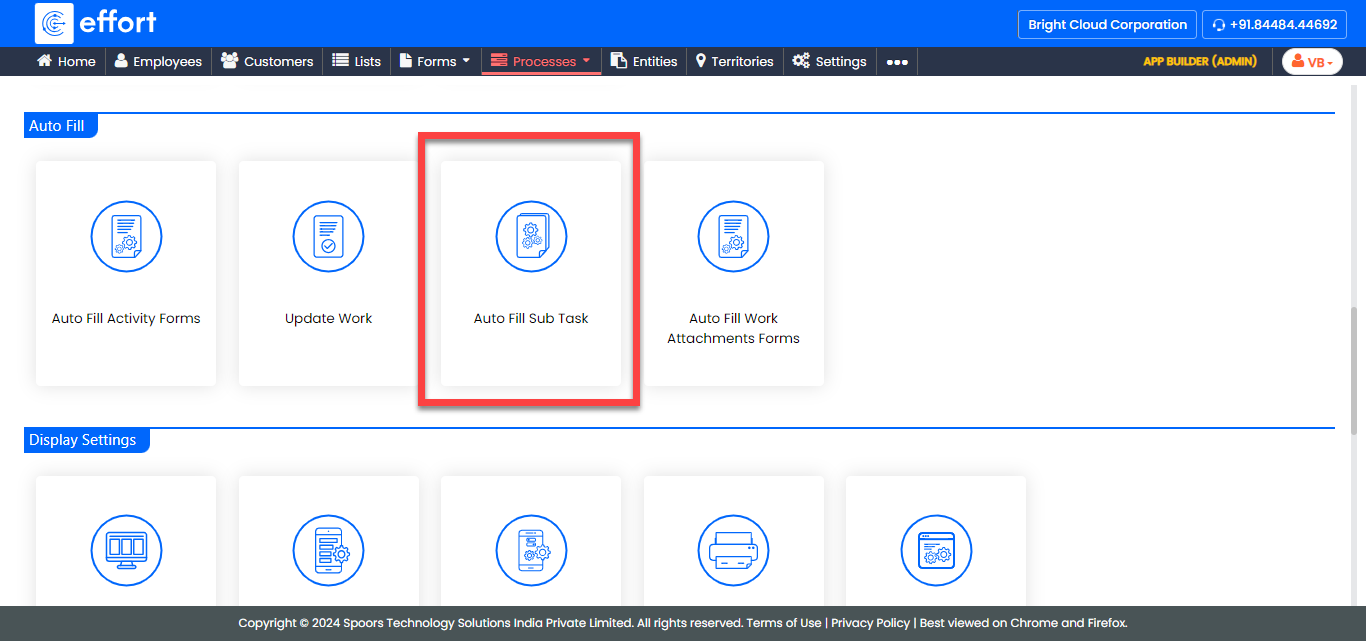
The Auto Fill Sub Tasks page appears.
-
Click the Actions icon.
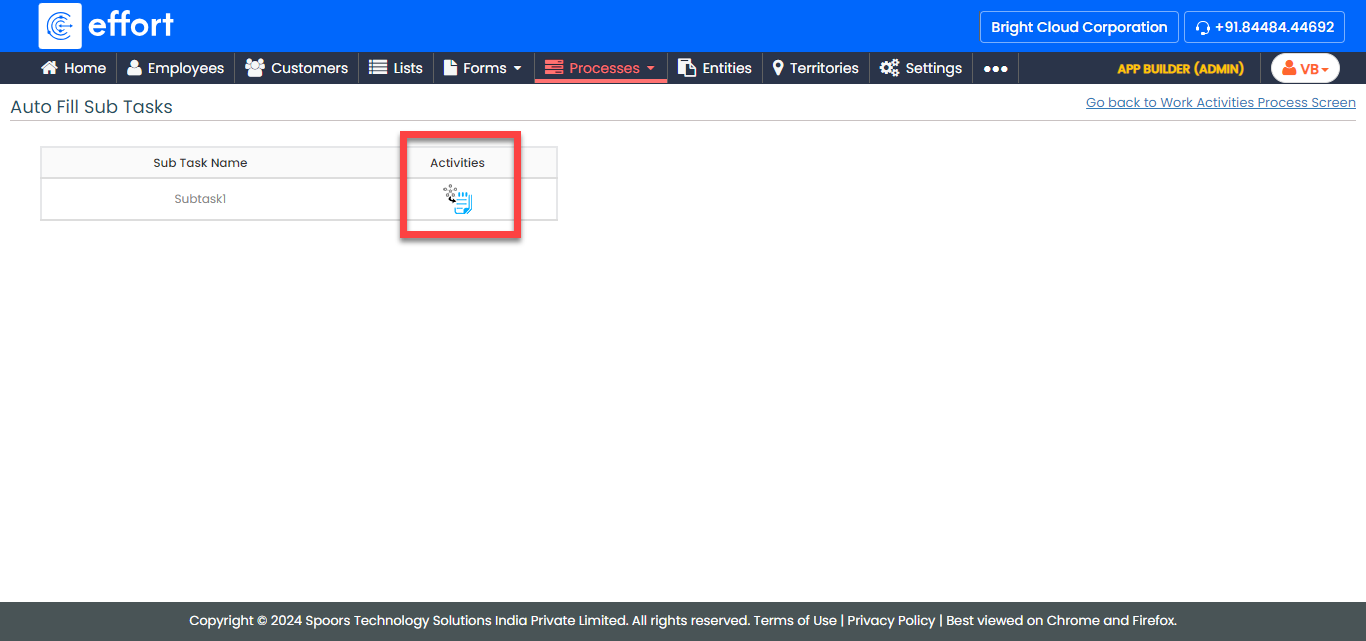
The Auto fill Work To Sub Task pop-up window appears.
-
Select the fields from the Parent Work Fields(Copy from)
dropdown.
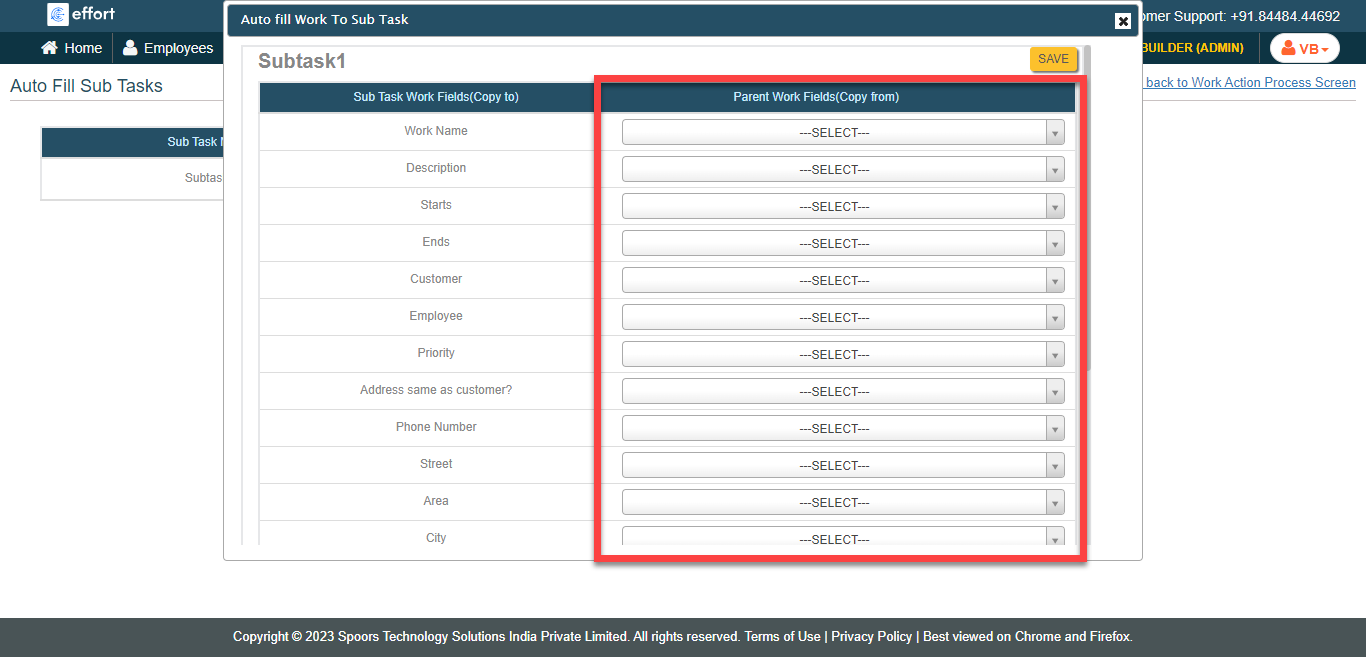
- Click Save.