

Create Process Groups
To create process groups, follow the steps below.
-
Go to .
The Processes page appears.
-
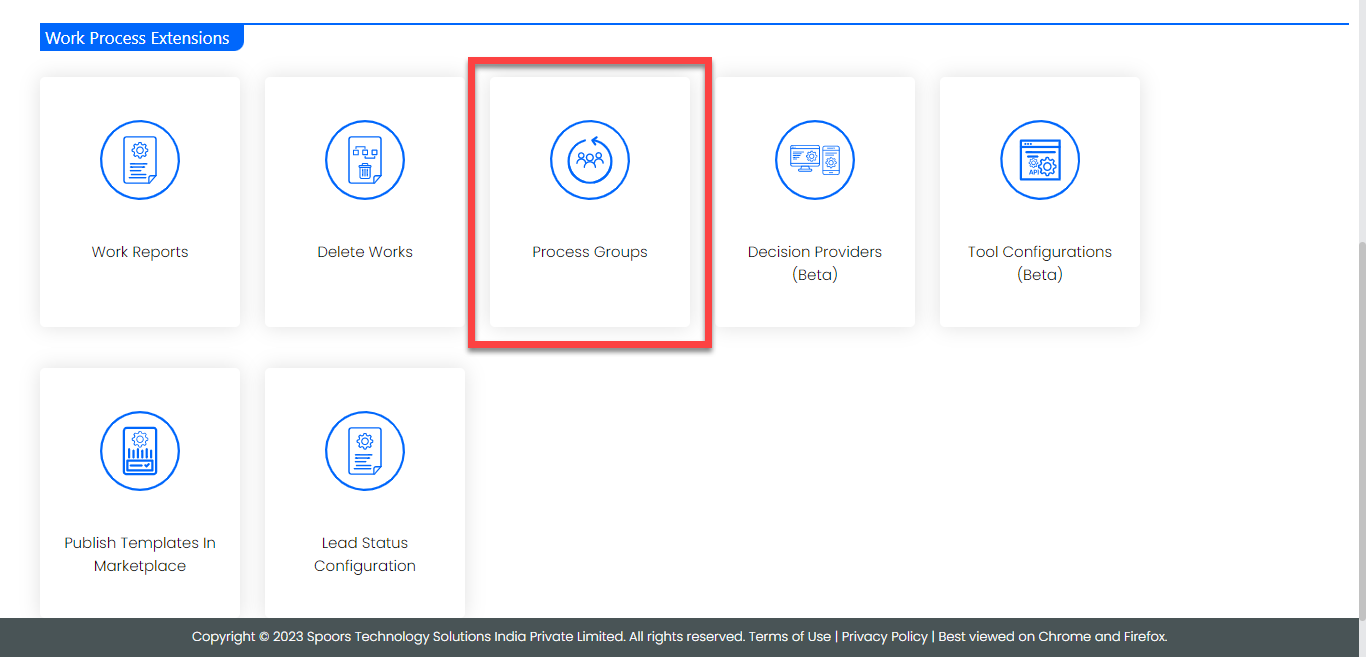
Click the Process Groups card under the Work
Process Extensions section.
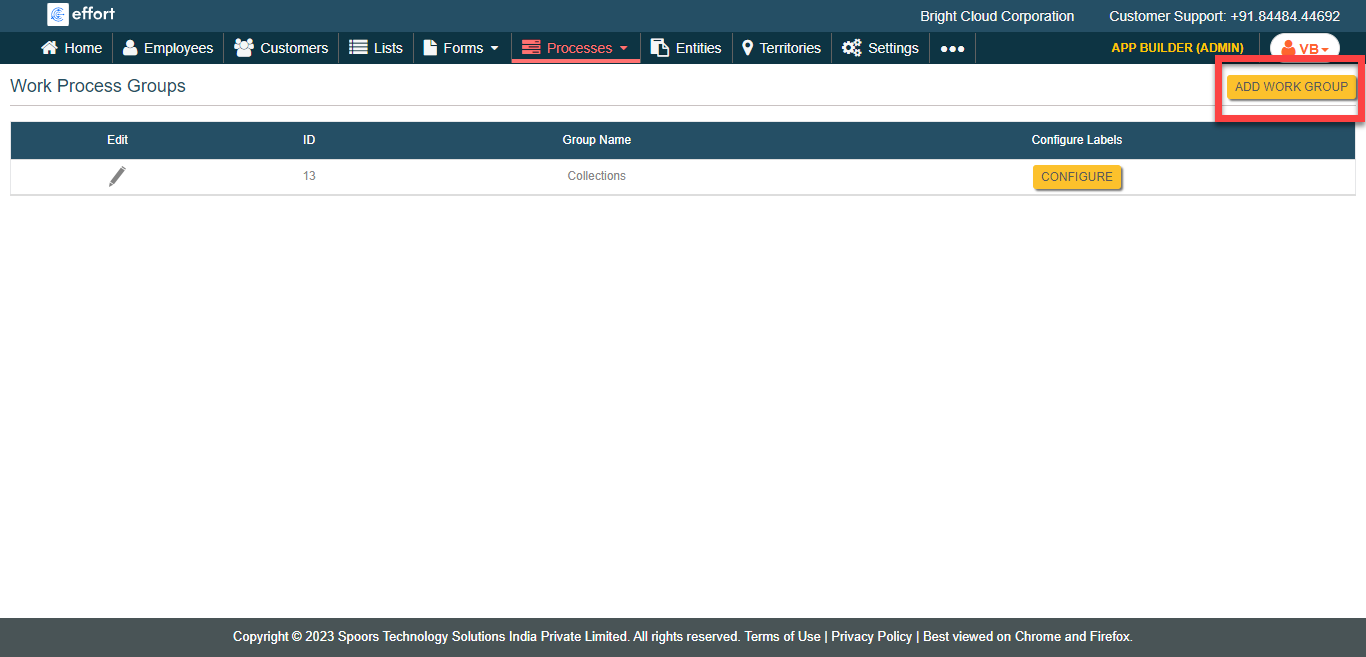
The Work Process Groups page appears.
-
Click the Add Work Group button located on the top right
corner.
-
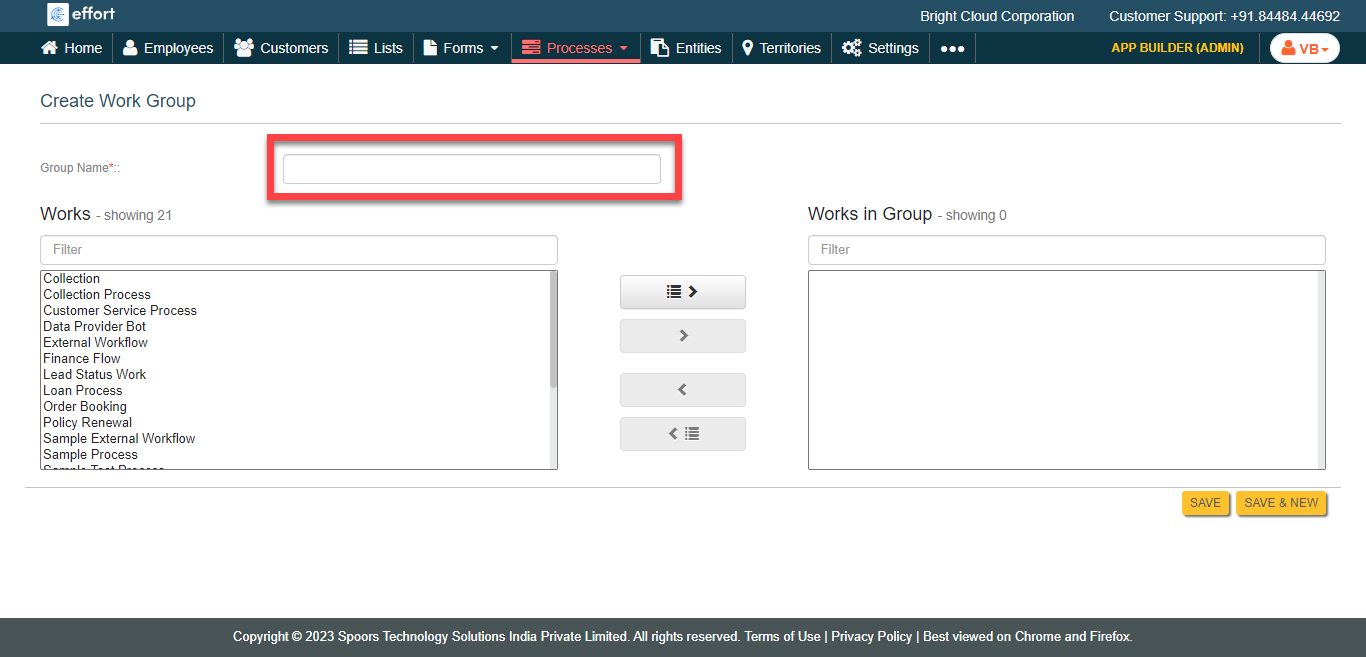
Enter a name for the work group in the Group Name
field.
-
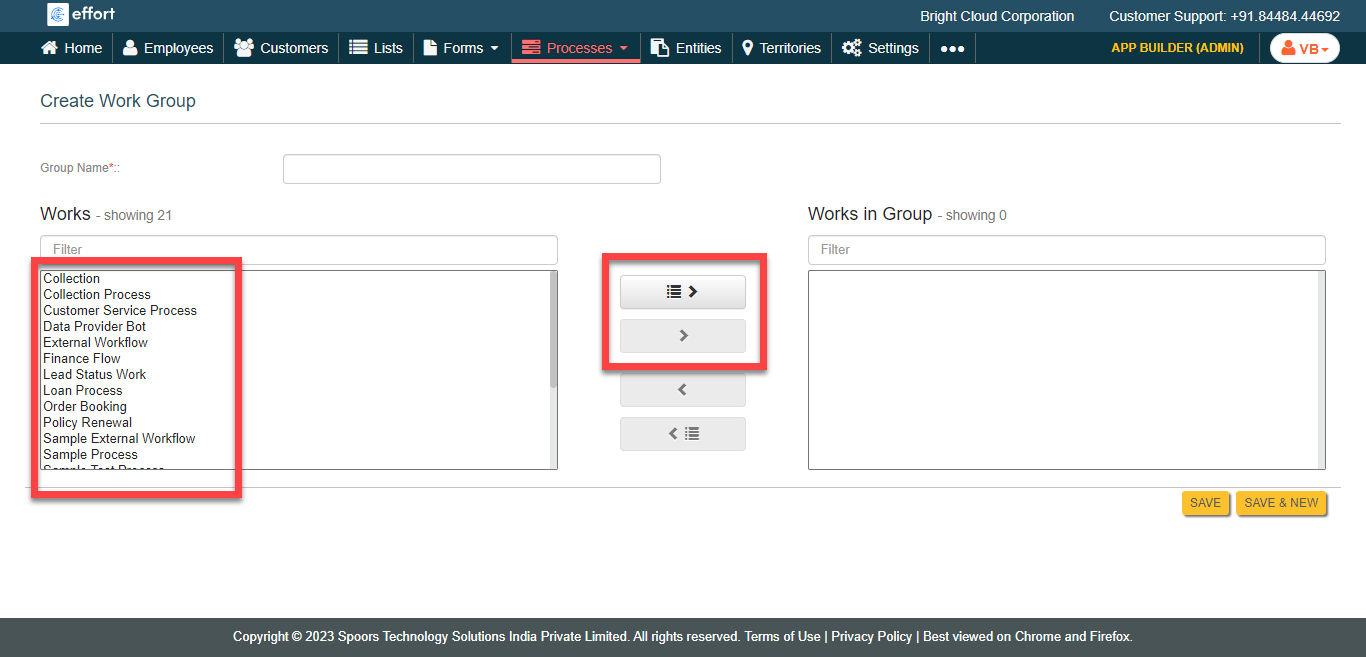
Select work processes under Works section and click move
icon or move all icon to move them to Works in Group
section.
- Click Save or Save & New to create a new work group.