

Configure Feedback Mechanism
- Before you begin, make sure to create a feedback form as per your requirement and make it public. To create a form, refer to Create a Form.
To configure the feedback mechanism, follow the steps below:
-
Go to .
The Processes page appears.
-
Select the required process.
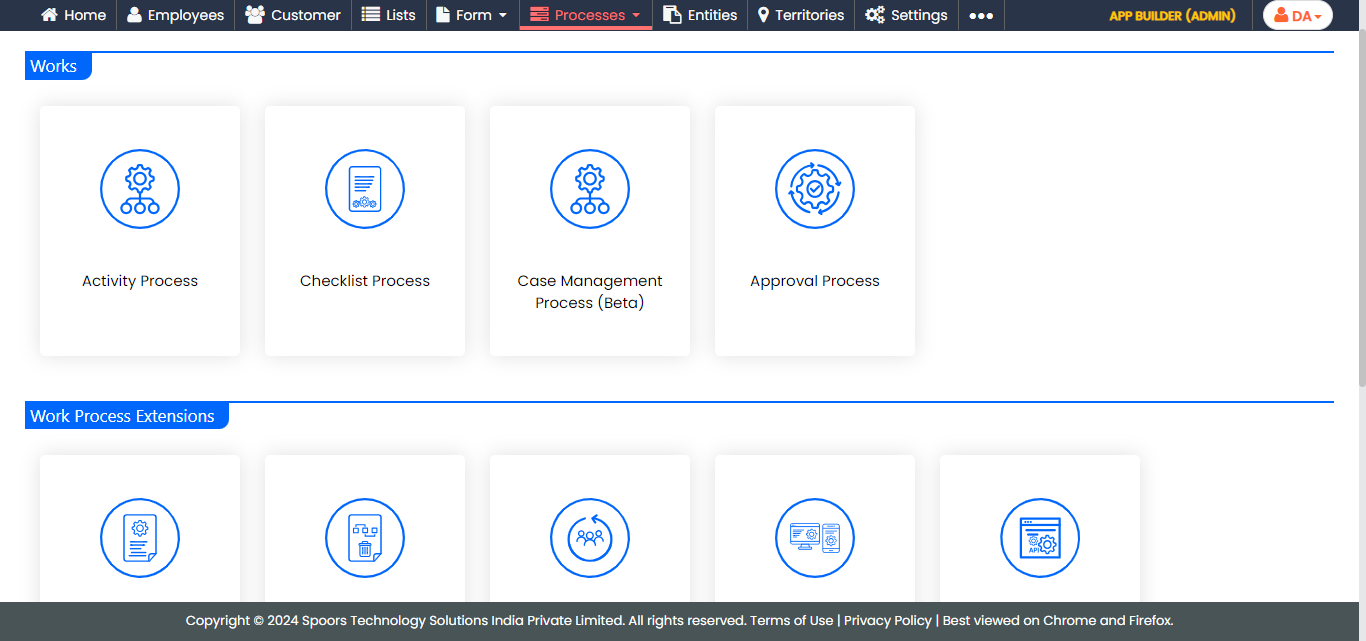
The Activity Process page appears.
-
Click the process for which you want to configure the feedback mechanism.
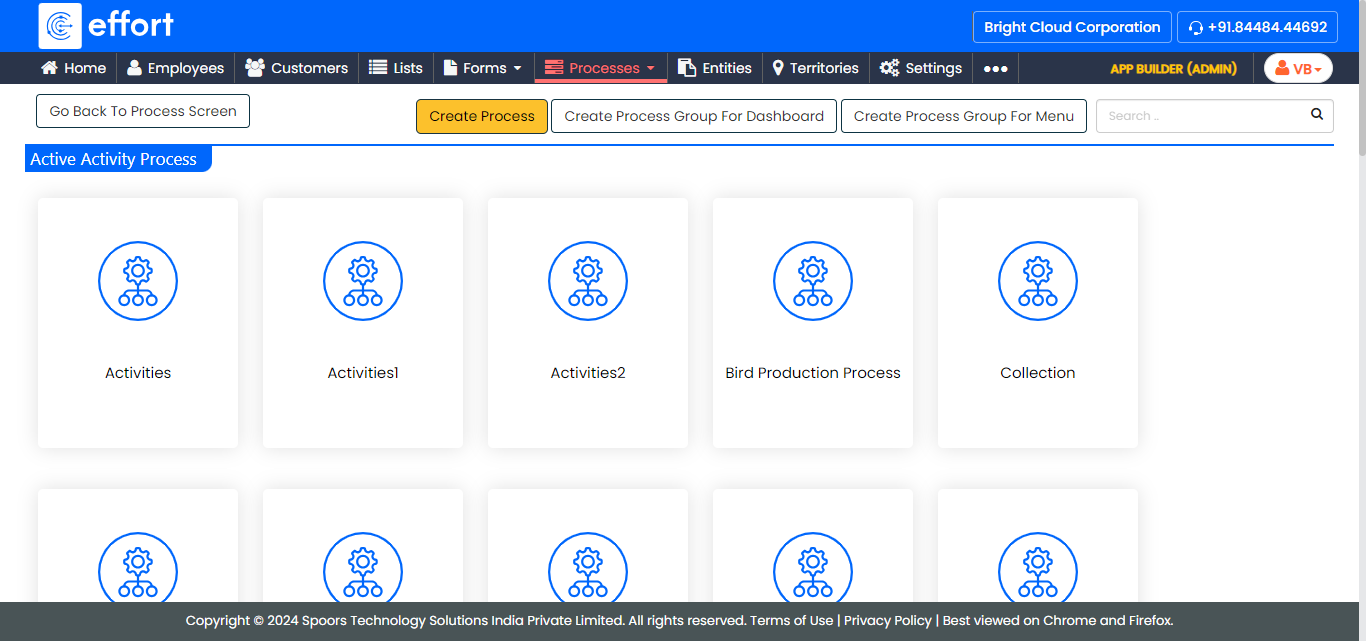
The <Work Process Name> Activities page appears.
-
Under the Process Essentials section, click the
Manage Feedback card.
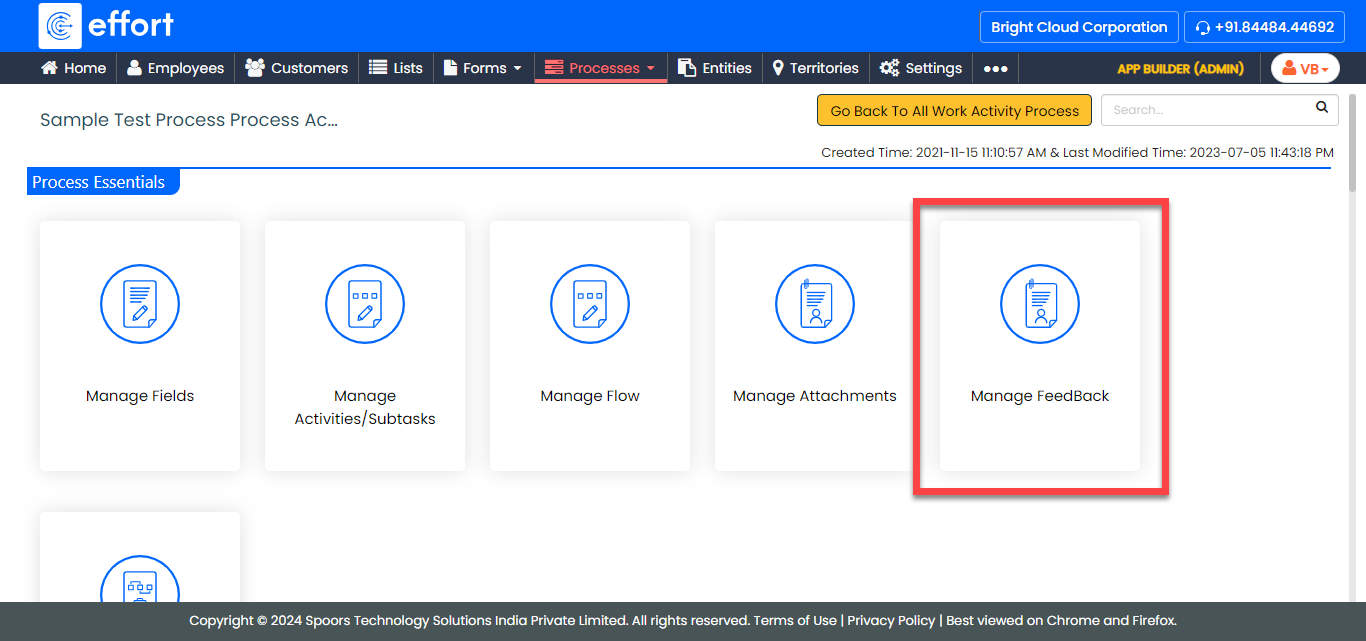
-
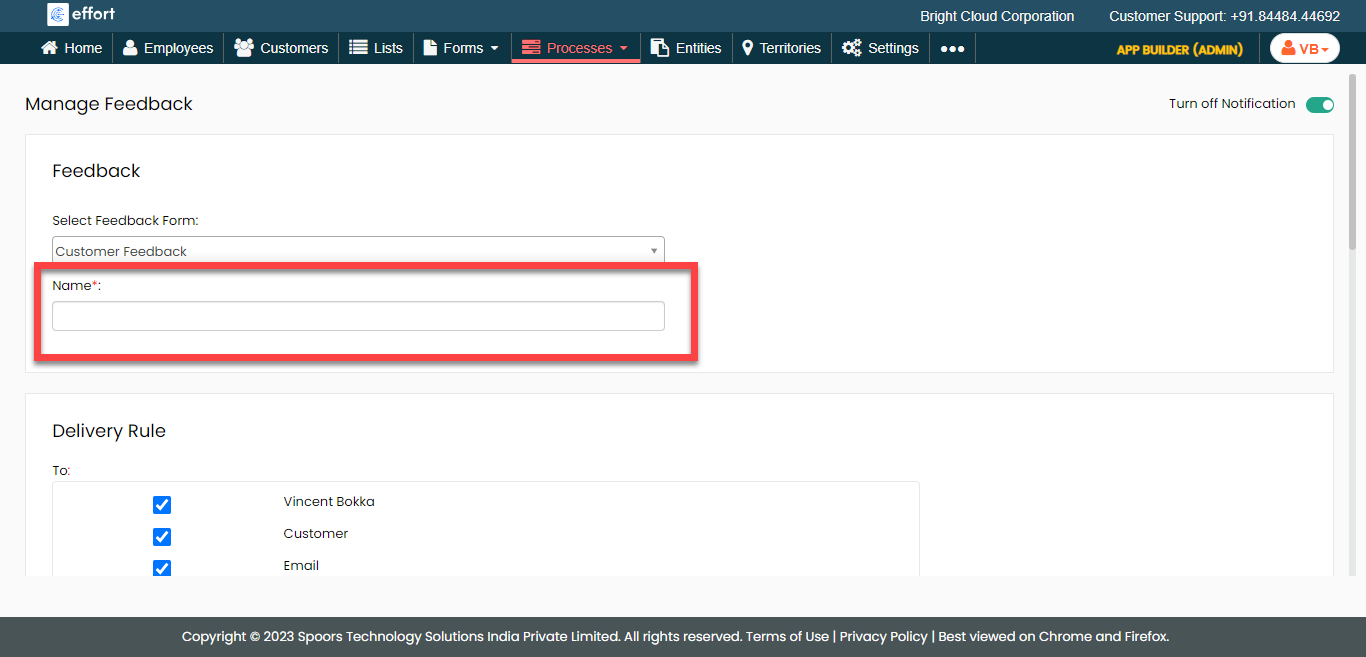
From the Select Feedback Form dropdown, select a
feedback form.
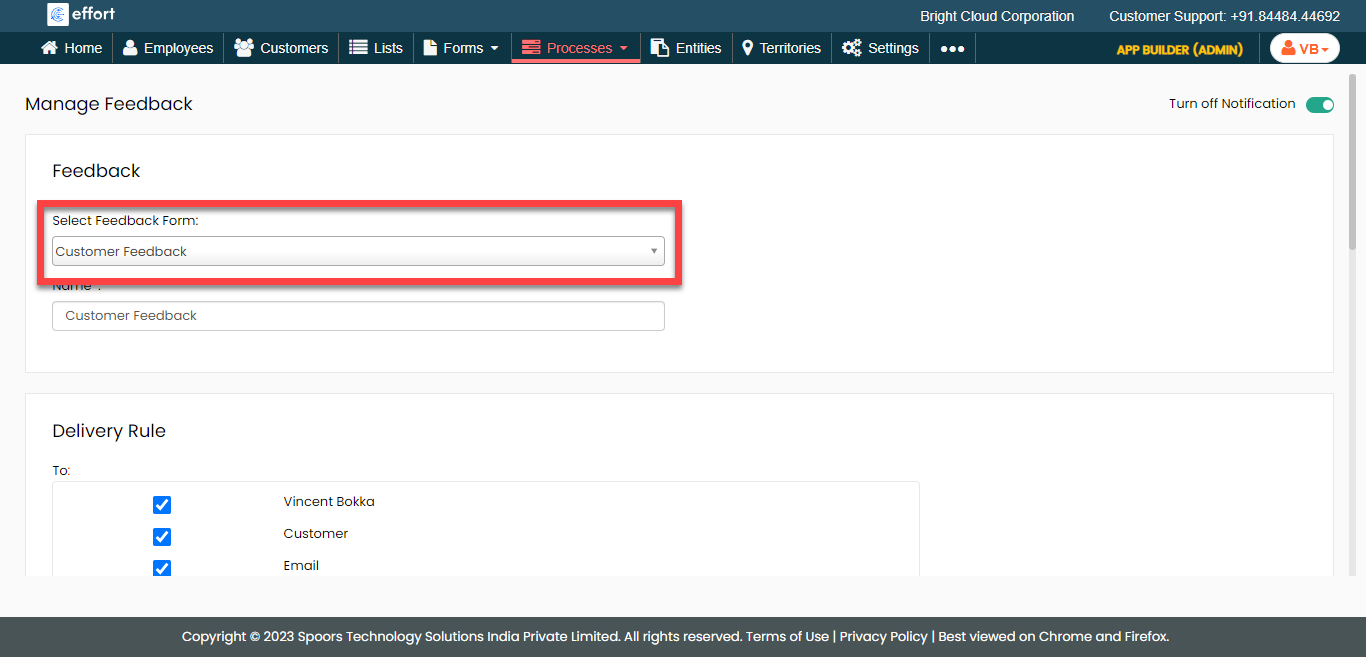
-
In the Name field, enter a name for the feedback
mechanism.
-
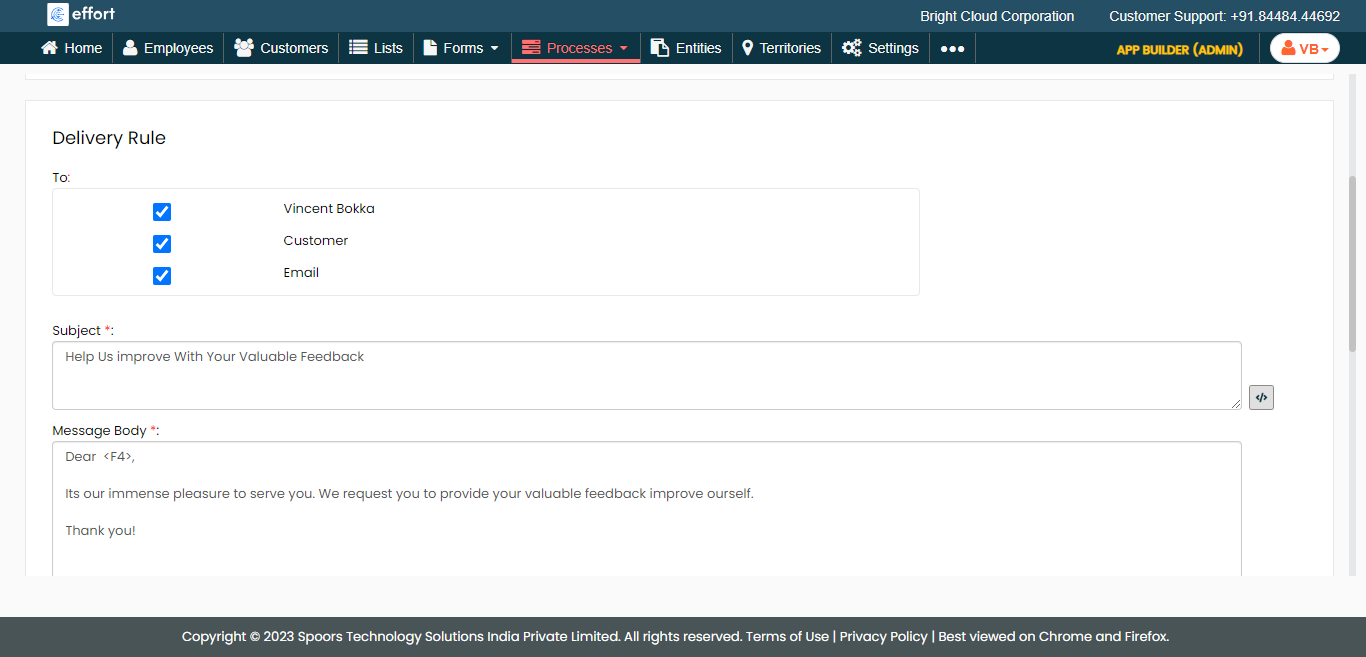
Under the Delivery Rule section, configure the
notification setup such as recipients, subject, and notification body.
-
Under the Reminder Notification section, define the
notification reminder configuration.
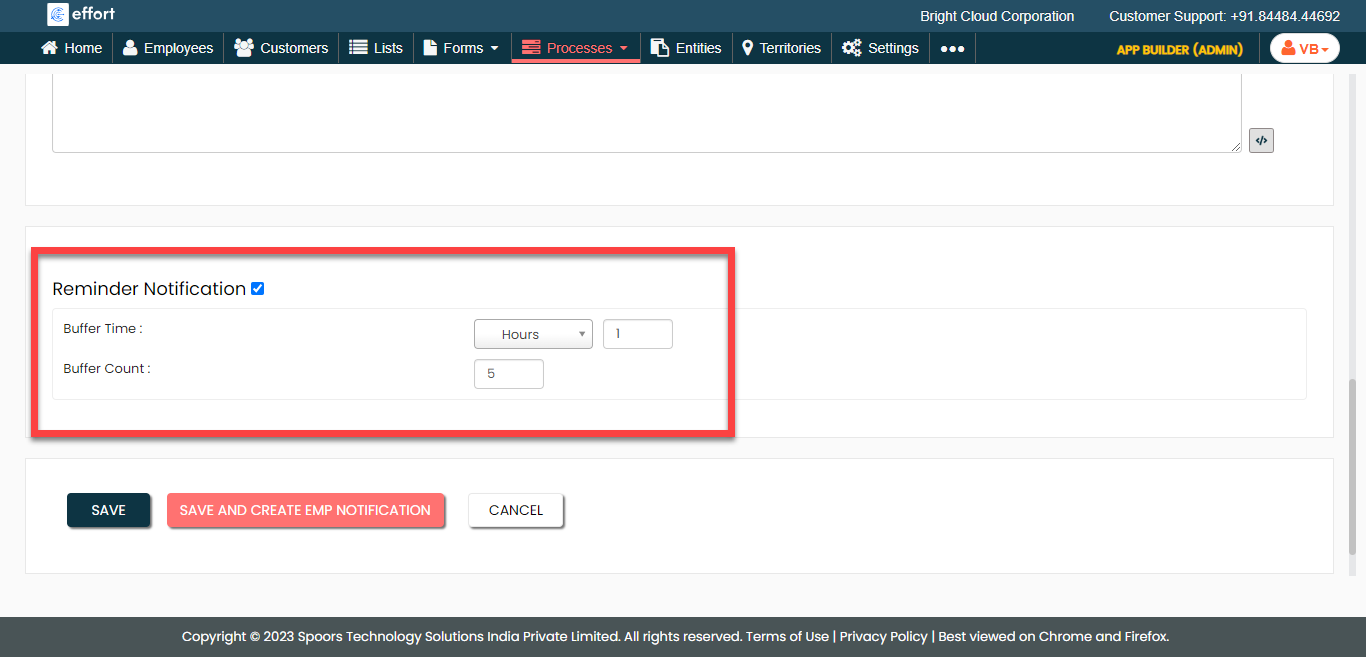
- Click Save.