

Configure Display Settings (Mobile)
To configure display settings mobile, follow the steps below.
-
Go to .
The Process page appears.
-
Click the Activity Process card.
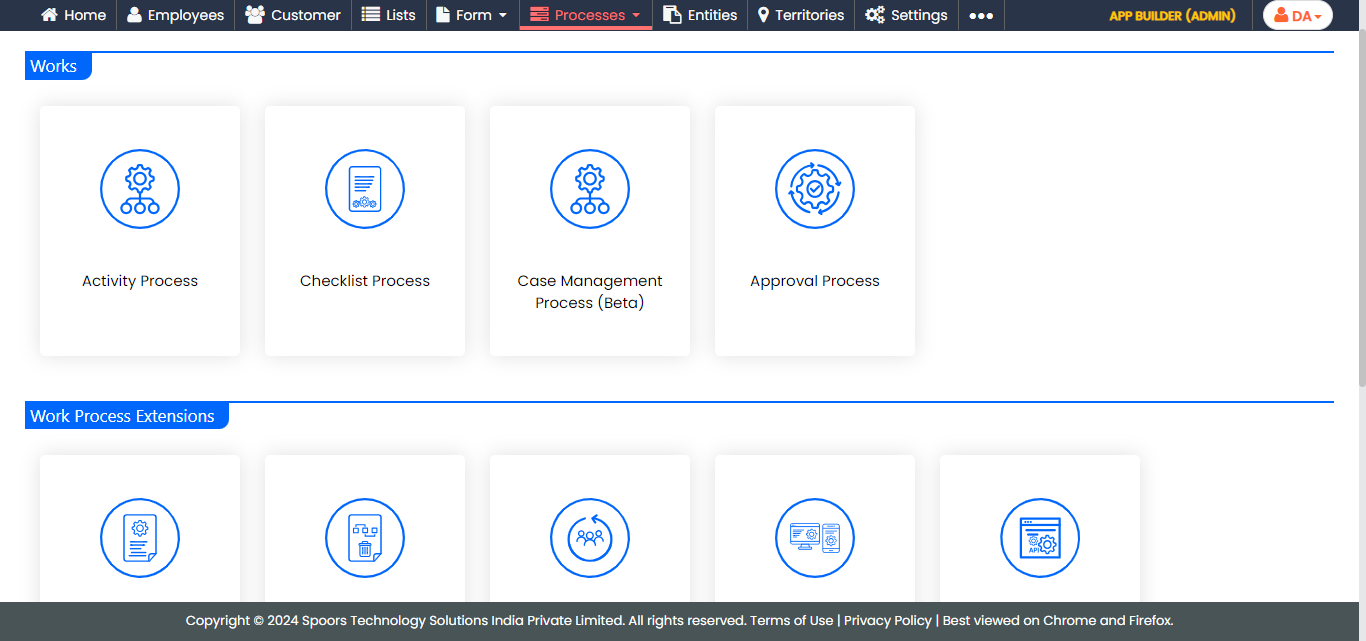
The Activity Process page appears.
-
Click the required process card.
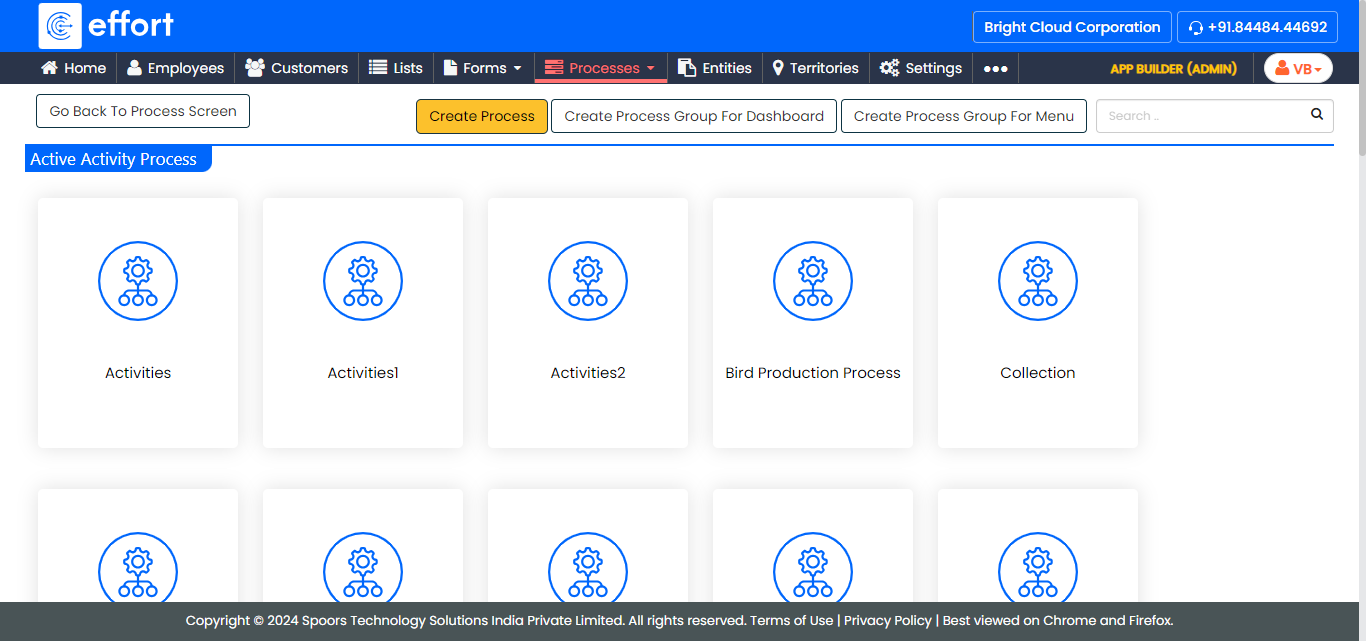
The selected <work process name> activities page appears.
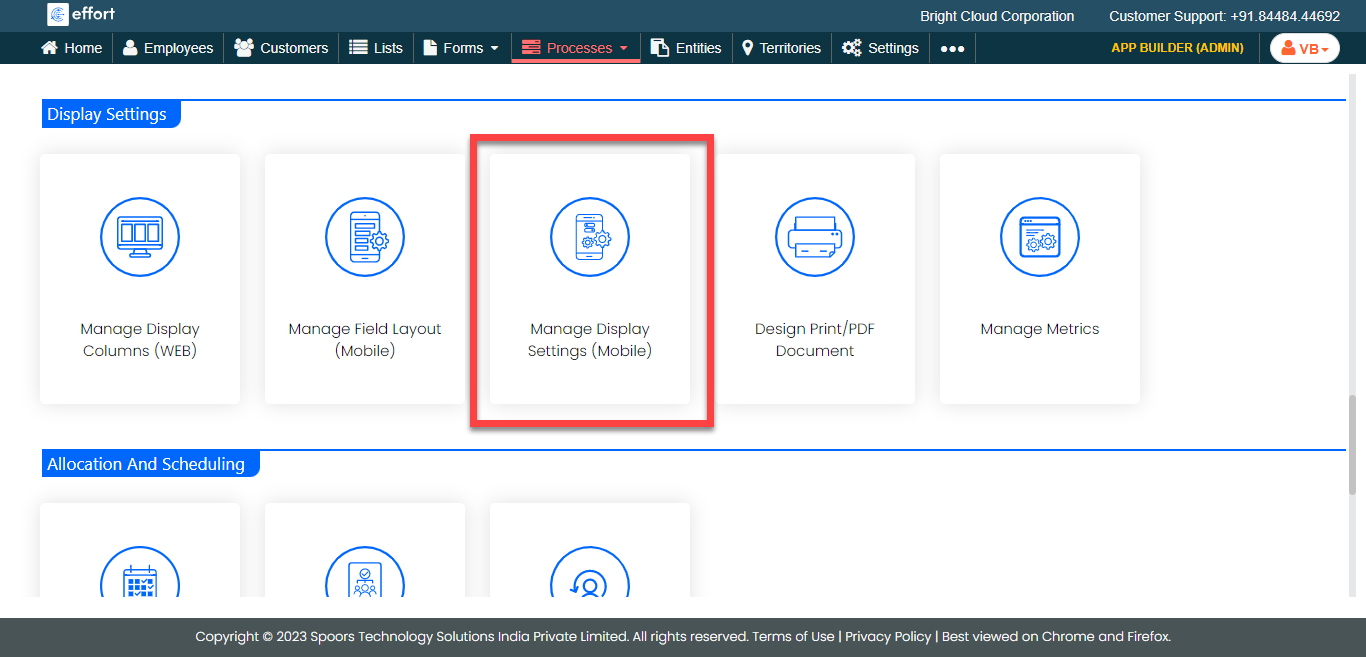
- Scroll down to the Display Settings section.
-
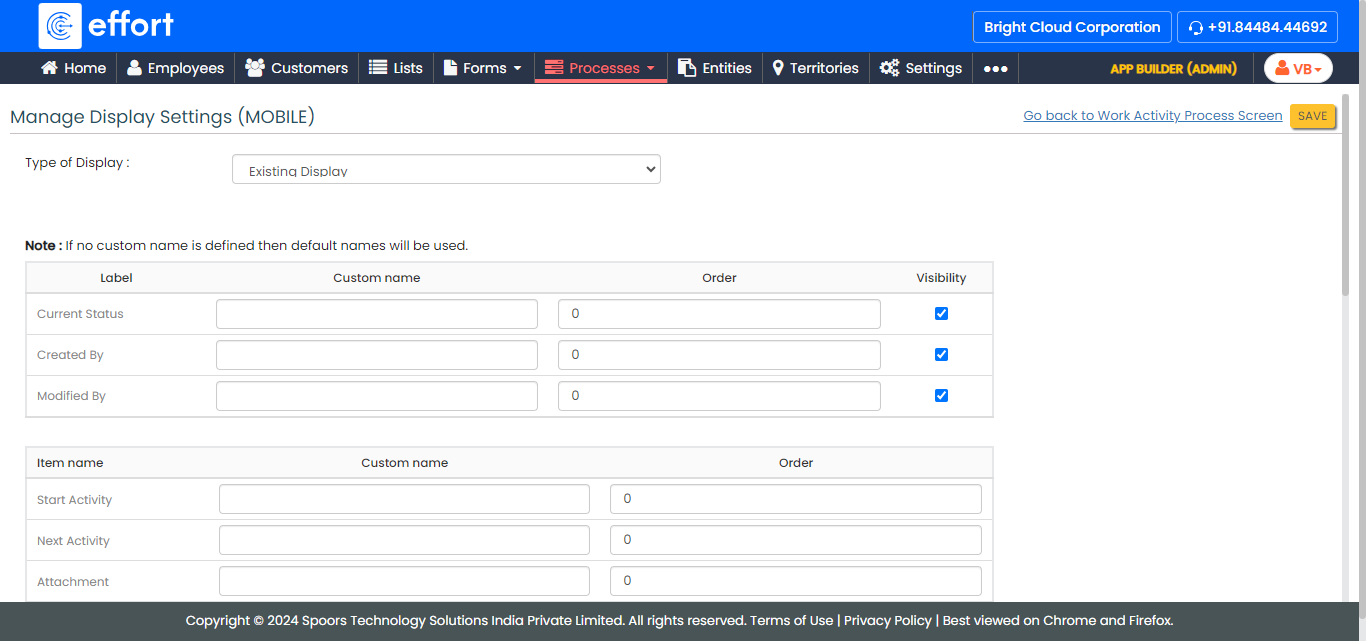
Click the Manage Display Settings (Mobile) card.
-
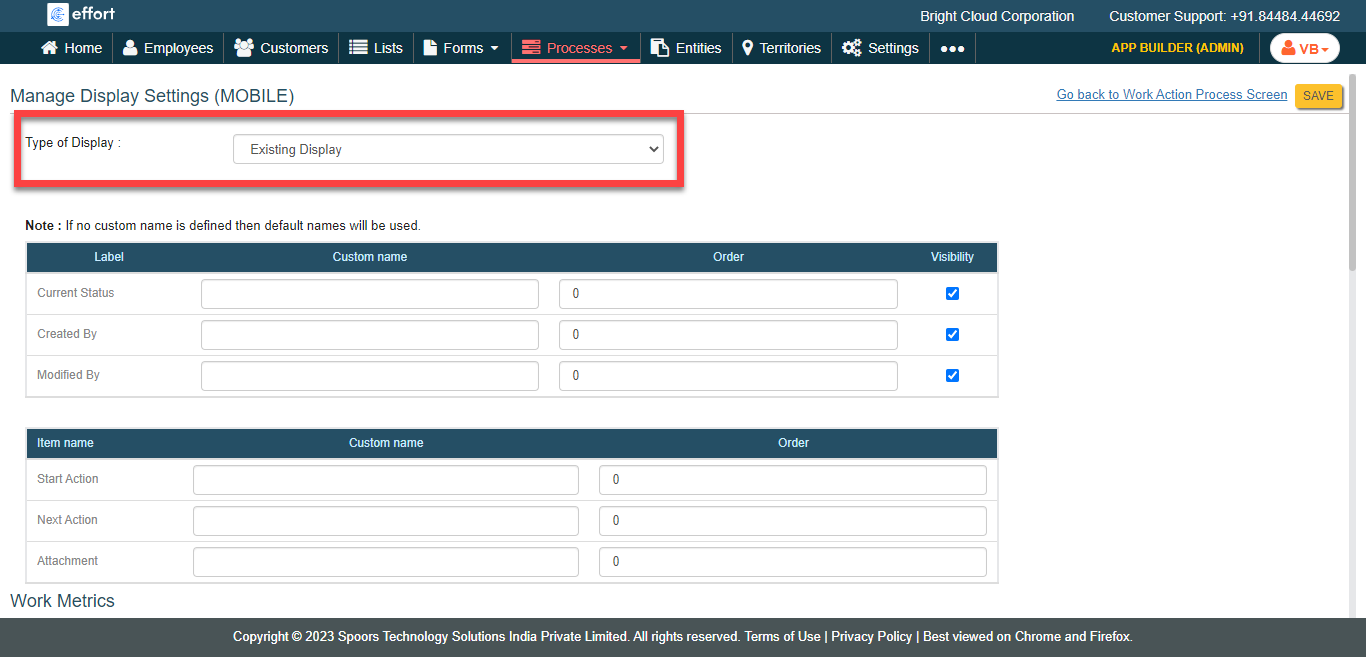
Select Type of Display from the dropdown.
-
Configure Custom name, Order, and Visibility for the various sections.
- Click Save.