

Configure Map Marker
To configure map marker, follow the steps below.
-
Go to
The Forms page appears.
-
Select the Form to view the <Form Name> Actions
page.
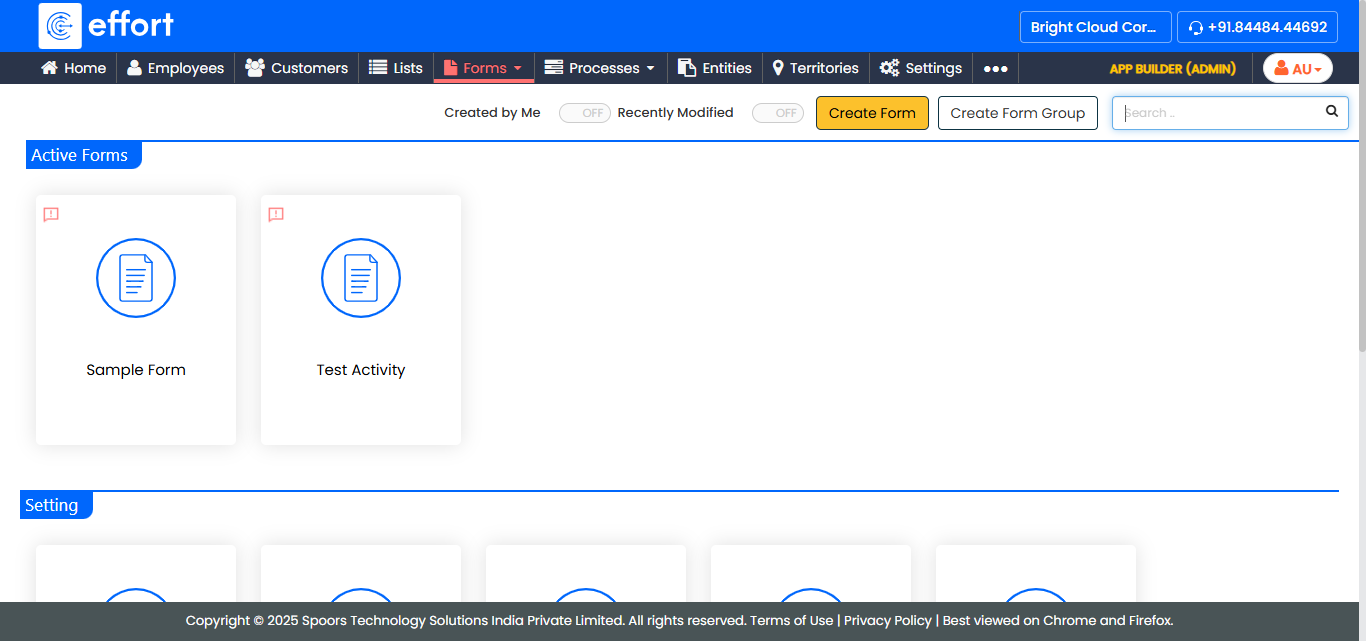
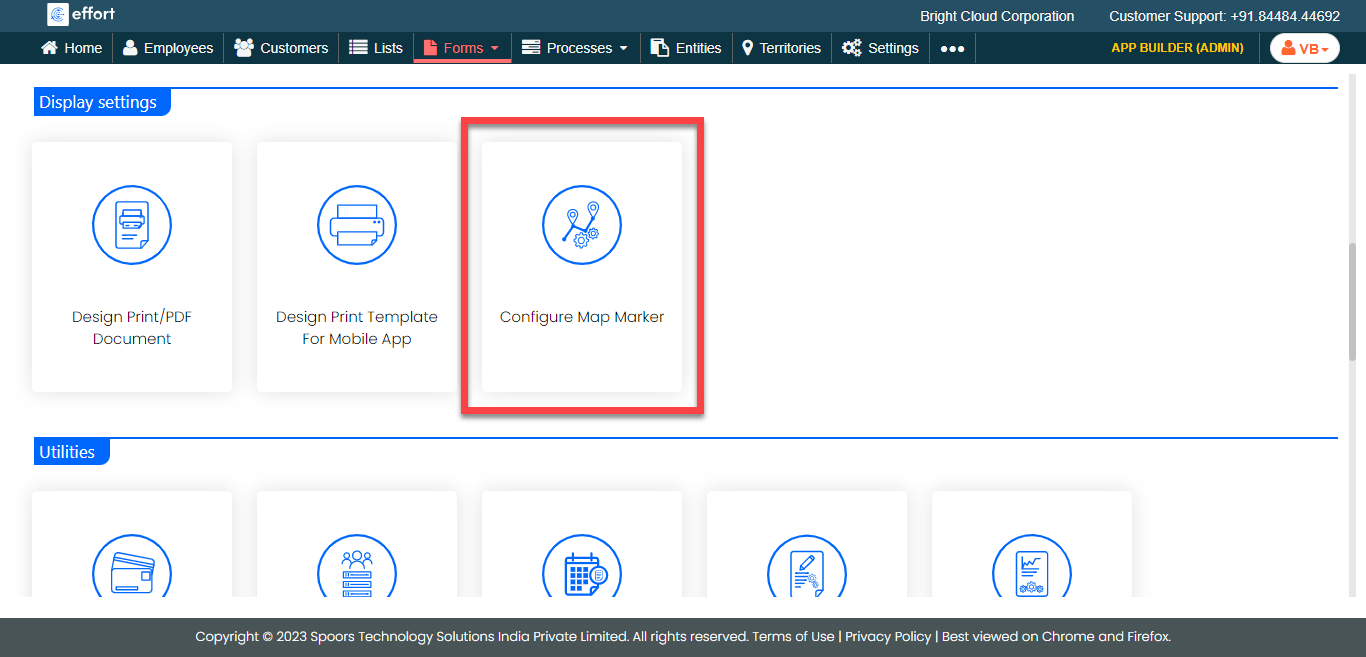
- Scroll down to the Display Settings section.
-
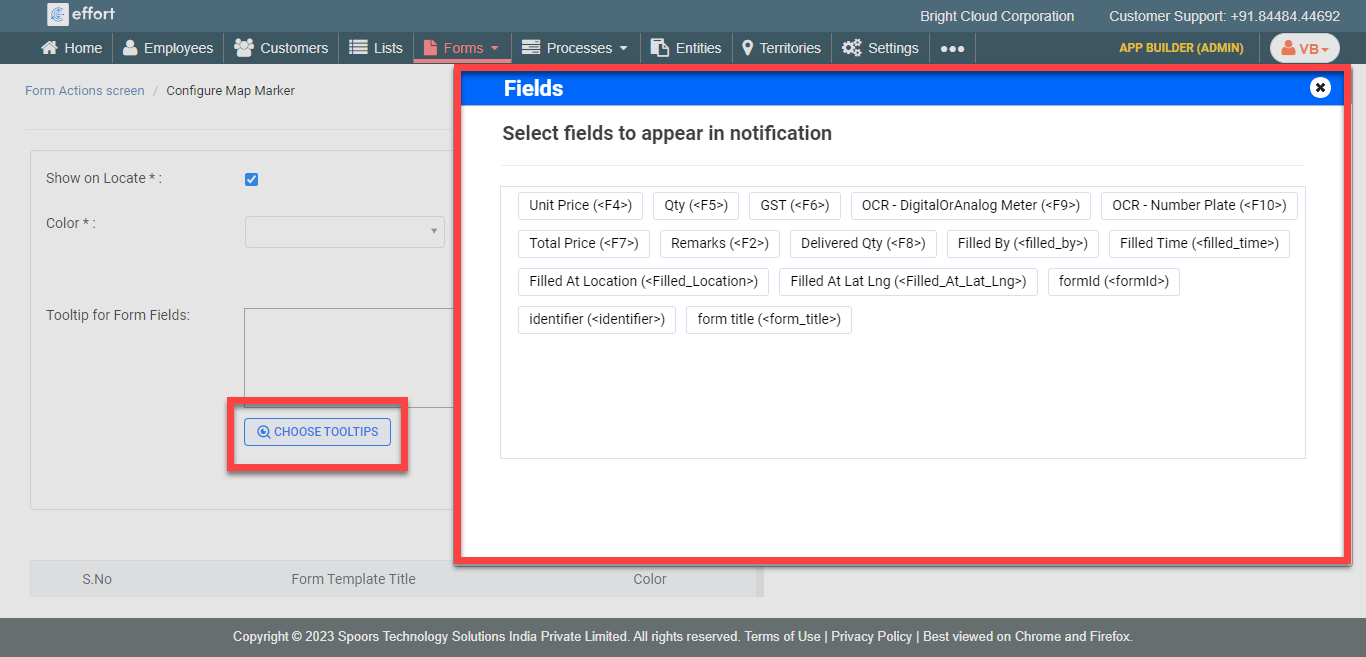
Click Configure Map Marker card.
-
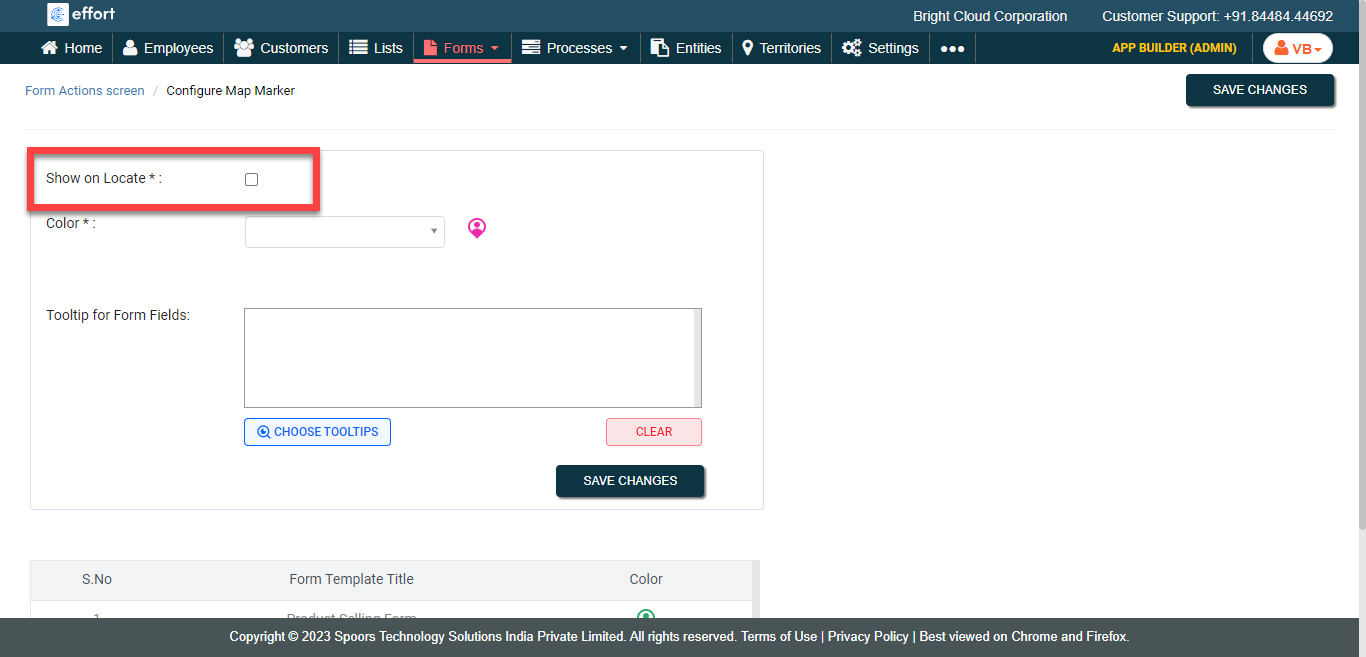
Click the Show on Locate checkbox.
-
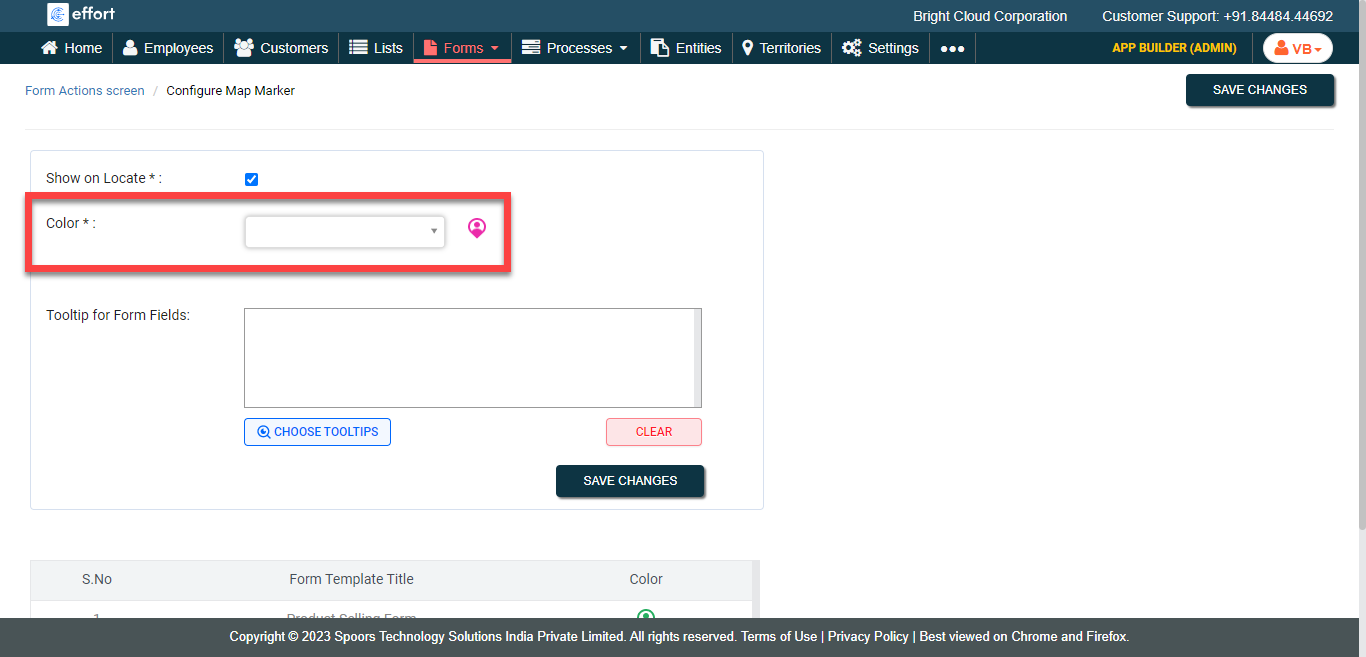
Select a color for the marker from the Color
dropdown.
-
Click the Choose Tooltips button to select the fields
for Tooltip for Form Fields.
- Click Save Changes.