

Design Print Template for Web App
To design a print template for web app, follow the steps below.
-
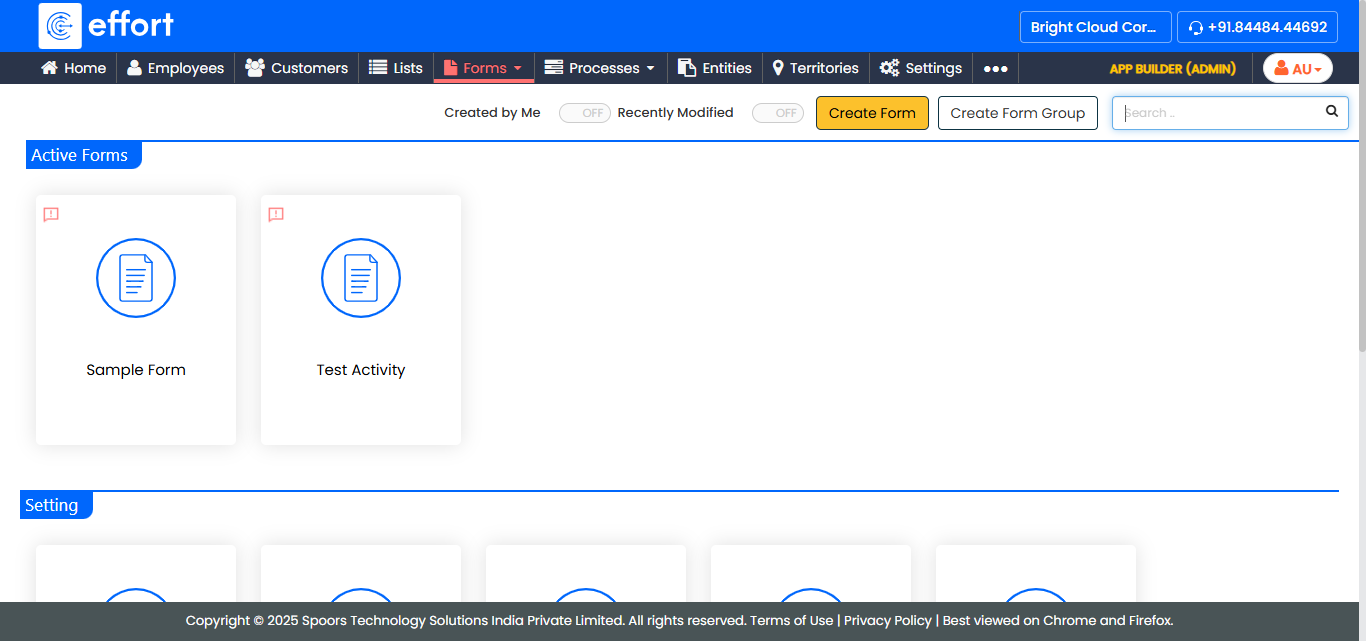
Go to .
The Forms page appears.
-
Select the form to view the <Form Name> Actions page.
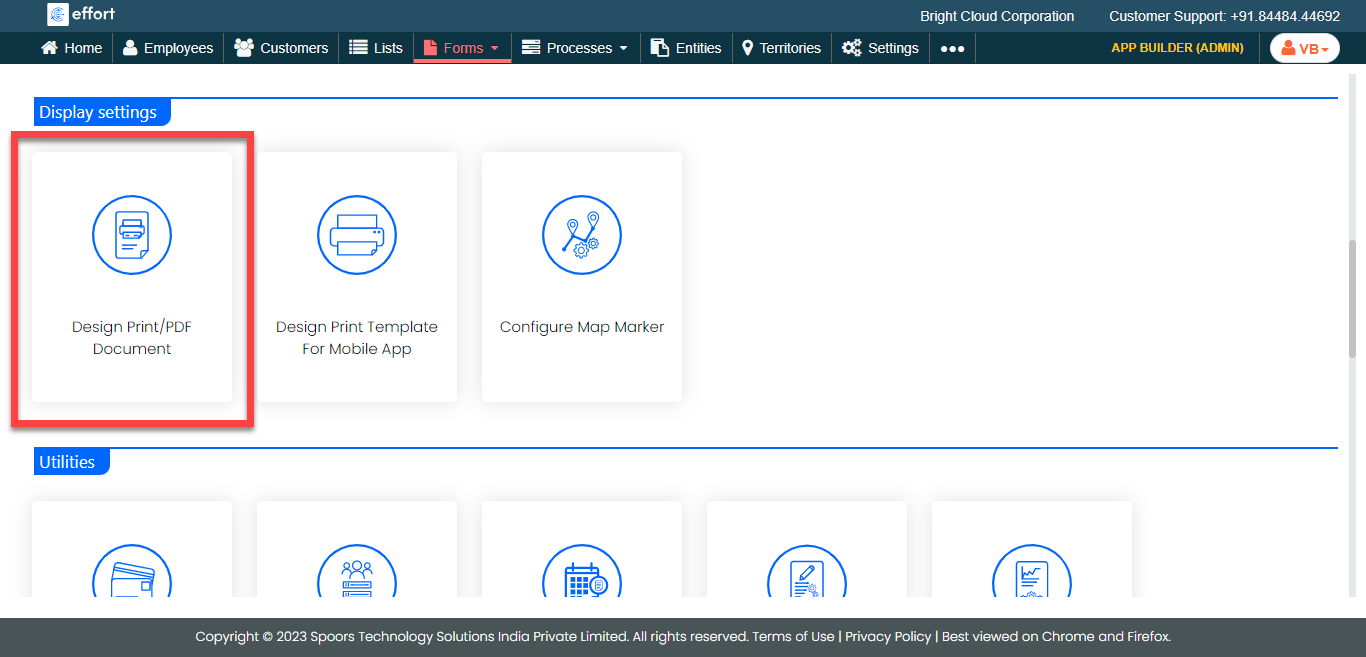
- Scroll down to the Display Settings section.
-
Click the Design Print/PDF Document card.
-
Click the
 icon in the
left panel to populate it in the right panel.
icon in the
left panel to populate it in the right panel.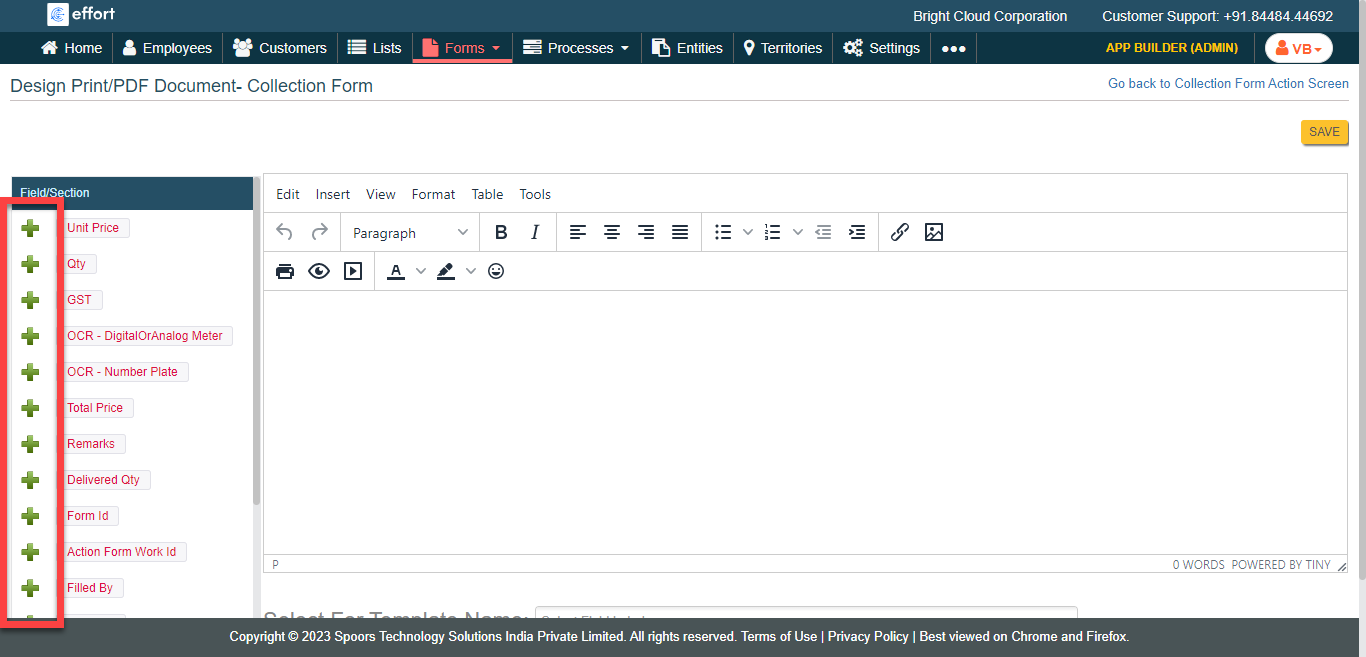
-
In the editor section, format the fields and conent as per your
requirement.
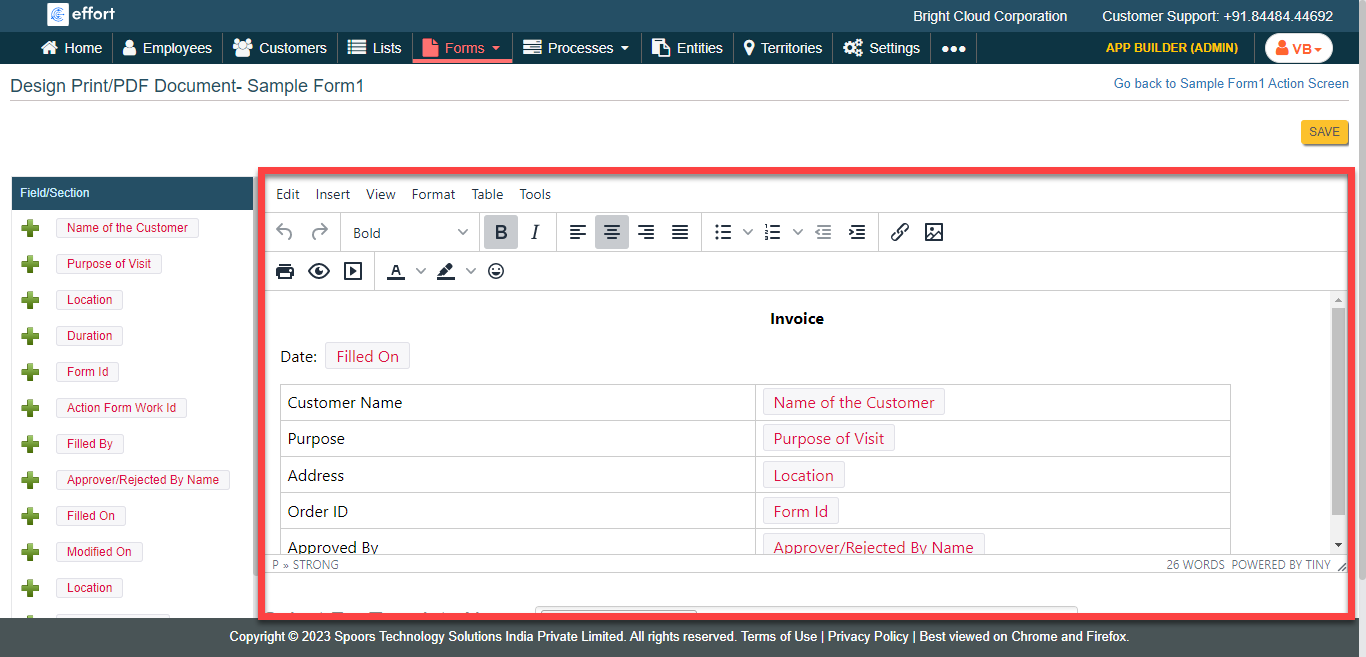
- Click Save.