Get a Shareable Link or QR Code For a Public Form
Make sure that the form has been published as a Public Form to generate a shareable link or QR code.
-
Go to .
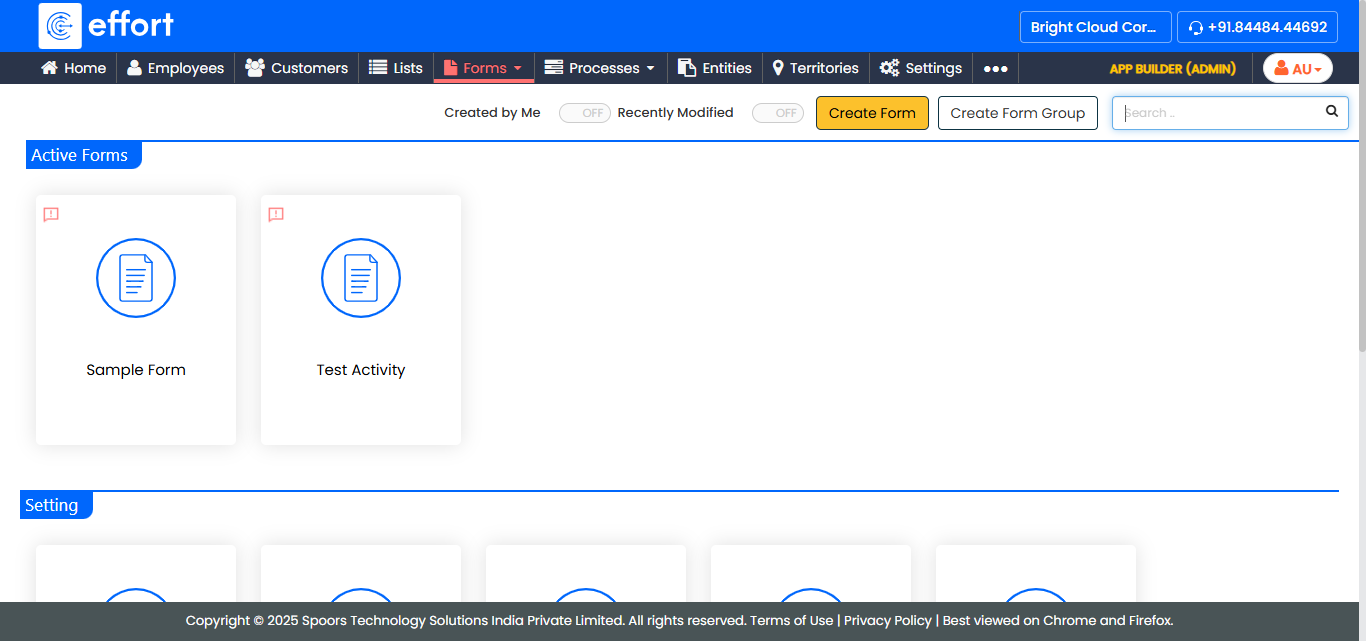
The Forms page appears.
-
Click on the form which is published as a public form.
The Form Actions page appears.
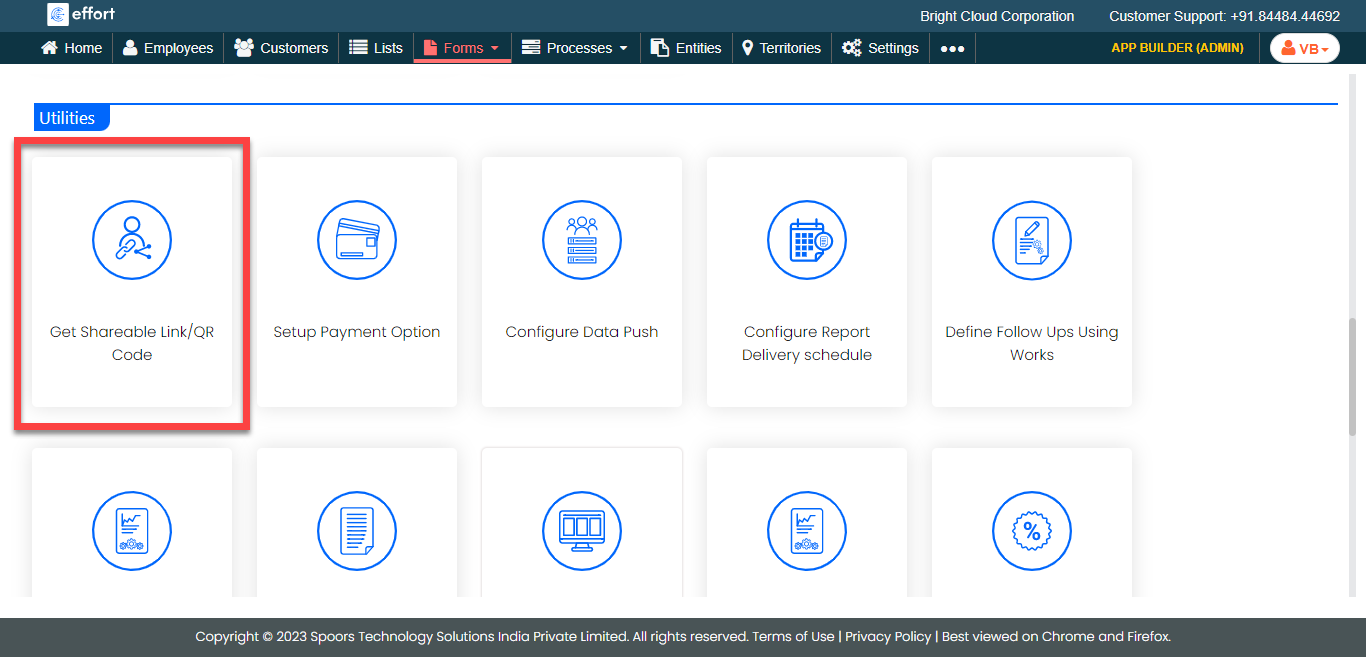
- Scoll down to the Utilities section.
-
Click the Get Shareble Link/QR Code card.
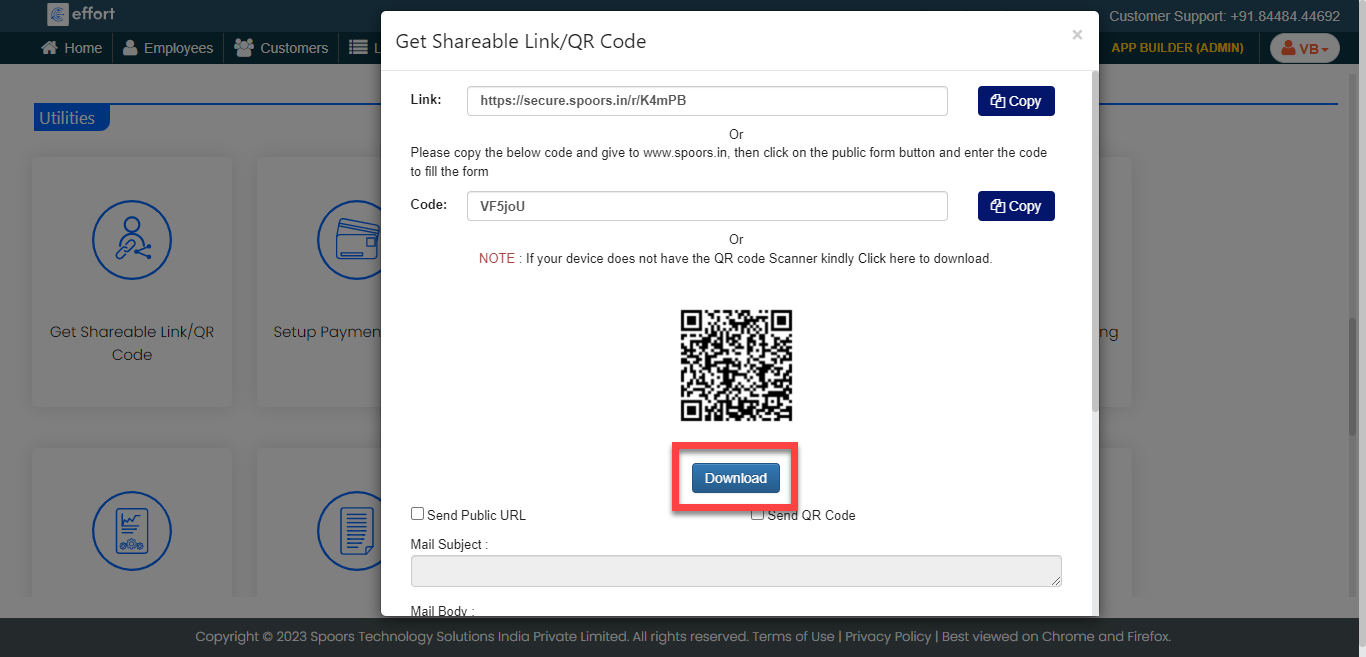
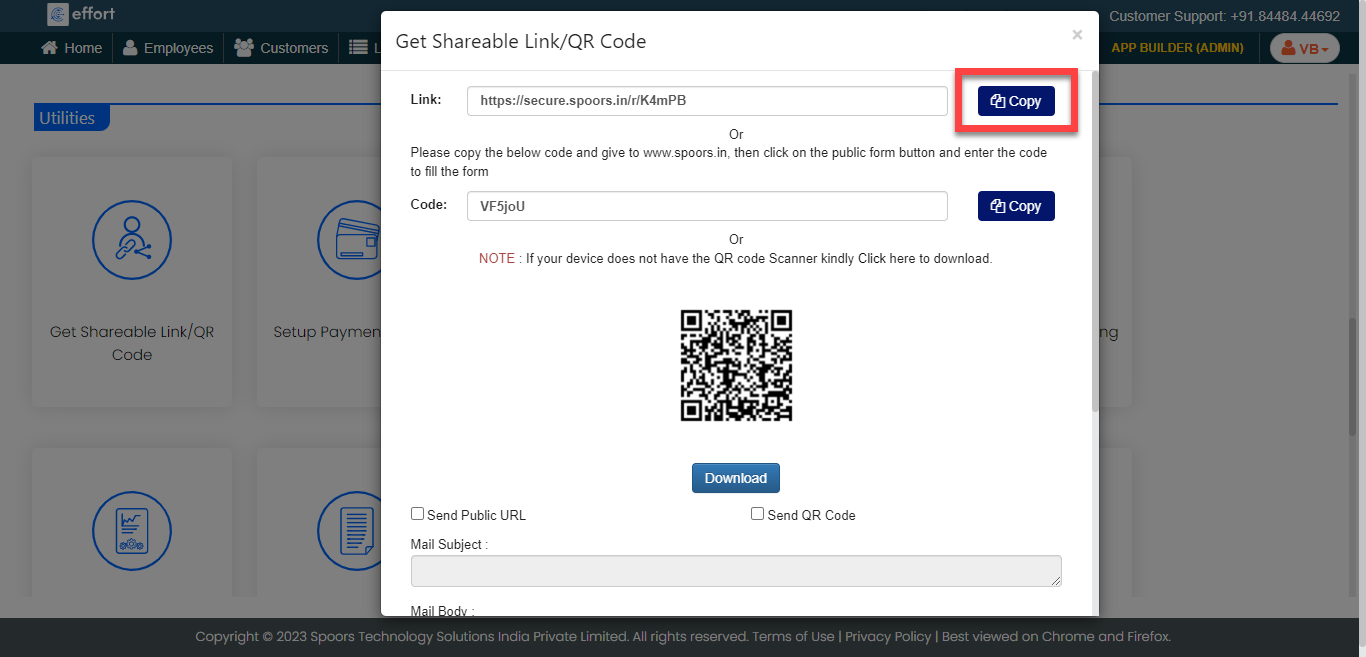
The Get Shareble Link/QR Code pop-up window appears with public link and QR code.
-
Click the copy button beside the link field to copy the link.
-
Click the Download button to download the QR code.