

Enable or Disable Approval Process
To enable or disable approval process, follow the steps below.
-
Go to .
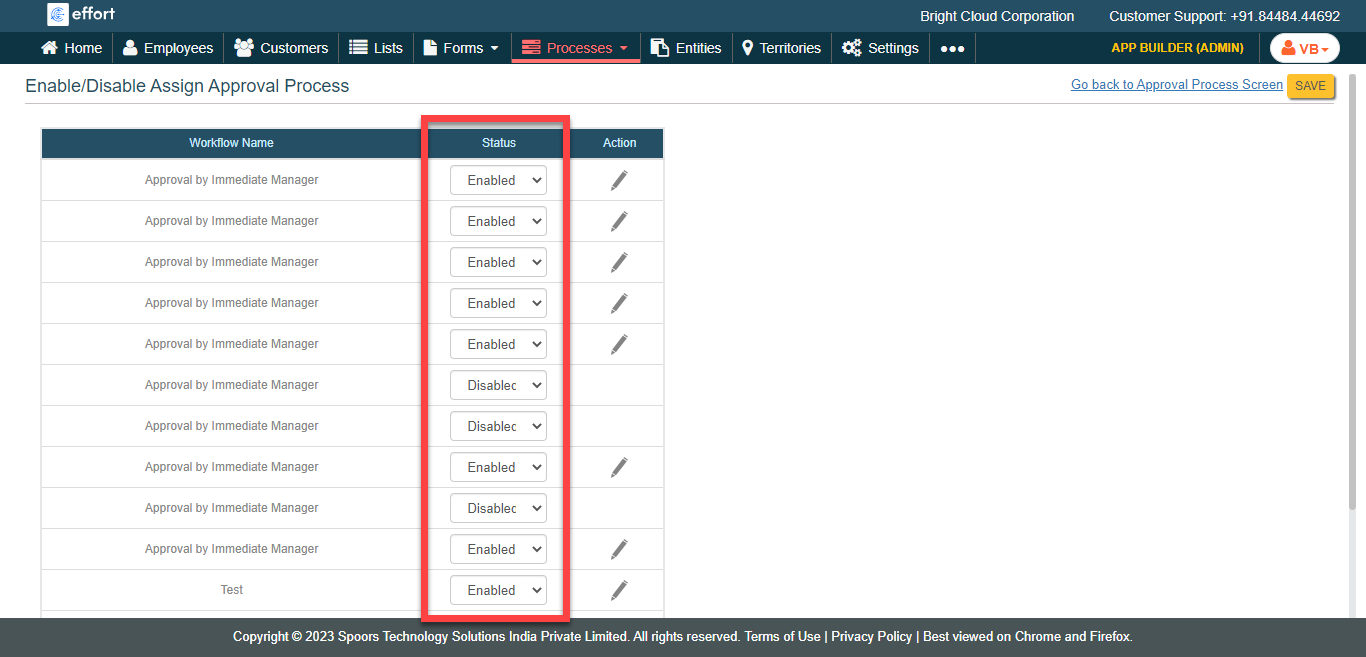
The Enable/Disable Approval Processes page appears.
-
Under the Status column against the required approval
workflow, select Enabled or
Disabled based on your requirement.
- Optional:
Tap the pencil icon
 to
modify the approval process.
to
modify the approval process.
- Click SAVE.