

Assign or Reassign Customers
To assign or reassign a customer to an employee, follow the steps below:
-
Go to .
The Customers page appears.
-
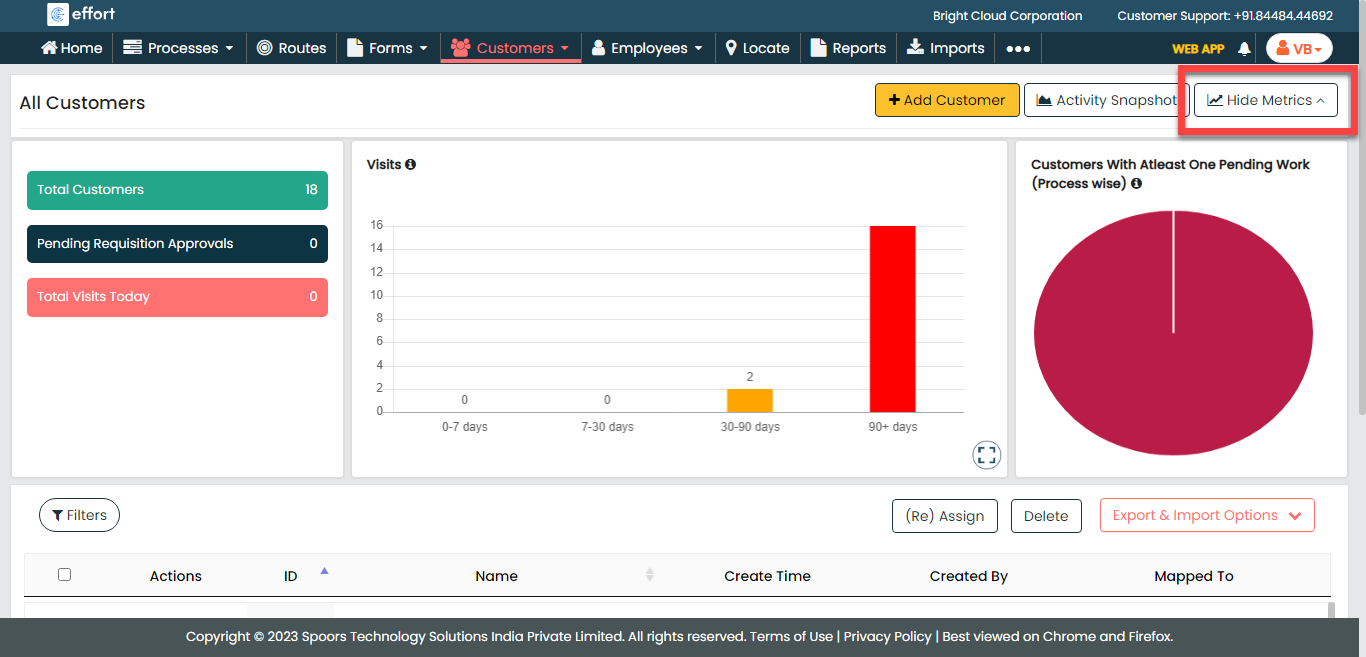
Click the Hide Metrics button.
-
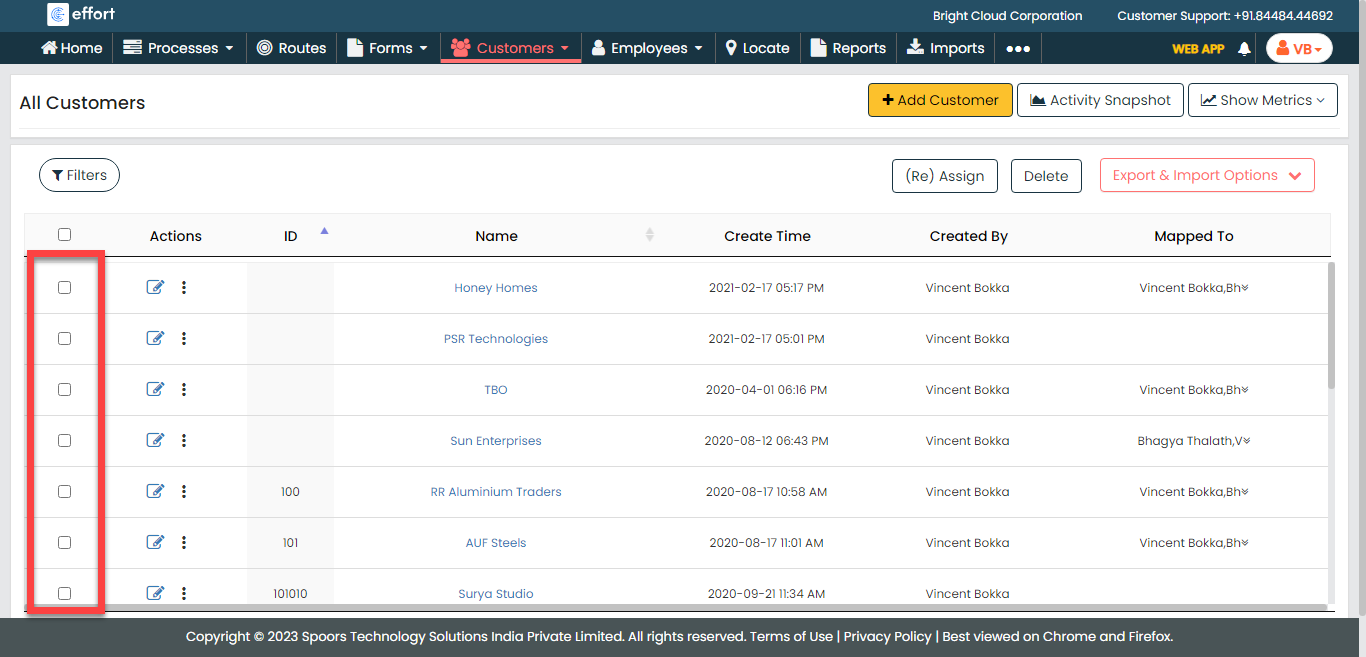
Select the customers you want to assign or reassign to an employee.
-
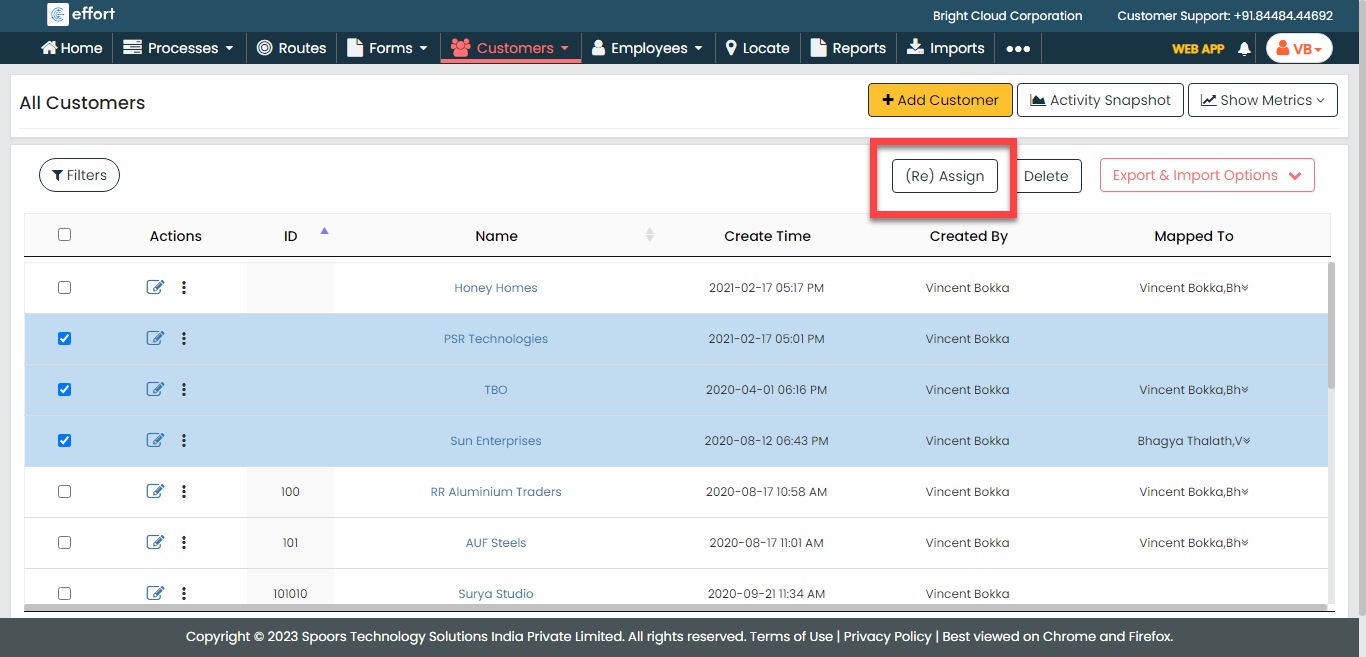
Click the (Re) Assign button.
-
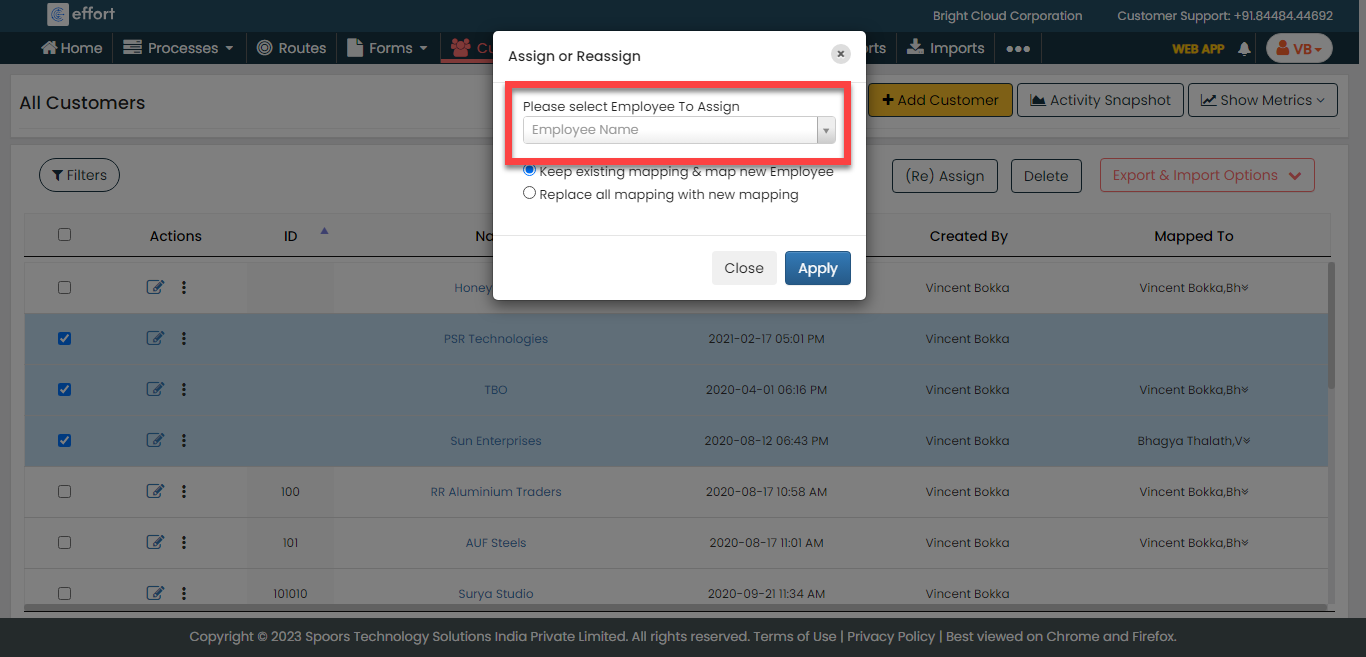
From the Employee Name dropdown, select an
employee.
-
Select the mapping option as per your requirement.
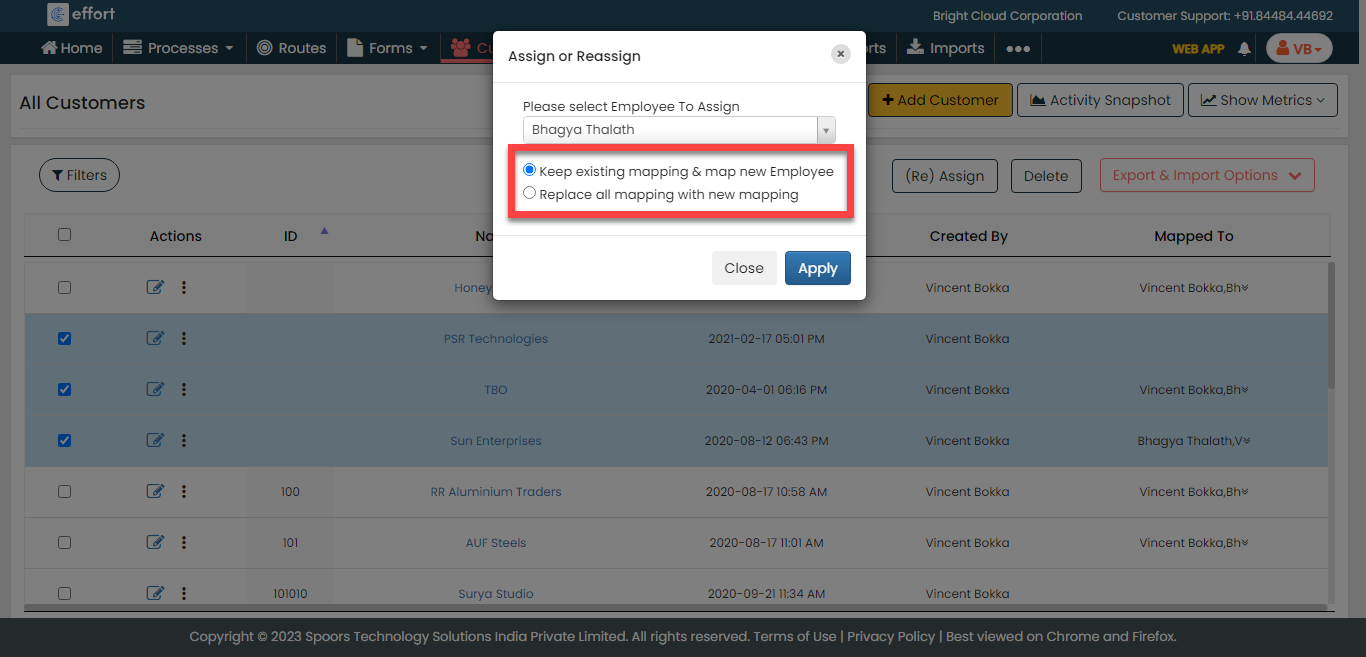
- Keep existing mapping & map new Employee
- Replace all mapping with new mapping
- Click the Apply button.