

View Customers Snapshot - Date Range
To view the customers snaphot for a particular duration, follow the steps below:
-
Go to .
The Customers page appears.
-
Click the Activity Snapshot button.
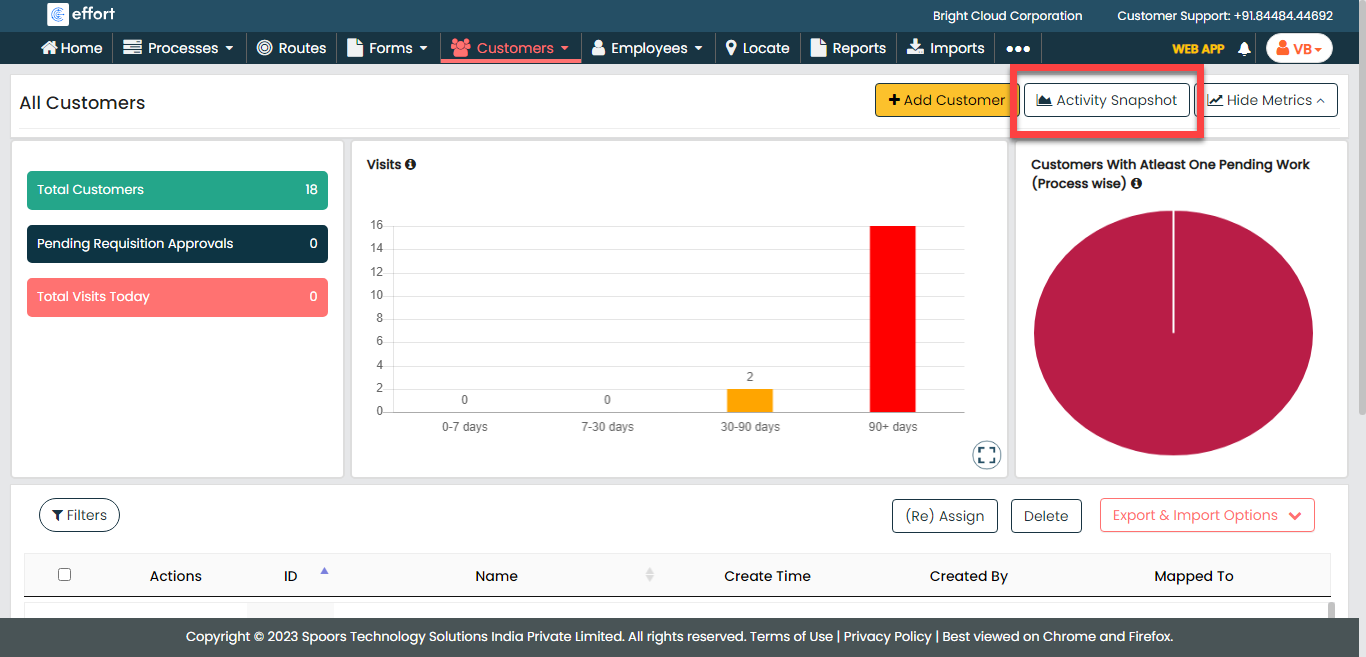
The Customers Snapshot page appears.
-
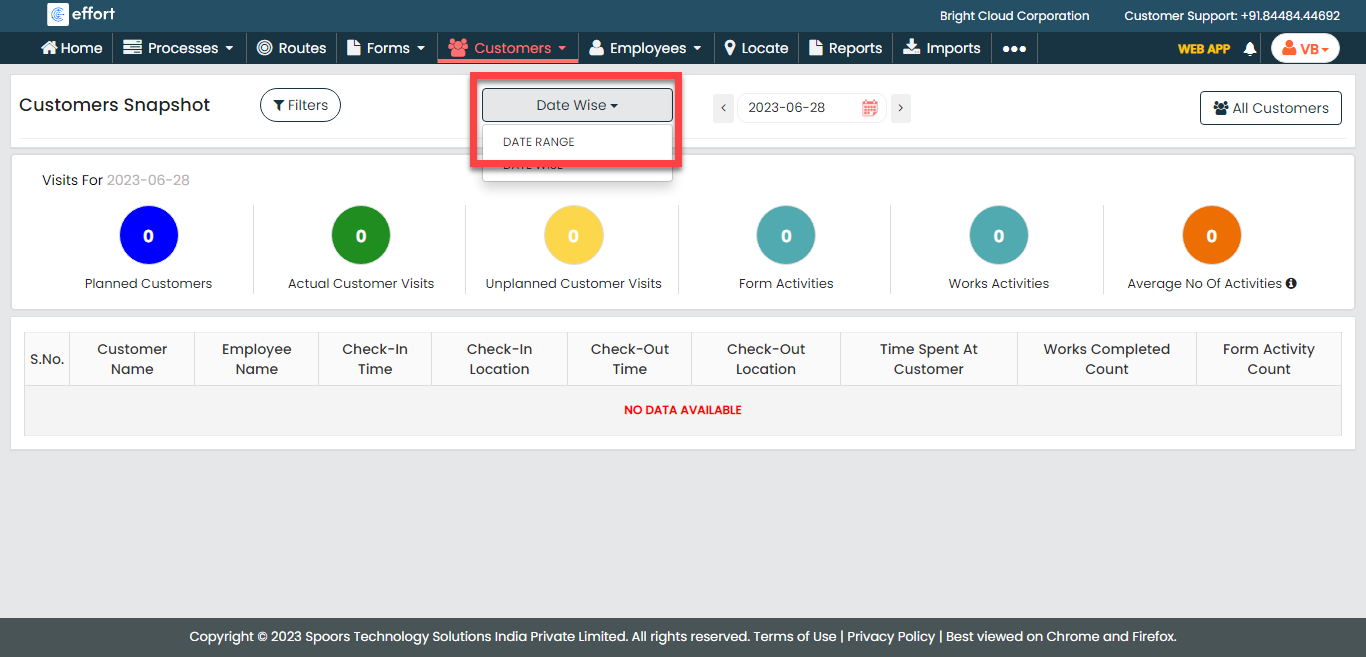
Click the Date Wise dropdown button and select the
Date Range option.
-
Change the From and To dates as
per your requirement.
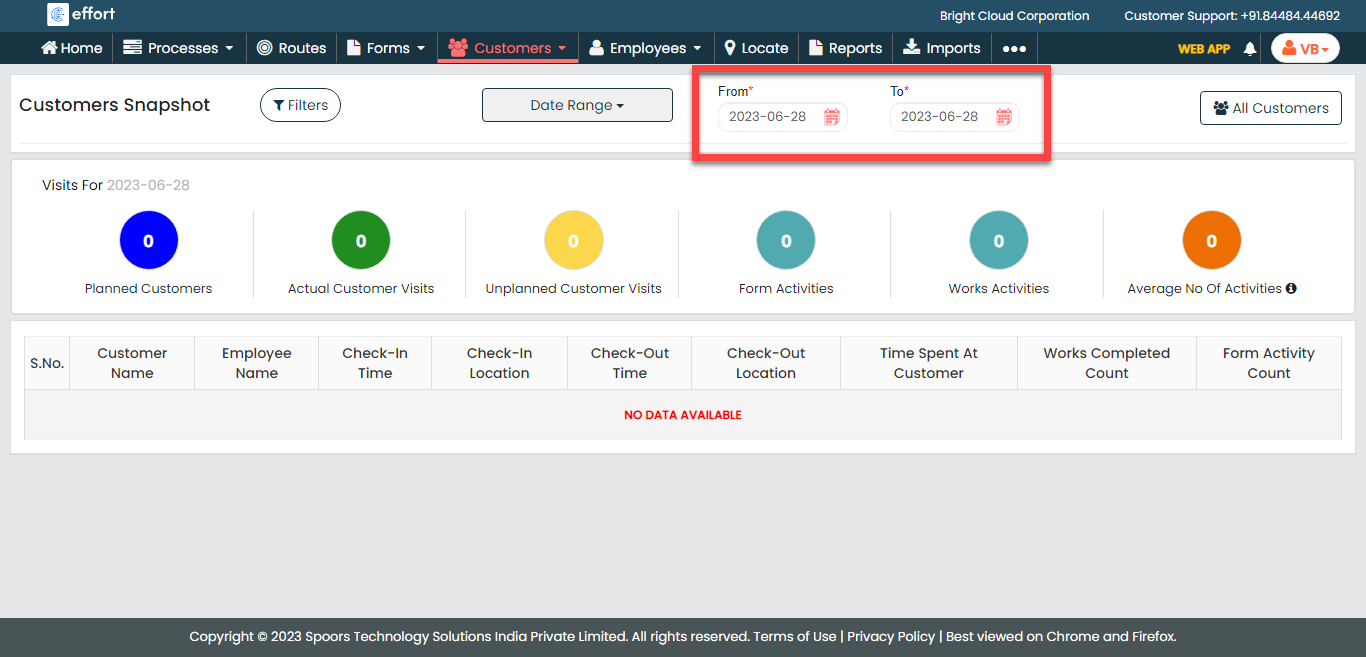
The Customers Snapshot appears with the filtered records.