

Edit a Customer
You must have the Customer Add Permission to add or edit a customer.
-
Go to .
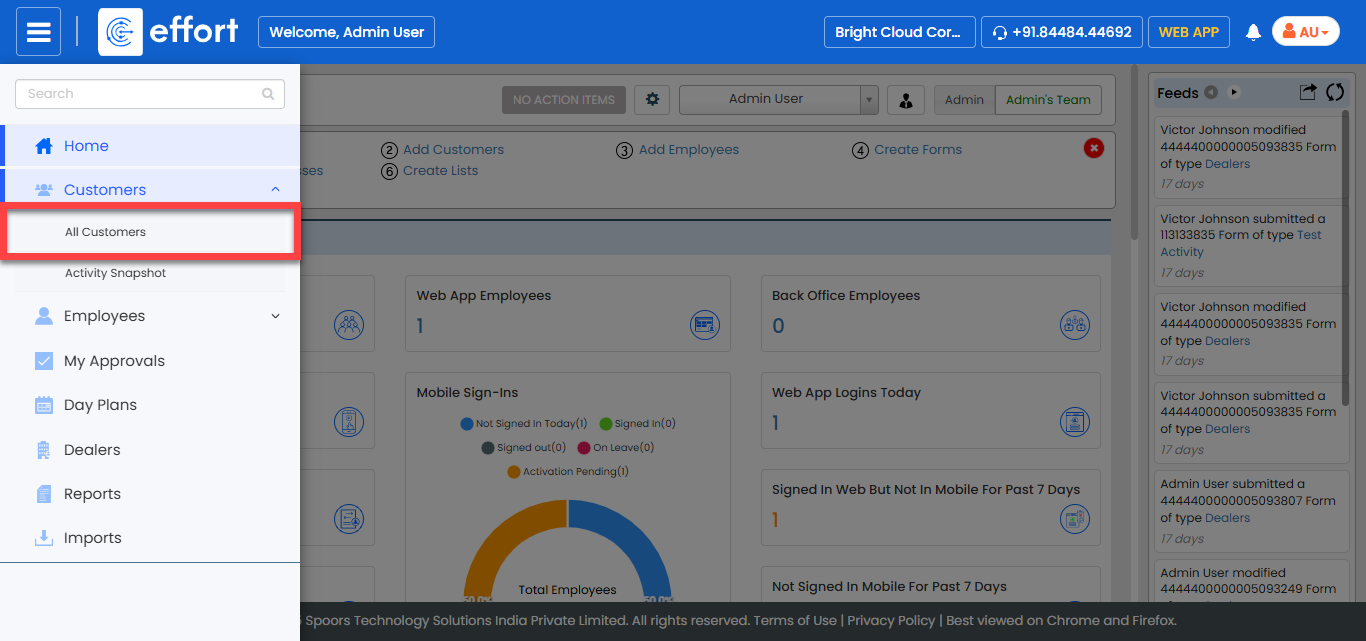
The Customers page appears.
-
Click the Hide Metrics to view all the customers.
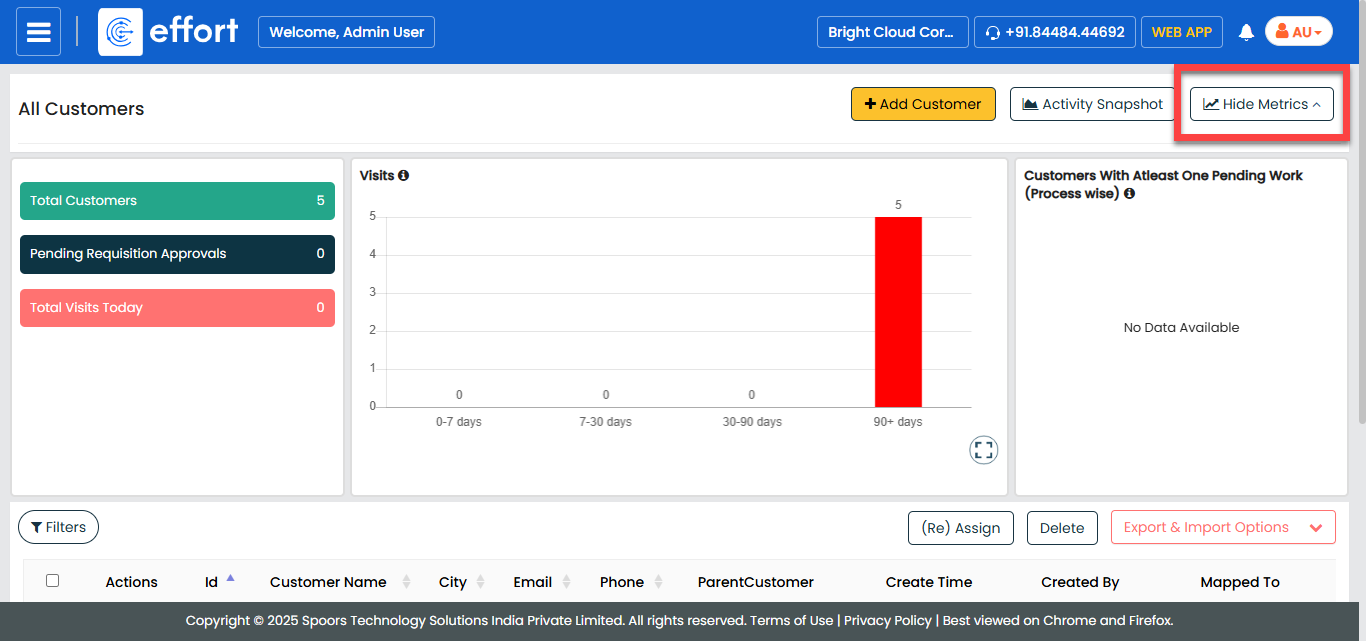
-
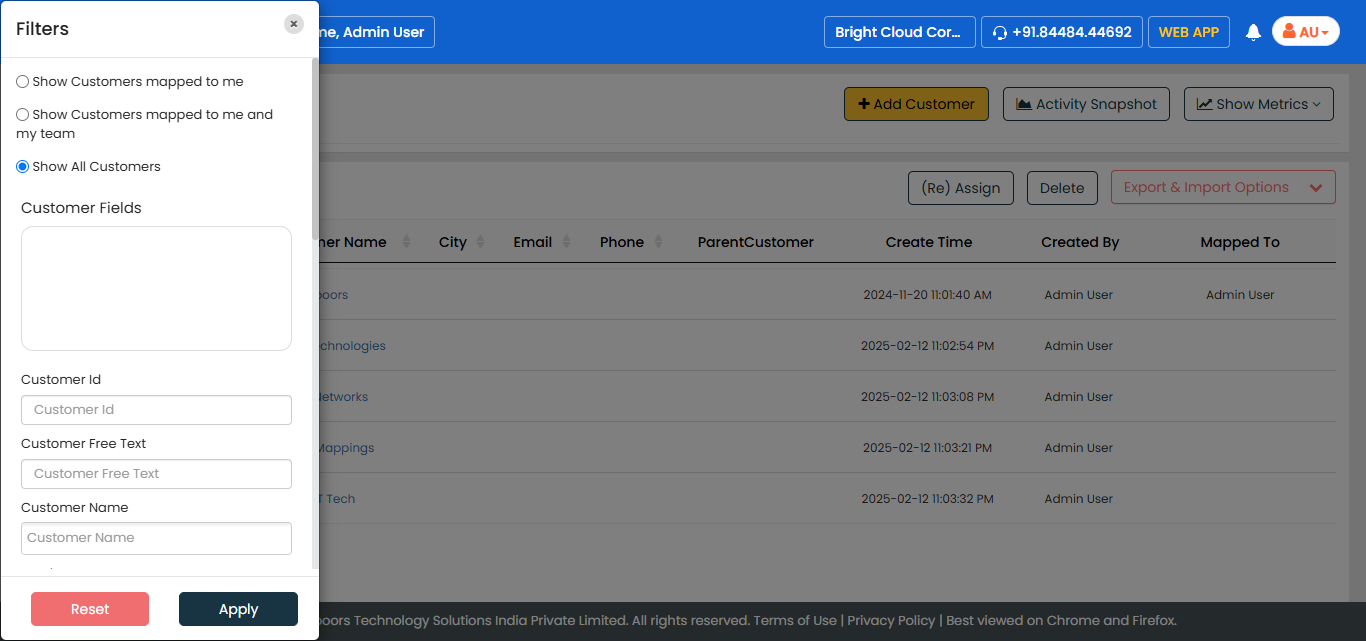
Click the Filters button and apply the filter options to
find the customer you want to edit.
-
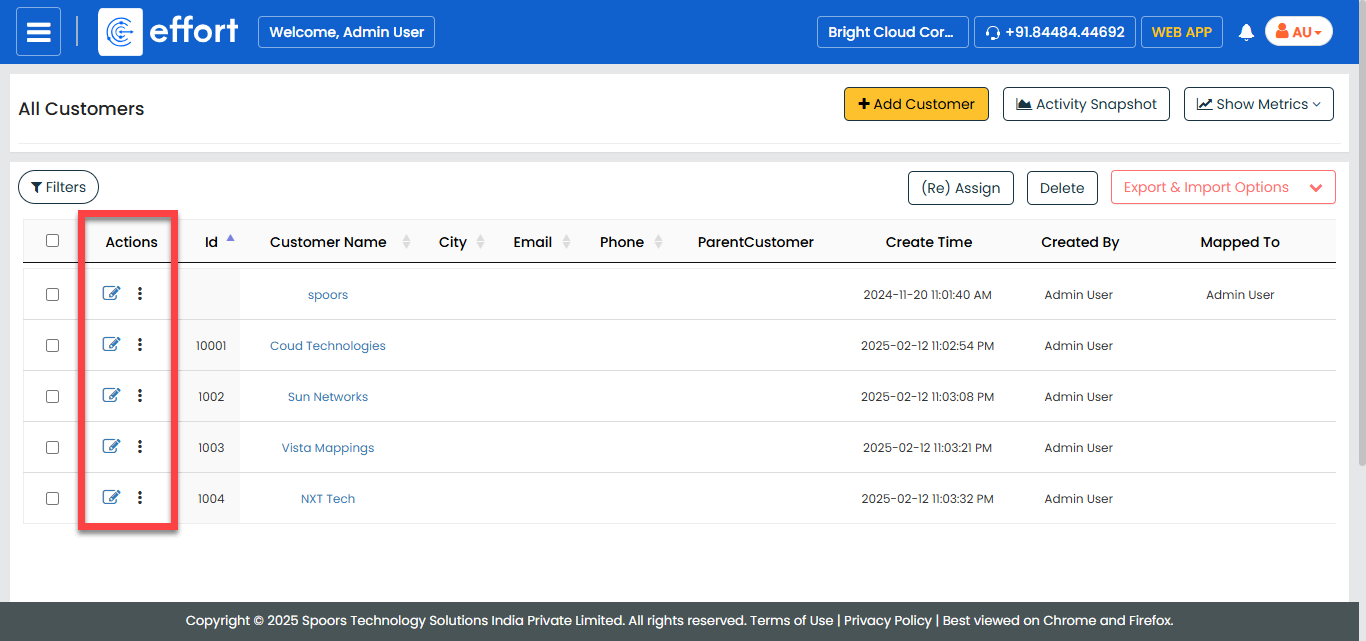
Under the Actions coulmn, click the edit icon to edit
the customer.
The Modify Customer page appears.
-
Modify the customer details.
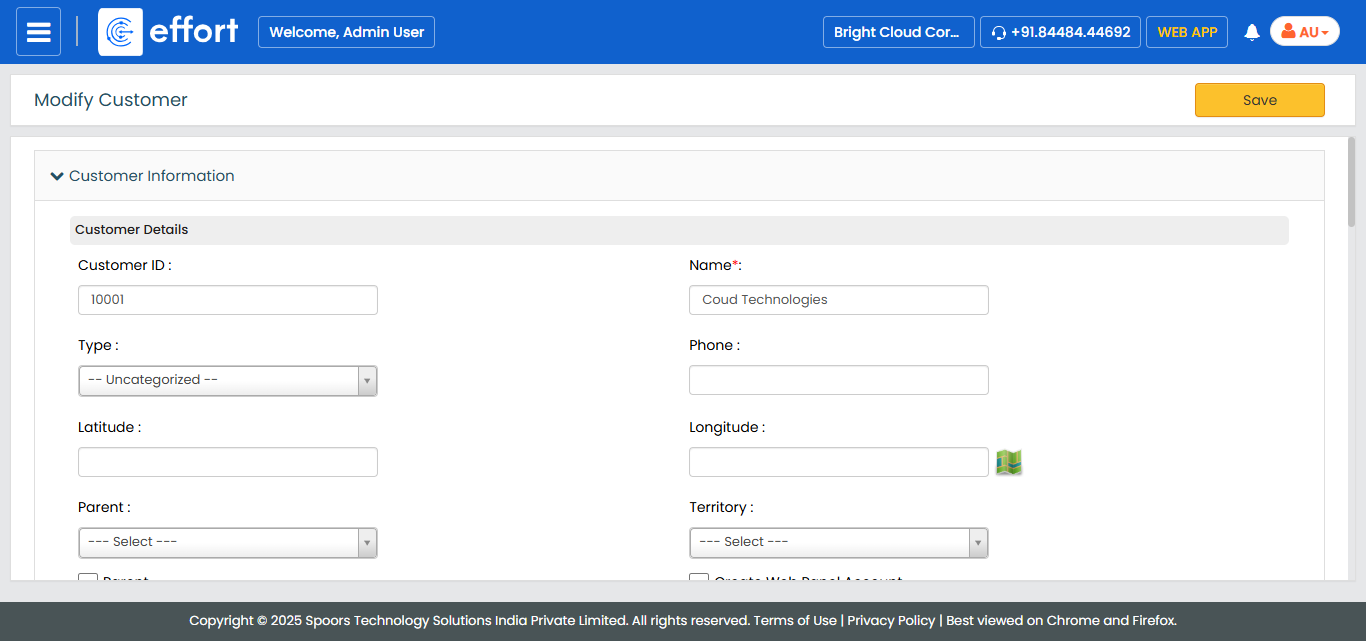
- Click Save.