

Delete a Process Activity
To delete a process activity, follow the steps below:
-
Go to .
The Customers page appears.
-
Under the Essentials section, click the
Manage Process Activities card.
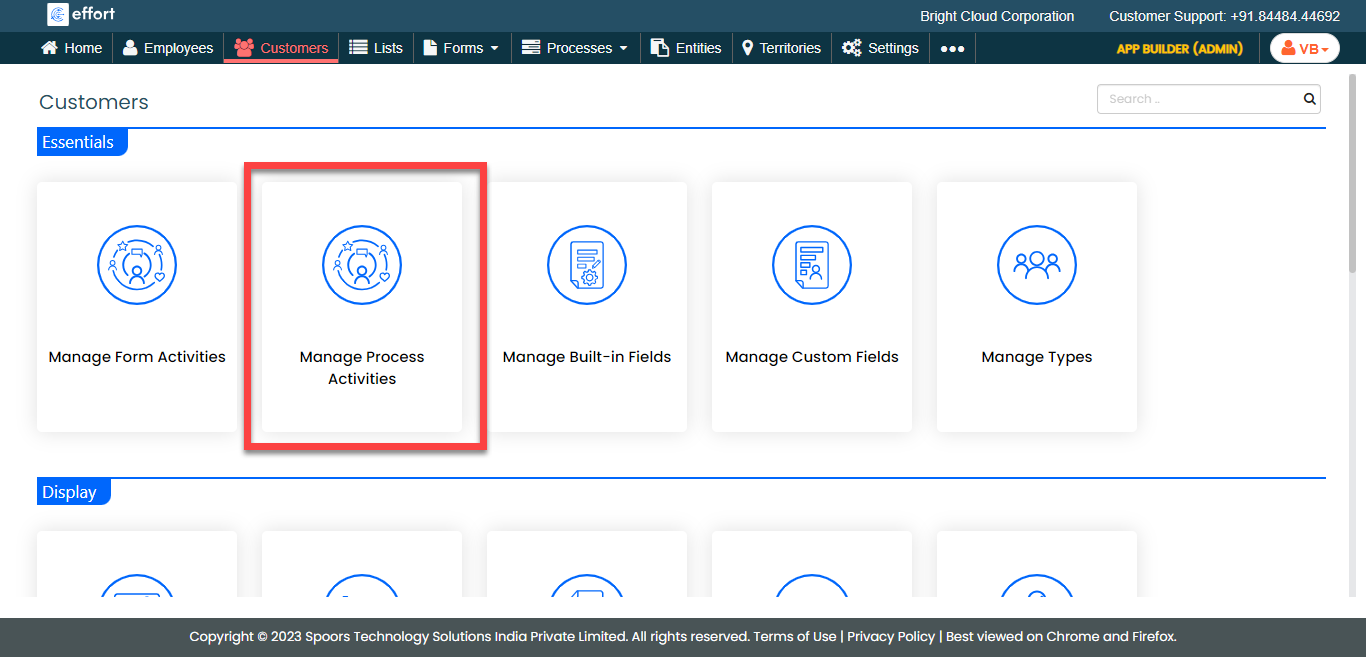
The Manage Process Activities page appears.
-
Hover the cursor towards the process activity card that you want to delete and
click the delete icon.
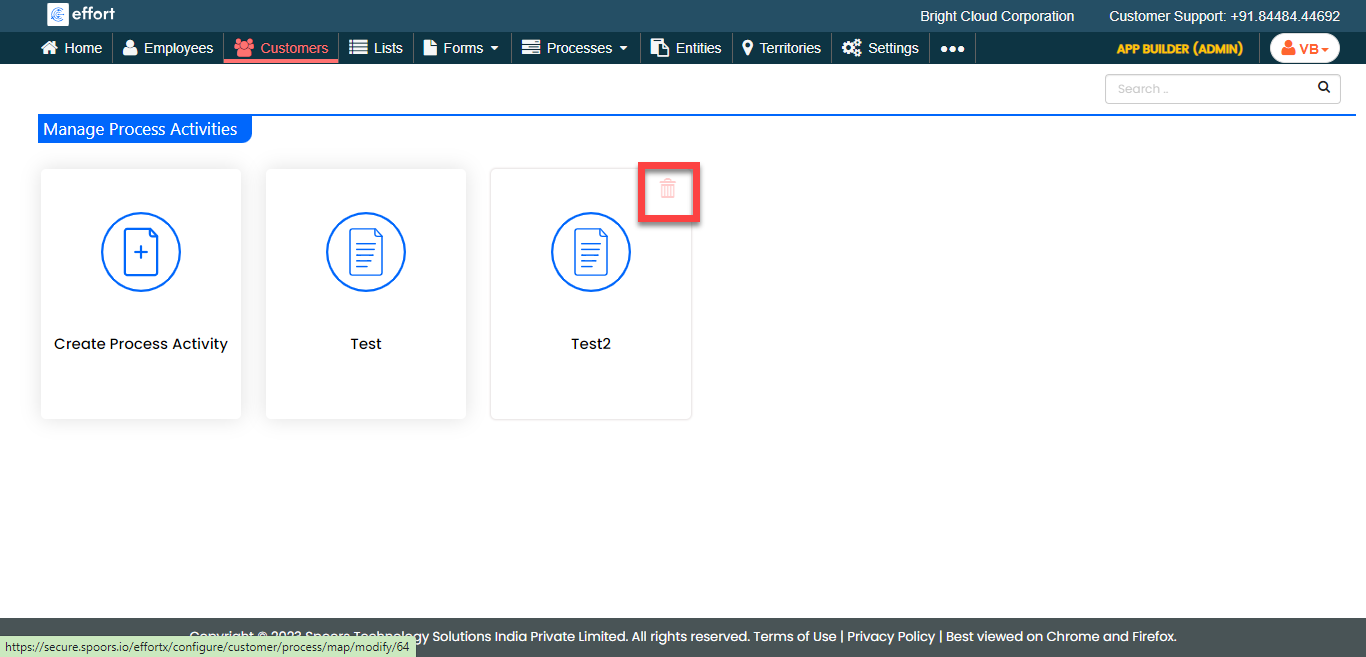
- On the confirmation pop-up, click OK.