

Configure Visibility of Customer Fields
To configure visibility of customer fields, follow the steps below.
-
Go to .
The Customers page appears.
-
Under the Display section, click the Manage
Display Columns card.
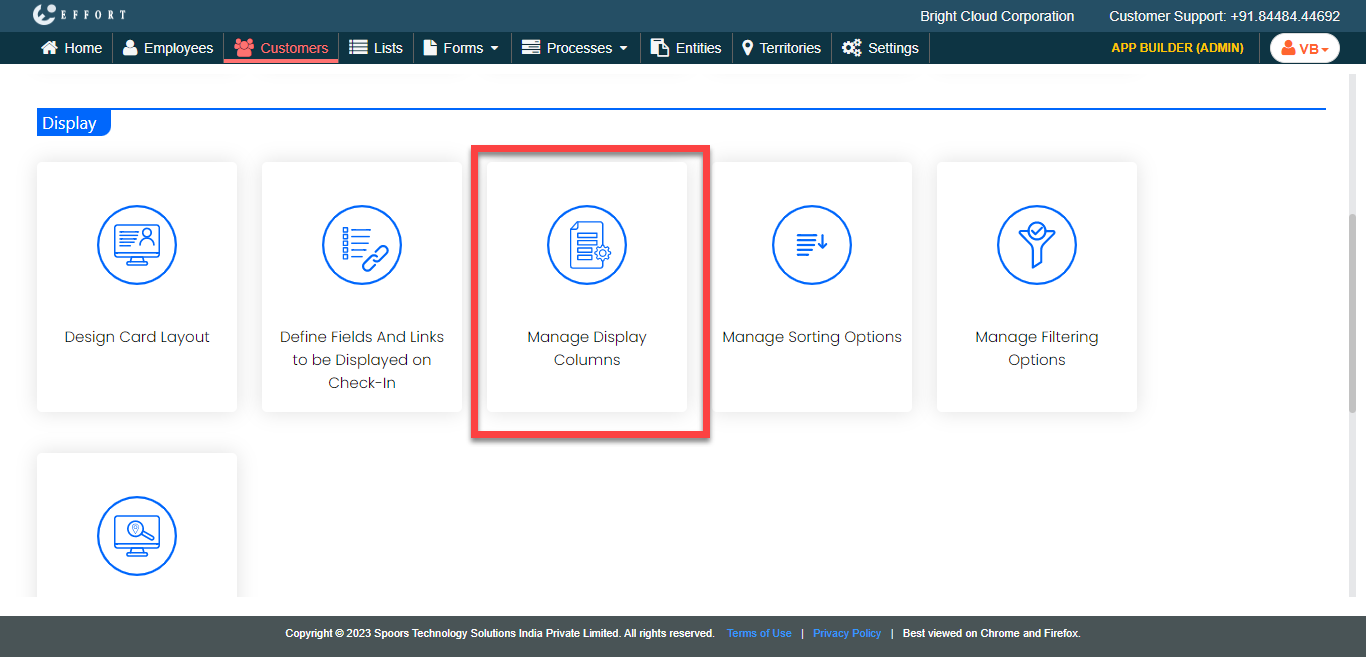
The Manage Display Columns page appears.
-
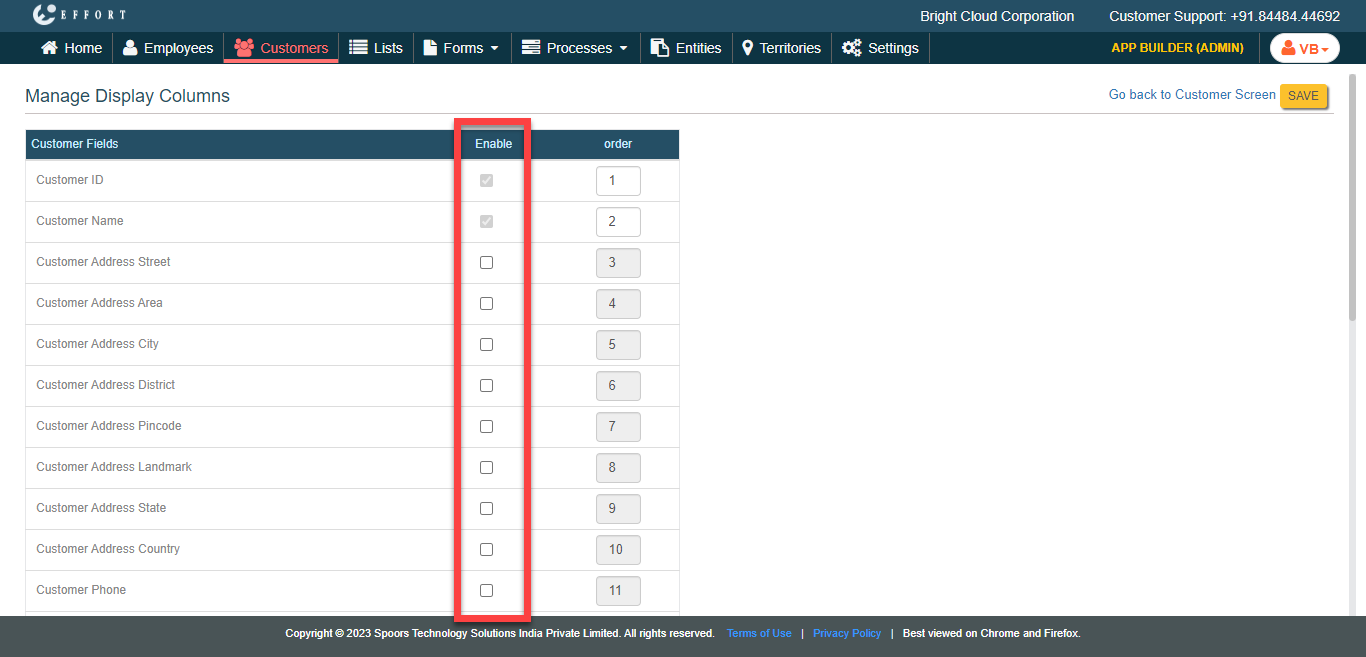
Under the Enable column, enable the required fields to
make them visible in the web app.
-
Under the Order column, define the order of
visibility.
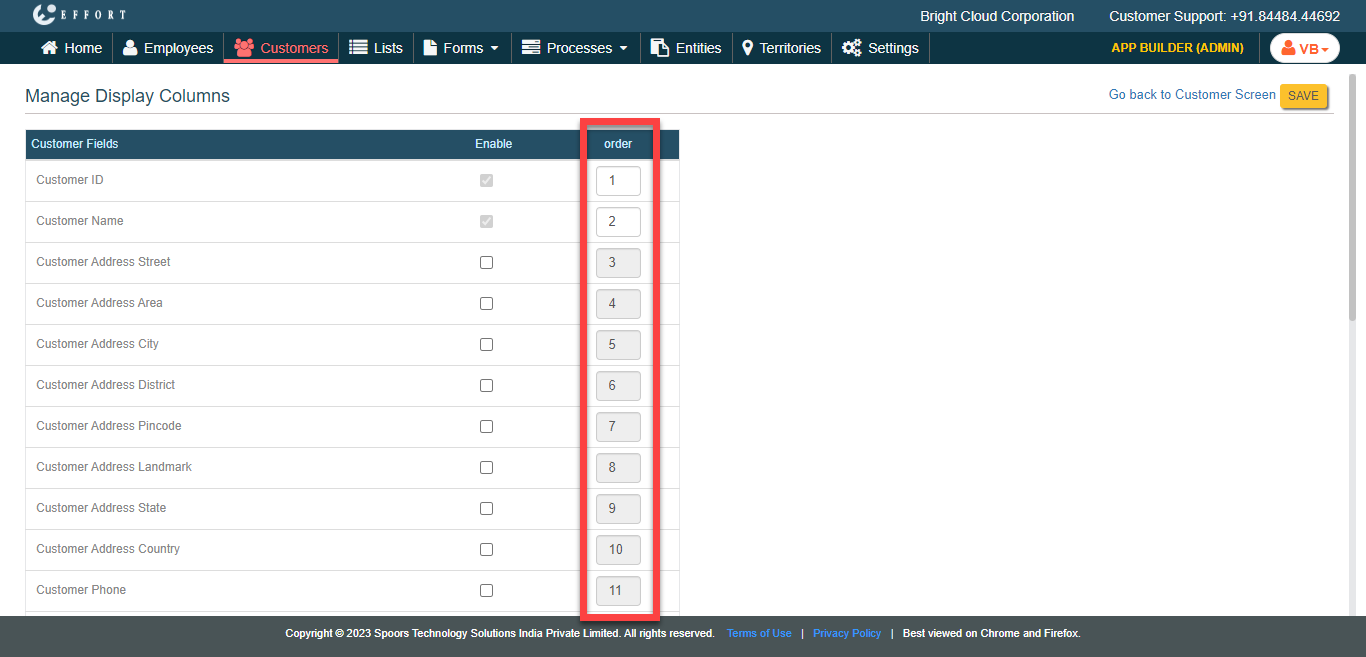
- Click Save.