

Configure System Defined Fields
To configure system defined fields, follow the steps below.
-
Go to .
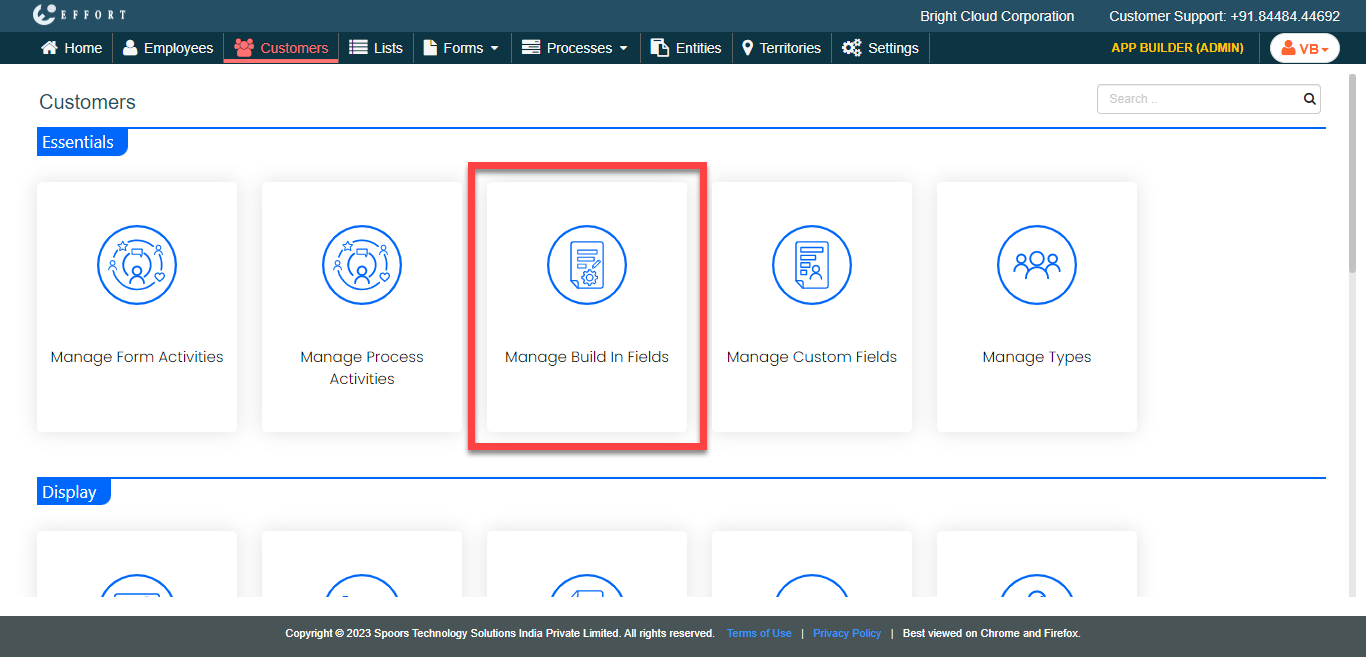
The Customers page appears.
-
Under the Essentials section, click the
Manage Build In Fields card.
The Manage Build In Fields page appears.
-
Enable the Visibility,
Mandatory, and Unique checkboxes for the
fields that you want to configure.
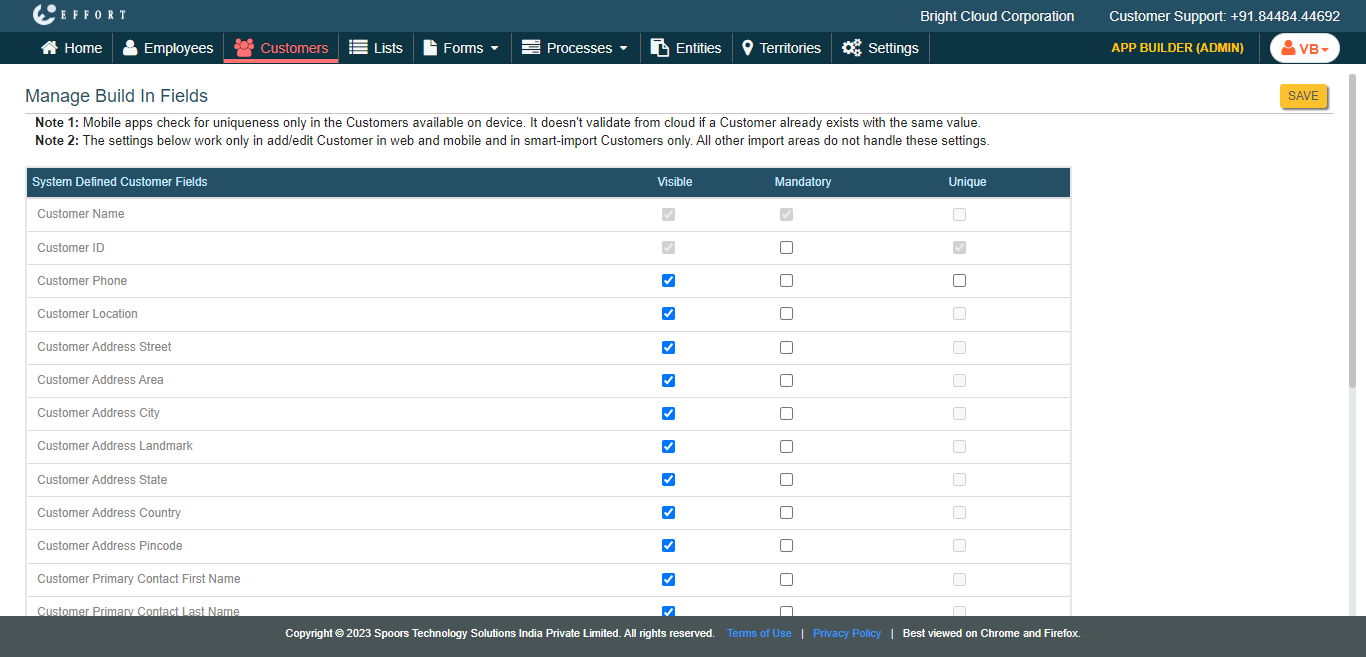
- Click Save.