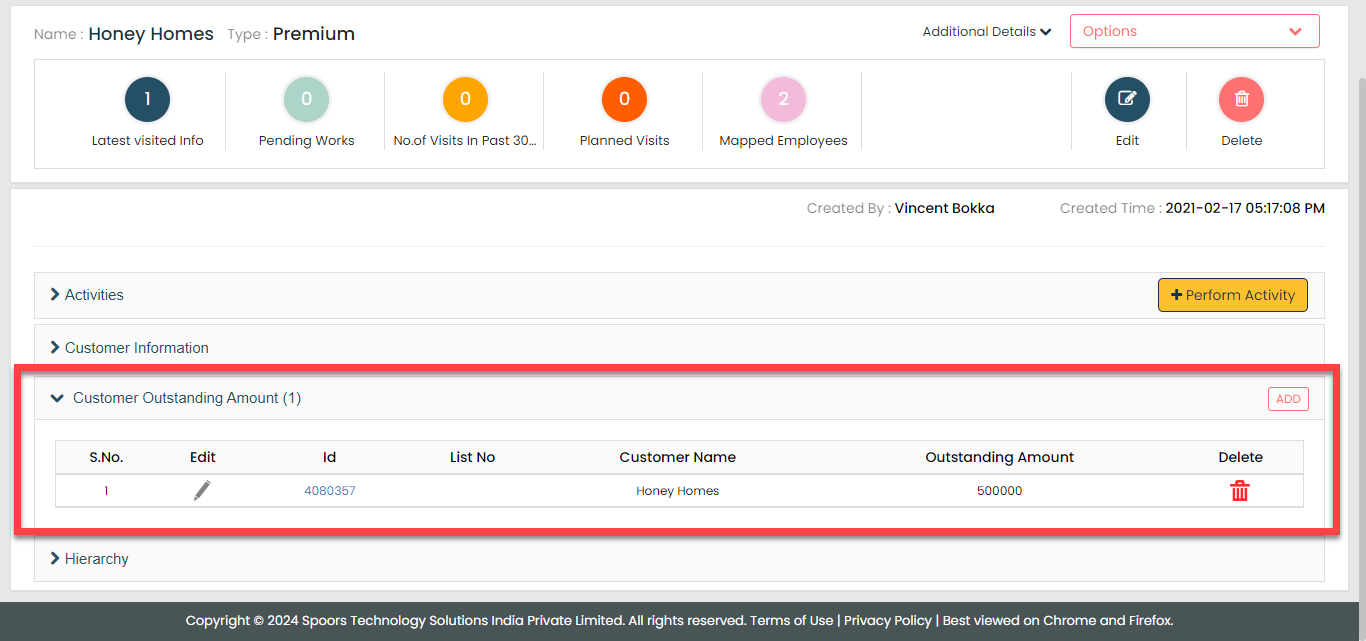
Enable Customer Outstanding Amount
To enable customer outstanding amount for a customer, follow the steps below:
-
Create customers by navigating to .
Refer to the Add Customer topic for the detailed steps to create a customer.
-
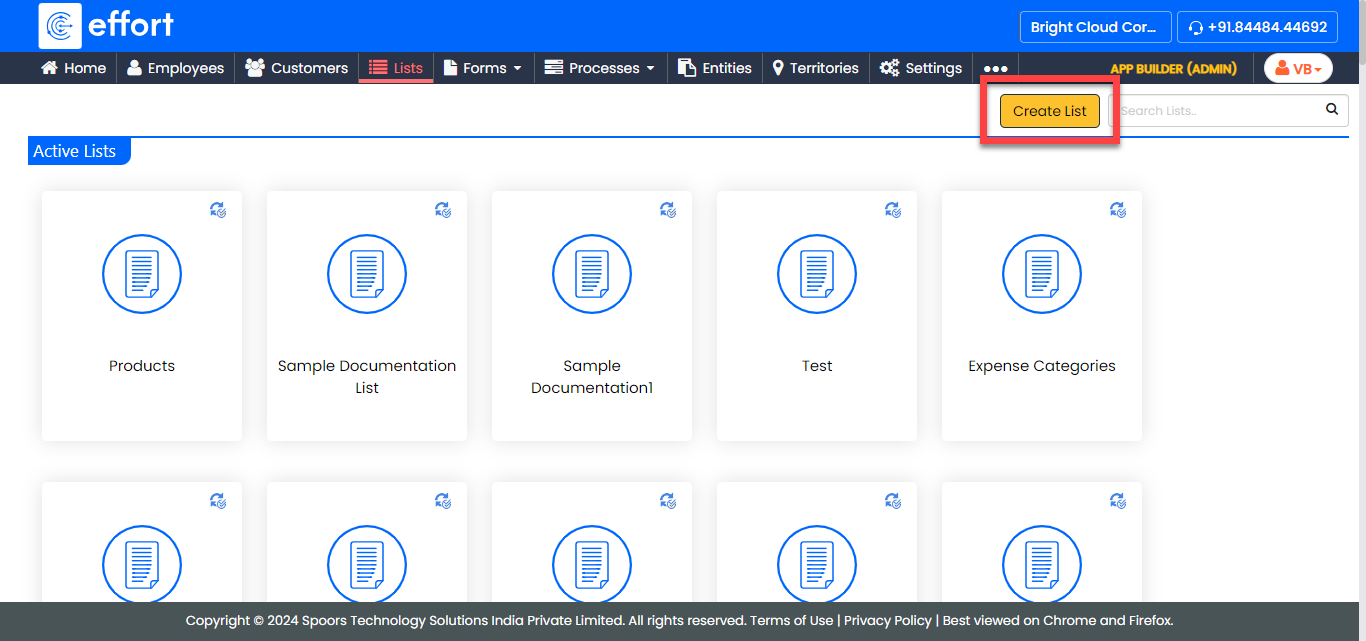
Go to .
-
Create the list in the following design and publish it.
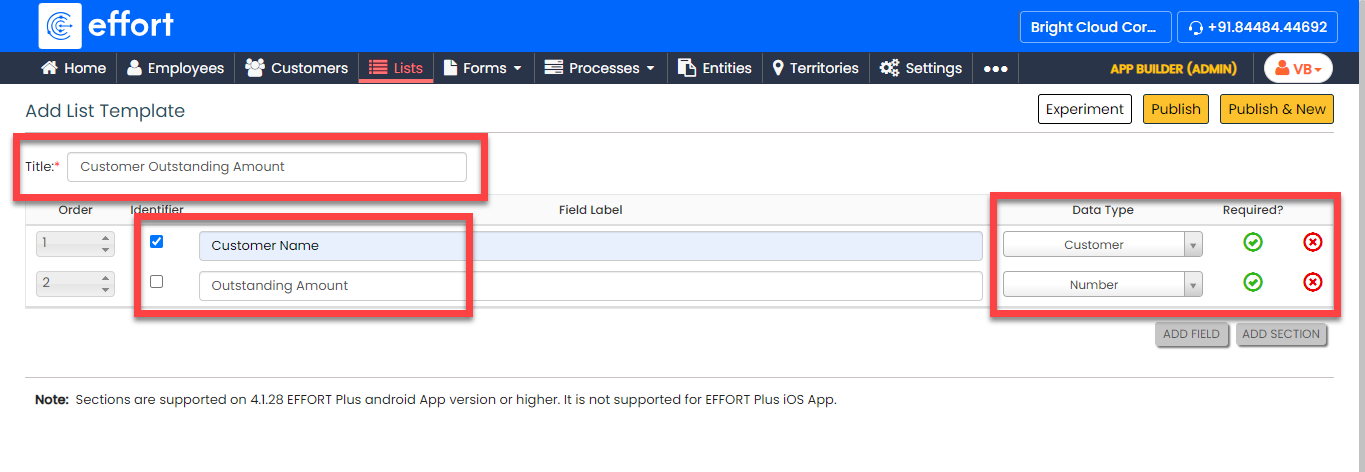
Refer to the Create List topic for the detailed steps to create a list. -
Add items to the list master.
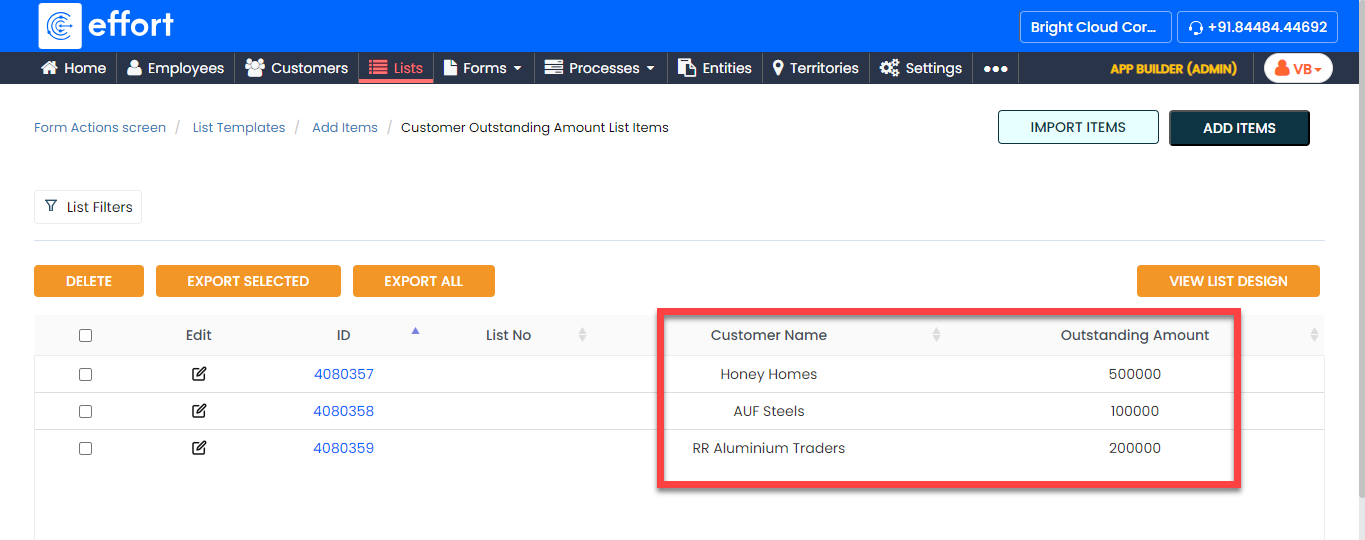
Refer to the Add an Item to List topic for the detailed steps to add items to the list. -
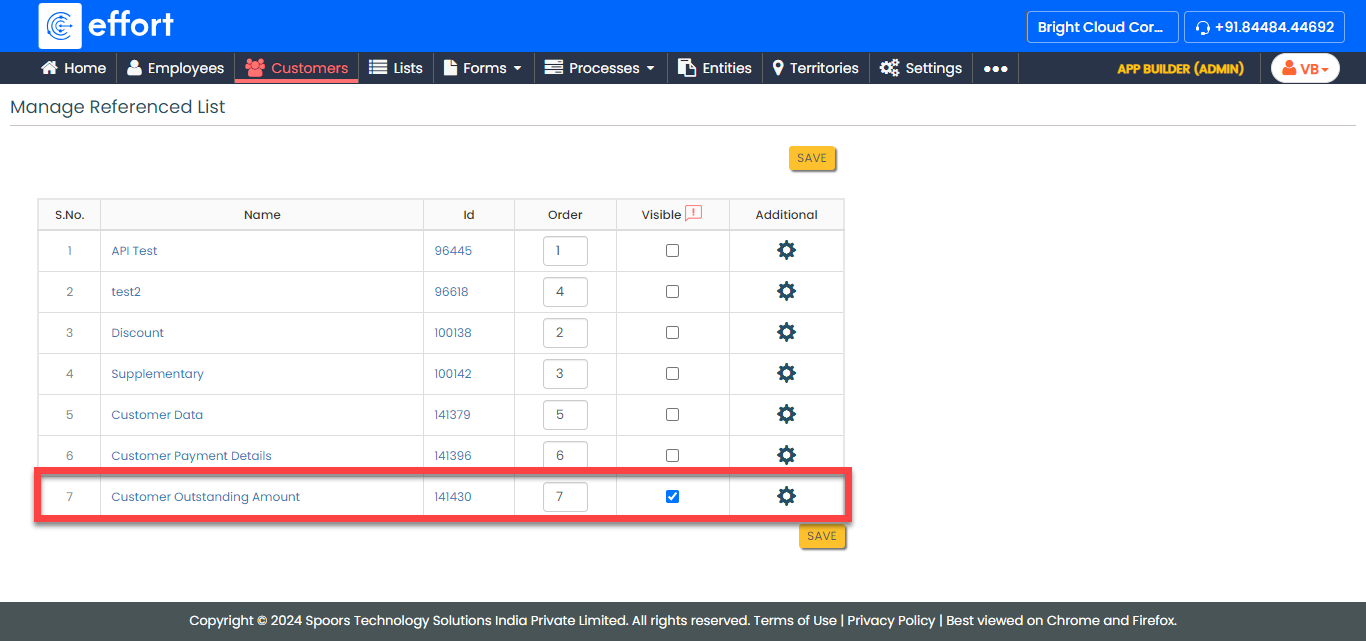
Go to and enable the Customer Outstanding Amount
as shown below.
-
Go to and open the customer for which you added the outstanding amount.
The outstanding amount is visible on the customer details page.