

Create Decision Providers
Make sure you have the credentials, such as Decision Engine URL, User Name and Password.
Keep your DMN file ready.
If you want to know the complete Decision Provider configuration, refer to the tutorial Tutorial on Decision Providers.
-
Go to
The Processes page appears.
-
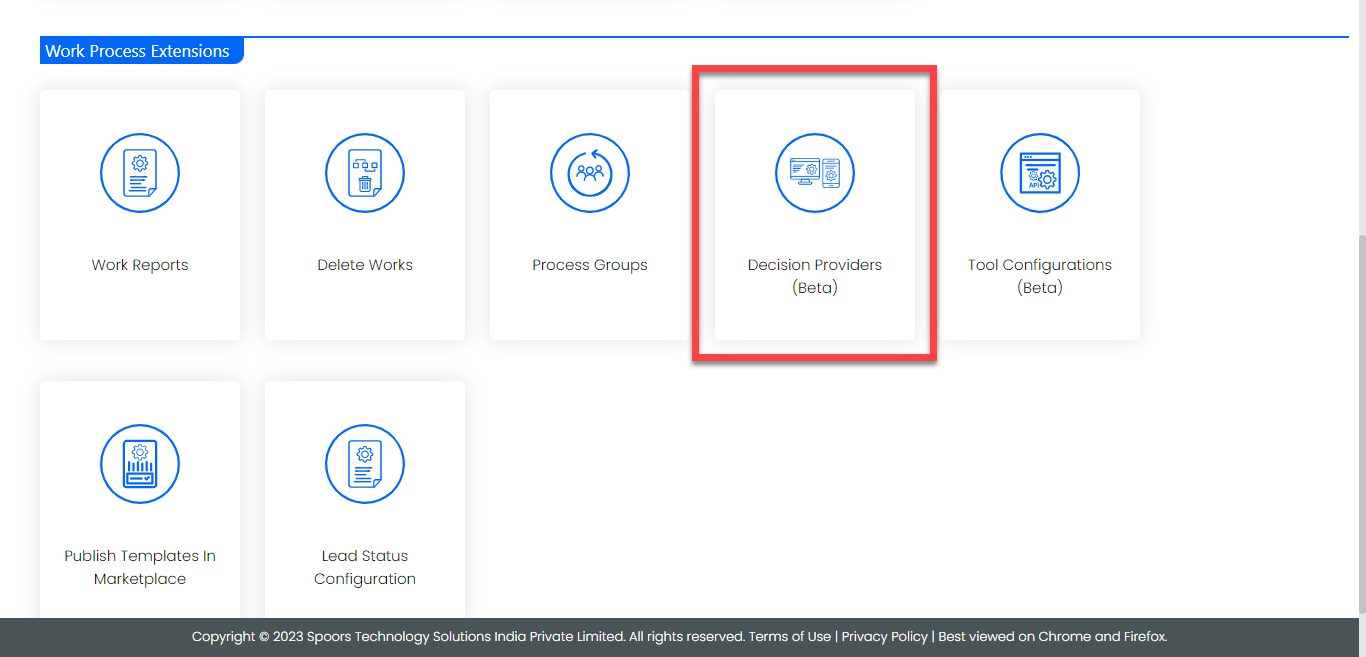
Click the Decision Providers (Beta) card under the
Work Process Extensions section.
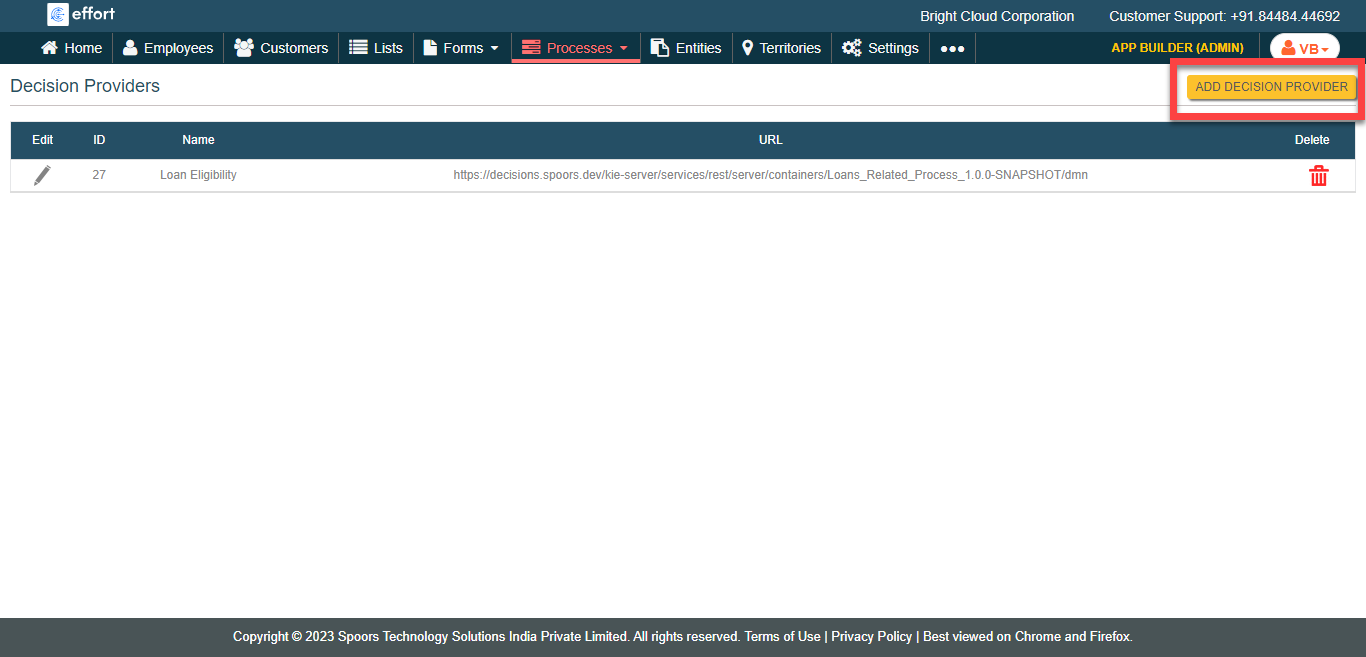
The Decision Providers page appears.
-
Click the Add Decision Provider button.
-
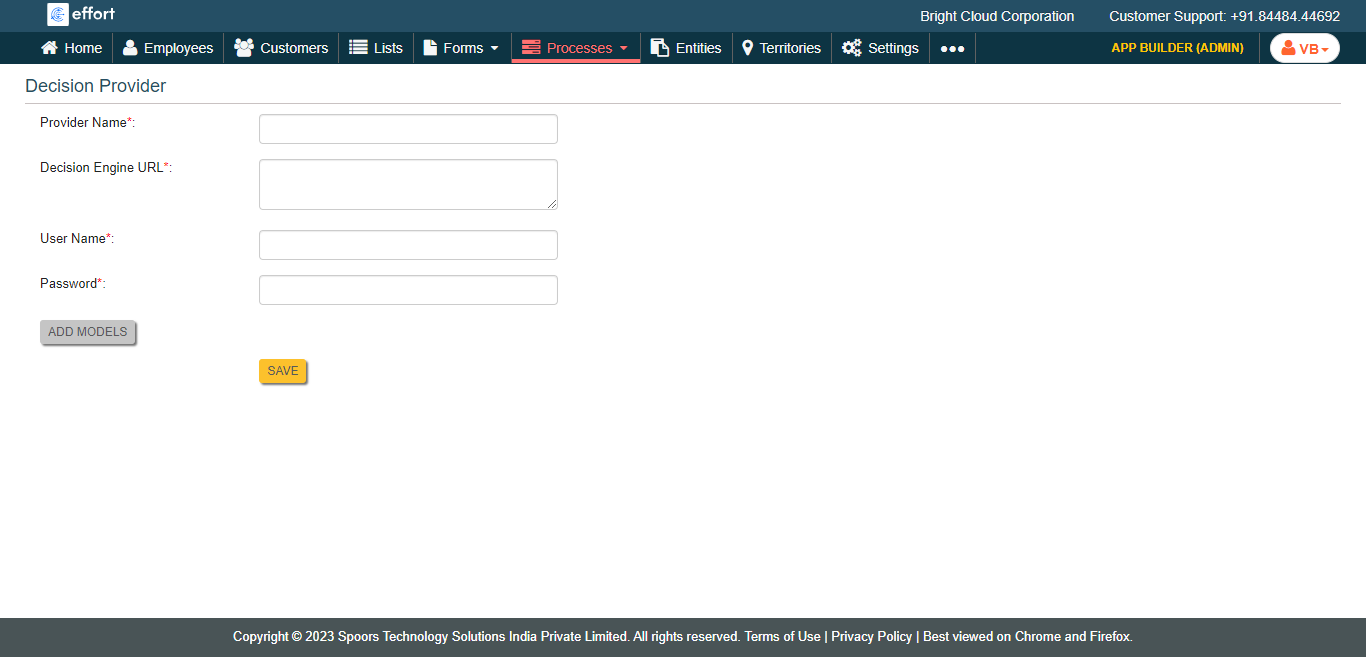
Enter mandatory details such as Provider Name, Decision Engine URL,
User Name, and Password.
-
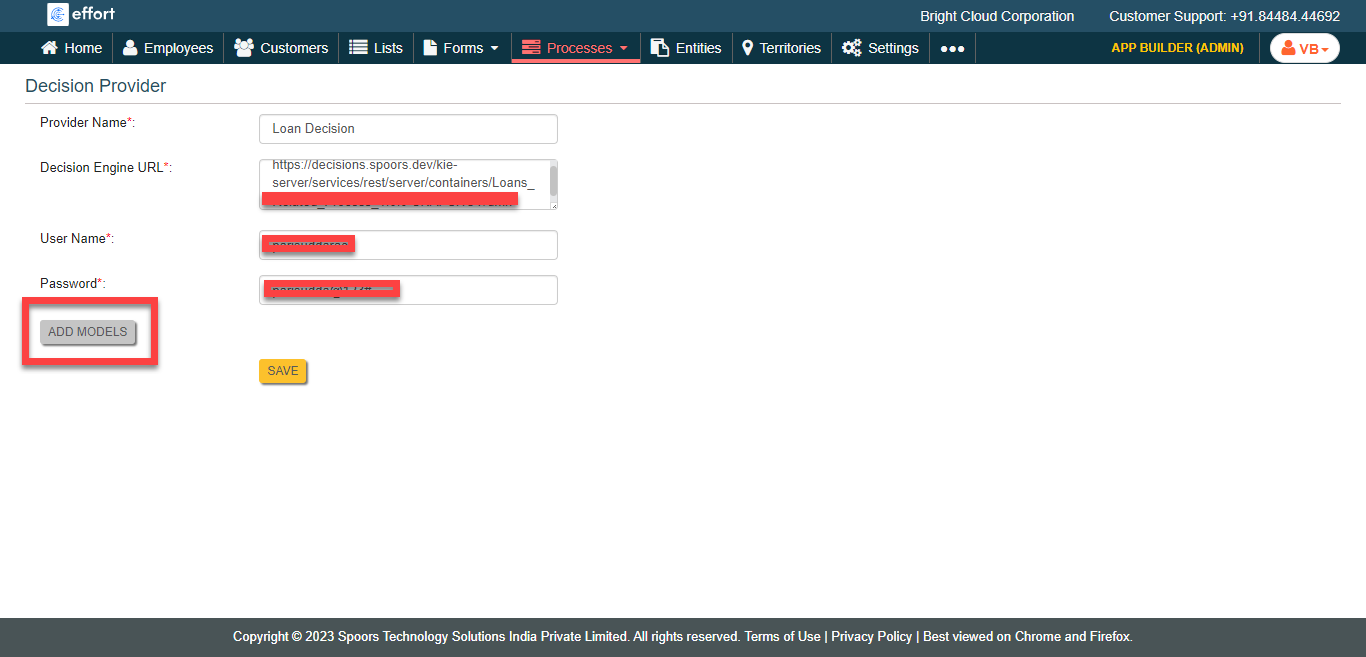
Click the Add Models button.
-
Click Browse to select the downloaded DMN file.
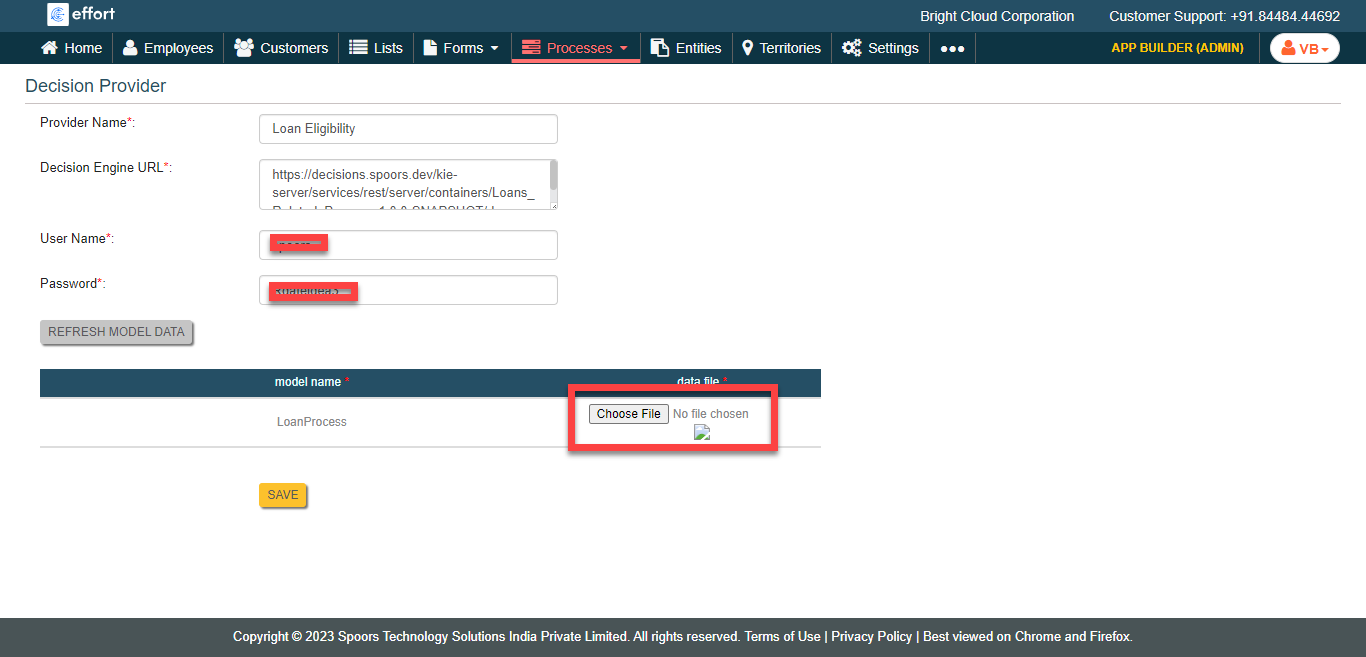
- Click Save.