

Configure Auto Allocate Work Activities
-
Go to .
The Processes page appears.
-
Click the Activity Process card.
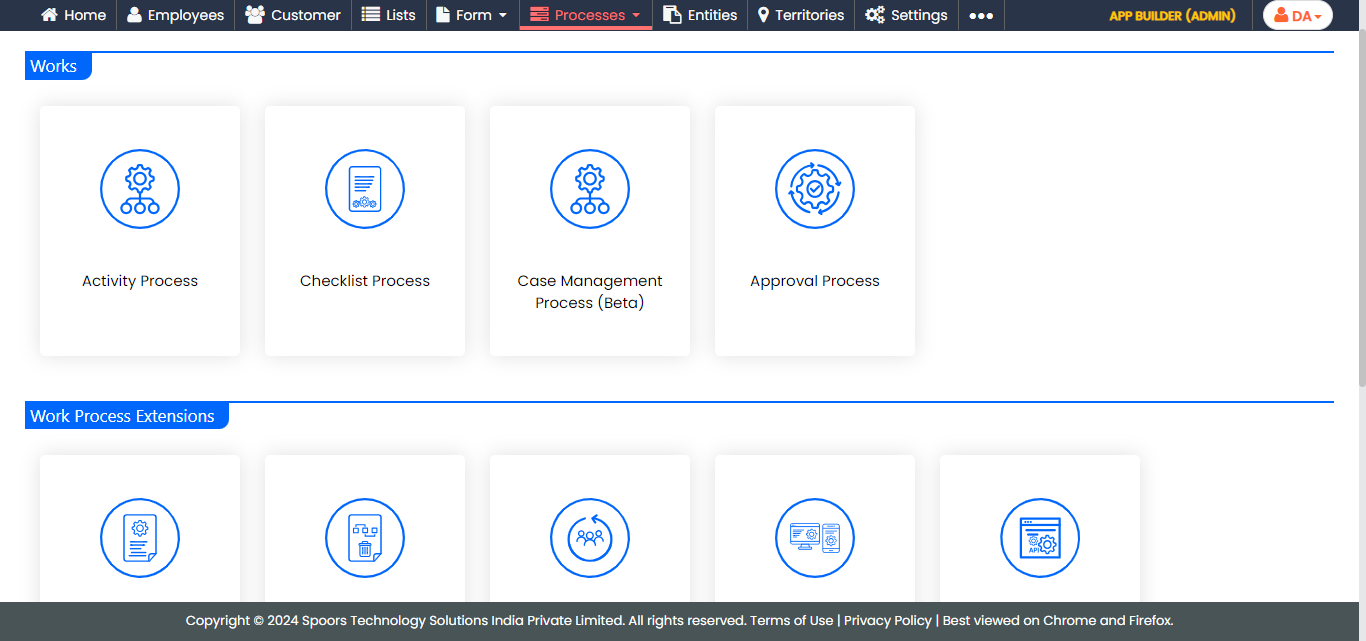
The Activity Process page appears.
-
Click on the required process card.
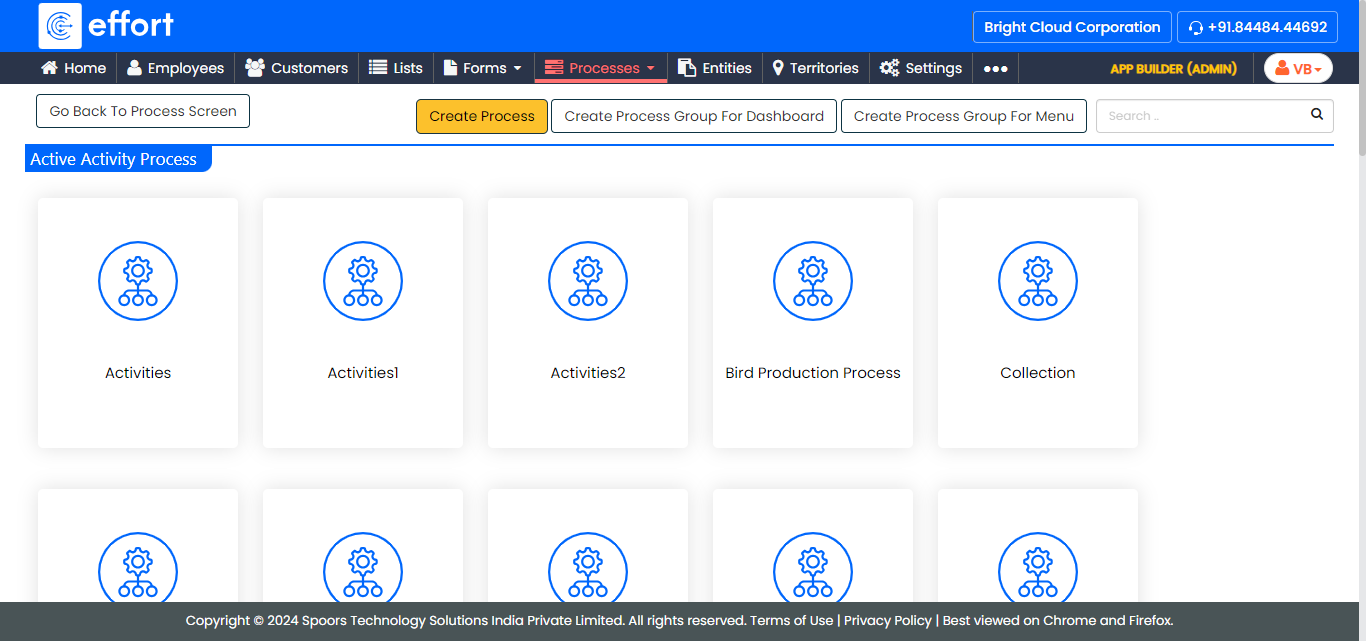
The <Work Process Name> Process Activities page appears.
-
Click the Manage Flow card under the Work
Process Essentials section.
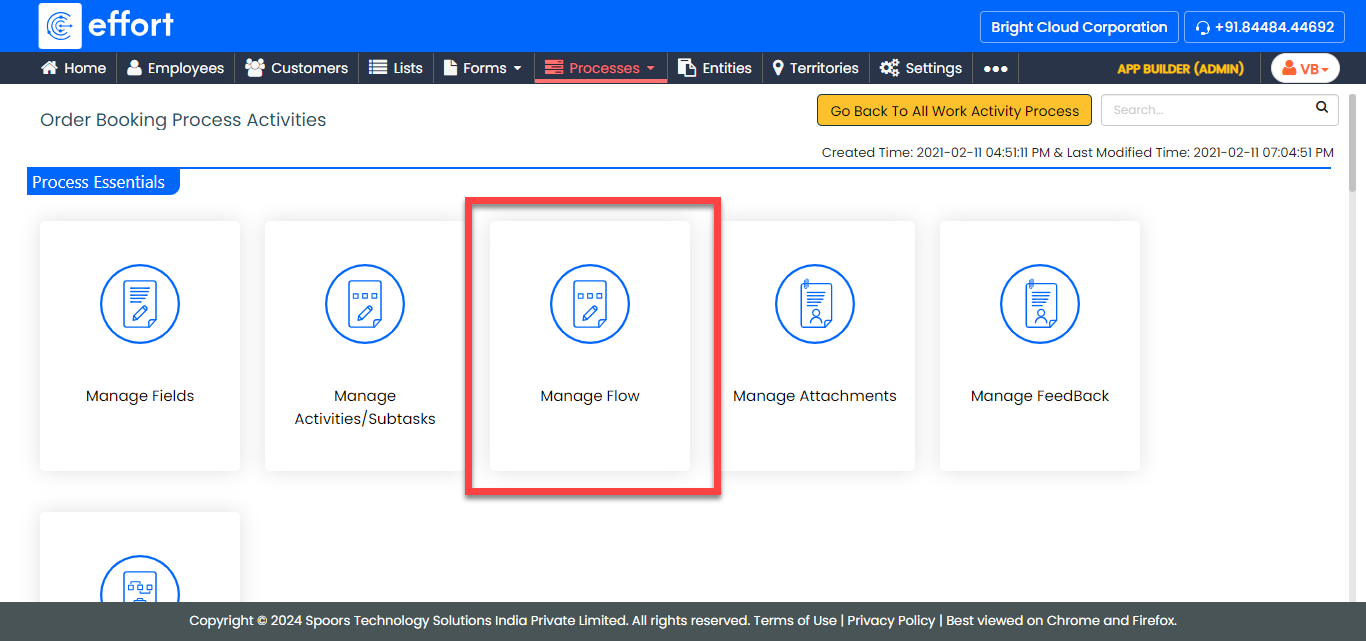
-
Click the light bulb icon under the Allocation Rules
column.
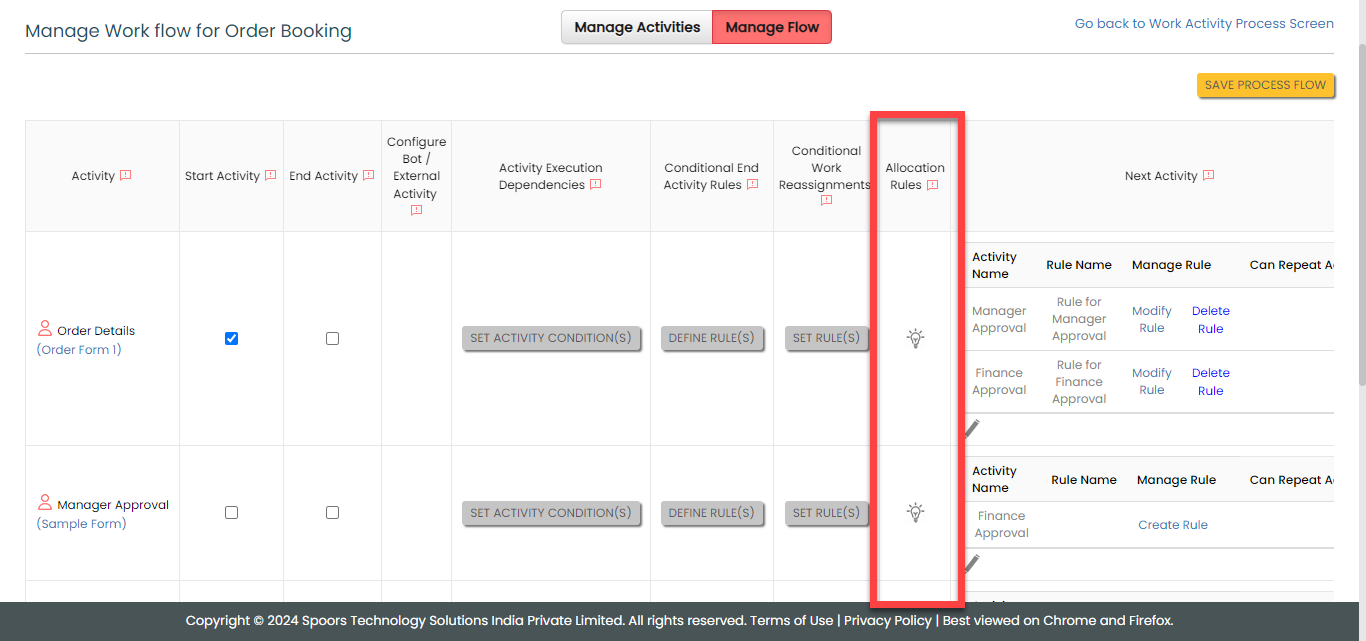
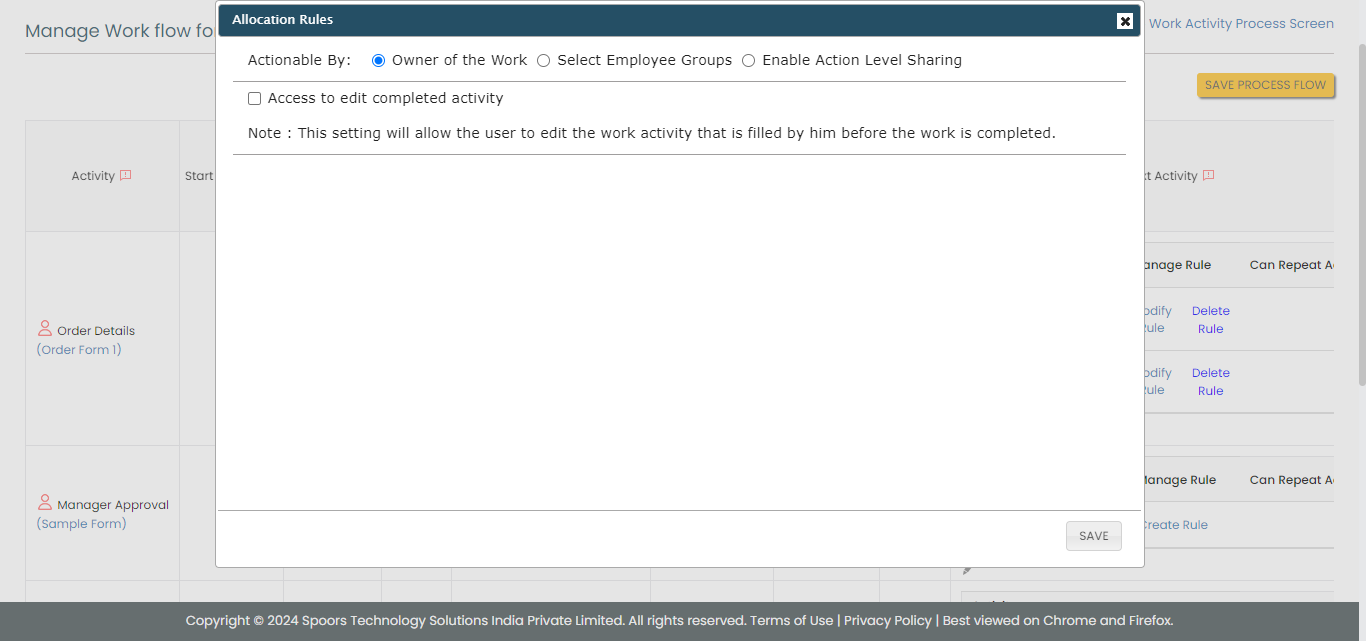
The Allocation Rules pop-up window appears.
-
Configure the auto allocation as per your requirement.
- Click OK.