

Add Leave Types and Quotas
To add leave types and quotas, follow the steps below:
-
Go to .
The Employees page appears.
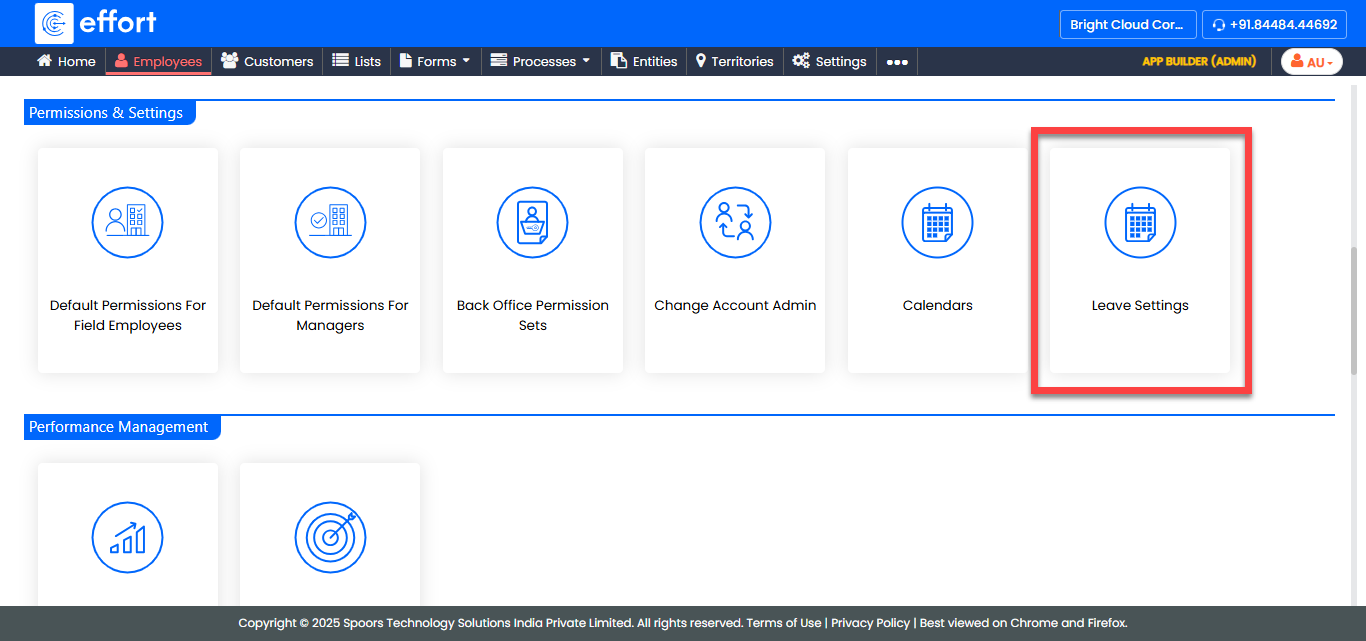
- Scroll down to the Permissions & Settings section.
-
Click the Leave Settings card.
-
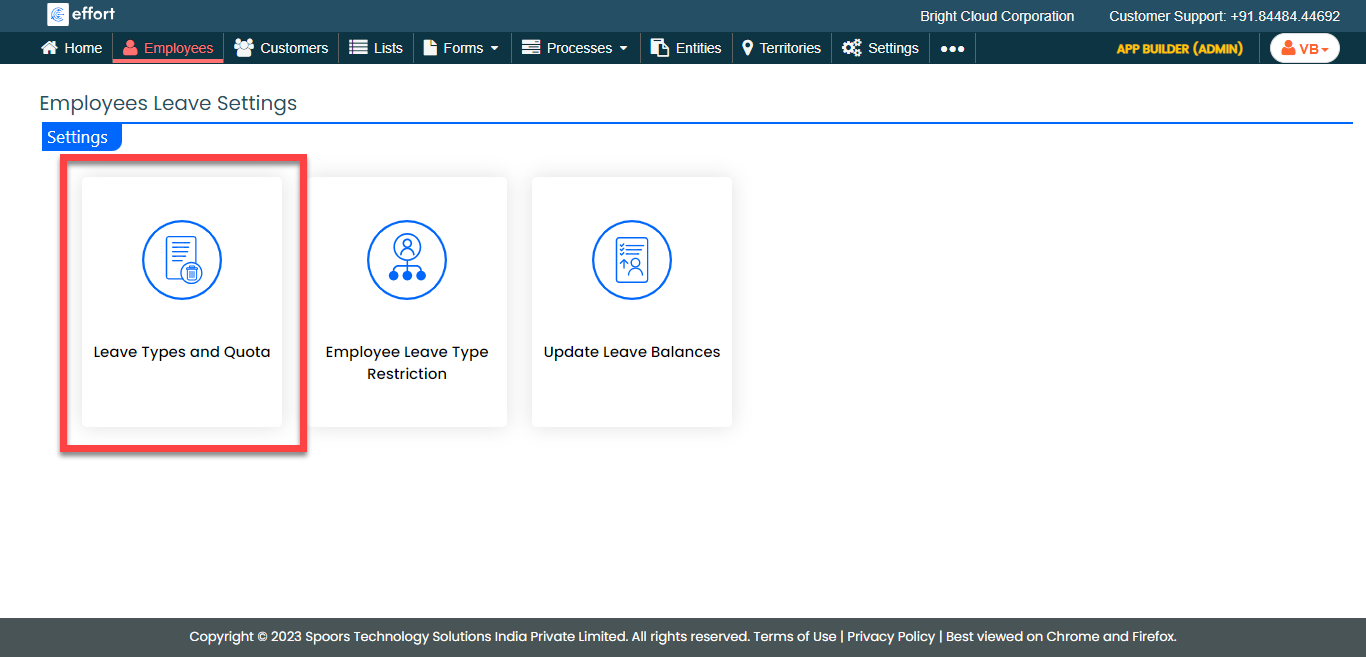
On the Employees Leave Settings page, click the
Leave Types and Quota card.
-
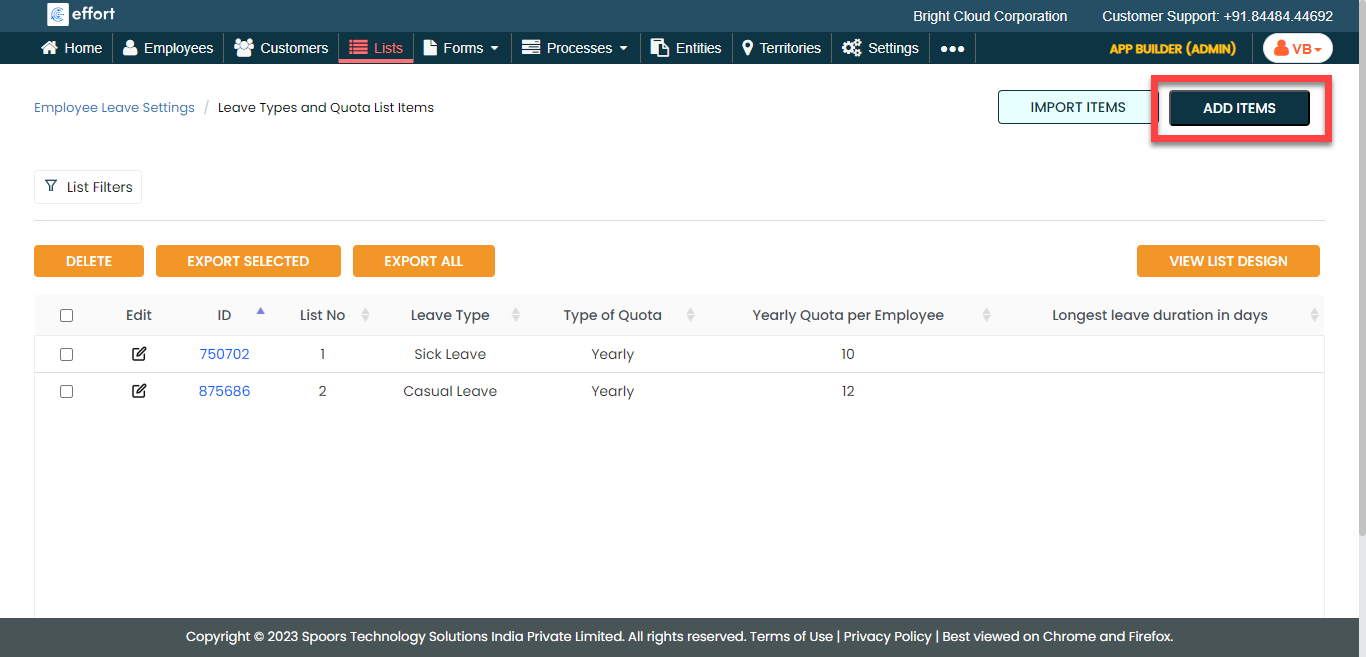
Click the Add Items button.
-
Fill in the data in the fields.
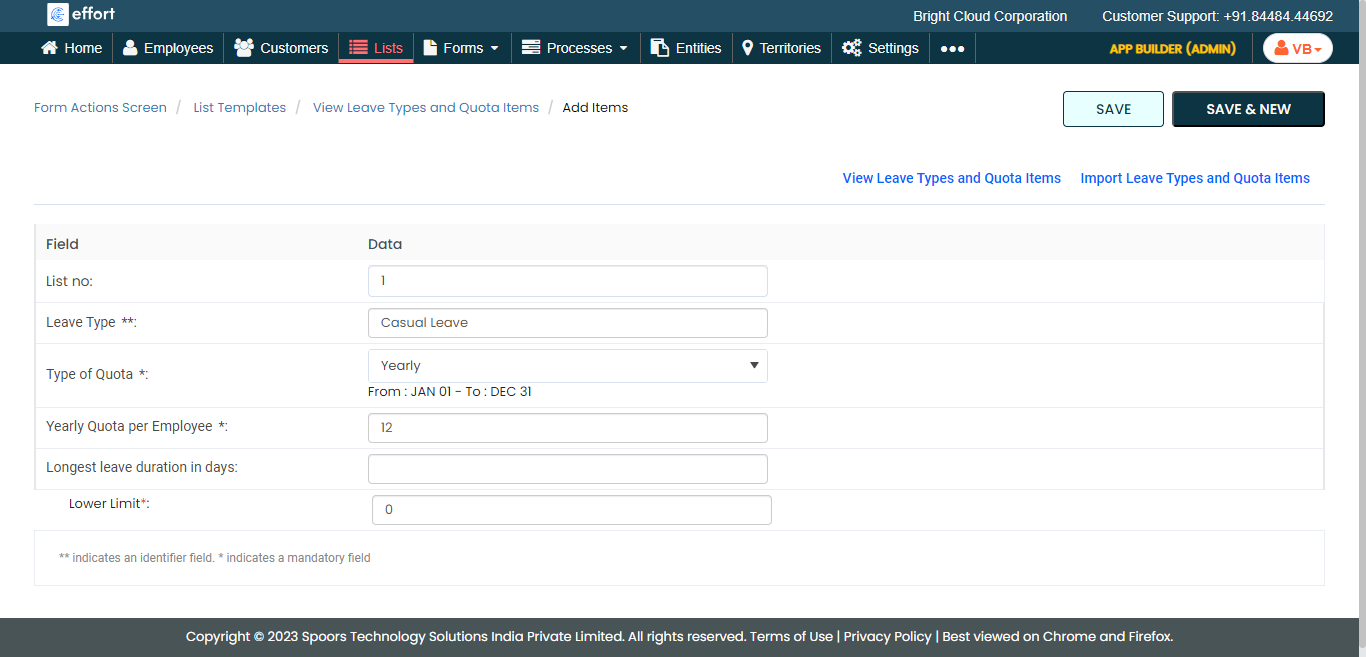
- Click Save.