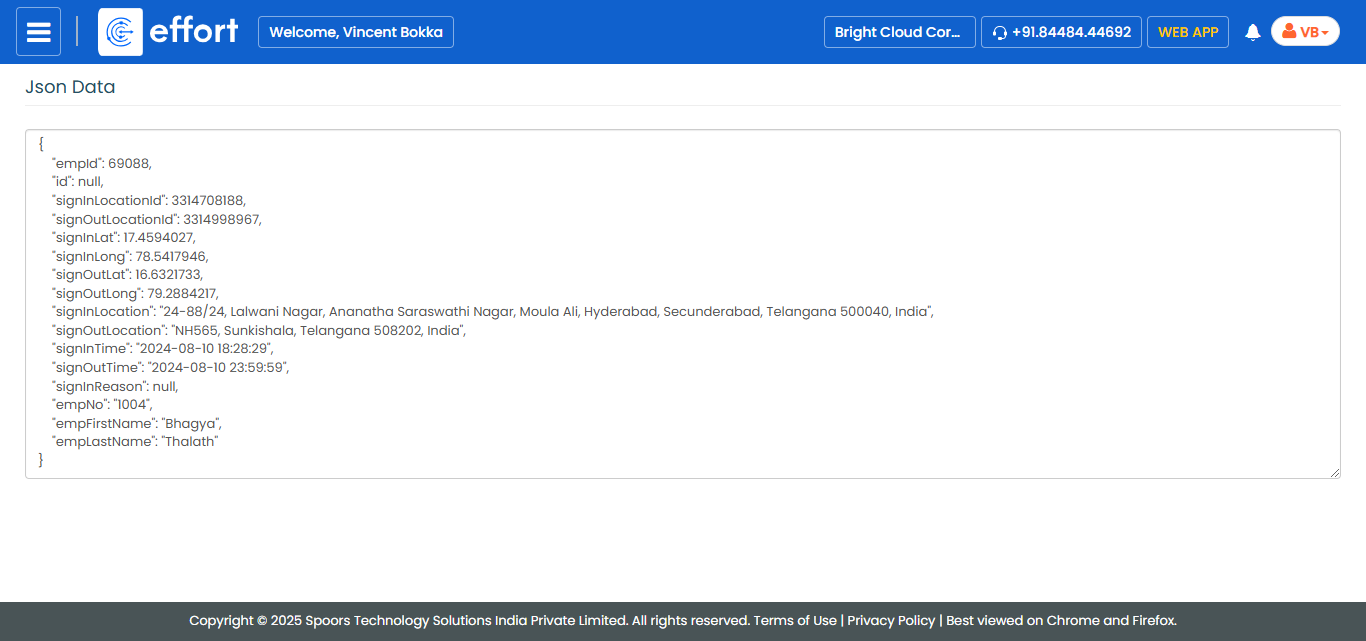
Generate a Sample JSON for Integration of Employee Sign-In Sign-Out
To generate a sample JSON for integration of employee sign-in sign-out, follow the steps below.
- Go to .
-
Click Tools and Audit in the user menu located on the
top right corner under the employee name.
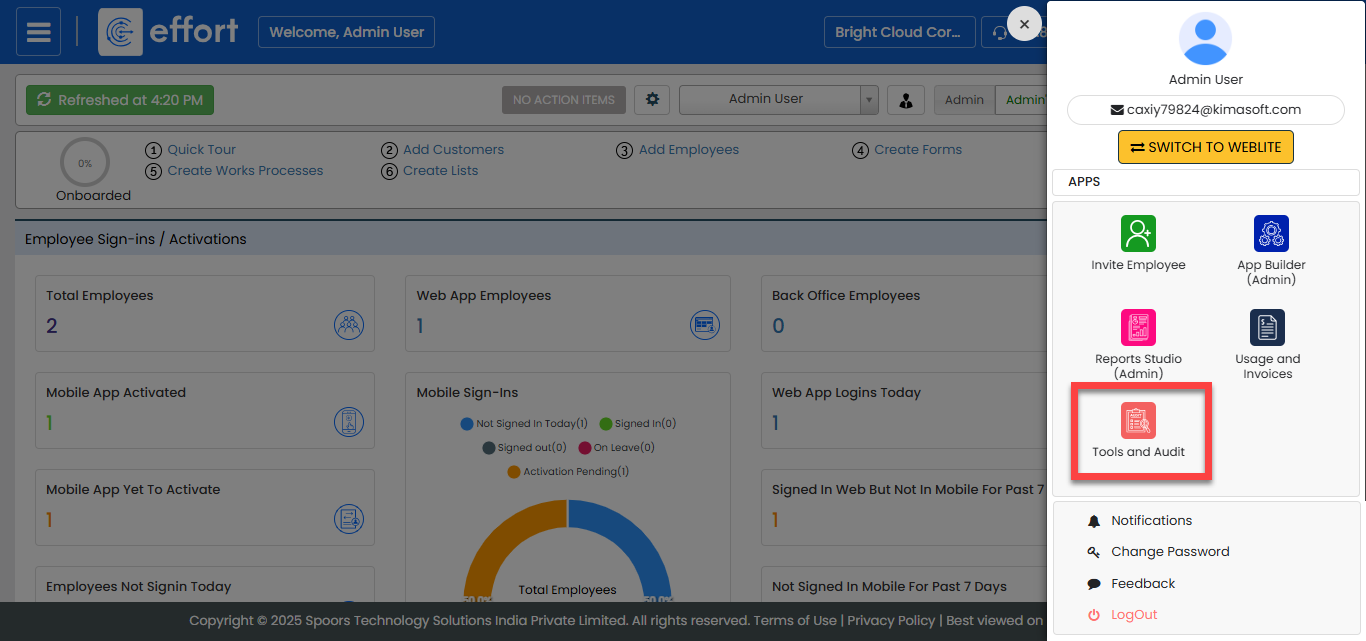
The Tools and Audit page appears.
-
Click the Generate Sample JSON for Integrations link or
icon under the Tools and Audit section.
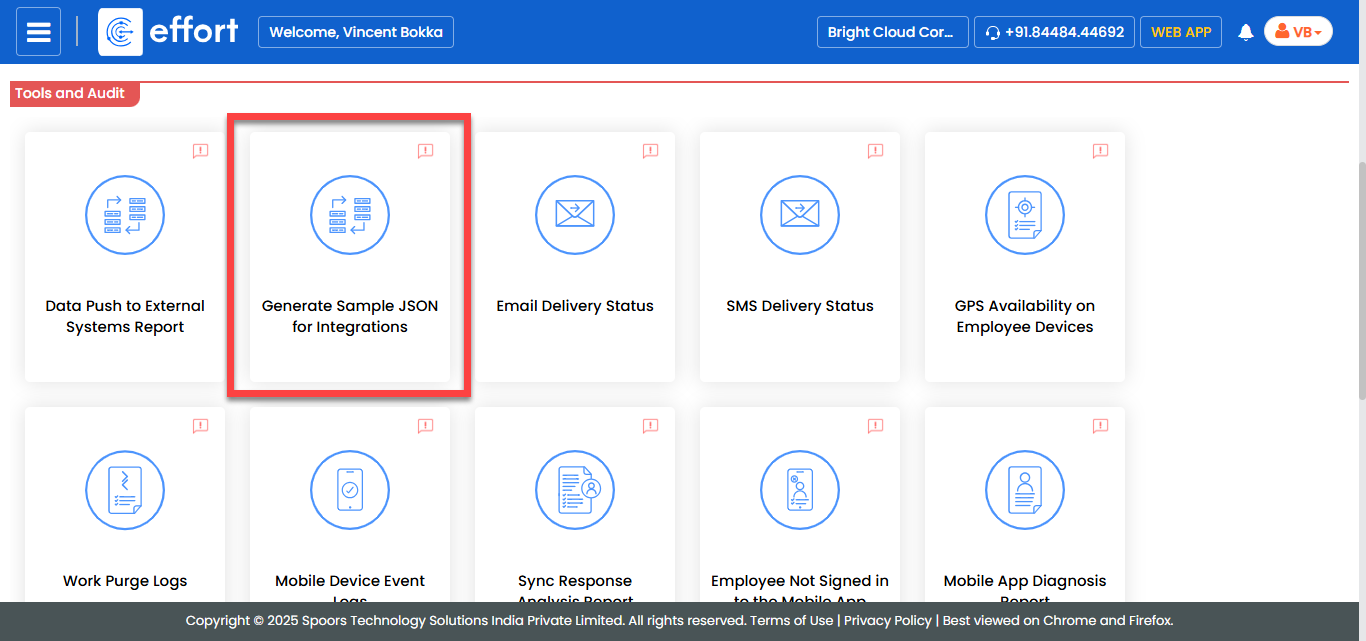
The Generate Sample JSON for Integrations page appears.
-
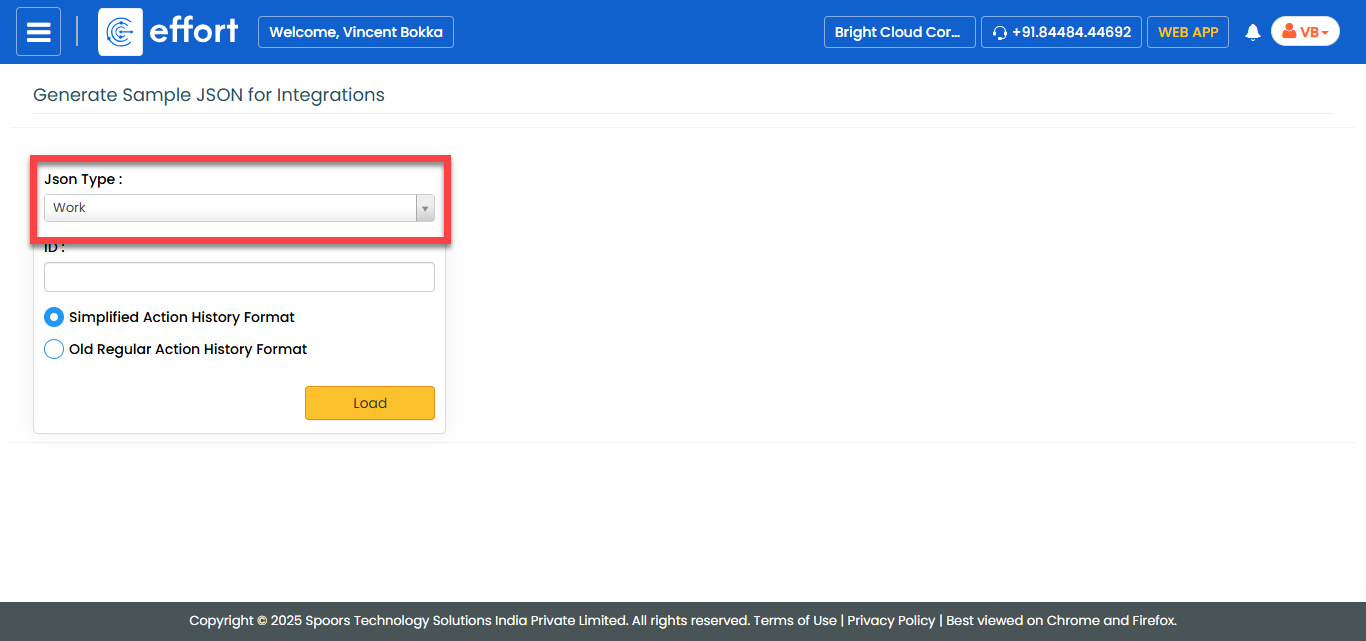
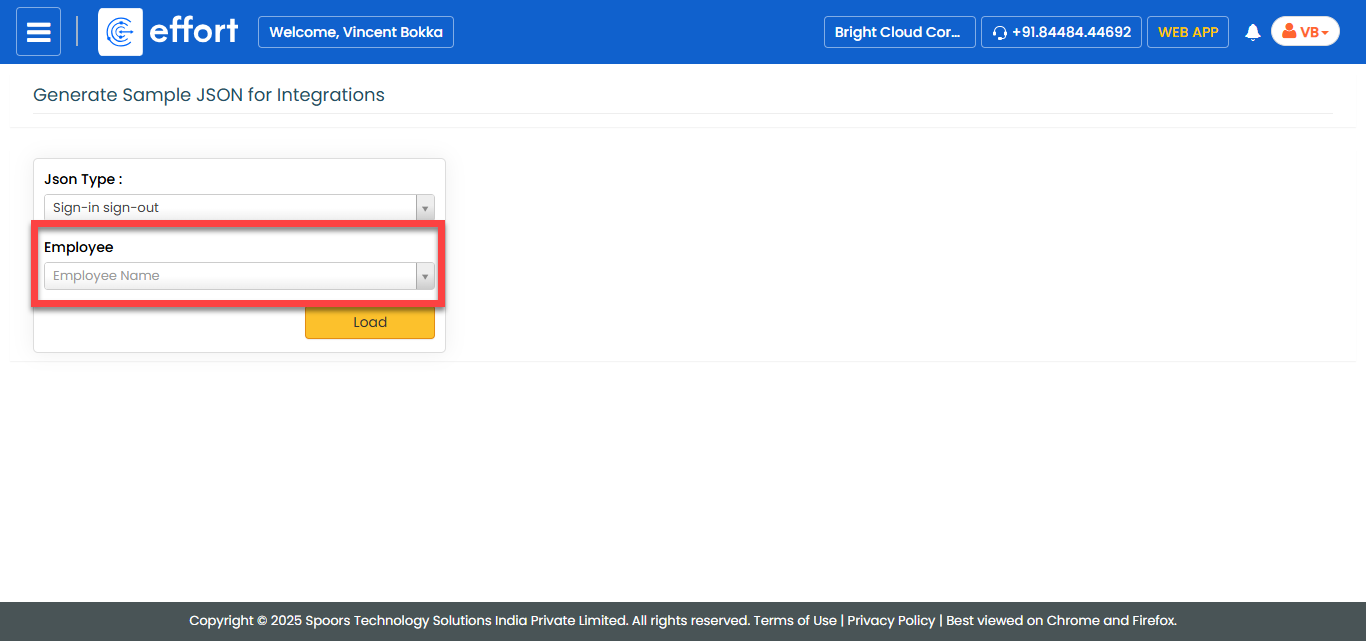
From the JSON Type dropdown, select Sign-in
Sign-out.
-
From the Employee dropdown, select an employee.
-
Click Load.
The JSON Data is displayed in a new tab.